Documentation / How-To Guides / How to Prioritize Link Prospects
How to Prioritize Link Prospects
Choose the link prospects that your team should approach first.
Prioritize link prospects by what each requires, whom it reaches, and when you need to act. OppAlerts helps you compare site strength, PageRank history, and contact routes. Review each prospect's live page for the remaining requirements before deciding which to approach first.
- Which prospects are on strong sites? The rank filters of Advanced Search and Opportunity Types.
- Which sites grow, and which sites decline? Link Graph: Multi-Site.
- Which sites can you contact? Site Info: Site.
1. Filter the list by the strength of the site
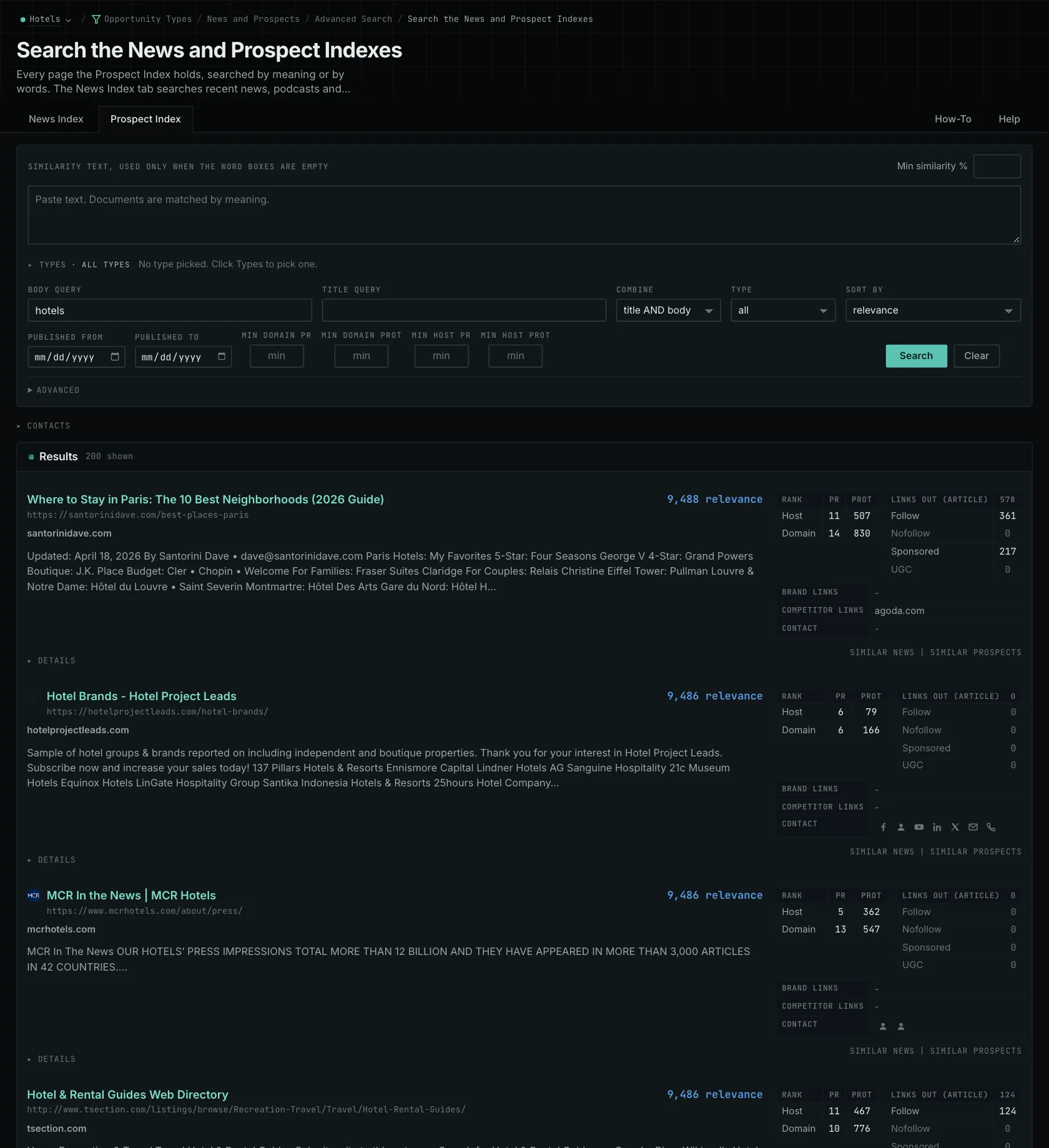
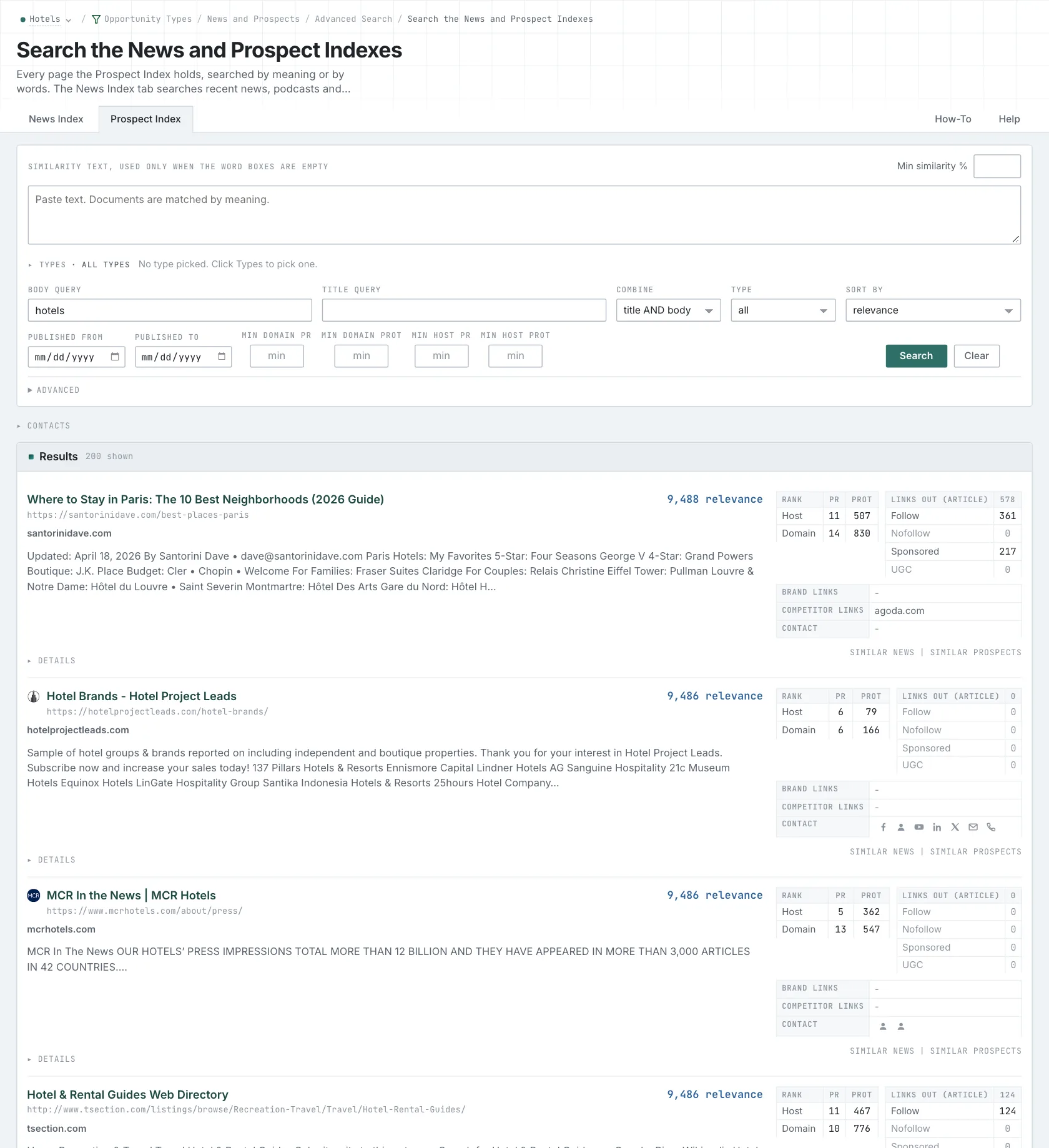
- Open Advanced Search, or an Opportunity Types page, and open the Prospect Index tab.
- Set Min domain PR to remove the sites with little standing.
- Click Advanced, and type a Min domain PRoT to keep the sites that were strong for a long time.
- Use the Maximums, for example Max domain PR, to find smaller sites.
- Read links out (article) on each row. A page with 0 links out in its article does not link to other sites from its article.
- MCP:
prospects_search, with{"campaign": 3, "similarity_target": "campaign", "pr_domain_min": 10, "type_scores": [{"opportunity_type": "advertising/advertise-with-us", "type_score_min": 50}], "sort": "type_score"}. - API:
POST https://api.oppalerts.com/v1/prospects/search, with the same JSON body.
2. Compare the PageRank history of the sites
- Open Link Graph: Multi-Site.
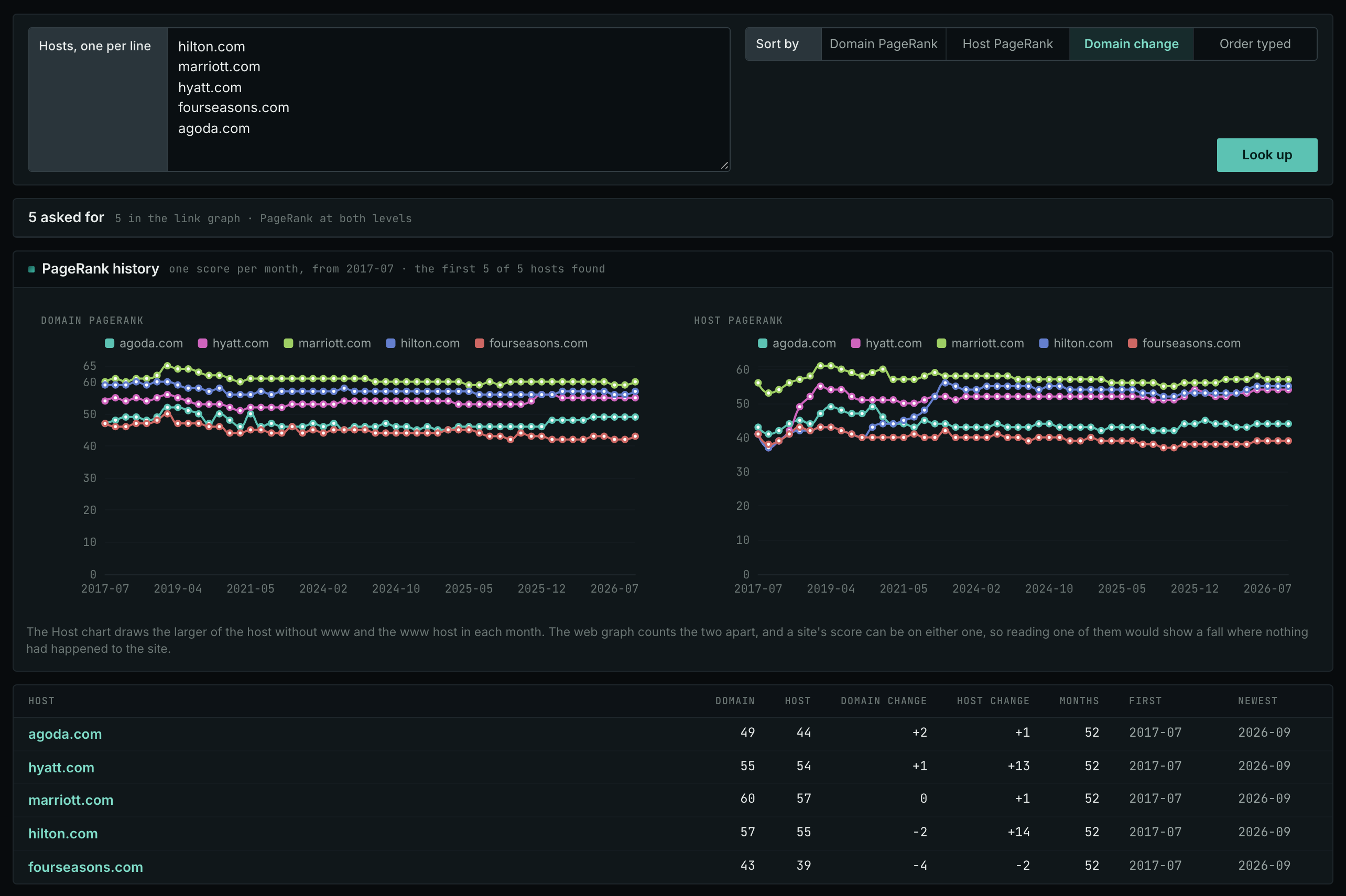
- Paste the hosts of your list, up to 100, and click Look up.
- Sort by the score when you need the strongest sites. Sort by the change when you look for sites that grow.
- Open a host name to see its full history on Link Graph: Site.
- MCP:
linkgraph_history, with{"hosts": ["example-hotels.com", "grand-resorts.example"], "sort": "pr_domain_change"}. - API:
POST https://api.oppalerts.com/v1/linkgraph/history, with the same JSON body.
3. Find which sites you can contact
- Open Site Info: Site.
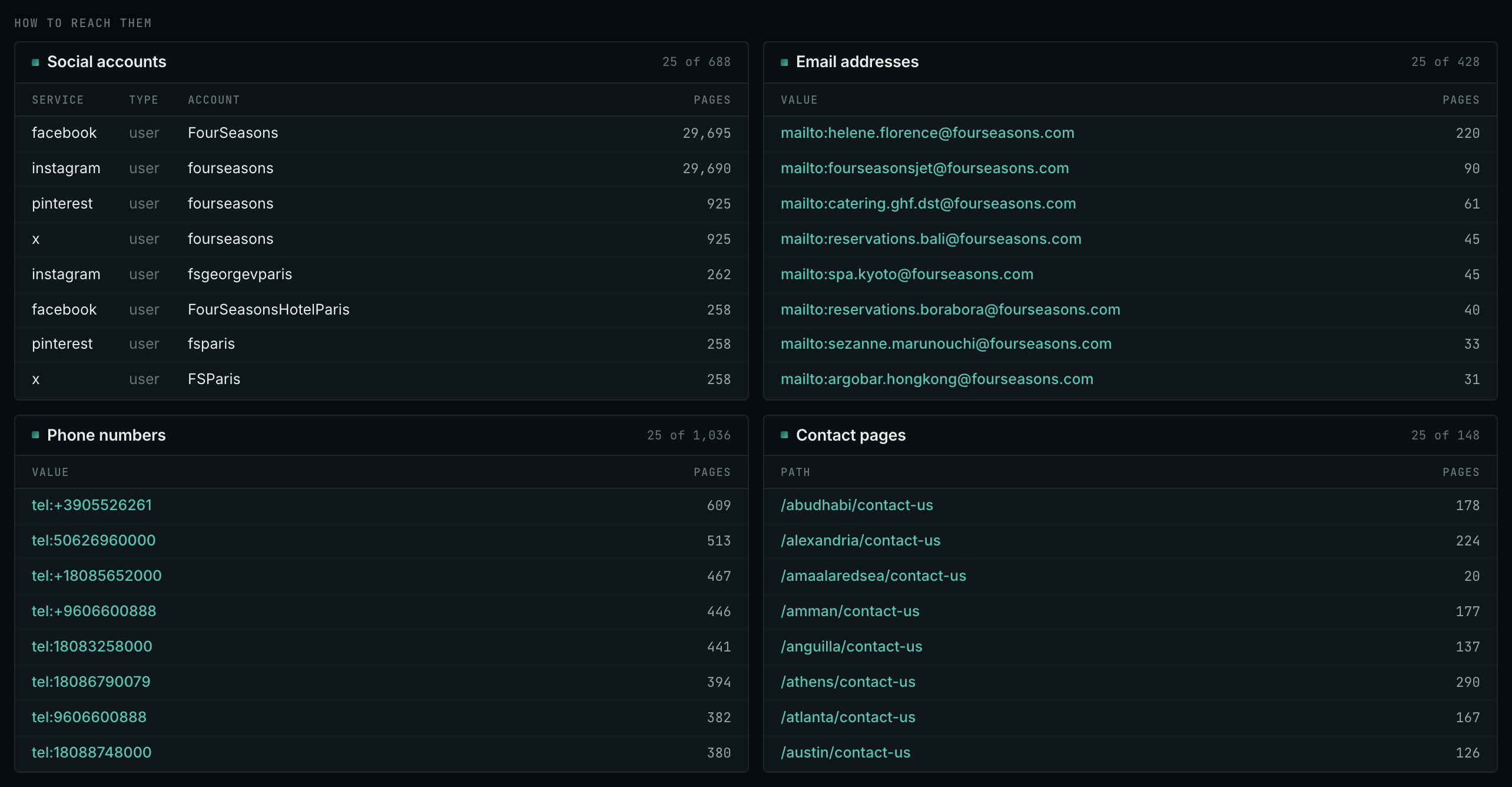
- Enter one site, and click Look up. Look up each site of your list in turn.
- Read How to reach them. A site with no email address needs its contact form.
- MCP:
siteinfo_site, with{"site": "example-hotels.com", "full": false}. Send one call for each site. - API:
POST https://api.oppalerts.com/v1/siteinfo/site, with the same JSON body.
How to judge the results
- Start with the requirements that remove a page. Check the live page for disqualifying requirements before researching a contact. A resource list may exclude commercial products, or a contributor page may require qualifications you lack.
- Compare the work. A broken link to your old domain, a guest tutorial opportunity, and an award approaching its deadline require different preparation. Confirm the correction for the broken link, where the publisher already refers to your business. Prepare an idea, evidence, and writing time for the tutorial. Check eligibility rules and your evidence for the award.
- Check the audience. Review the publication's coverage and audience information. A small publication may reach your buyers, while a large one may serve people outside your market.
- Read the history for context only. Monthly values show PageRank changes, without measuring editorial standards or predicting acceptance. Since January 2026, the link graph counts the www host separately from the host without www. The Host chart displays the larger value for each month.
- Shared competitor links are a reason to look. The Competitor links on a row show the competitors that the page links to. Check the requirements even when competitors appear: a members-only directory may involve a business commitment. Request a correction to a mention only if the current passage is wrong.
- Use deadlines and preparation time to set the order. Review the award early enough to collect evidence, prepare the link correction, and assign the tutorial to a writer with enough time to complete it well.
- Keep the removed pages and the reasons on a separate list. Then you do not do the same research again.
- Give each prospect a next step. Assign each qualifying prospect with a clear purpose, requirements, and an action someone can complete. If too few qualify, search another subject or opportunity type.