Documentation / How-To Guides / How to Find Local Sponsorships
How to Find Local Sponsorships
Find sponsorships in the communities that your business serves.
Local sponsorships can involve community participation, advertising, and a website listing. Use this guide to find organizations seeking sponsors in the areas you serve, check what their packages include, and locate a contact. OppAlerts provides three ways to find sponsorships and a site lookup for contact details.
- Which local organizations want sponsors? The Local Sponsorships opportunity type, with the name of your town.
- Which sponsorship pages name my town? Advanced Search, with words and the sponsorship types.
- How do I reach the organization? Site Info: Site.
- Which sponsorship pages are new today? A saved opportunity and the daily opportunities email.
1. Search the sponsorship opportunity types
These opportunity types find sponsorships:
- Local Sponsorships, in the Sponsorship group: teams, clubs, schools, and local causes that list sponsors. Pages with words such as "become a sponsor", "club sponsors", and "meet our sponsors".
- Sponsorship Packages, in the Sponsorship group: sites that publish a sponsorship package or rate sheet.
- Event Sponsorships, in the Events group: events that sell sponsorship packages.
- Chambers, Local Chapters, in the Organizations group: chambers of commerce and the local branches of national groups.
- Open Opportunity Types in the menu of the web app.
- Choose Sponsorship, then choose Local Sponsorships.
- Type the name of your town in Body query. The list then keeps only the pages that name it.
- Read the Prospect Index tab. Sponsor pages often have no published date, so do not set Published on this tab.
- Read the News Index tab for new events and new sponsor calls. Set Published to the last few weeks.
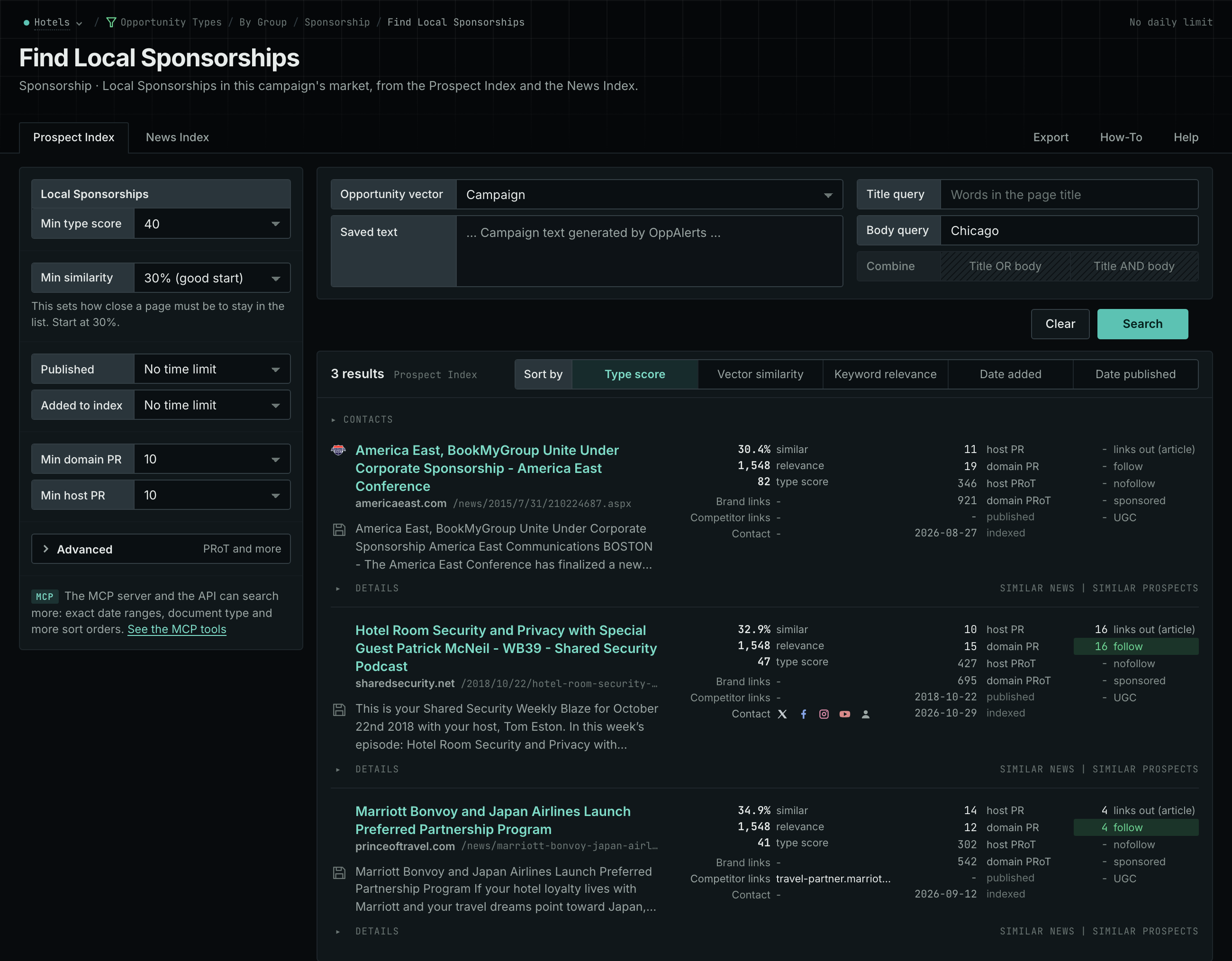
- MCP:
prospects_searchandnews_search, with{"campaign": 3, "similarity_target": "campaign", "body_query": "Springfield", "type_scores": [{"opportunity_type": "sponsorship/community-sponsorships", "type_score_min": 50}], "sort": "type_score"}. - API:
POST https://api.oppalerts.com/v1/prospects/searchandPOST https://api.oppalerts.com/v1/news/search, with the same JSON body.
2. Search several sponsorship types for your town
Advanced Search can apply multiple type filters, and a page must pass every selected type. For this workflow, select one type per search.
- Open Advanced Search, and open the Prospect Index tab.
- In Body query, type the name of your town.
- Click Advanced. In Types, tick Local Sponsorships and choose its minimum score.
- Click Search. Then do the same search with Event Sponsorships.
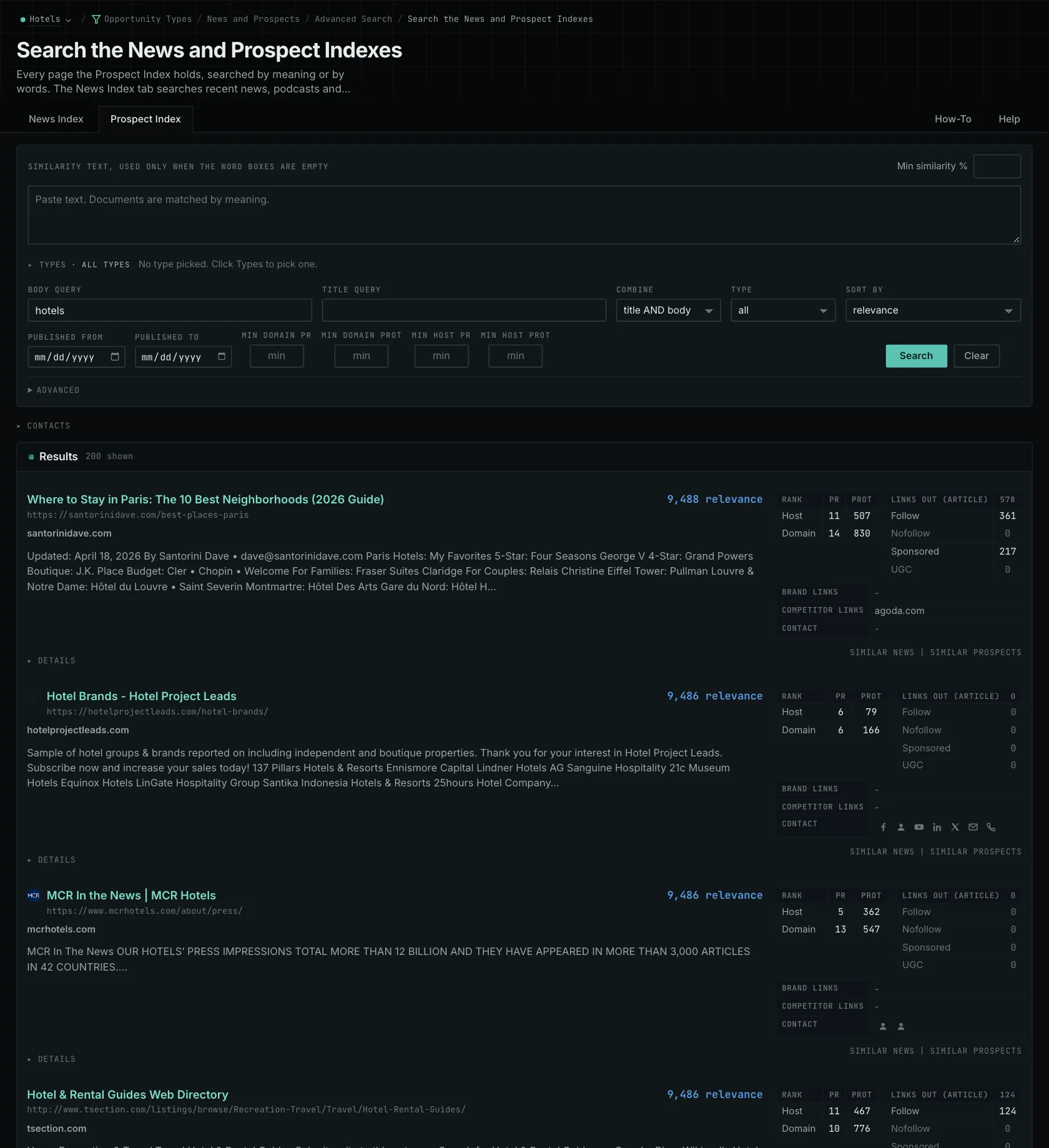
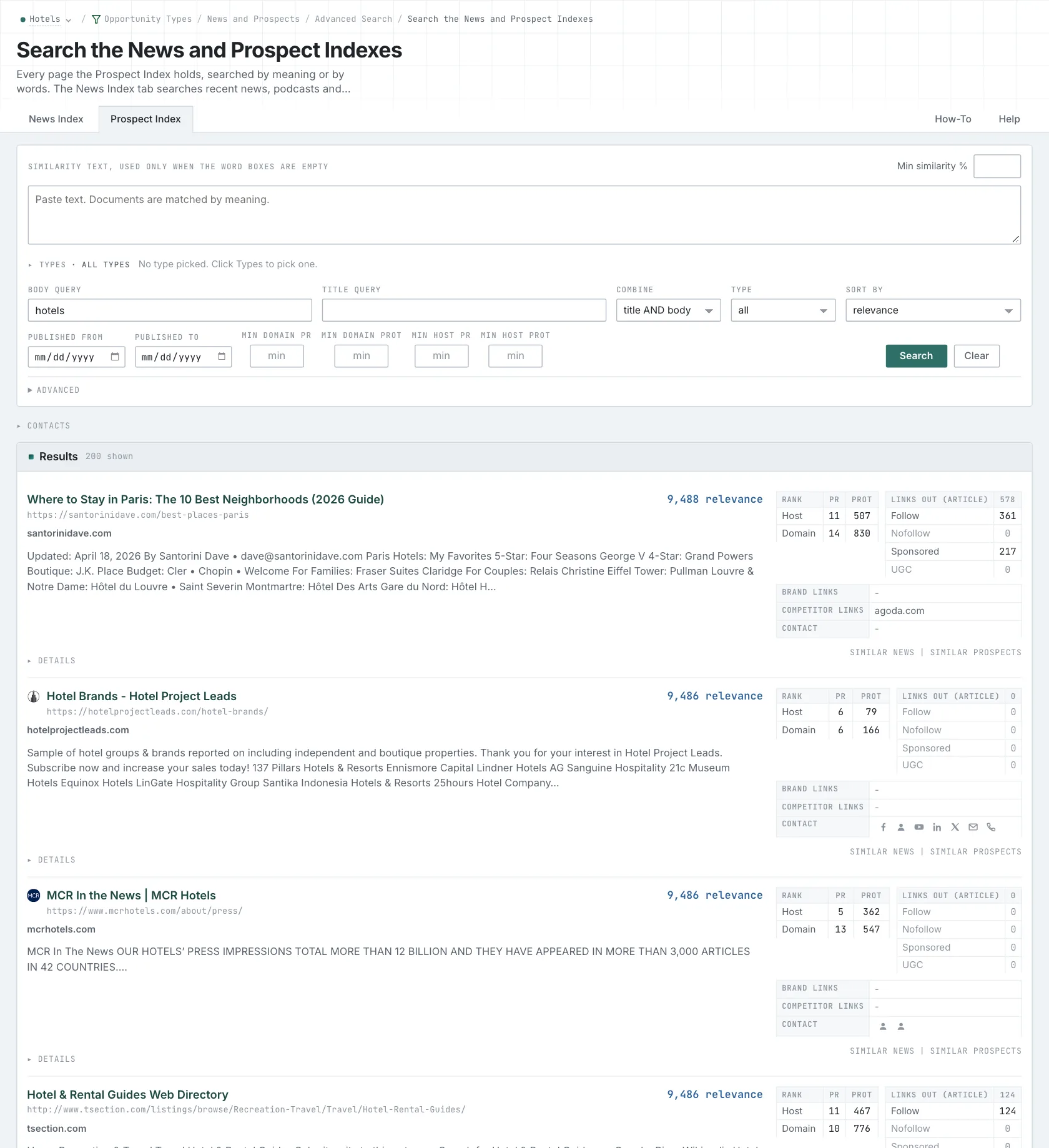
- MCP:
prospects_searchandnews_search, with{"campaign": 3, "similarity_target": "none", "body_query": "Springfield", "type_scores": [{"opportunity_type": "events/event-sponsorships", "type_score_min": 50}], "sort": "best"}. - API:
POST https://api.oppalerts.com/v1/prospects/searchandPOST https://api.oppalerts.com/v1/news/search, with the same JSON body.
3. Find the organization's contact details
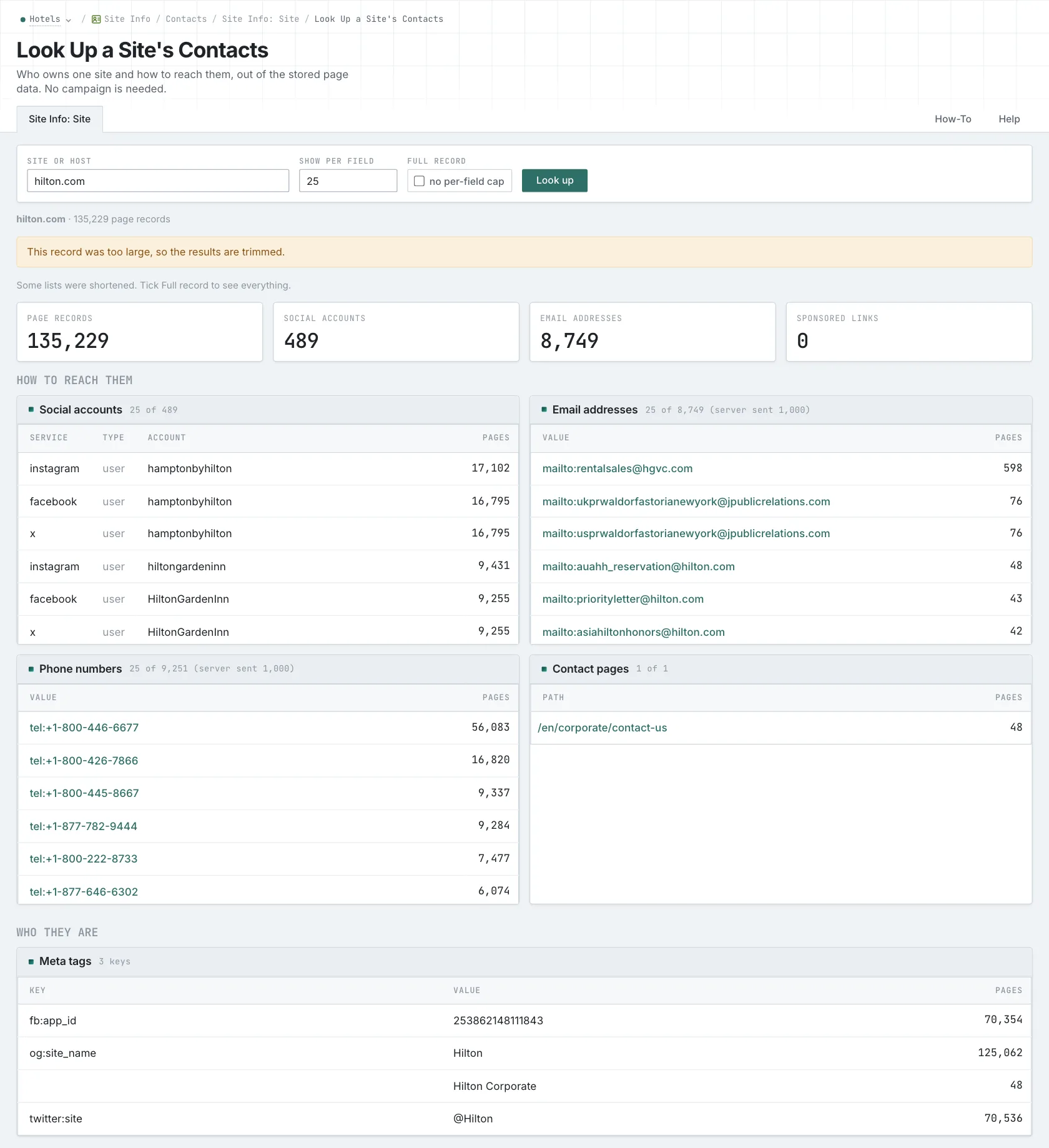
- Open Site Info: Site, and look up the site of the organization.
- Read How to reach them first: the email addresses, phone numbers, social accounts, and contact pages.
- Read Programs and events for the sponsor and event pages.
- Confirm the contact on the current site. Site Info is not live.
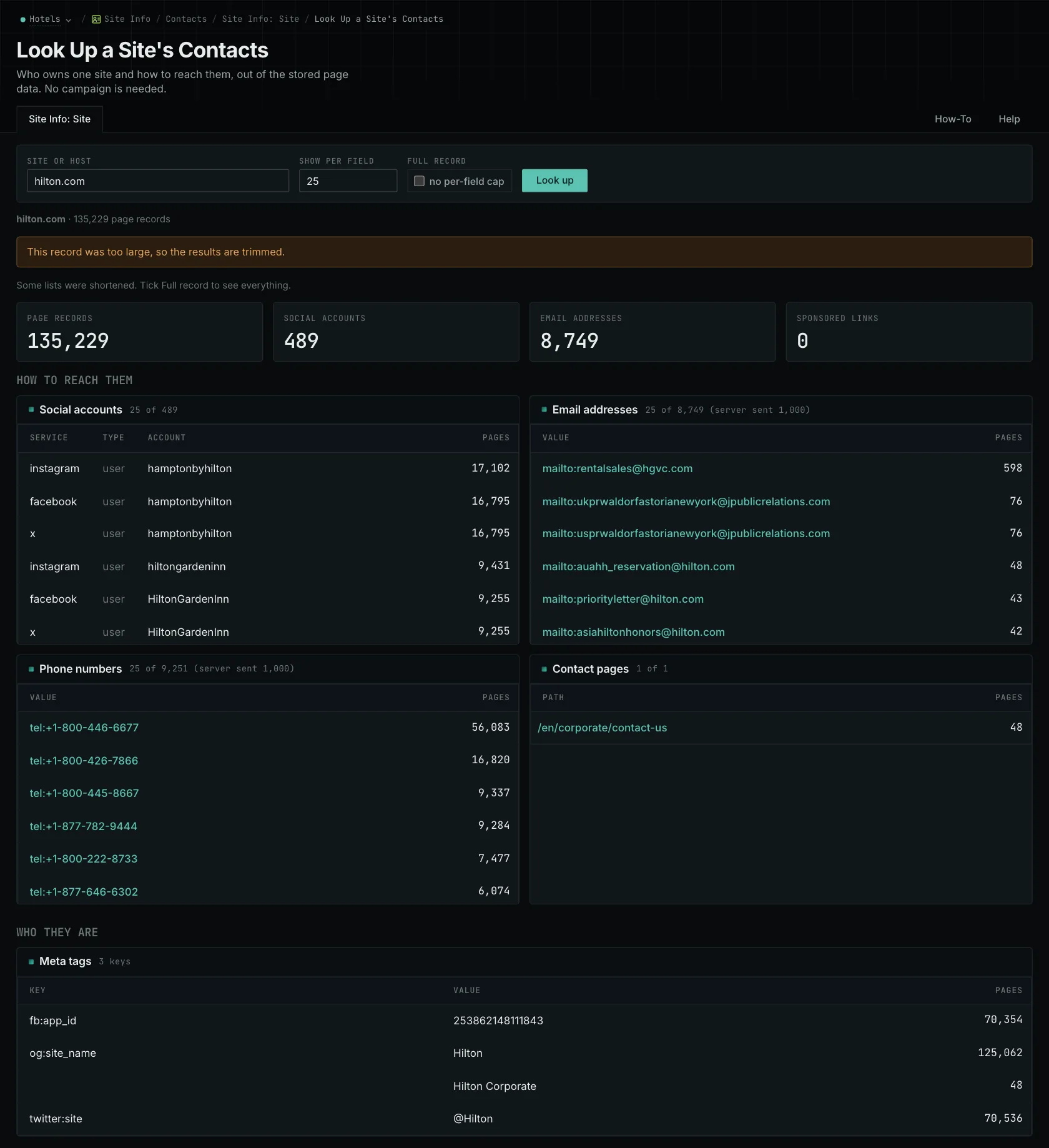
- MCP:
siteinfo_site, with{"site": "example-hotels.com"}. - API:
POST https://api.oppalerts.com/v1/siteinfo/site, with the same JSON body.
4. Get the new sponsorship pages every day
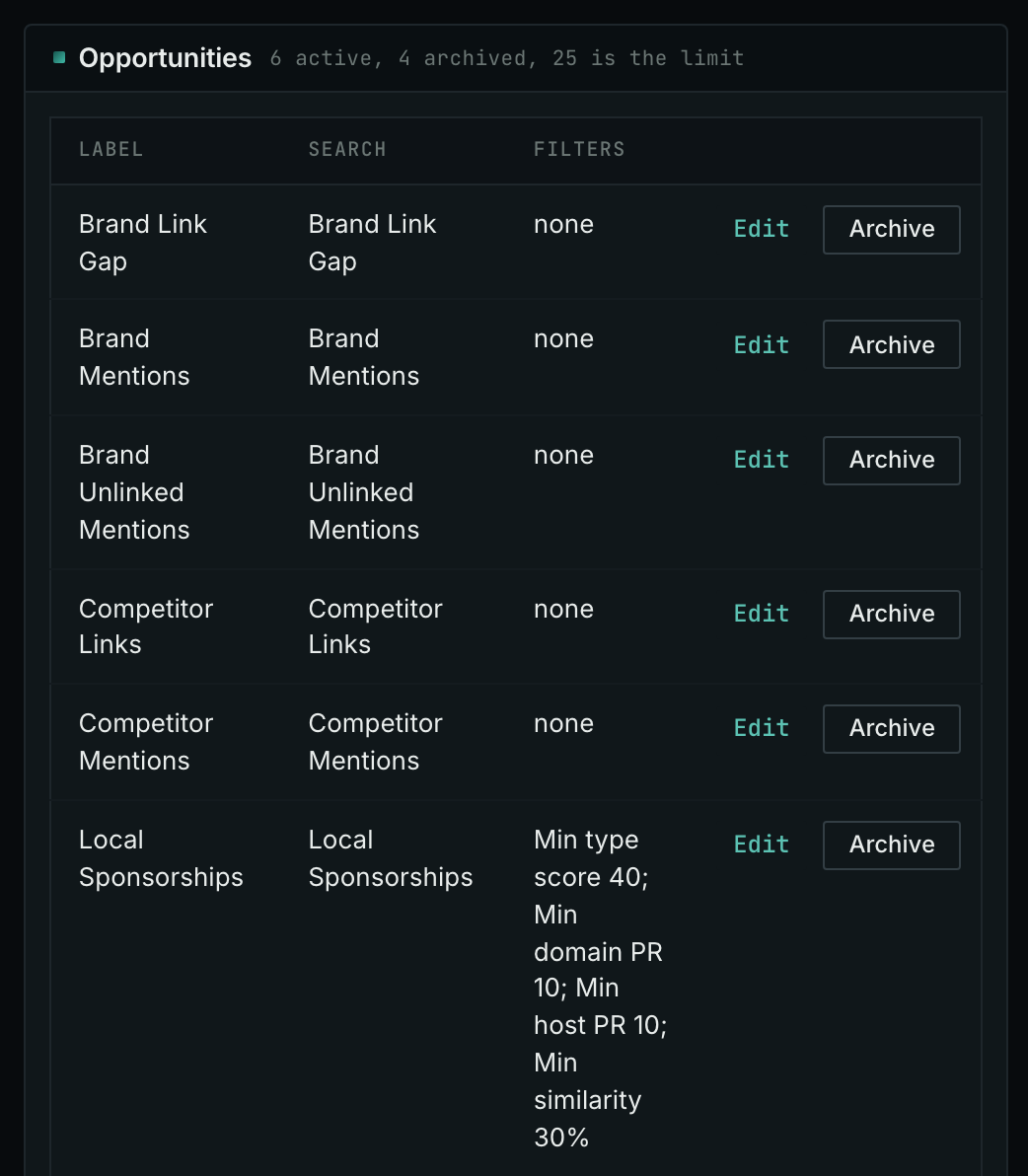
- Open your campaign in Edit Campaign, and open the Opportunities tab.
- In Search for, choose Local Sponsorships, in the Sponsorship group. In Opportunity vector, choose Campaign. Click Add opportunity.
- Open the Daily Email tab, tick the box, choose the hour, and click Save.
- Each day, the Dashboard tab and the daily opportunities email show the new pages: the pages that came into the indexes in the last 24 hours.
- MCP:
campaigns_saved_opportunitiesgives the ID of each saved opportunity. Thennews_opportunitiesandprospects_opportunitiesgive the pages of 1 to 7 days, with{"campaign": 3, "opportunity": 1, "date_from": "2026-08-26", "date_to": "2026-09-01"}. For one day, send the same day indate_fromanddate_to. - API:
POST https://api.oppalerts.com/v1/news/opportunitiesandPOST https://api.oppalerts.com/v1/prospects/opportunities, with the same JSON body.
How to judge the results
- Read the full package. A sports club package might include a field sign, event mentions, and a website listing. These reach people in different ways, so confirm what you are buying before assessing the package's value.
- Know your connection to the community. Your connection may come from staff who live locally, customers who attend events, or an organization serving an area where you work. If you are new to the area, describe the sponsorship as a new relationship.
- Ask what each part includes. Confirm the sign's location, which events include mentions, and what the website entry displays. Ask whether the entry includes a link, when it will appear, and how long it will remain. Distinguish a full-season commitment from a single event.
- Check that the organization is active. An outdated website does not establish that a club is inactive. Ask who maintains its online listing.
- Name the package when you write. Then the contact can answer your questions about the price, the term, and the participation.
- Describe the sponsorship correctly. On a local page, describe whom you support and what the sponsorship includes. It does not establish that you have an office, offer a service, or have completed work in that area.
- Judge the link with the rest. Look at the audience, the purpose in the community, and the promised benefits together.