Documentation / How-To Guides / How to Find Industry Directory Opportunities
How to Find Industry Directory Opportunities
Find industry directories and association listings that match your business and its qualifications.
Use OppAlerts to research directories that help buyers find a business or verify that it meets a requirement. The four workflows below find directories in your market and listings held by competitors. Before applying, check the directory's purpose and whether your business meets its rules.
- Which directories are in my market? The Directories opportunity types.
- Which directories link to a competitor and not to me? Brand Link Gap.
- Which directories are about my topic? Advanced Search, with words and the directory types.
- Which directory pages are new today? A saved opportunity and the daily opportunities email.
Before you start: name your competitors
Enter your competitors and owned sites to use Brand Link Gap. The other methods below do not require them.
- Open your campaign in Edit Campaign, and open the Settings tab.
- In the Competitors box, add each competitor: its hosts and its brand names. In the Owned Brands box, add your own hosts.
- Click Save.
1. Search the directory opportunity types
These opportunity types find directories and listings:
- Association Directories: the public member lists of associations, such as a "member directory" or "find a member" page.
- Business Directories: directories that list companies by trade, category, or place.
- Vendor Directories: directories that connect buyers with vendors, suppliers, and service providers.
- Software Directories: catalogs of software and tools.
- Trade Associations, in the Organizations group: the industry bodies and professional societies. An association can keep a member directory.
- Open Opportunity Types in the menu of the web app.
- Choose Directories, then choose the type that fits your business, for example Association Directories.
- Read the Prospect Index tab. Directory pages often have no published date, so do not set Published on this tab. Use Added to index to see only the pages that came into the index recently.
- Click Vector similarity in Sort by to put the directories nearest to your market first.
- Read the Competitor links of each row. A directory that links to a competitor already lists businesses like yours.
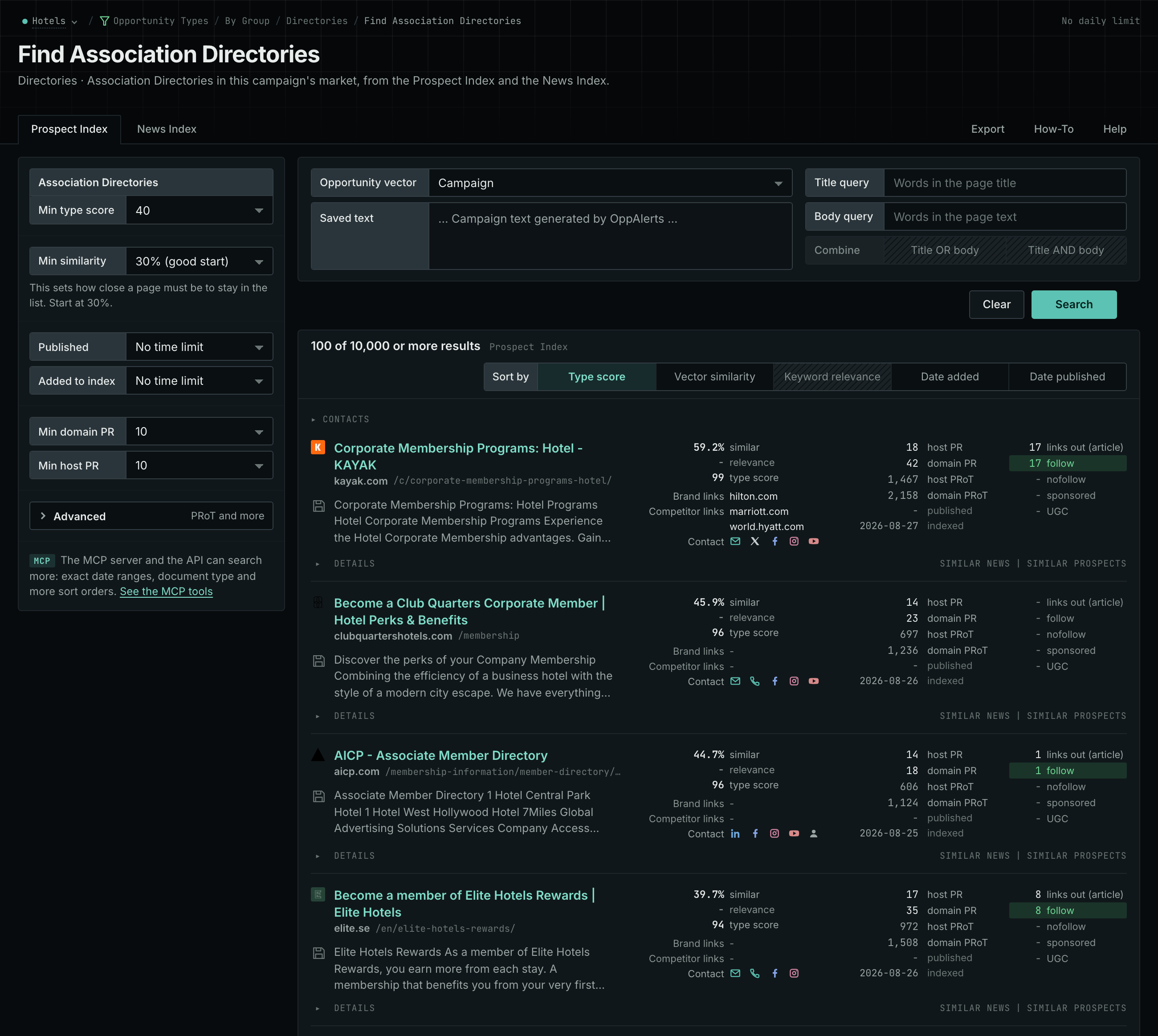
- MCP:
prospects_searchandnews_search, with{"campaign": 3, "similarity_target": "campaign", "pr_domain_min": 10, "type_scores": [{"opportunity_type": "directories/association-member-listings", "type_score_min": 50}], "sort": "type_score"}. - API:
POST https://api.oppalerts.com/v1/prospects/searchandPOST https://api.oppalerts.com/v1/news/search, with the same JSON body.
2. Find the directories that link to a competitor and not to you
- Open Brand Link Gap.
- Each row is a page that links to at least one competitor and to none of your hosts.
- Look for the directory pages in the list. Start with the pages that link to more than one competitor.
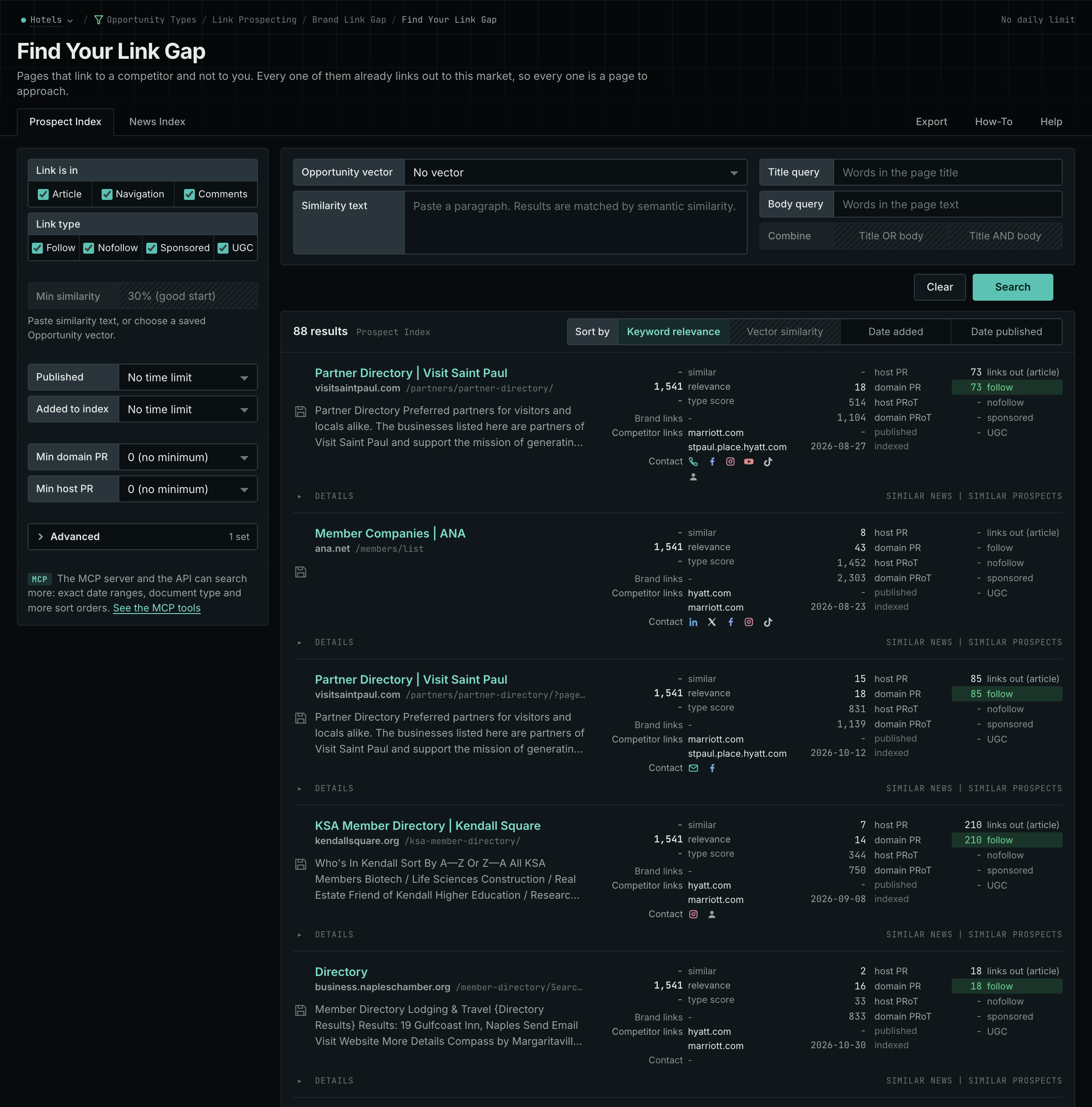
- MCP:
prospects_brand_link_gapandnews_brand_link_gap. In MCP and in the API,type_scoreskeeps only the pages of a directory type, with{"campaign": 3, "similarity_target": "none", "pr_domain_min": 10, "type_scores": [{"opportunity_type": "directories/association-member-listings", "type_score_min": 50}], "sort": "relevance"}. - API:
POST https://api.oppalerts.com/v1/prospects/brand_link_gapandPOST https://api.oppalerts.com/v1/news/brand_link_gap, with the same JSON body.
3. Find the directories about your topic
Use Advanced Search to add words to a directory search or search multiple directory types together.
- Open Advanced Search, and open the Prospect Index tab.
- In Opportunity vector, choose Campaign.
- In Title query, type a word of your trade. Every word that you type is required, so use few words.
- Click Advanced. In Types, tick a directory type and choose its minimum score.
- Click Search.
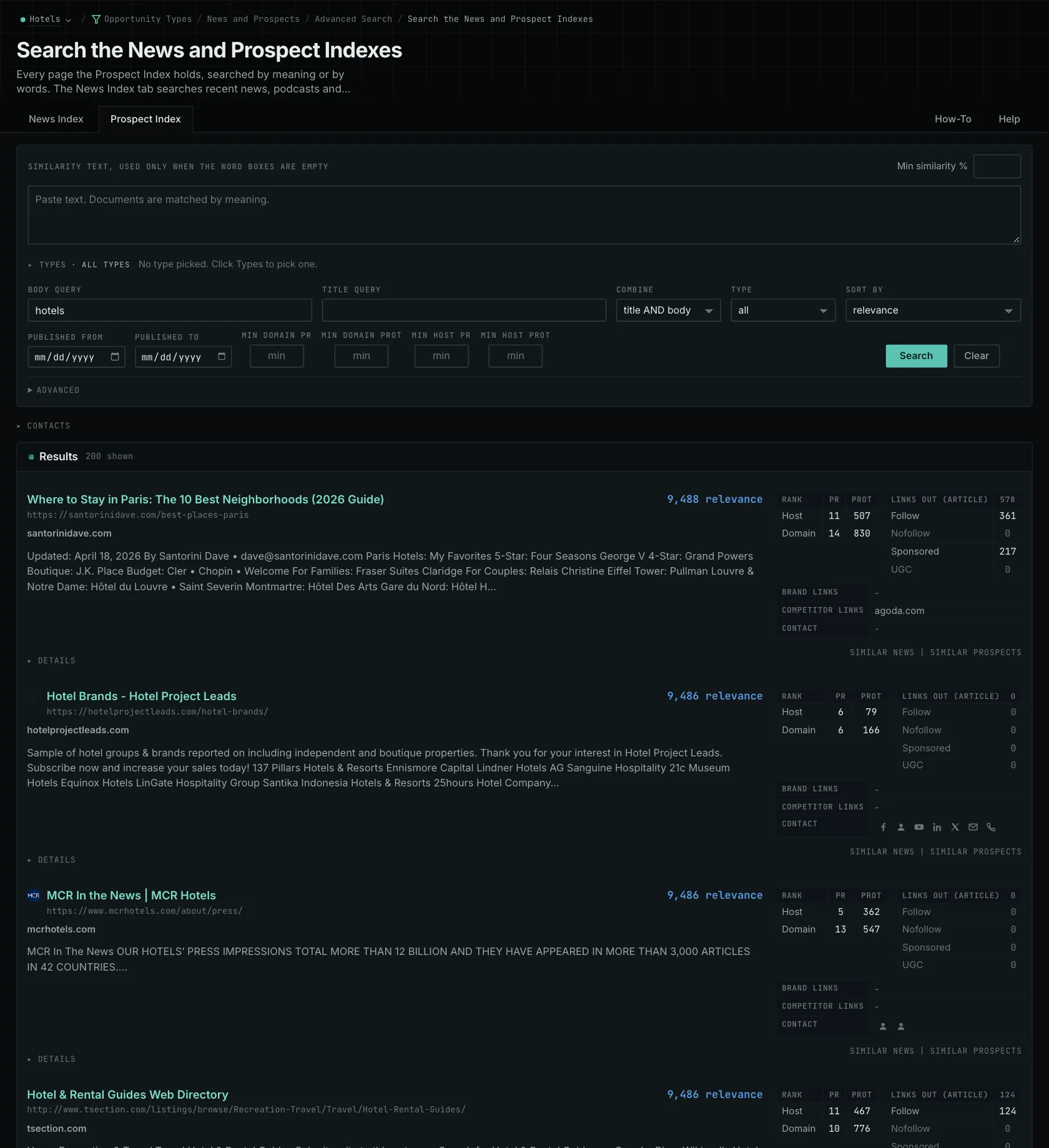
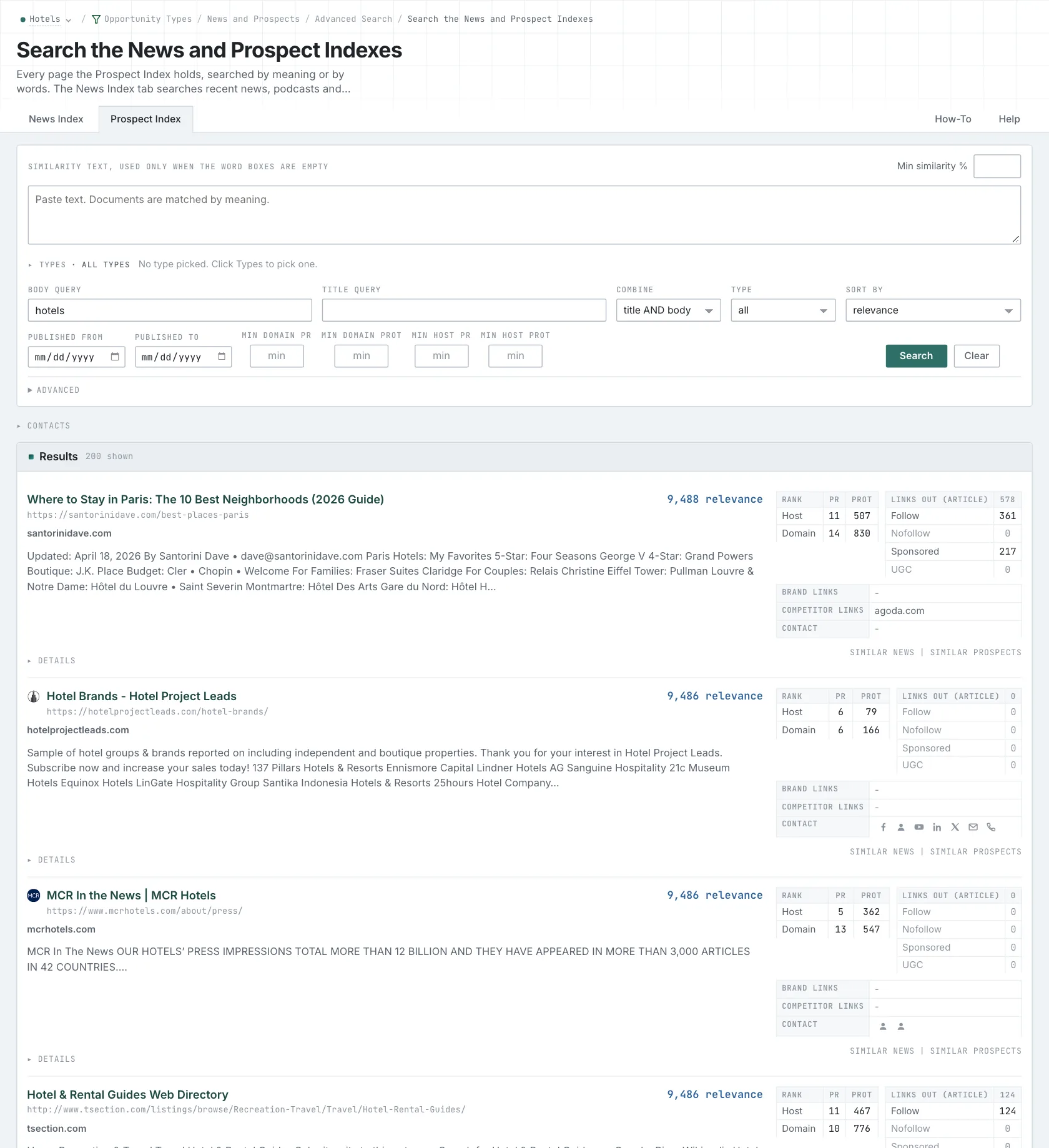
- MCP:
prospects_searchandnews_search, with{"campaign": 3, "similarity_target": "campaign", "type_scores": [{"opportunity_type": "directories/vendor-and-supplier-directories", "type_score_min": 50}], "sort": "best"}. - API:
POST https://api.oppalerts.com/v1/prospects/searchandPOST https://api.oppalerts.com/v1/news/search, with the same JSON body.
4. Get the new directory pages every day
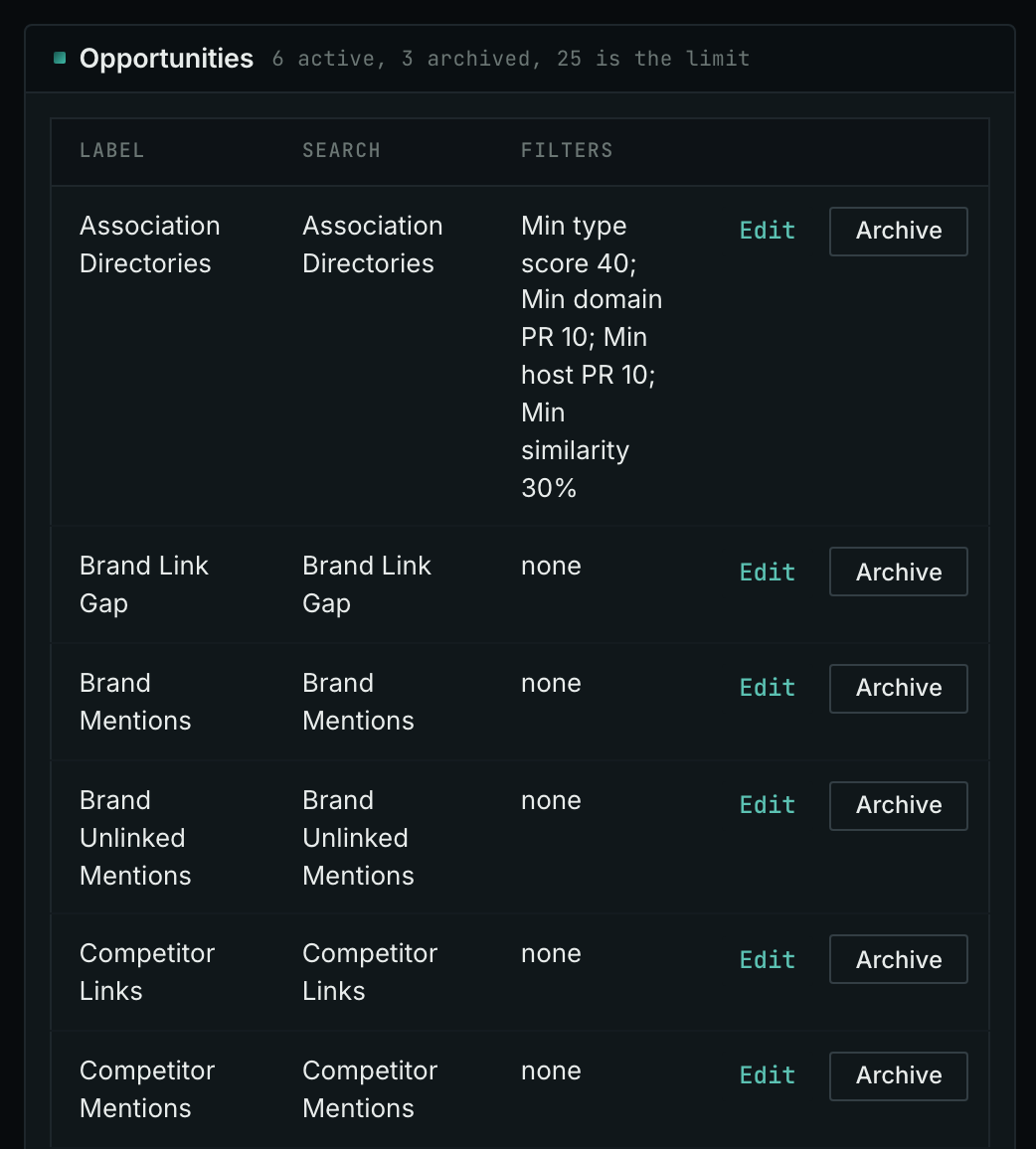
- In Edit Campaign, open the Opportunities tab.
- In Search for, choose a directory type, for example Association Directories, in the Directories group. In Opportunity vector, choose Campaign. Click Add opportunity. You can also choose Brand Link Gap.
- Open the Daily Email tab, tick the box, choose the hour, and click Save.
- Each day, the Dashboard tab and the daily opportunities email show the new pages: the pages that came into the indexes in the last 24 hours.
- MCP:
campaigns_saved_opportunitiesgives the ID of each saved opportunity. Thennews_opportunitiesandprospects_opportunitiesgive the pages of 1 to 7 days, with{"campaign": 3, "opportunity": 1, "date_from": "2026-08-26", "date_to": "2026-09-01"}. For one day, send the same day indate_fromanddate_to. - API:
POST https://api.oppalerts.com/v1/news/opportunitiesandPOST https://api.oppalerts.com/v1/prospects/opportunities, with the same JSON body.
How to judge the results
- Read the rules of the directory. If three competitors appear on an accreditation register, check its entry rules. A register restricted to accredited providers requires your business to hold that accreditation too.
- Know which decision you make. Apply for the listing if you qualify. Otherwise, assess whether to pursue the accreditation or membership, including its costs and obligations. A missing link is only one consideration in that decision.
- Read what a membership commits you to. An association may require renewal fees, adherence to a code of practice, insurance, or other conditions. Give these requirements to the person deciding on membership. A competitor's membership warrants investigation but does not establish its value for your business.
- Read what a paid listing gives you. Check the listing fields, links, duration, and renewal and removal rules. Establish why your buyers use the directory, and ask for referral evidence if referrals are what you are paying for.
- Find out who runs the directory. A register with entry rules does a different job from an open list of businesses. Get a clear answer about the owner and the rules before you pay or send claims about your business.
- Read the current site. Old link measures tell you about the domain. The current entries and the application instructions tell you if the directory is kept up to date and if your buyers use it.