Documentation / How-To Guides / How to Research Digital PR Targets
How to Research Digital PR Targets
Choose the publications that your digital PR team should approach.
Choose digital PR targets around the evidence and expertise your business can contribute. Research into a recurring industry problem may support an expert comment, an opinion article, or a conference talk, each with its own proposal. The four workflows below use OppAlerts to find suitable publications and opportunities, assess their coverage, and locate contact routes.
- Which publications accept the format that I can supply? Opportunity Types.
- Which publications write about my subject? Advanced Search.
- Which pages name my business or a competitor? Brand Mentions and Competitor Mentions.
- How do I reach the publication? Site Info: Site.
1. Find the publications that accept your format
- Open Opportunity Types in the web app.
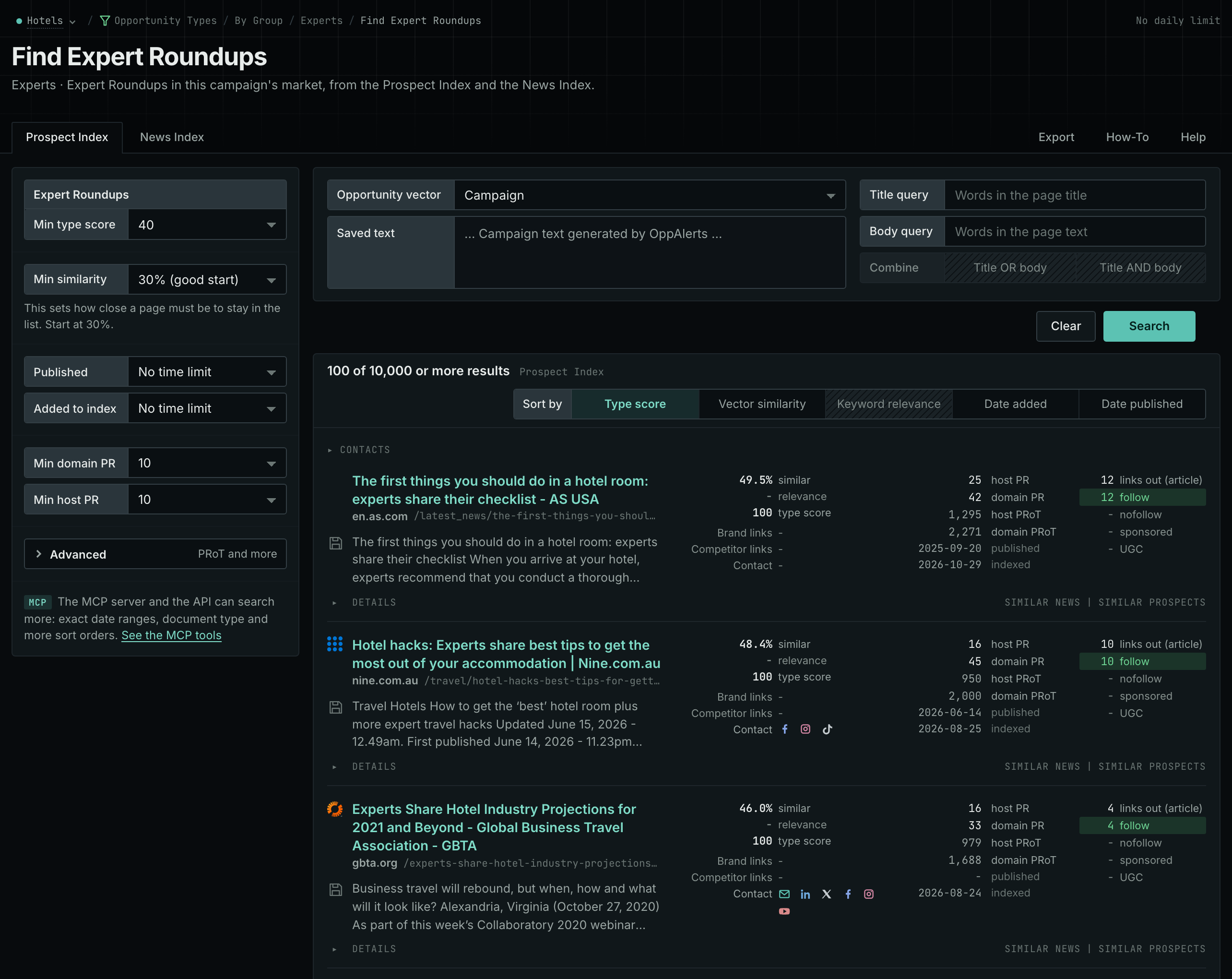
- Choose the type for the format that you can supply. For example:
- Experts, then Expert Roundups, for a short expert comment.
- Audio and Video, then Podcast Guests, for an interview.
- Media, then Op-Eds, for an opinion article.
- Events, then Speaker Proposals, for a conference talk.
- Awards, then Award Submissions, for an award entry.
- Read the Prospect Index tab for the pages of any date, and the News Index tab for the current calls.
- Open the current page to confirm that submissions are open and check the requirements.
- MCP:
prospects_searchandnews_search, with{"campaign": 3, "similarity_target": "campaign", "pr_domain_min": 10, "type_scores": [{"opportunity_type": "experts/roundups-and-panels", "type_score_min": 50}], "sort": "type_score"}. - API:
POST https://api.oppalerts.com/v1/prospects/searchandPOST https://api.oppalerts.com/v1/news/search, with the same JSON body.
2. Find the publications that write about your subject
Review a publication's recent work before looking for a contact. Semantic search finds coverage of your subject even when writers describe it differently.
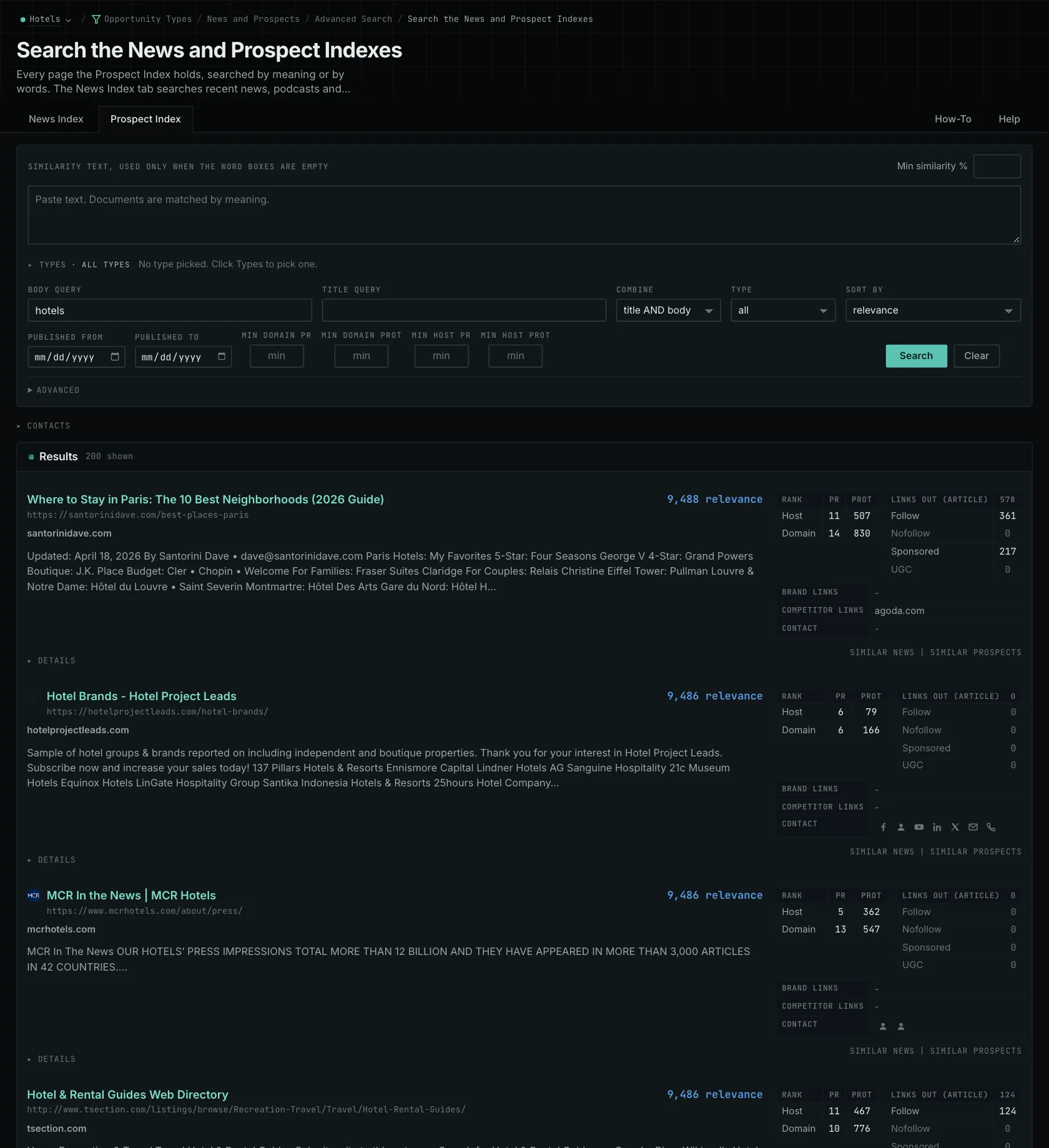
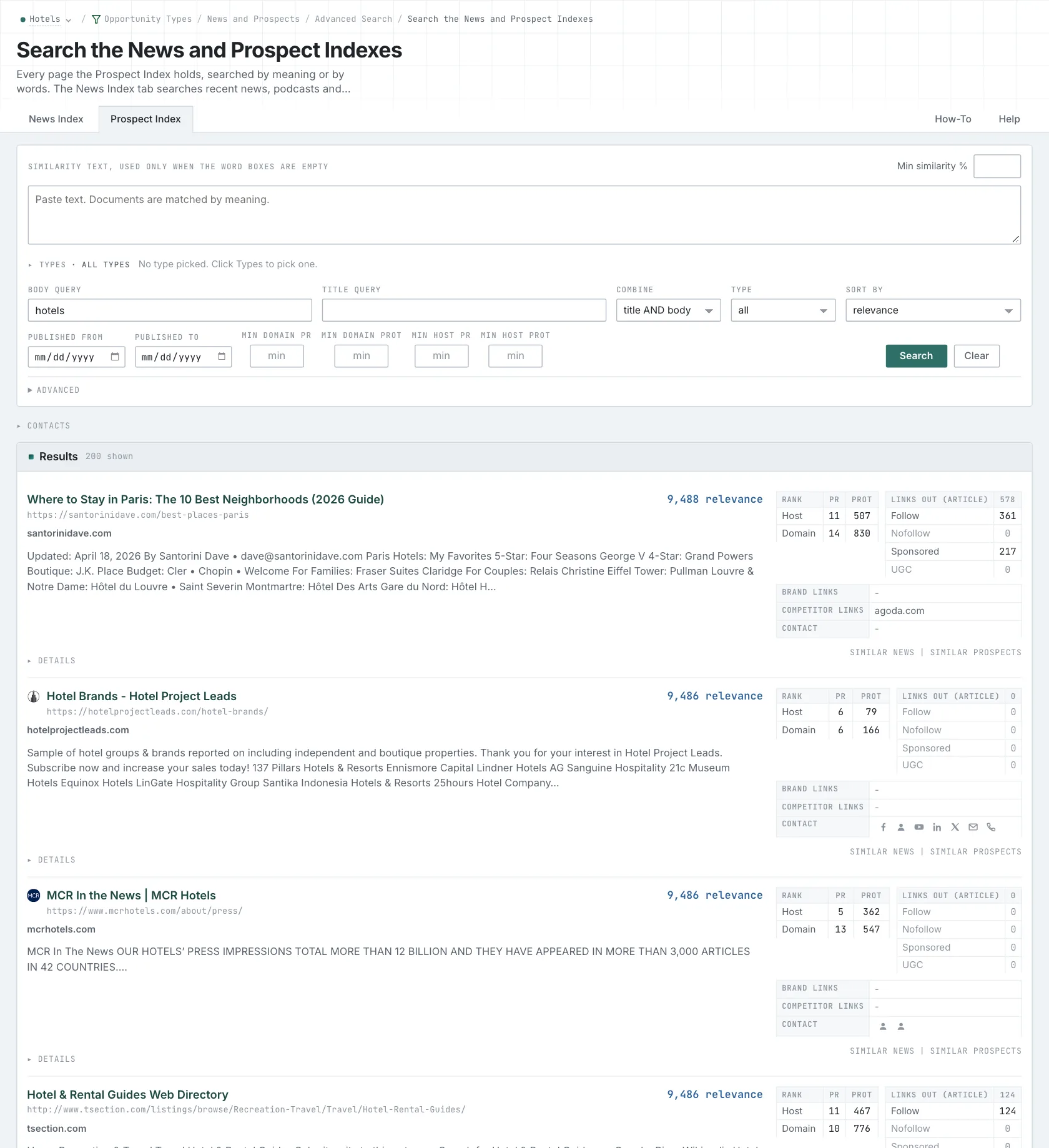
- Open Advanced Search.
- In Opportunity vector, choose Similarity text. In its box, paste a paragraph that describes your finding.
- On the News Index tab, set Published to Last month to read the current coverage. On the Prospect Index tab, use Added to index instead, because most prospect pages have no published date.
- Click Search. Read what each publication explains and who it writes for.
- MCP:
news_searchandprospects_search, with{"campaign": 3, "similarity_target": "similarity_text", "similarity_text": "Boutique hotels winning direct bookings from younger travelers in mid-size US cities.", "similarity_score_min": 25, "sort": "best"}. - API:
POST https://api.oppalerts.com/v1/news/searchandPOST https://api.oppalerts.com/v1/prospects/search, with the same JSON body.
3. Read the pages that name your business or a competitor
- Open Brand Mentions. A page that names your business can need a correction or a missing link.
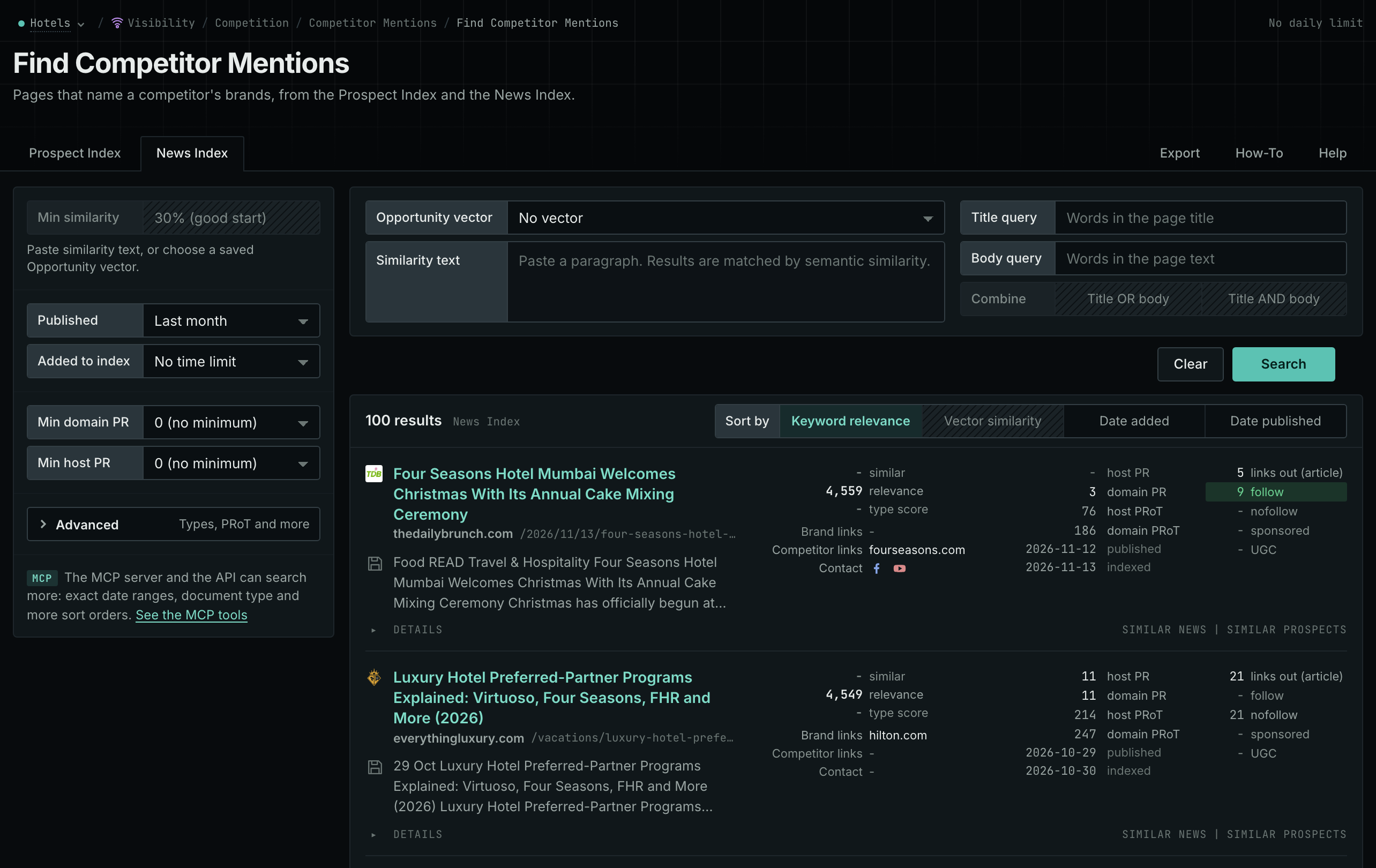
- Open Competitor Mentions. A comparison that names a competitor can have criteria that your business meets.
- On each page, read the Prospect Index and News Index tabs. Read why the page names the business before you treat it as an invitation.
- MCP:
prospects_brand_mentionsandnews_brand_mentions, with{"campaign": 3, "relationship": "org_competitor", "indexed_days": 30, "similarity_target": "none", "sort": "relevance"}. Fornews_brand_mentions, sendpublished_daysin place ofindexed_days: it counts from the published date. Send"relationship": "org_owned_brand"for your own business. - API:
POST https://api.oppalerts.com/v1/prospects/brand_mentionsandPOST https://api.oppalerts.com/v1/news/brand_mentions, with the JSON body of each tool.
4. Find how to reach the publication
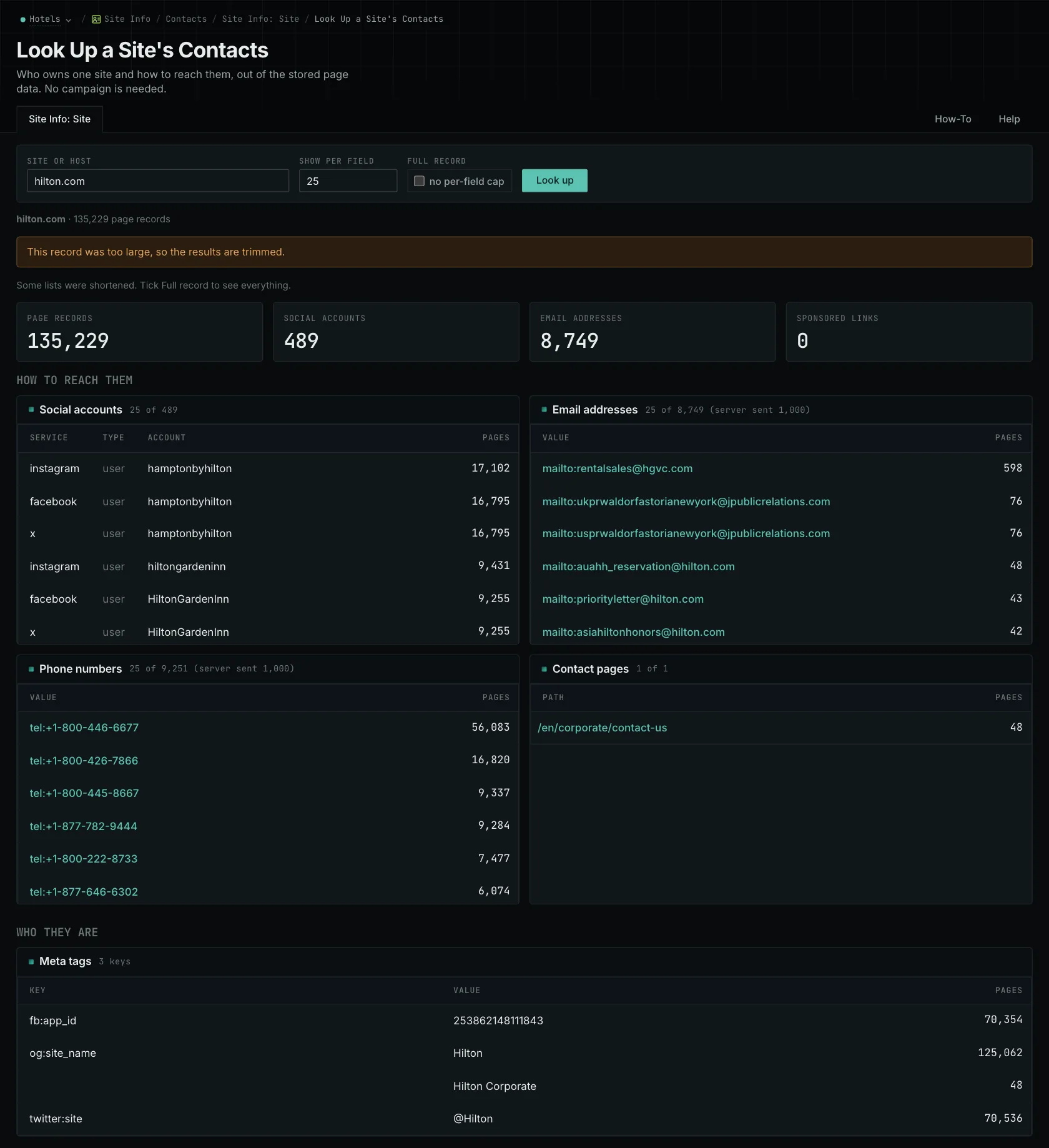
- Open Site Info: Site, and search for the host of the publication.
- Read the How to reach them section: the email addresses, the phone numbers, the social accounts, and the Contact pages.
- Confirm the route on the live site. The record is not live.
- MCP:
siteinfo_site, with{"site": "example-hotels.com"}. - API:
POST https://api.oppalerts.com/v1/siteinfo/site, with the same JSON body.
How to judge the results
- Fit the explanation to the format. Match the explanation to the recipient. An editor may need one result answering a current question, a podcast host may want to discuss methods and open questions, and a speaker committee may focus on what attendees can use. Define the contribution, then explain how your experience supports it.
- Read the current guidelines. Check accepted subjects, commercial-relationship rules, exclusivity, length, and submission dates.
- Use the link numbers as background only. PageRank and PRoT provide site background, without establishing editorial interest or whether contribution requirements have changed.
- Check each contact detail. OppAlerts does not verify that an address receives email or provide a journalist database with reporter profiles and subject areas. Use another tool when you need those details.
- Follow the stated route. When the fit is clear, use the route that the publication gives.
- Keep two records. Record submitted proposals and confirmed placements separately.