Documentation / How-To Guides / How to Find Newsletter Sponsorships
How to Find Newsletter Sponsorships
Find newsletters that reach your buyers and sell sponsored placements.
Evaluate a newsletter sponsorship by its audience and the placement readers will see. Sponsorship buys a placement in a publication's email; its price makes sense only in that context. The three workflows below find newsletters selling placements, so you can review their issues, audience evidence, and offers.
- Which newsletters sell placements? The Newsletter Ads and Newsletters opportunity types.
- Which newsletter offers are about my market? Advanced Search, with words and the newsletter types.
- Which newsletter offers are new today? A saved opportunity and the daily opportunities email.
1. Search the newsletter opportunity types
These opportunity types find newsletters and their advertising offers:
- Newsletter Ads, in the Advertising group: sponsorship slots in email newsletters. Pages with words such as "newsletter sponsorship", "advertise in our newsletter", and "newsletter media kit".
- Newsletters, in the Media group: free and paid newsletters of your market. Use it to find the newsletters, then check if they sell placements.
- Advertising Media Kits, in the Advertising group: sites that publish an advertising offer. A media kit often lists the newsletter placements.
- Open Opportunity Types in the menu of the web app.
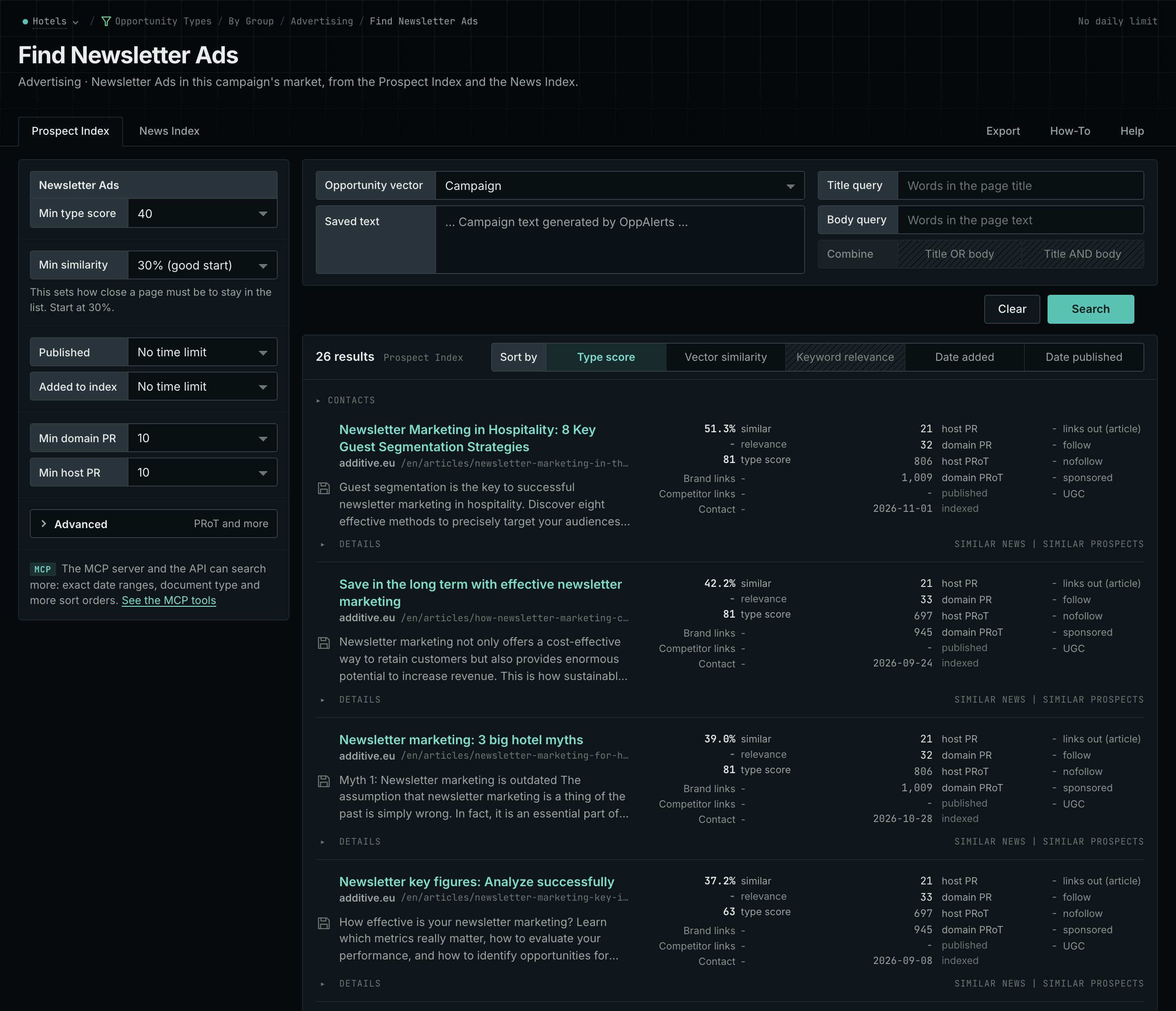
- Choose Advertising, then choose Newsletter Ads.
- Read the Prospect Index tab. Advertising pages often have no published date, so do not set Published on this tab.
- Click Vector similarity in Sort by to put the newsletters nearest to your market first.
- Then choose Media and Newsletters. Read the News Index tab, with Published set to the last few weeks, to find the newsletters that write about your market now.
- MCP:
prospects_searchandnews_search, with{"campaign": 3, "similarity_target": "campaign", "pr_domain_min": 10, "type_scores": [{"opportunity_type": "advertising/newsletter-ads", "type_score_min": 50}], "sort": "type_score"}. - API:
POST https://api.oppalerts.com/v1/prospects/searchandPOST https://api.oppalerts.com/v1/news/search, with the same JSON body.
2. Find newsletter offers in your market
Use Advanced Search to narrow an opportunity type search with words.
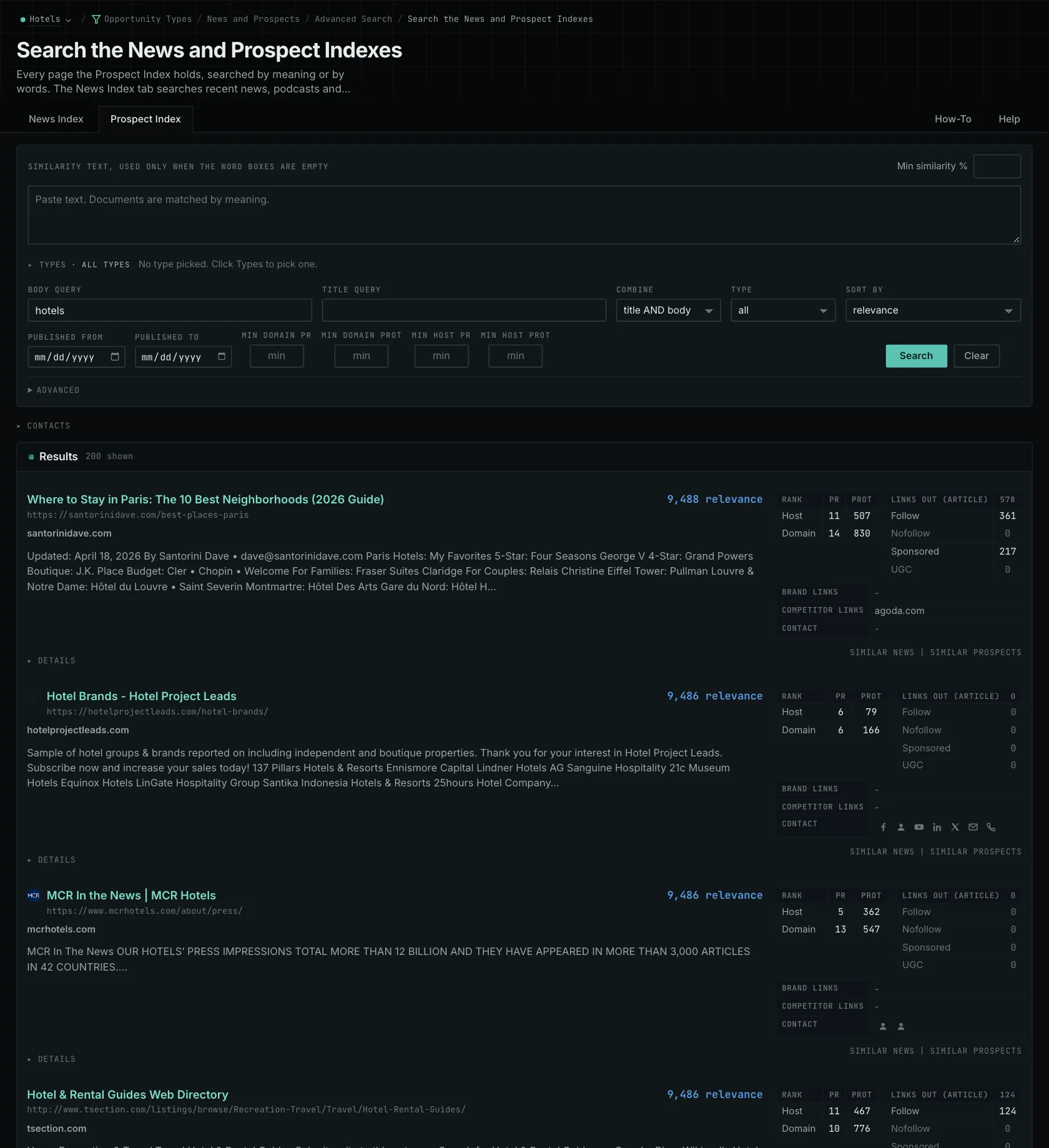
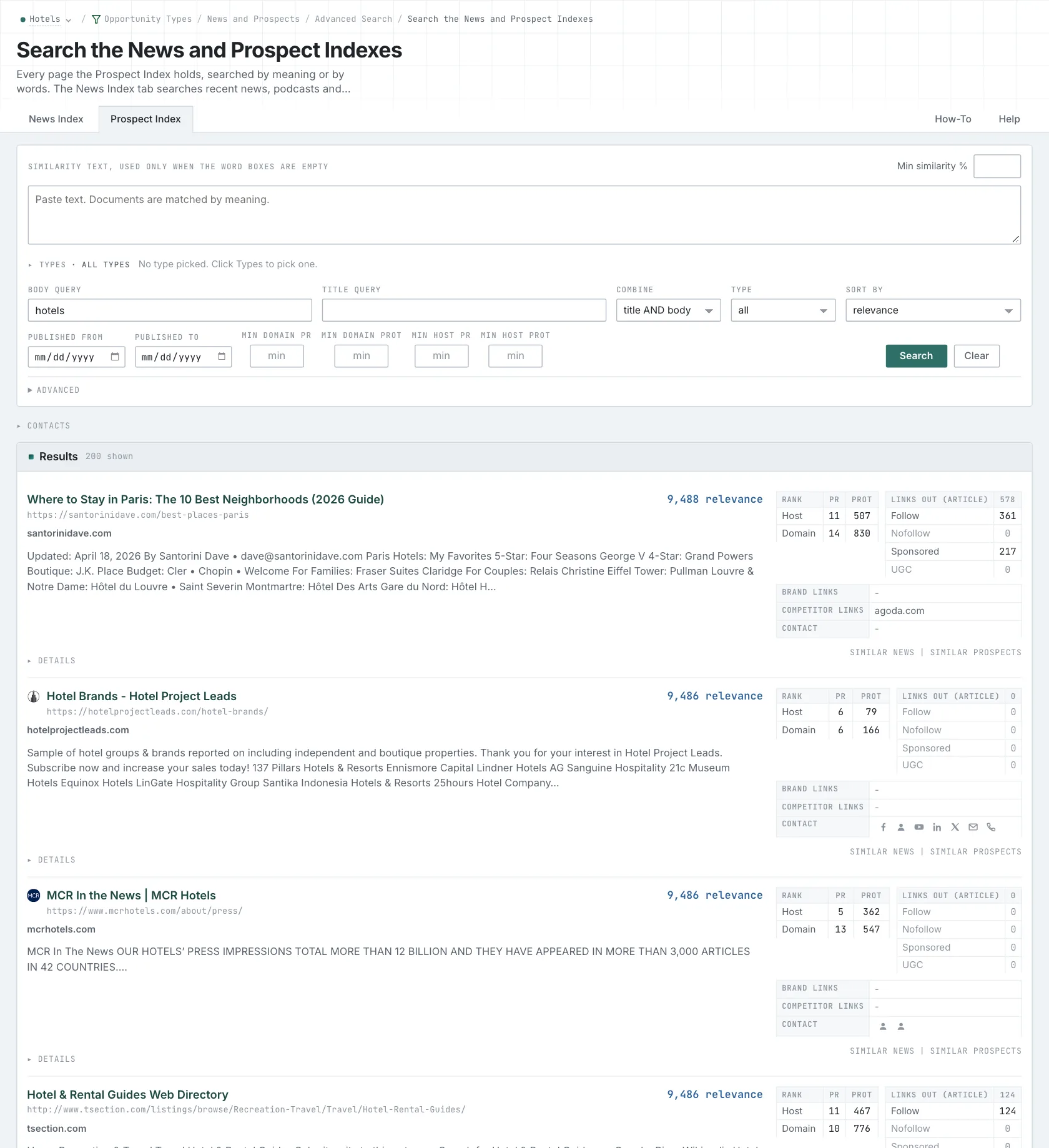
- Open Advanced Search, and open the Prospect Index tab.
- In Title query, type a word of your market and
"media kit". In Body query, typeadvertise sponsorship. Every word that you type is required. - Click Advanced. In Types, tick Newsletter Ads and choose its minimum score.
- Click Search.
- MCP:
prospects_searchandnews_search, with{"campaign": 3, "similarity_target": "none", "title_query": "hotel \"media kit\"", "body_query": "advertise sponsorship", "title_body_join": "and", "pr_domain_min": 10, "type_scores": [{"opportunity_type": "advertising/newsletter-ads", "type_score_min": 50}], "sort": "best"}. - API:
POST https://api.oppalerts.com/v1/prospects/searchandPOST https://api.oppalerts.com/v1/news/search, with the same JSON body.
3. Get the new newsletter offers every day
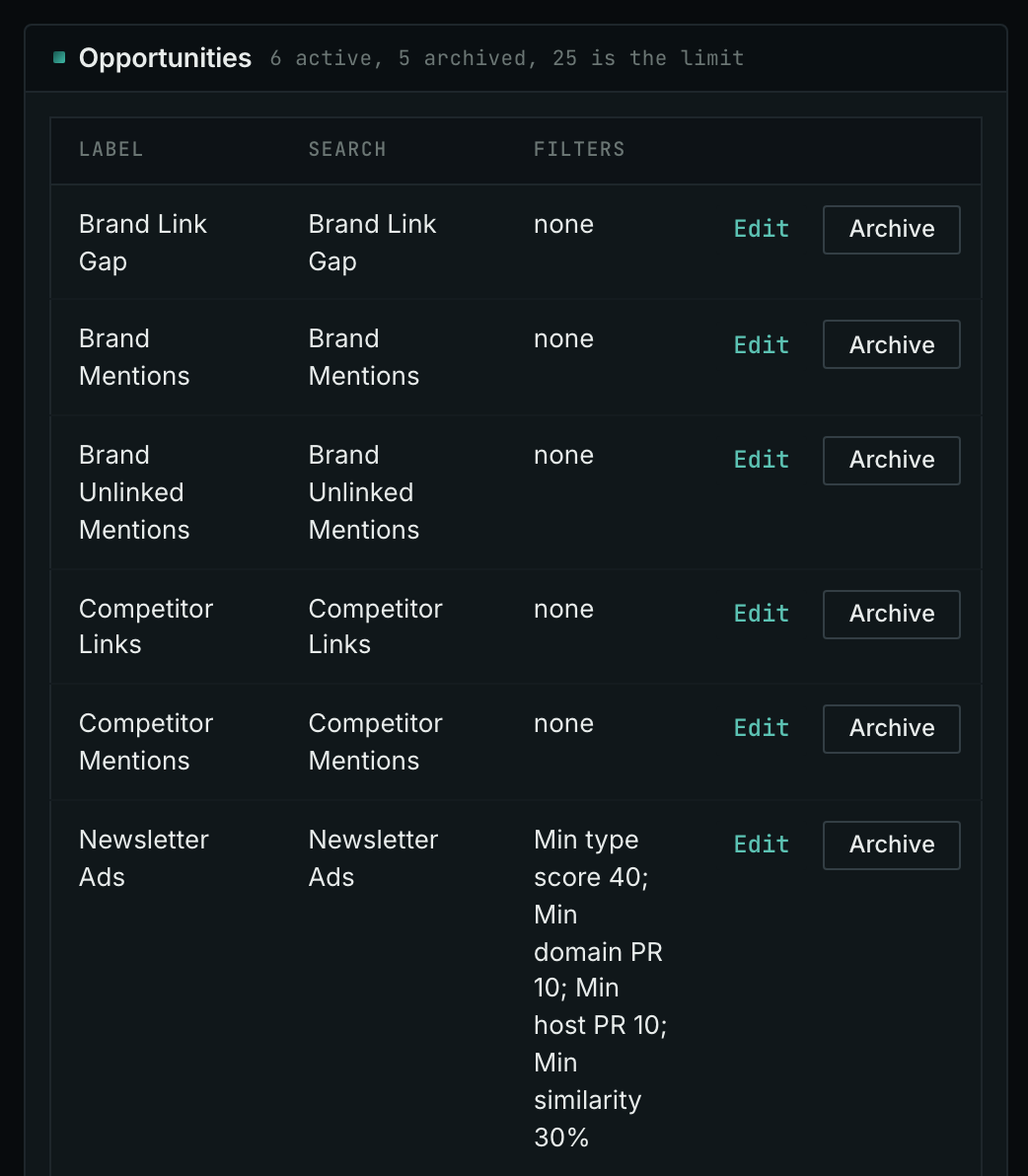
- Open your campaign in Edit Campaign, and open the Opportunities tab.
- In Search for, choose Newsletter Ads, in the Advertising group. In Opportunity vector, choose Campaign. Click Add opportunity.
- Open the Daily Email tab, tick the box, choose the hour, and click Save.
- Each day, the Dashboard tab and the daily opportunities email show the new pages: the pages that came into the indexes in the last 24 hours.
- MCP:
campaigns_saved_opportunitiesgives the ID of each saved opportunity. Thennews_opportunitiesandprospects_opportunitiesgive the pages of 1 to 7 days, with{"campaign": 3, "opportunity": 1, "date_from": "2026-08-26", "date_to": "2026-09-01"}. For one day, send the same day indate_fromanddate_to. - API:
POST https://api.oppalerts.com/v1/news/opportunitiesandPOST https://api.oppalerts.com/v1/prospects/opportunities, with the same JSON body.
How to judge the results
- Compare the audiences, not only the prices. Two newsletters may charge the same price while serving different readers. A newsletter for buyers of your service may fit better than a general business publication. Check audience evidence and the placement before deciding.
- Ask for a current media kit. Distinguish subscriber counts from emails delivered for an issue. Ask which period and measurement method produced the open and click figures. Compare readers' roles, locations, or company types with your buyers.
- Look at the placement that readers see. A dedicated email, main sponsor section, and short listing receive different levels of attention. Review recent issues for space, format, and other sponsors. Specify the placement and date in the agreement so you can verify delivery.
- Read the cost per thousand with the audience. The cost per thousand delivered emails compares the price with the distribution. A low cost can still reach people outside your market.
- Agree the details before you buy. For a launch or report, agree on the destination, publication date, and reporting. Ask how links are marked, and describe the placement as paid advertising in your reports.
- Keep paid and editorial separate. The publisher may also accept editorial suggestions. Submit useful research under its editorial policy. A sponsorship is not an editorial endorsement and does not cause a search service to cite your research.
- Know what a placement does not guarantee. It does not guarantee clicks, AI citations, or a better search position.