Documentation / How-To Guides / How to Find Relevant Guest Post Opportunities
How to Find Relevant Guest Post Opportunities
Find publications in your market that accept contributed articles.
A guest post is an article you write for another publication, so plan for the writing time involved. Before starting, check that its readers need what you can explain and that you can meet its requirements. This guide covers four ways to find and research suitable publications in OppAlerts, including contributor pages, contact routes, and daily monitoring.
- Which sites in my market ask for guest posts? Opportunity Types: Guest Posts.
- Which pages match my own words or my own text? Advanced Search.
- How do I reach the site? Site Info: Site.
- What is new today? A saved opportunity and the daily opportunities email.
1. Find the guest post pages of your market
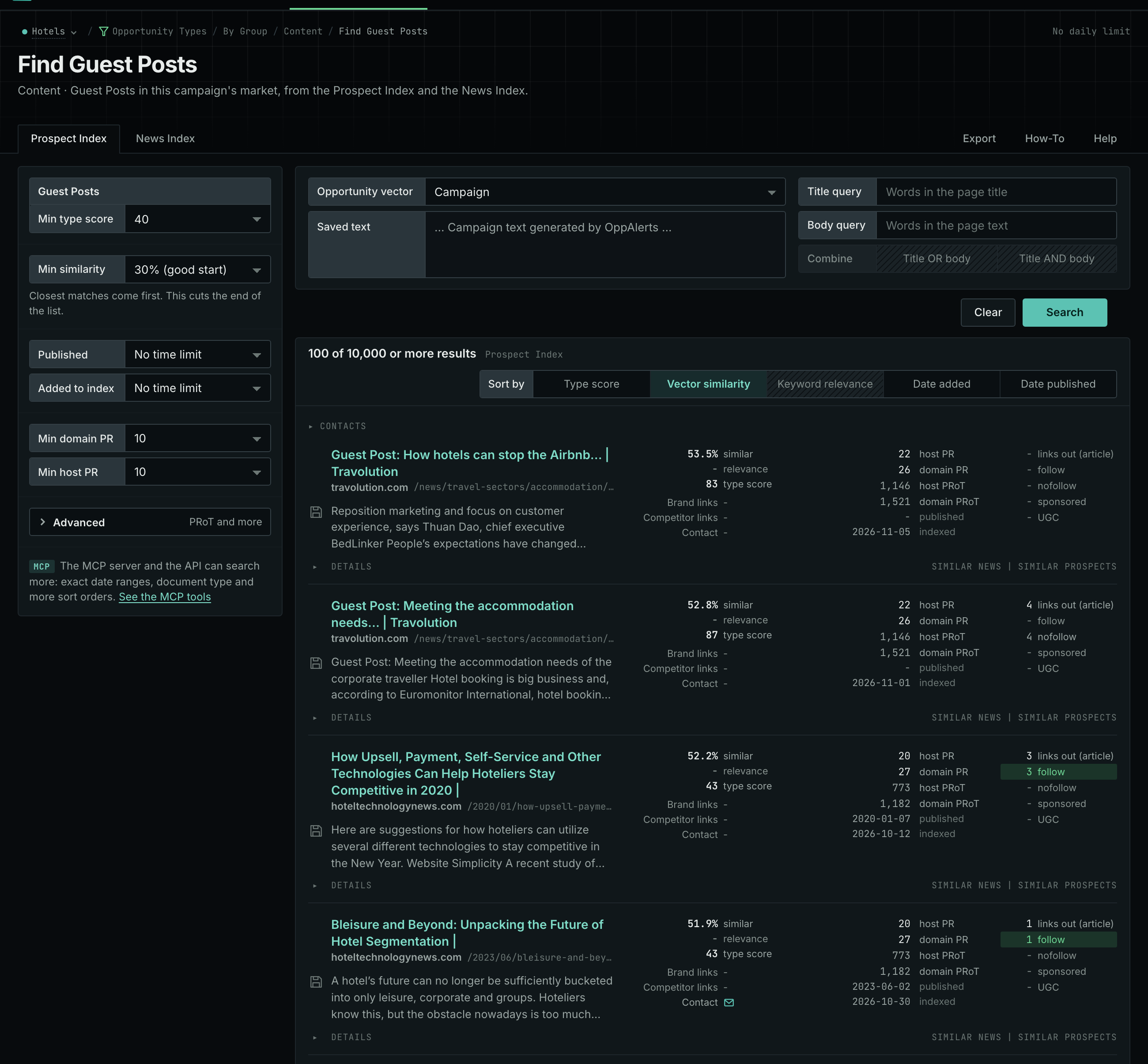
- Open Opportunity Types in the web app. Choose Content, then Guest Posts.
- Read the Prospect Index tab first. It holds the "write for us" pages and the contributor guidelines.
- Set Min domain PR to remove the sites with little standing.
- Sort by opens on Type score. Click Vector similarity to put the pages nearest your market first.
- Read the News Index tab last, for new calls for contributors.
- Open Details on a row to see the contact routes of the site and the links of the page.
- MCP:
prospects_searchandnews_search, with{"campaign": 3, "similarity_target": "campaign", "pr_domain_min": 10, "type_scores": [{"opportunity_type": "content/guest-posts", "type_score_min": 50}], "sort": "type_score"}. - API:
POST https://api.oppalerts.com/v1/prospects/searchandPOST https://api.oppalerts.com/v1/news/search, with the same JSON body.
2. Search with your own words or your own text
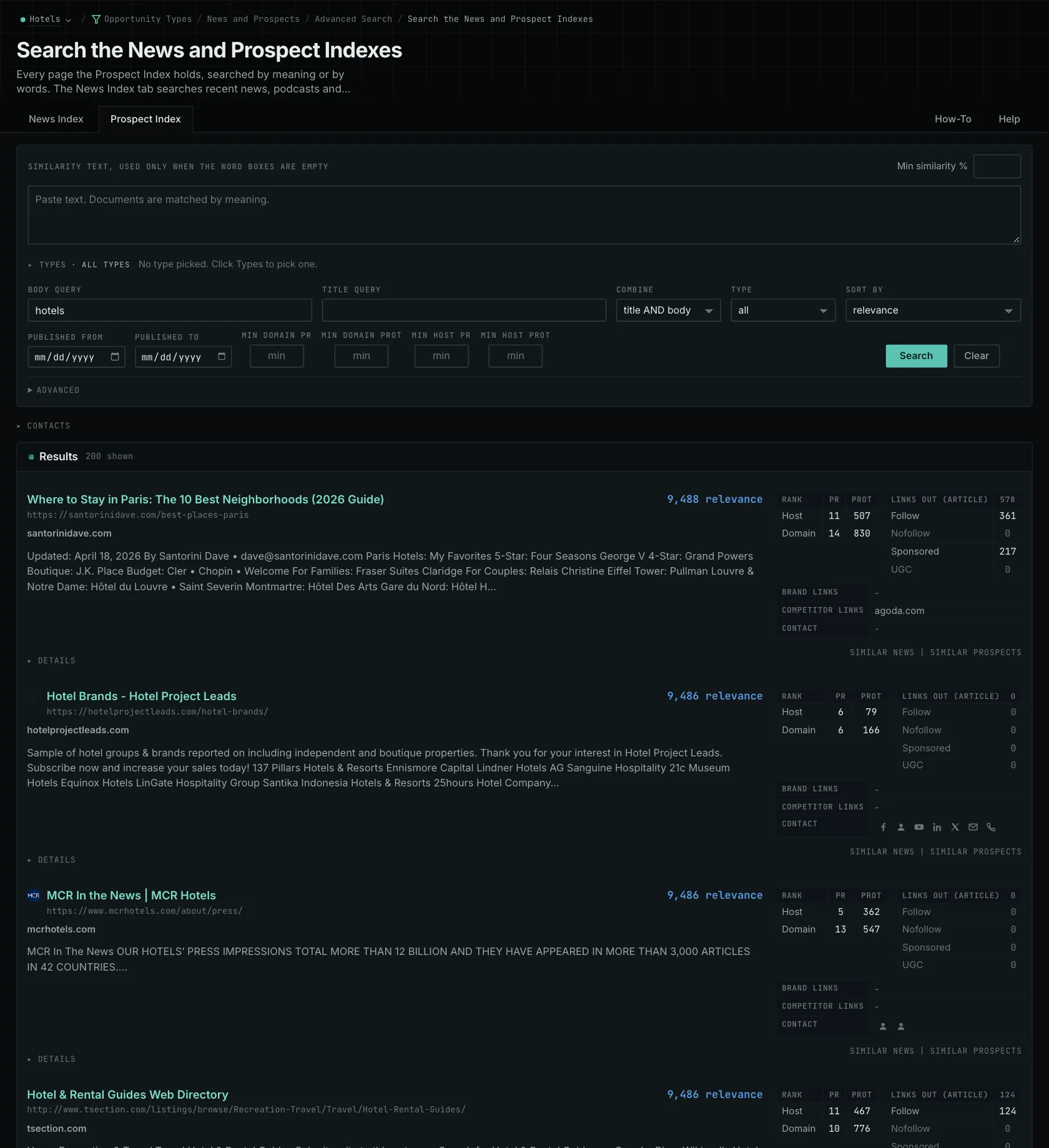
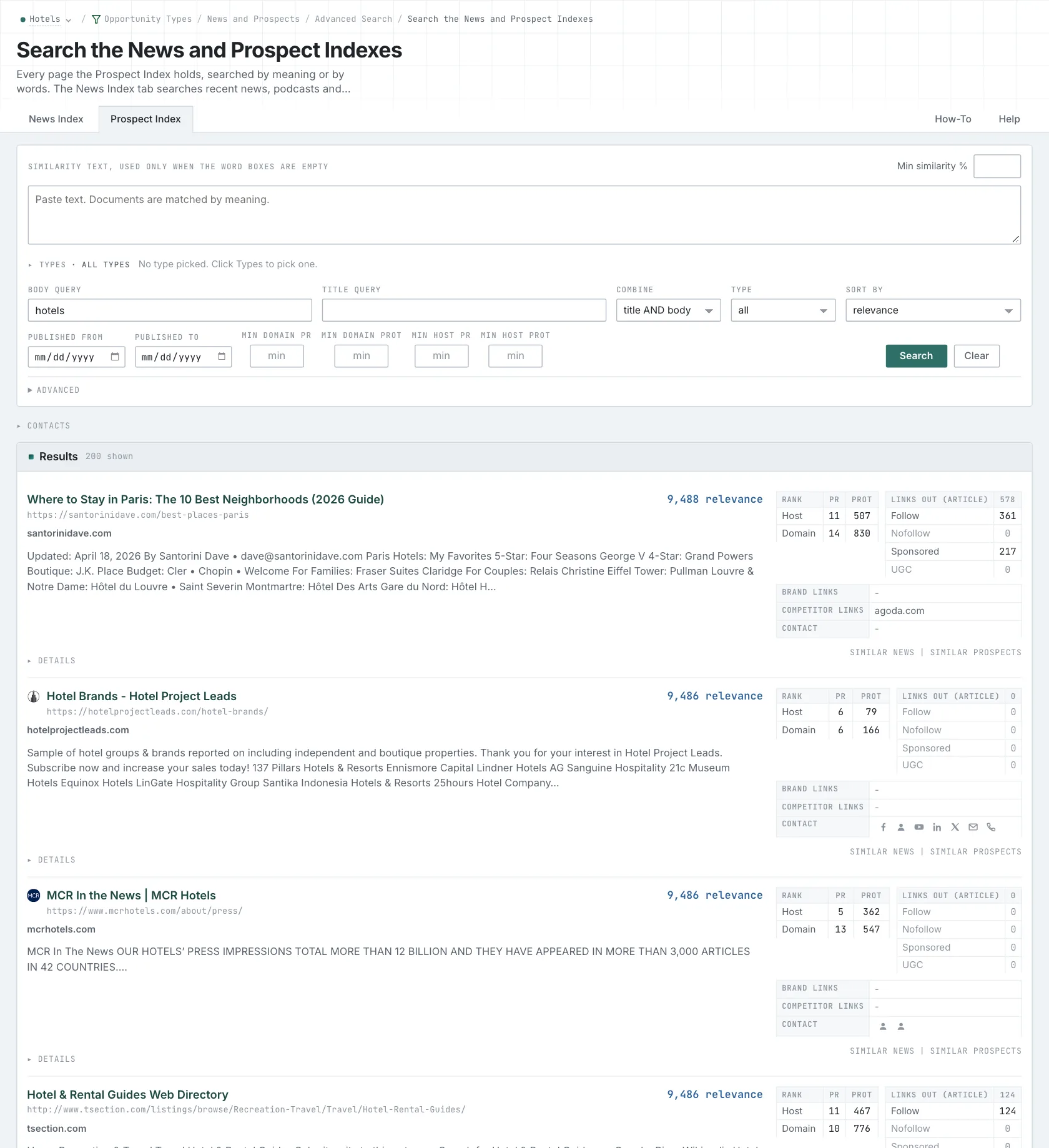
- Open Advanced Search, and open the Prospect Index tab.
- In Opportunity vector, choose Campaign. Or choose Similarity text and paste a paragraph about the article that you can write.
- In Title query, type
"write for us", with the quotes. The quotes keep the words as a phrase. - To keep only guest post pages, click Advanced. In Types, tick the guest post type and choose its minimum score.
- Click Search.
- MCP:
prospects_searchandnews_search, with{"campaign": 3, "similarity_target": "campaign", "title_query": "\"write for us\"", "type_scores": [{"opportunity_type": "content/guest-posts", "type_score_min": 50}], "sort": "best"}. Thesimilarity_targetcampaignis the market description of the campaign. - API:
POST https://api.oppalerts.com/v1/prospects/searchandPOST https://api.oppalerts.com/v1/news/search, with the same JSON body.
3. Find how to reach the site
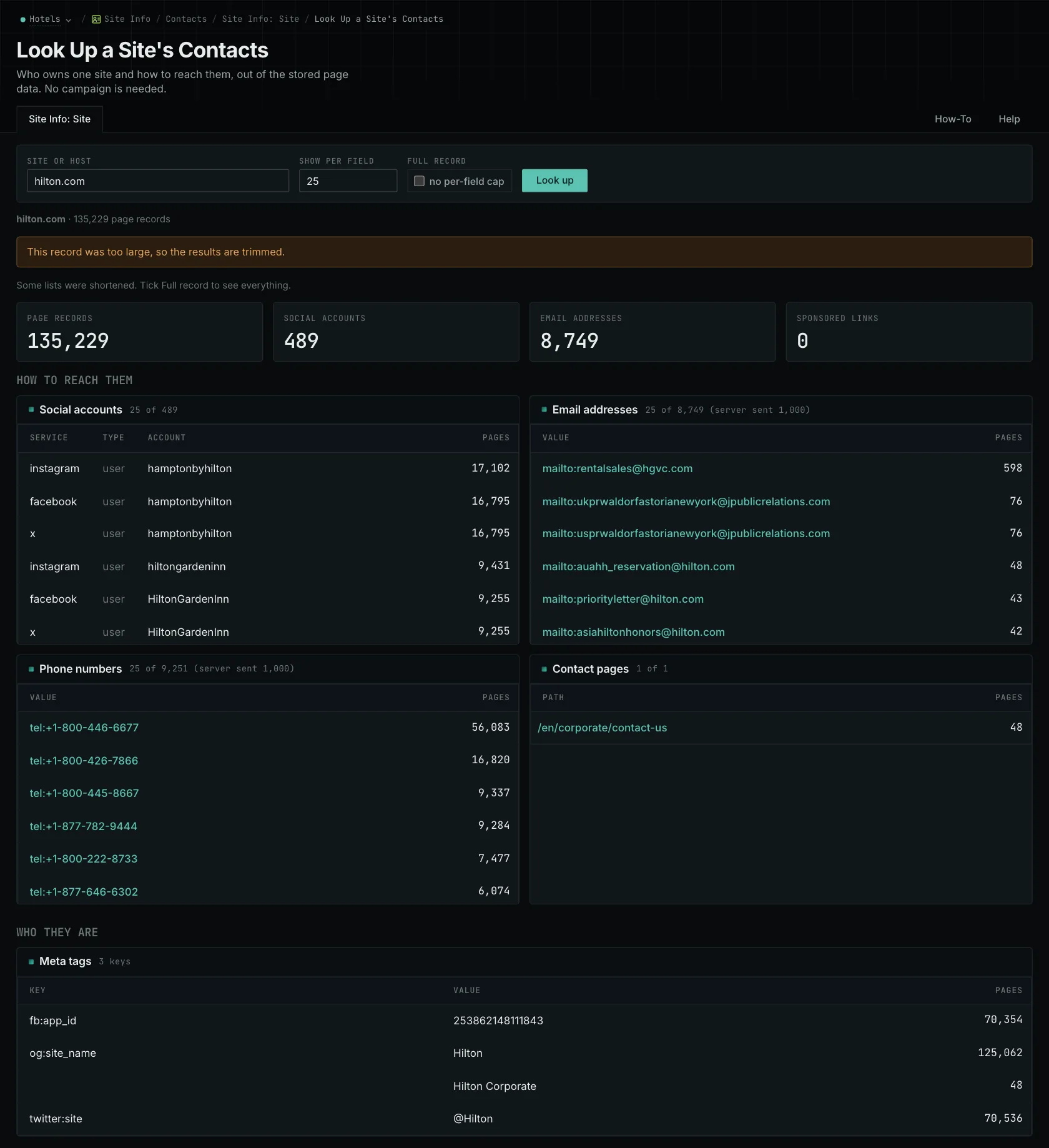
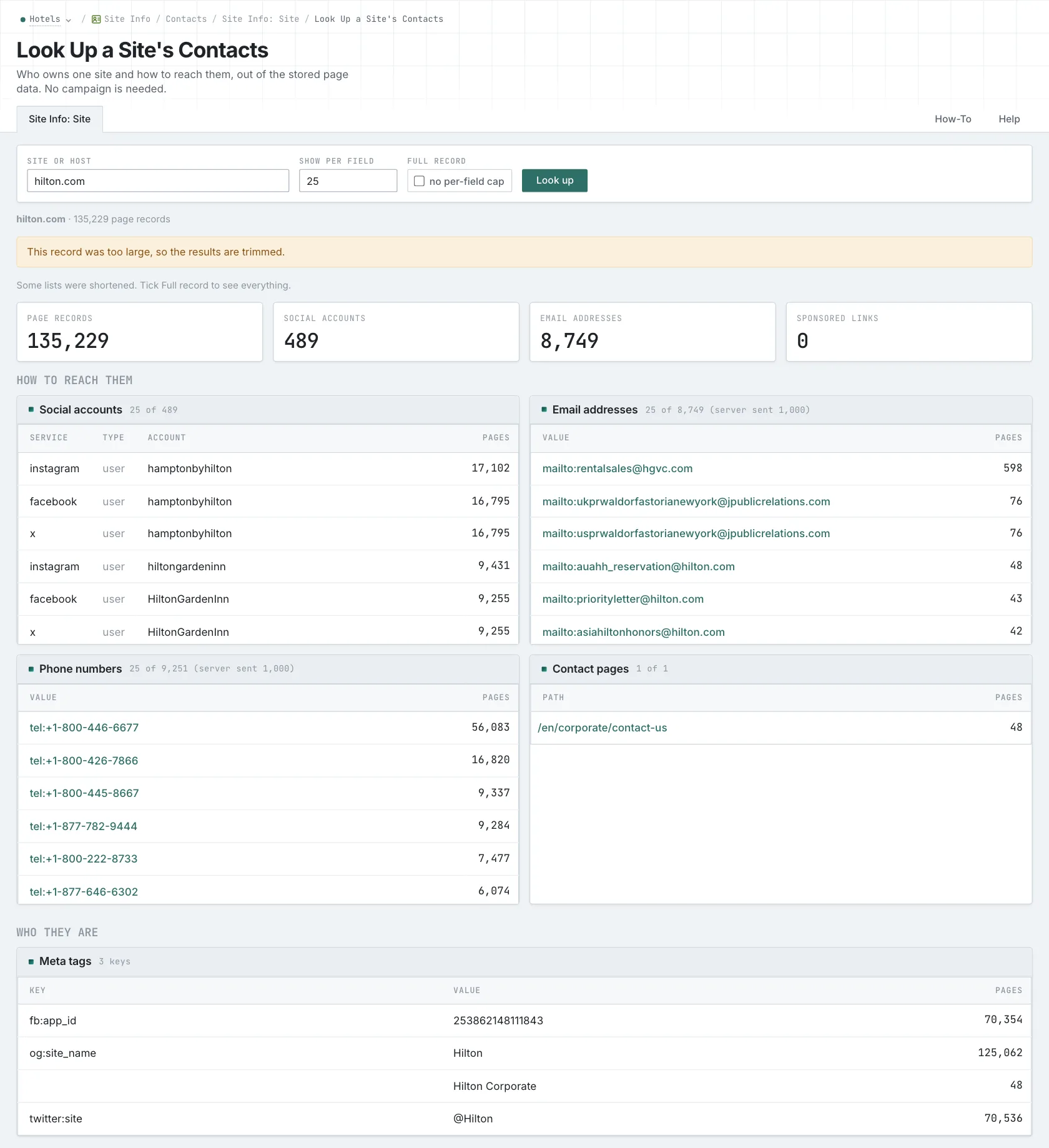
- Open Site Info: Site, and search for the host of the site.
- Read the How to reach them section first: the email addresses, the phone numbers, the social accounts, and the Contact pages.
- Read the hosts card at the end of the page. A separate blog host often accepts writing when the main site does not.
- Find the submission instructions on the live site. The record is not live, so a stored address can be old.
- MCP:
siteinfo_site, with{"site": "example-hotels.com"}. - API:
POST https://api.oppalerts.com/v1/siteinfo/site, with the same JSON body.
4. Get the new guest post pages every day
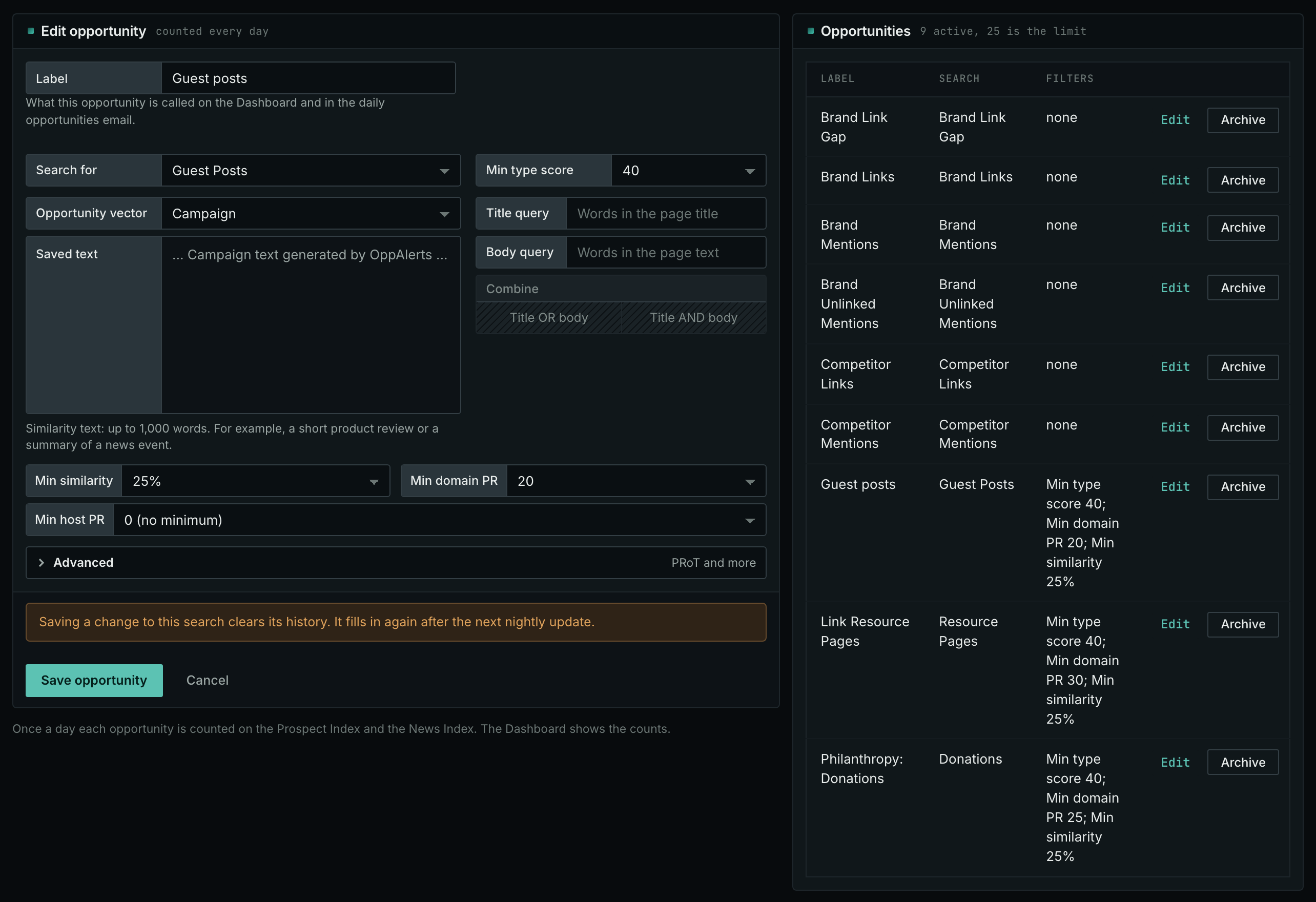
- Open your campaign in Edit Campaign, and open the Opportunities tab.
- Add an opportunity. In Search for, choose Guest Posts, in the Content group.
- In Opportunity vector, choose Campaign. Keep Min similarity at 30 or more. With No vector, the count includes guest post pages about any subject.
- Click Add opportunity.
- Open the Daily Email tab, tick the box, choose the hour, and click Save.
- Each day, the Dashboard tab and the daily opportunities email show the new pages: the pages that came into the indexes in the last 24 hours.
- MCP:
campaigns_saved_opportunitiesgives the ID of each saved opportunity. Thennews_opportunitiesandprospects_opportunitiesgive the pages of 1 to 7 days, with{"campaign": 3, "opportunity": 1, "date_from": "2026-08-26", "date_to": "2026-09-01"}. For one day, send the same day indate_fromanddate_to. - API:
POST https://api.oppalerts.com/v1/news/opportunitiesandPOST https://api.oppalerts.com/v1/prospects/opportunities, with the same JSON body.
How to judge the results
- Read what the publication publishes. Read recent articles. Check the level of explanation, the authors, who decides what is published, and who reads it.
- Match your article to the publication. A technical tutorial based on a completed project may suit a publication accepting original tutorials. Another publication in the same industry may want opinion articles, require a different approach, or decline unsolicited contributions. Check the format as well as the subject.
- Read the requirements before you write. Use the length requirement to estimate the work. Check originality and exclusivity rules to establish where else the article may appear, author rules to identify whose experience must support it, and the link policy for permitted references and attributions.
- Look for paid placements. Clarify the selection process before writing if the site presents paid placements as independent articles or leaves its process unclear.
- Use the link numbers as background only. Use PageRank and PRoT as site background. Assess fit for readers through current articles and contributor requirements.
- Check the links out. A page with no followed links out does not link to other sites. A request for a link from it is usually wasted work.
- Propose a specific explanation. Give the editor a specific subject to assess: the task you will explain, what readers can do afterward, and the evidence or experience you bring. Use your credentials to support that proposal.
- Follow the stated submission route. A stored address reflects what OppAlerts collected and may no longer receive proposals.
- Record why the article fits. Record the publication's requirements. Even a suitable proposal may be declined because of timing or an already planned article on the subject.