Documentation / How-To Guides / How to Find Podcast Guest Opportunities
How to Find Podcast Guest Opportunities
Find podcasts in your market that take guests.
Find a podcast whose guest format suits what you can contribute. Before contacting the host, learn how the show uses guests and what your experience could add to the conversation. This guide covers three ways to find shows and guest pages in OppAlerts, plus a way to look up contact details.
- Which podcasts ask for guests? The Podcast Guests opportunity type.
- Which podcast episodes are about my topic? Advanced Search, News Index tab.
- How do I reach the show? Site Info: Site.
- Which guest pages are new today? A saved opportunity and the daily opportunities email.
1. Search the podcast opportunity types
These opportunity types find podcasts and guest pages:
- Podcast Guests, in the Audio and Video group: shows that interview founders, experts, and customers. Pages with words such as "looking for guests", "apply to be a guest", and "guest application".
- Podcasts, in the Audio and Video group: active podcasts of your industry, and lists of podcasts.
- Interview Opportunities, in the Experts group: publishers and programs that interview people in the industry.
- Open Opportunity Types in the menu of the web app.
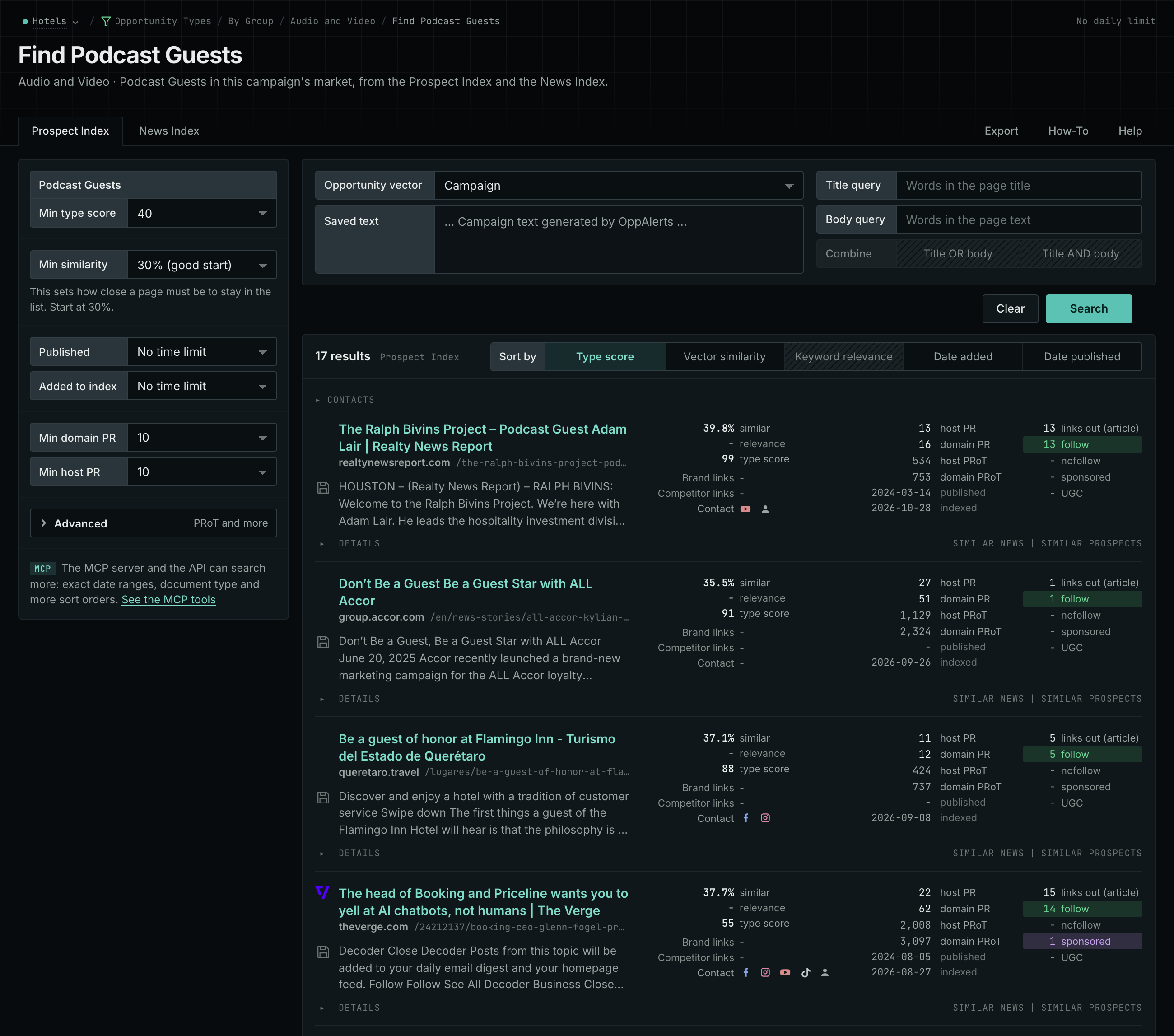
- Choose Audio and Video, then choose Podcast Guests.
- Read the Prospect Index tab for the guest pages and the booking forms. These pages often have no published date, so do not set Published on this tab.
- Click Vector similarity in Sort by to put the shows nearest to your market first.
- Do the same for Podcasts. A list of the best podcasts of your industry gives you many shows to check.
- MCP:
prospects_searchandnews_search, with{"campaign": 3, "similarity_target": "campaign", "pr_domain_min": 10, "type_scores": [{"opportunity_type": "audio-video/podcast-guesting", "type_score_min": 50}], "sort": "type_score"}. - API:
POST https://api.oppalerts.com/v1/prospects/searchandPOST https://api.oppalerts.com/v1/news/search, with the same JSON body.
2. Find the podcast episodes about your topic
The News Index holds podcast episodes. You can find a show from its episodes, and then check if it takes guests.
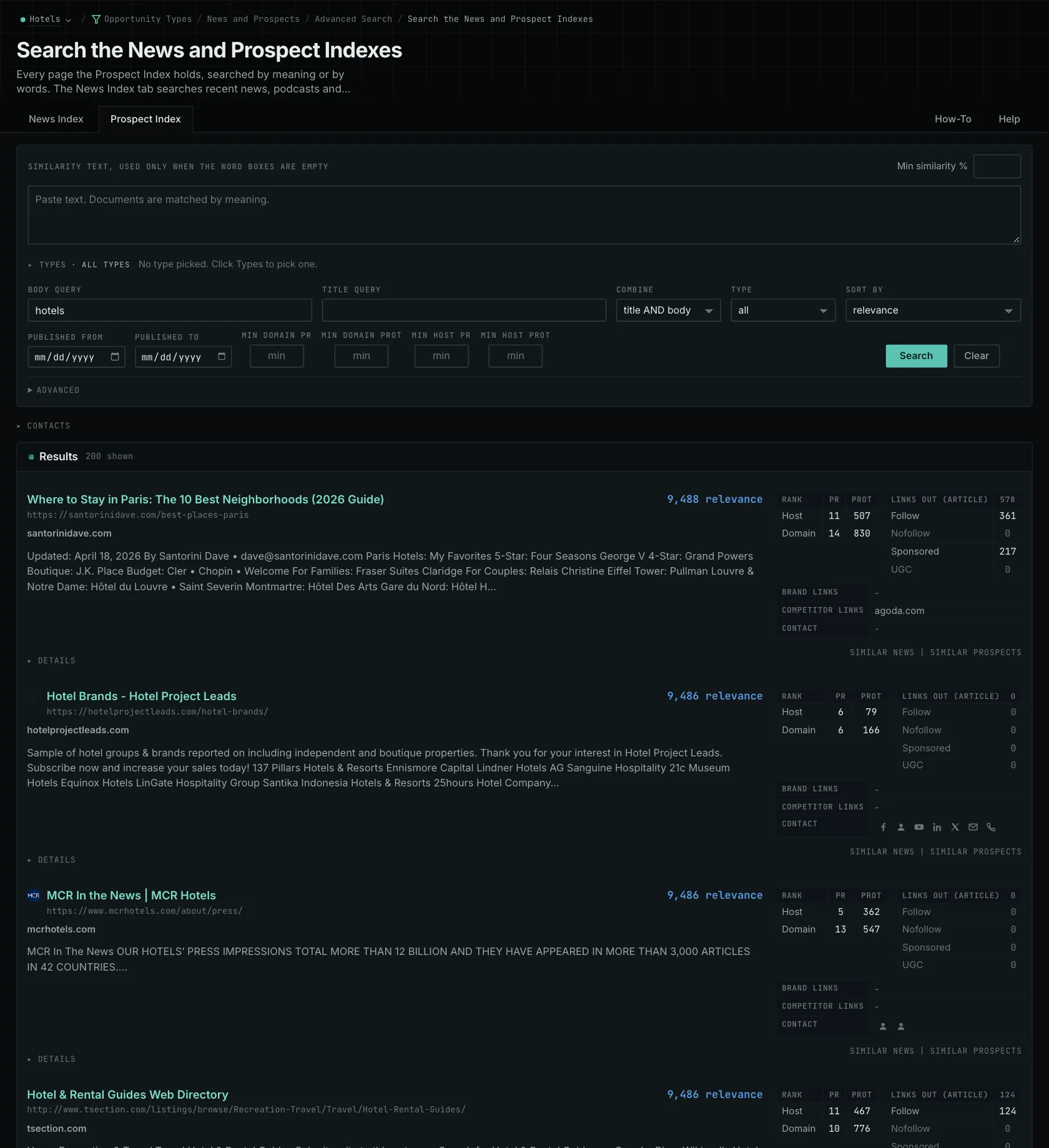
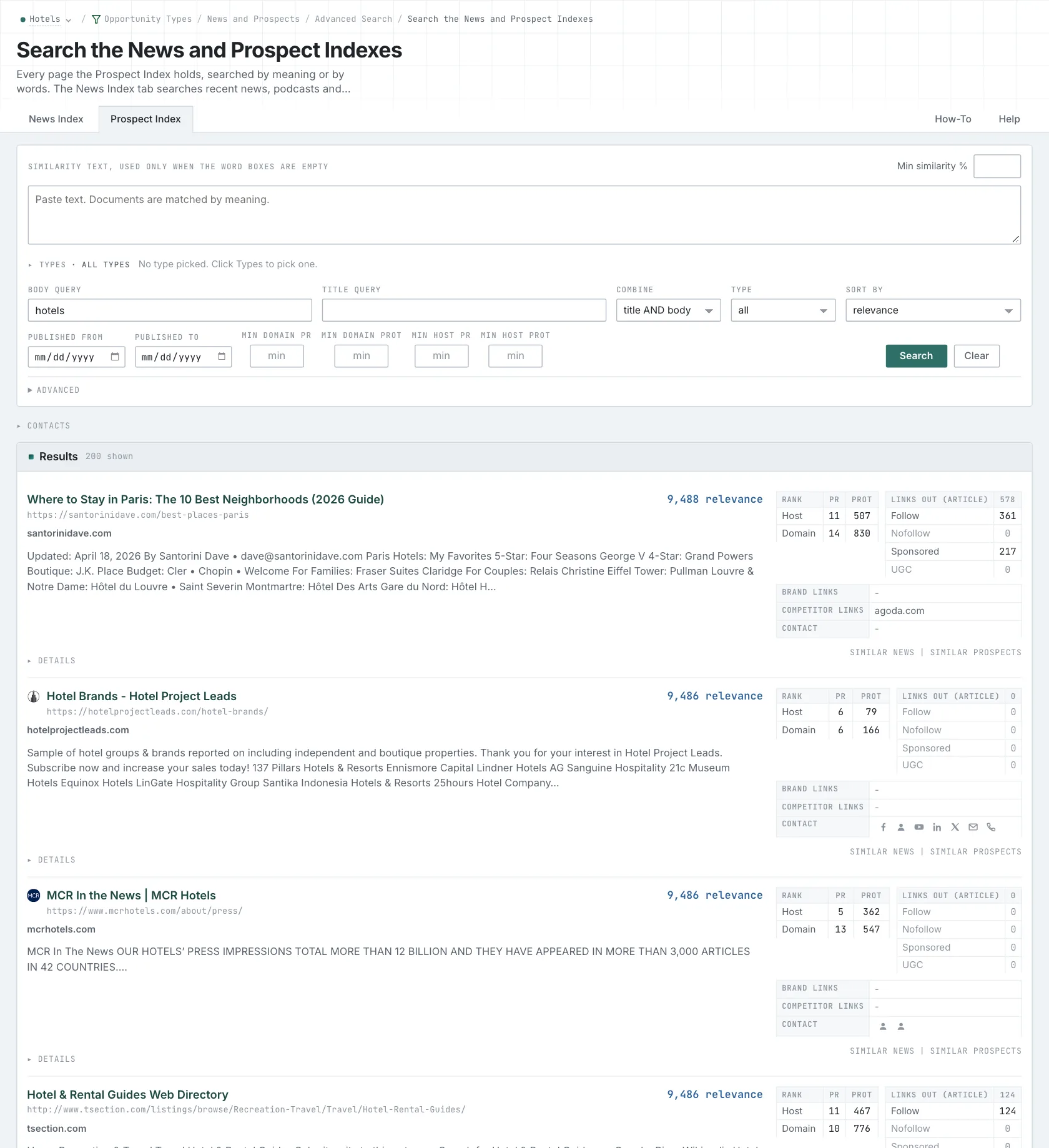
- Open Advanced Search, and open the News Index tab.
- In Opportunity vector, choose Similarity text. Paste a short text about the subject that you can talk about.
- Set Published to Last 3 months to find the shows that are active now.
- Click Search.
- MCP:
news_search. In MCP and in the API,"document_type": "podcast"keeps only the podcast episodes, with{"campaign": 3, "similarity_target": "similarity_text", "similarity_text": "Boutique hotels winning direct bookings from younger travelers in mid-size US cities.", "similarity_score_min": 25, "published_from": "2026-08-01", "document_type": "podcast", "sort": "best"}. - API:
POST https://api.oppalerts.com/v1/news/search, with the same JSON body.
3. Find the show's contact details
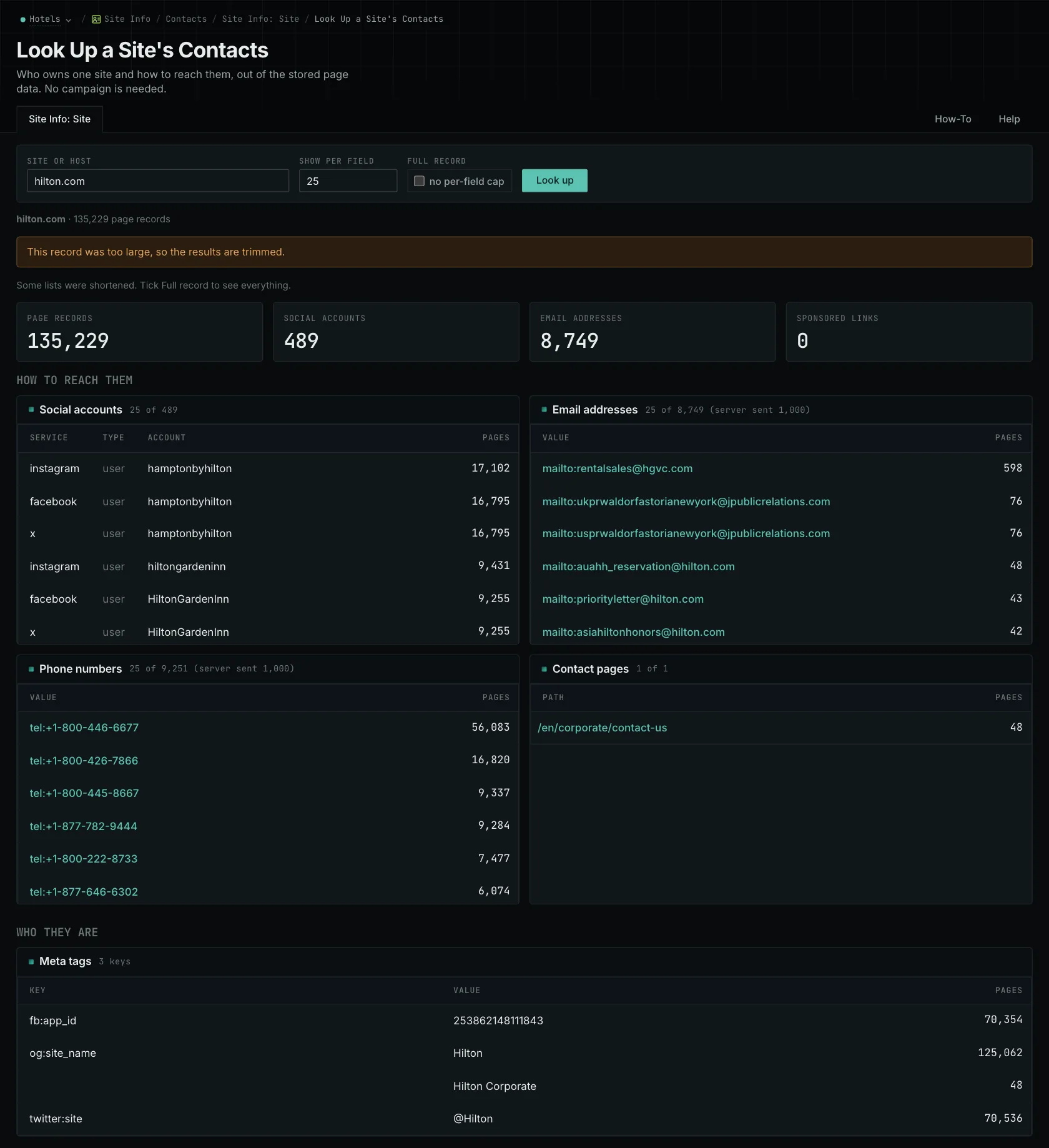
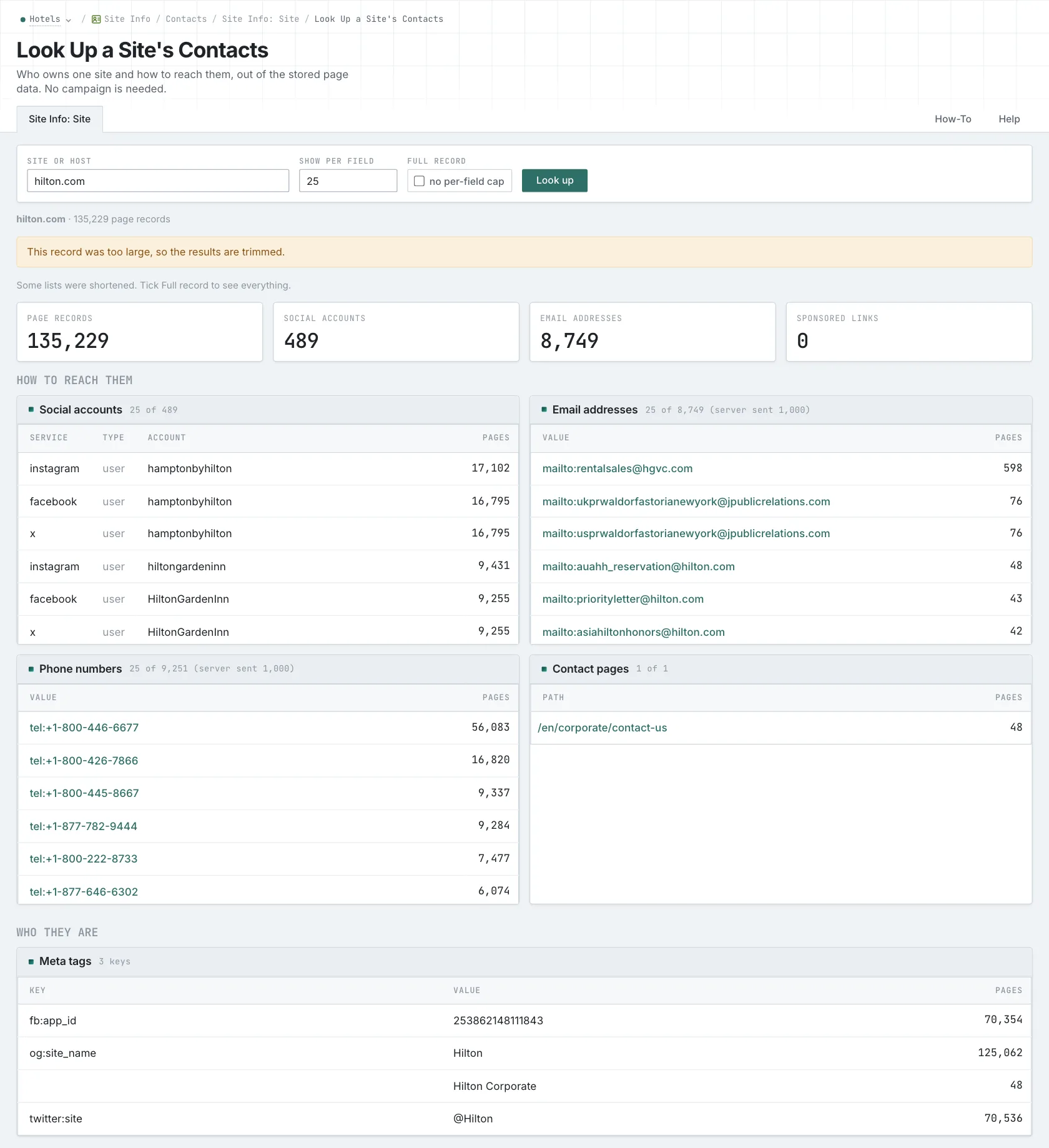
- Open Site Info: Site, and look up the site of the show.
- Read How to reach them first: the email addresses, phone numbers, social accounts, and contact pages.
- Then read the guest form or the booking page on the current site. Site Info is not live. The current page tells you how booking works now.
- MCP:
siteinfo_site, with{"site": "example-hotels.com"}. - API:
POST https://api.oppalerts.com/v1/siteinfo/site, with the same JSON body.
4. Get the new guest pages every day
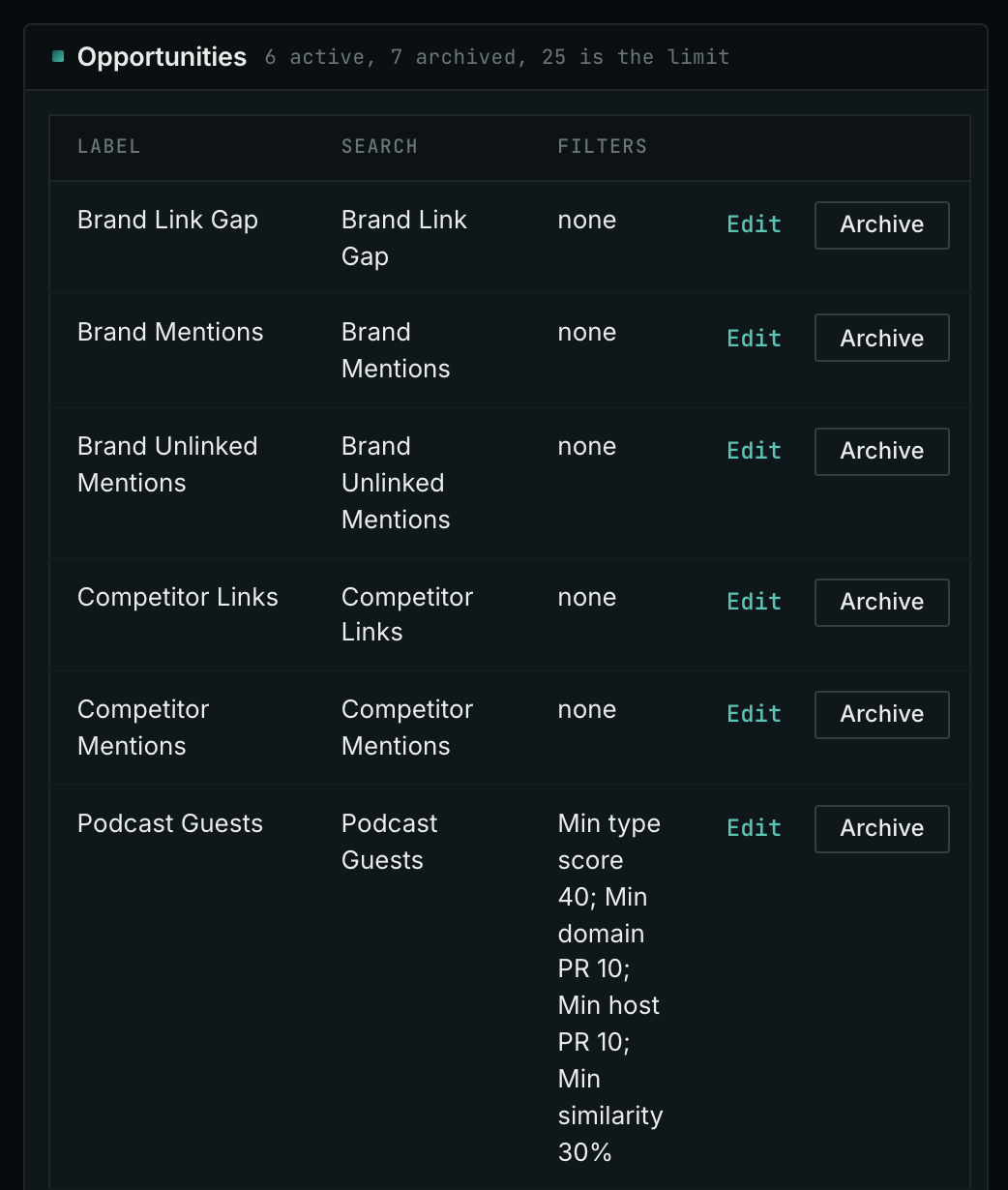
- Open your campaign in Edit Campaign, and open the Opportunities tab.
- In Search for, choose Podcast Guests, in the Audio and Video group. In Opportunity vector, choose Campaign. Click Add opportunity.
- Open the Daily Email tab, tick the box, choose the hour, and click Save.
- Each day, the Dashboard tab and the daily opportunities email show the new pages: the pages that came into the indexes in the last 24 hours.
- MCP:
campaigns_saved_opportunitiesgives the ID of each saved opportunity. Thennews_opportunitiesandprospects_opportunitiesgive the pages of 1 to 7 days, with{"campaign": 3, "opportunity": 1, "date_from": "2026-08-26", "date_to": "2026-09-01"}. For one day, send the same day indate_fromanddate_to. - API:
POST https://api.oppalerts.com/v1/news/opportunitiesandPOST https://api.oppalerts.com/v1/prospects/opportunities, with the same JSON body.
How to judge the results
- Listen to recent episodes. Listen for the kind of conversation the host wants: technical explanations, business decisions, or personal stories. A show interviewing customers about using a service may cover your subject without offering a format for explaining the technical work behind it.
- Fit the proposal to the show. For a customer-focused show, propose a customer case you have permission to discuss. If the contribution requires technical detail, choose a format with enough time for it.
- Describe the proposed episode clearly. State the question you will discuss, the experience supporting your answer, and what listeners will learn. Refer to a recent episode to explain the fit, then use your biography to establish your qualifications.
- Check the recent activity. A pause in publishing may be seasonal; look for an explanation before treating a show as inactive. If timing matters, ask for both recording and release dates, which may be far apart.
- Use the published route. Follow the show's guest form or published contact route. The absence of a booking form does not establish that it accepts unsolicited proposals.
- Confirm the links before you count on them. Read the episode notes and the guest agreement. After the episode is published, check the description and the links.
- Track the results separately. Record the acceptance, the response of the audience, and later invitations as separate results.