Documentation / How-To Guides / How to Find Research Partnerships
How to Find Research Partnerships
Find research projects that need your data or expertise.
Look for research projects that need data, expertise, participants, or staff time you can provide. OppAlerts finds pages seeking research partners and collaborators. Use the workflows below to locate relevant calls, then check the role and workload each one requires.
- Which pages ask for research partners? Opportunity Types: Research Partnerships.
- Which pages are about my research subject? Advanced Search.
- Which pages ask for a smaller contribution? Opportunity Types: Expert Roundups.
- What is new today? A saved opportunity and the daily opportunities email.
1. Find the pages that ask for research partners
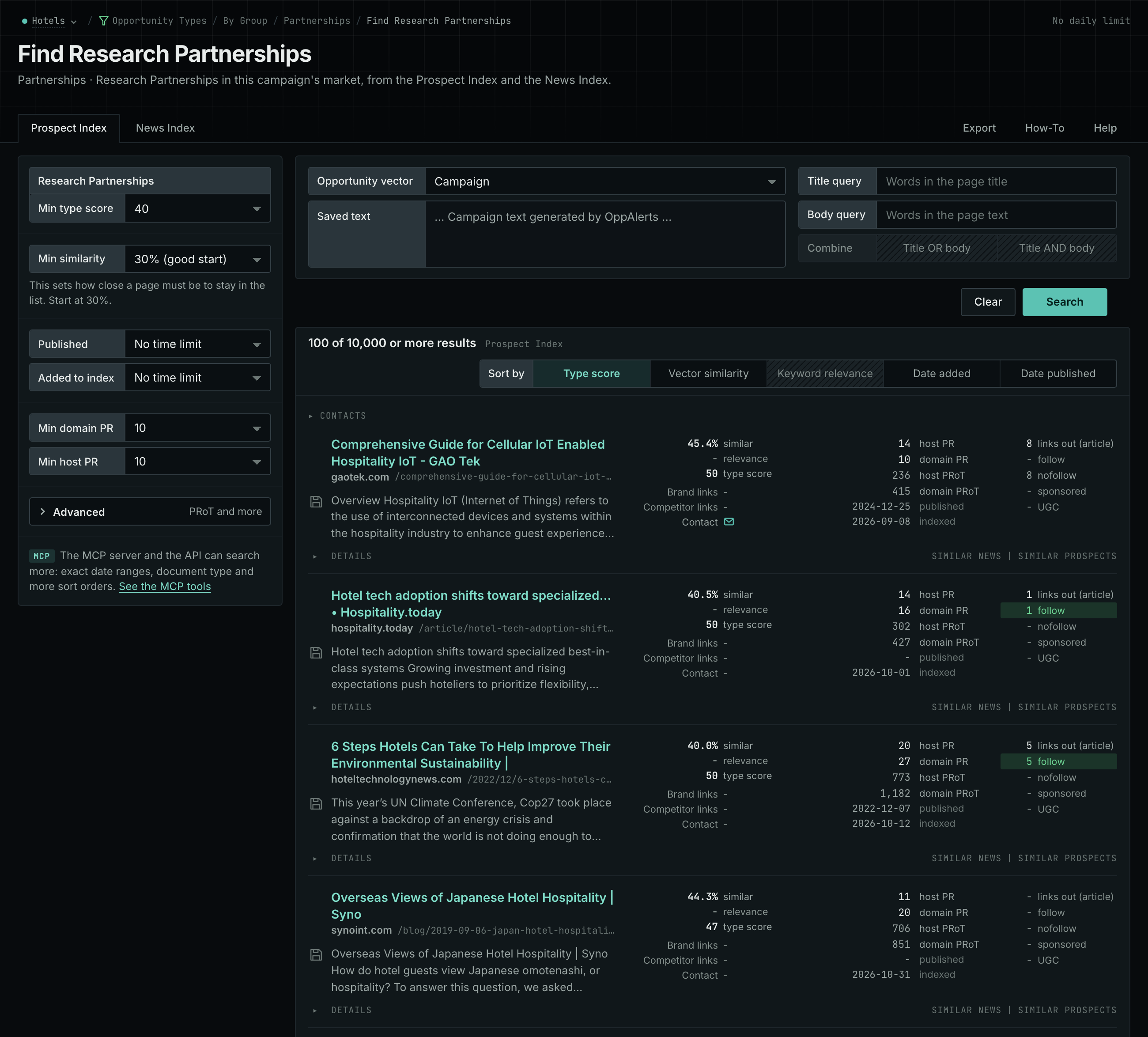
- Open Opportunity Types in the web app. Choose Partnerships, then Research Partnerships.
- Read the Prospect Index tab. It finds the pages of companies, universities, laboratories, nonprofits, governments, and associations that do research together.
- Click Vector similarity to put the pages nearest your market first.
- Read the News Index tab for new calls.
- Open each page that fits. Read which role it asks for.
- MCP:
prospects_searchandnews_search, with{"campaign": 3, "similarity_target": "campaign", "pr_domain_min": 10, "type_scores": [{"opportunity_type": "partnerships/research-partnerships", "type_score_min": 50}], "sort": "type_score"}. - API:
POST https://api.oppalerts.com/v1/prospects/searchandPOST https://api.oppalerts.com/v1/news/search, with the same JSON body.
2. Search for your research subject
Universities, industry groups, associations, and research publishers may describe the same subject differently. Semantic search finds related pages even when their wording differs from yours.
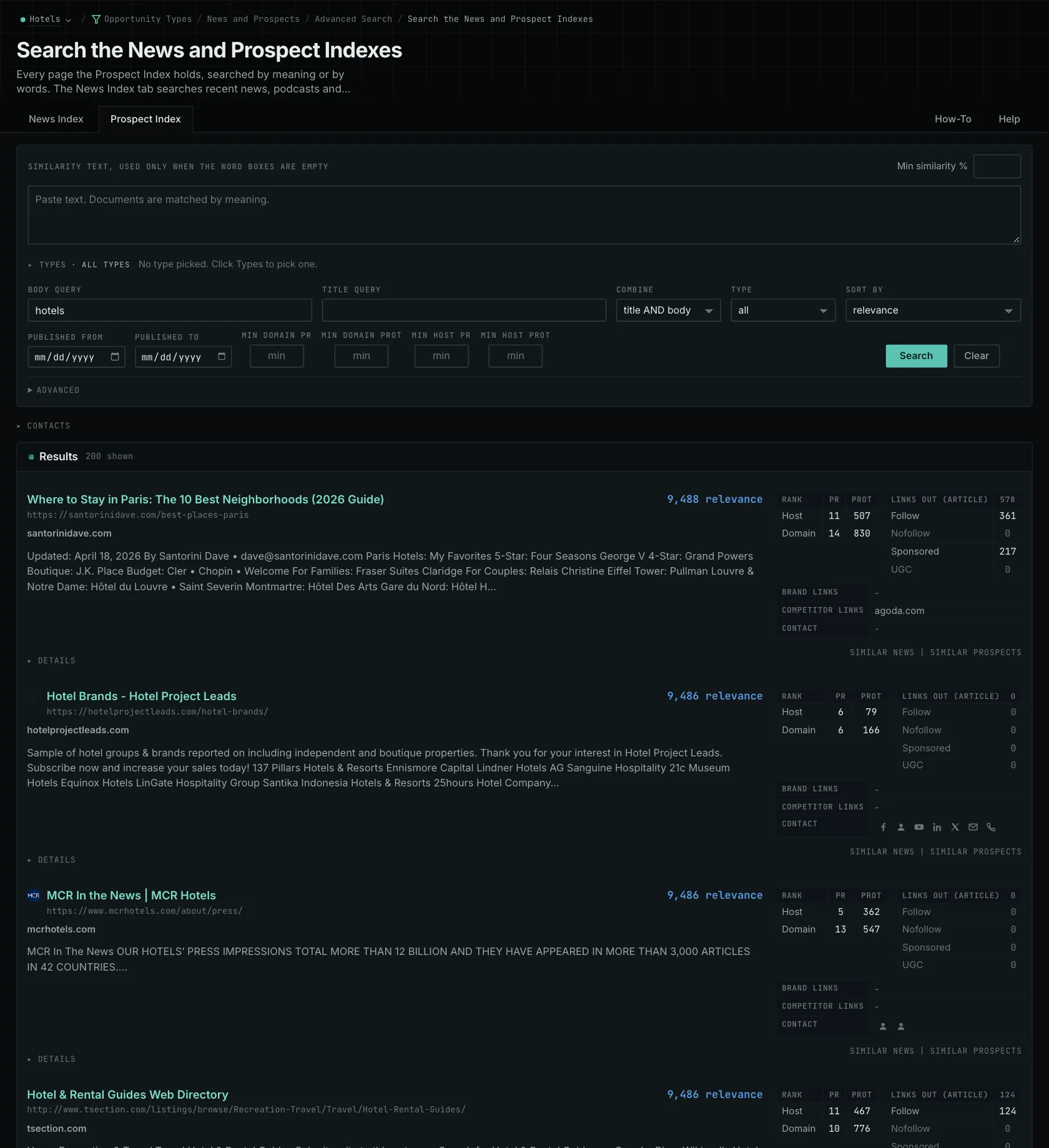
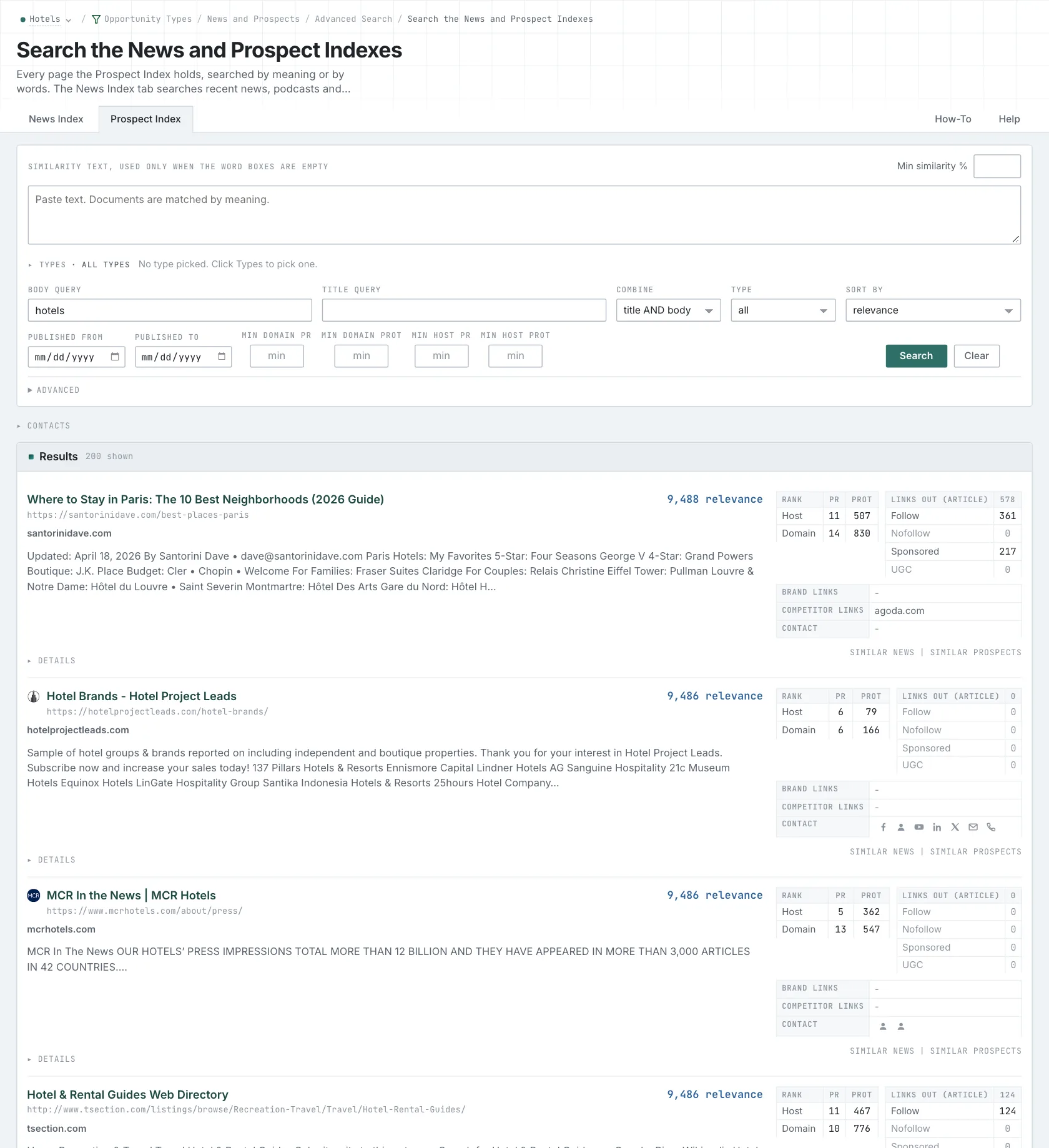
- Open Advanced Search, and open the Prospect Index tab.
- In Opportunity vector, choose Similarity text. In its box, paste a paragraph that describes the research question, or the data that you hold. Do not paste a list of keywords.
- To keep only research partnership pages, click Advanced. In Types, tick the research partnership type and choose its minimum score.
- Click Search. Then read the News Index tab with the same form.
- MCP:
prospects_searchandnews_search, with{"campaign": 3, "similarity_target": "campaign", "type_scores": [{"opportunity_type": "partnerships/research-partnerships", "type_score_min": 50}], "sort": "best"}. Thesimilarity_targetcampaignis the market description of the campaign. To search with your own text, send"similarity_target": "similarity_text"and the text insimilarity_text. - API:
POST https://api.oppalerts.com/v1/prospects/searchandPOST https://api.oppalerts.com/v1/news/search, with the same JSON body.
3. Find a smaller request for expert input
If a full partnership requires too much work, consider a request for expert comments, which takes less time.
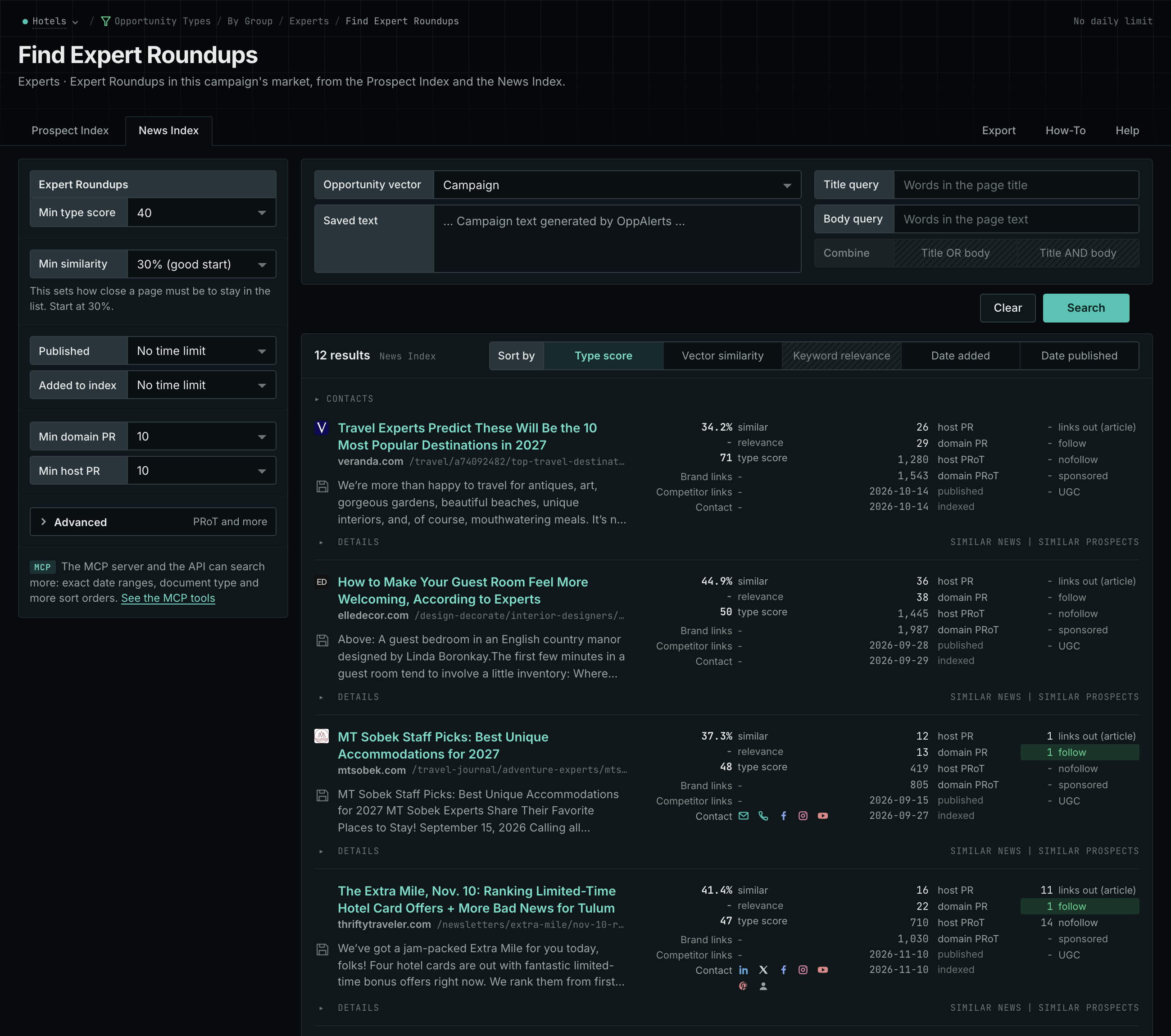
- In Opportunity Types, choose Experts, then Expert Roundups.
- Read the Prospect Index and News Index tabs.
- Assess each request on its own terms. A short contribution can still need permissions and a review.
- MCP:
prospects_searchandnews_search, with{"campaign": 3, "similarity_target": "campaign", "pr_domain_min": 10, "type_scores": [{"opportunity_type": "experts/roundups-and-panels", "type_score_min": 50}], "sort": "type_score"}. - API:
POST https://api.oppalerts.com/v1/prospects/searchandPOST https://api.oppalerts.com/v1/news/search, with the same JSON body.
4. Get the new research partnership pages every day
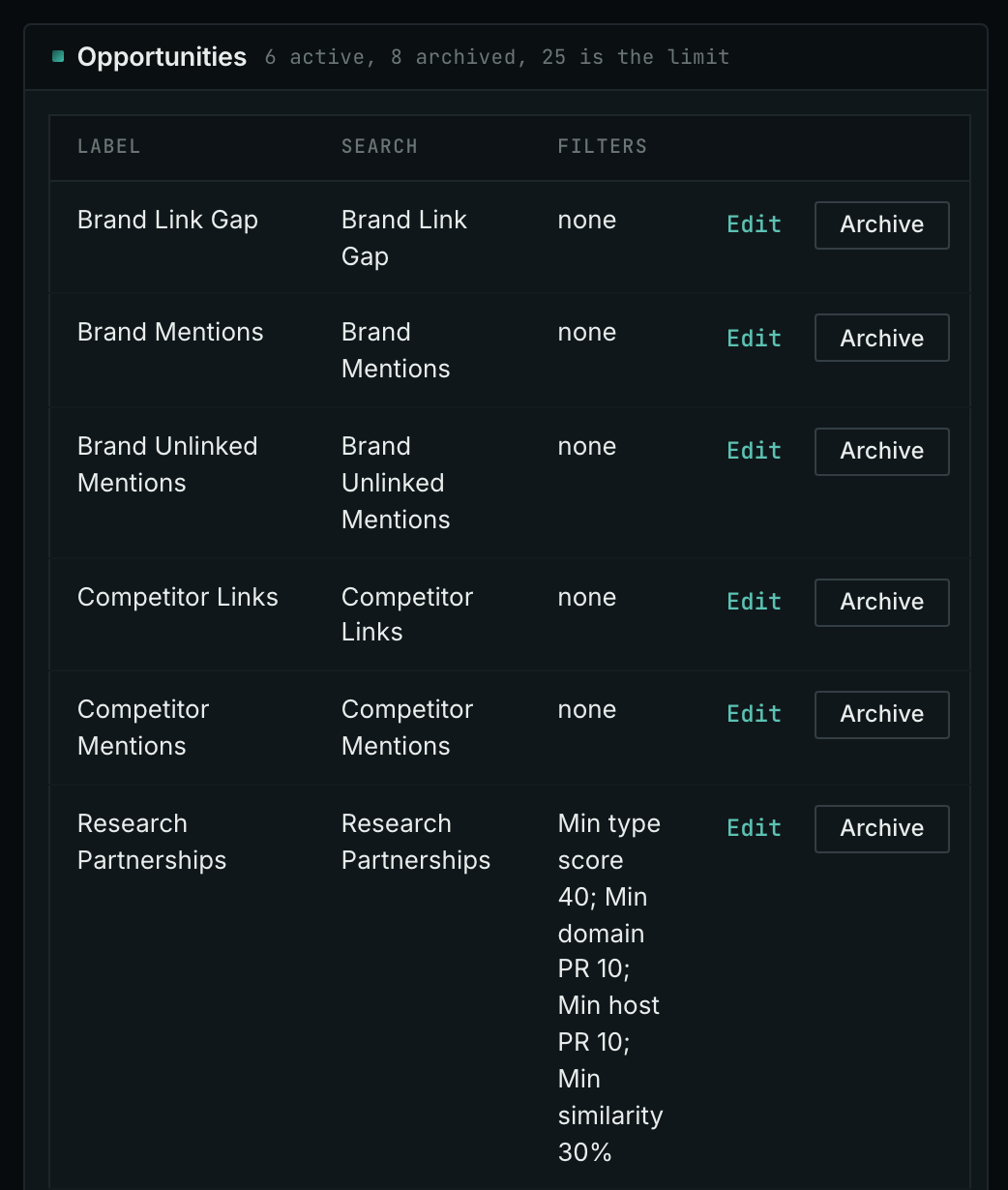
- Open your campaign in Edit Campaign, and open the Opportunities tab.
- Add an opportunity. In Search for, choose Research Partnerships, in the Partnerships group.
- In Opportunity vector, choose Campaign, and click Add opportunity.
- Open the Daily Email tab, tick the box, choose the hour, and click Save.
- Each day, the Dashboard tab and the daily opportunities email show the new pages: the pages that came into the indexes in the last 24 hours.
- MCP:
campaigns_saved_opportunitiesgives the ID of each saved opportunity. Thennews_opportunitiesandprospects_opportunitiesgive the pages of 1 to 7 days, with{"campaign": 3, "opportunity": 1, "date_from": "2026-08-26", "date_to": "2026-09-01"}. For one day, send the same day indate_fromanddate_to. - API:
POST https://api.oppalerts.com/v1/news/opportunitiesandPOST https://api.oppalerts.com/v1/prospects/opportunities, with the same JSON body.
How to judge the results
- Read the role that the call asks for. If you hold operational data relevant to an industry question, a call for data contributors may fit. A call for individual study participants requires a different contribution even when it covers the same subject.
- Know what you can share. Confirm what researchers need and what you have permission to share. Involve privacy and legal reviewers before agreeing to contribute customer information. Relevance to the research question does not authorize use of those records.
- Agree on the output before you contribute. Agree on data ownership, permitted uses, publication plans, and whether you can review material before publication. Research may produce unexpected findings.
- Plan the staff time. Preparing records, explaining limitations, answering questions, and reviewing material may require several people. Confirm their availability for collection, analysis, and publication. Reaching an agreement does not establish when the report will appear.
- Agree on the credit. Distinguish a named partnership, an acknowledgment, a dataset citation, and no public credit. Confirm which applies and whether researchers will include a link or business description.
- Continue only when the fit is clear. The researchers must need what you can supply, and each person must know their responsibilities.