Documentation / How-To Guides / How to Monitor Competitor Mentions
How to Monitor Competitor Mentions
Review competitor mentions to find relevant publications and gaps in your own coverage.
Research competitor coverage to understand which publications cover your market and why they include particular businesses. The six workflows below examine mentions, links, gaps, and AI recommendations in OppAlerts, then set up daily monitoring for new pages.
- Which pages name a competitor? Competitor Mentions.
- Which pages link to a competitor? Competitor Links.
- Which pages link to a competitor and not to you? Brand Link Gap.
- Which sites link to several of your competitors? Backlinks DB: Link Gap.
- Which competitors do AI models recommend? Competitor LLM Recs.
- What is new today? A saved opportunity and the daily opportunities email.
Before you start: name your competitors
- Open your campaign in Edit Campaign, and open the Settings tab.
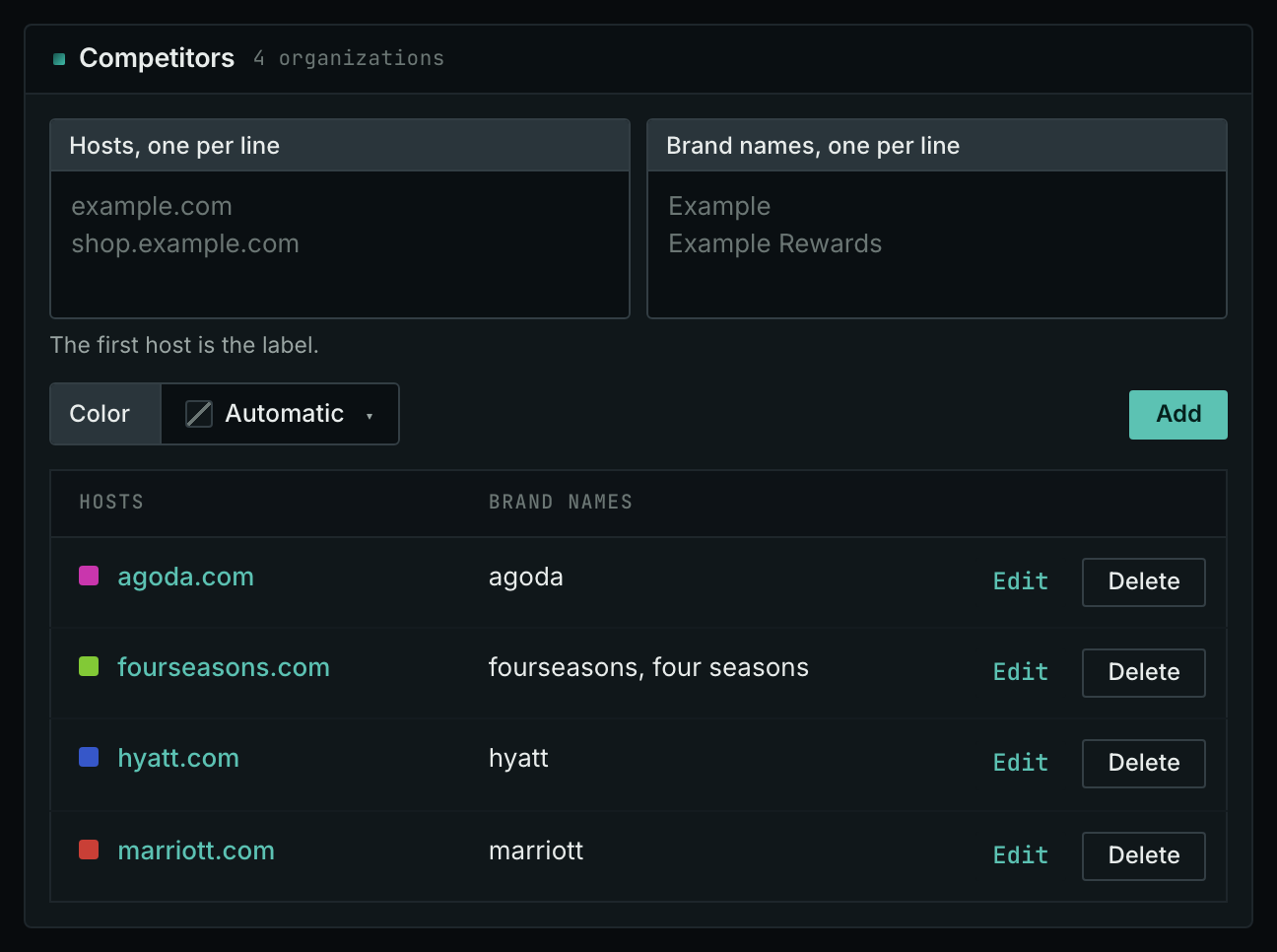
- In the Competitors box, add each competitor: its hosts and its brand names.
- Click Save.
Competitor Mentions searches names; Competitor Links and Brand Link Gap search hosts. Choose alternatives your buyers actually consider. Including a company from another market fills the results with publications your customers do not read.
Reports apply labels when you open them, so a newly added competitor also appears on previously collected pages.
- MCP:
campaigns_organizationslists the organizations of a campaign and their relationships, with{"campaign": 3}. - API:
POST https://api.oppalerts.com/v1/campaigns/organizations, with the same JSON body.
1. Read the pages that name a competitor
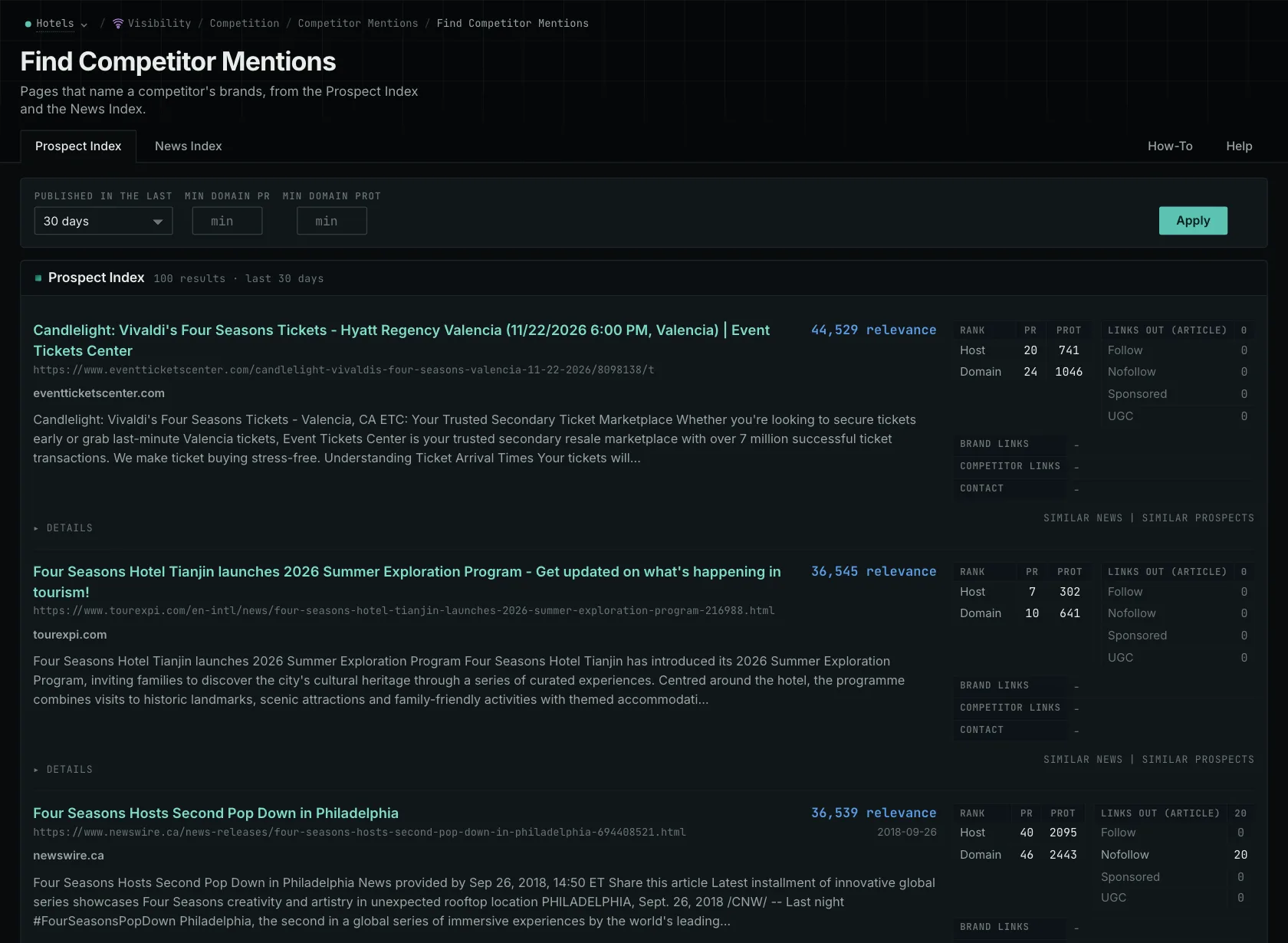
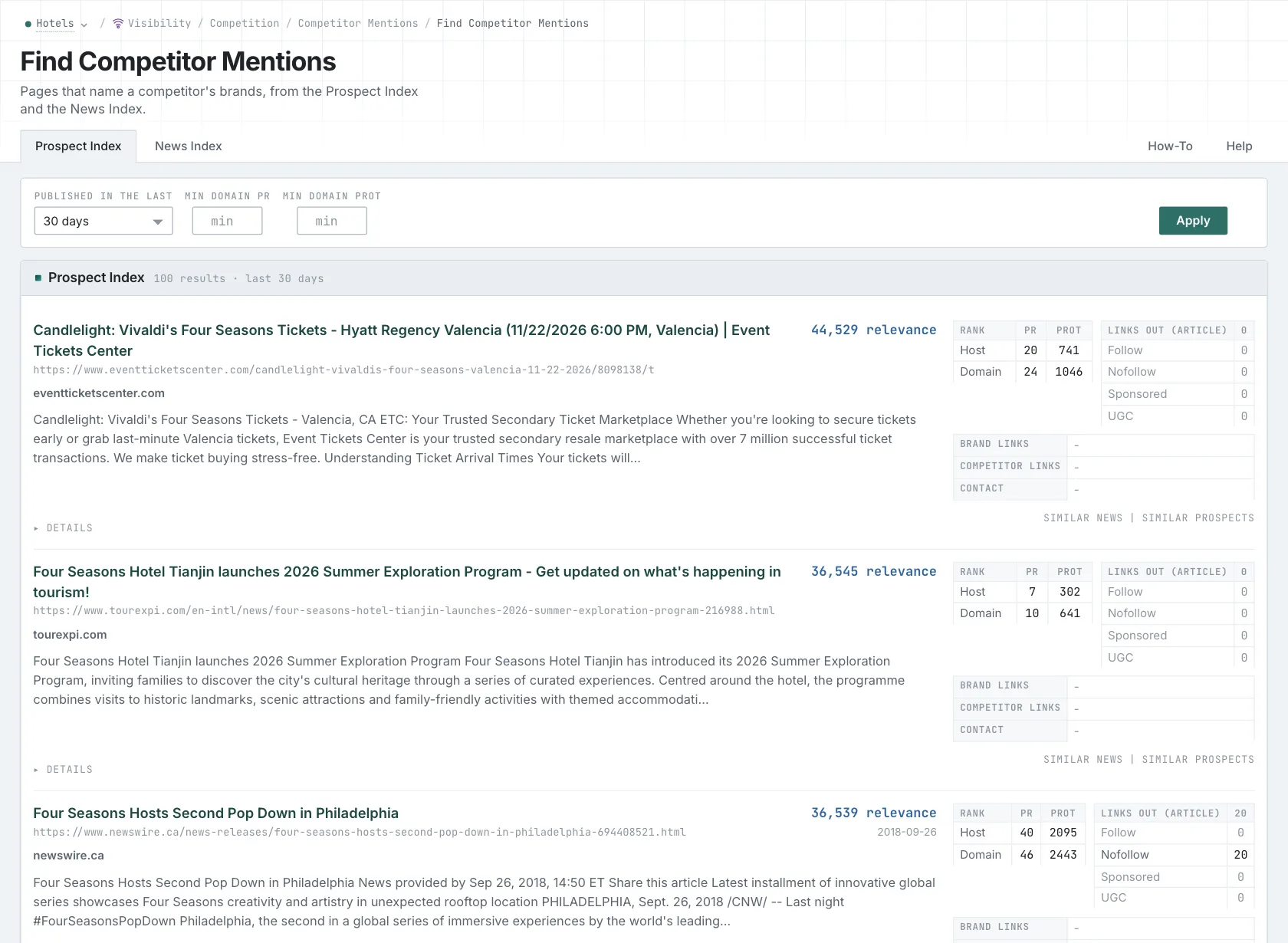
- Open Competitor Mentions in the web app.
- Read the Prospect Index tab for pages such as directories, comparisons, and roundups.
- Read the News Index tab for news, podcasts, and videos. Set Published to the last few weeks to see the current coverage.
- Open each page that matters, and read why it names the competitor.
- MCP:
prospects_brand_mentionsandnews_brand_mentions, with{"campaign": 3, "relationship": "org_competitor", "indexed_days": 30, "similarity_target": "none", "sort": "relevance"}. Fornews_brand_mentions, sendpublished_daysin place ofindexed_days: it counts from the published date. - API:
POST https://api.oppalerts.com/v1/prospects/brand_mentionsandPOST https://api.oppalerts.com/v1/news/brand_mentions, with the JSON body of each tool.
2. Find the pages that link to a competitor
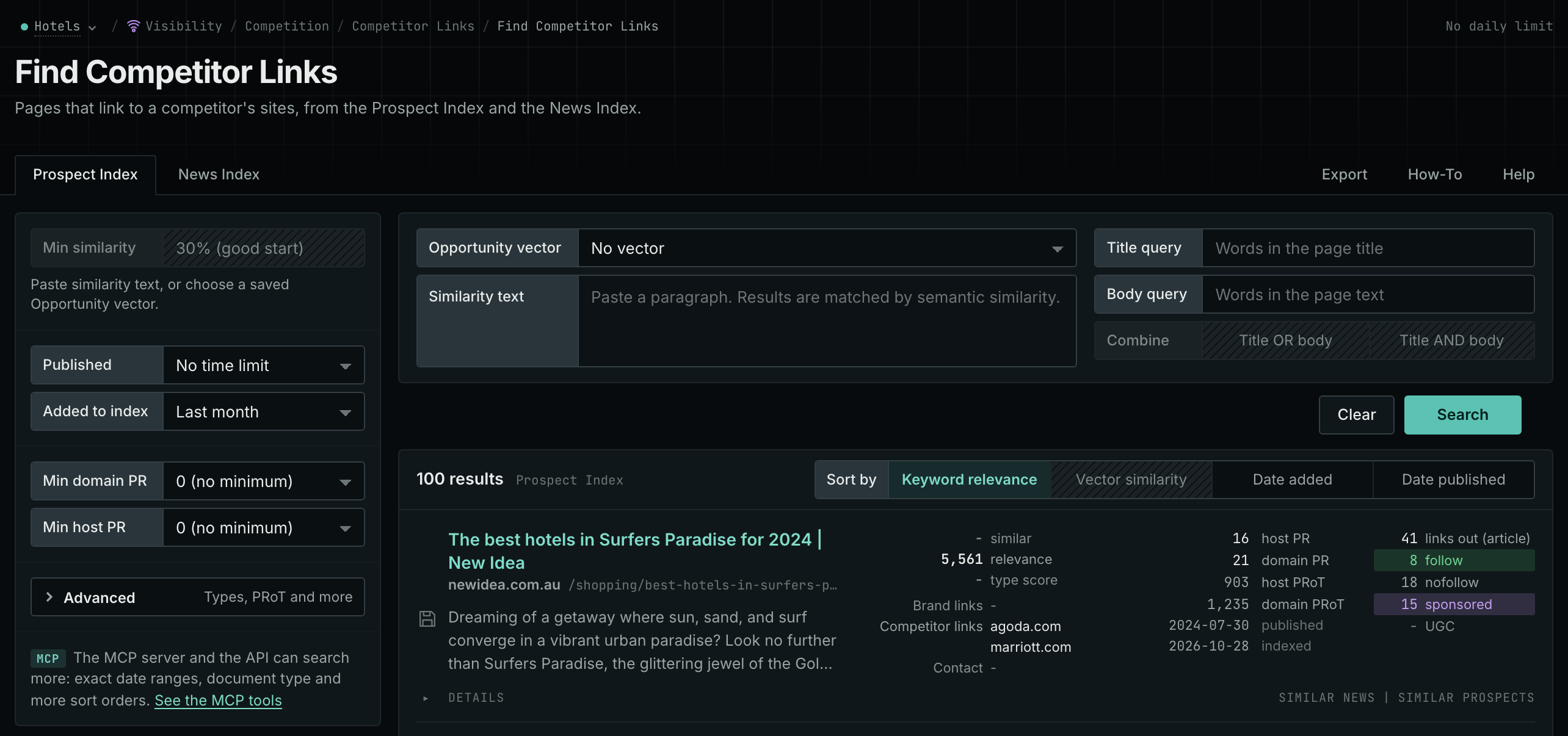
- Open Competitor Links.
- Read the Prospect Index and News Index tabs. Each row is a page with at least one link to a competitor host.
- MCP:
prospects_brand_linksandnews_brand_links, with{"campaign": 3, "relationship": "org_competitor", "indexed_days": 30, "similarity_target": "none", "sort": "relevance"}. Fornews_brand_links, sendpublished_daysin place ofindexed_days: it counts from the published date. - API:
POST https://api.oppalerts.com/v1/prospects/brand_linksandPOST https://api.oppalerts.com/v1/news/brand_links, with the JSON body of each tool.
3. Find the pages that link to a competitor and not to you
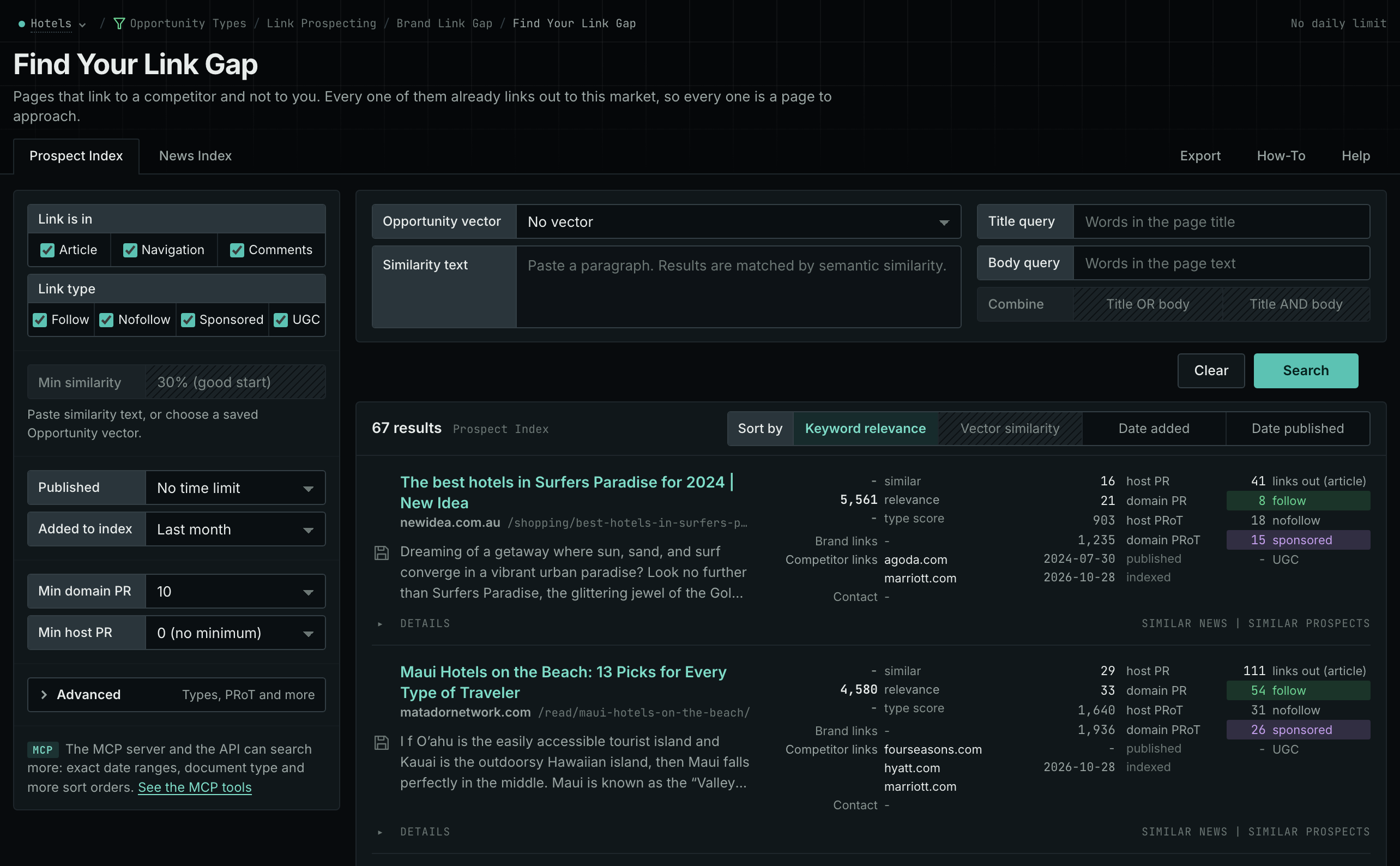
- Open Brand Link Gap.
- Each row is a page that links to at least one competitor and to none of your hosts.
- Start with the pages that link to more than one competitor.
- MCP:
prospects_brand_link_gapandnews_brand_link_gap, with{"campaign": 3, "indexed_days": 30, "similarity_target": "none", "pr_domain_min": 10, "sort": "relevance"}. Fornews_brand_link_gap, sendpublished_daysin place ofindexed_days: it counts from the published date. - API:
POST https://api.oppalerts.com/v1/prospects/brand_link_gapandPOST https://api.oppalerts.com/v1/news/brand_link_gap, with the JSON body of each tool.
4. Find the sites that link to several competitors
The Backlink Database holds the links between websites. It does not need a campaign.
- Open Backlinks DB: Link Gap.
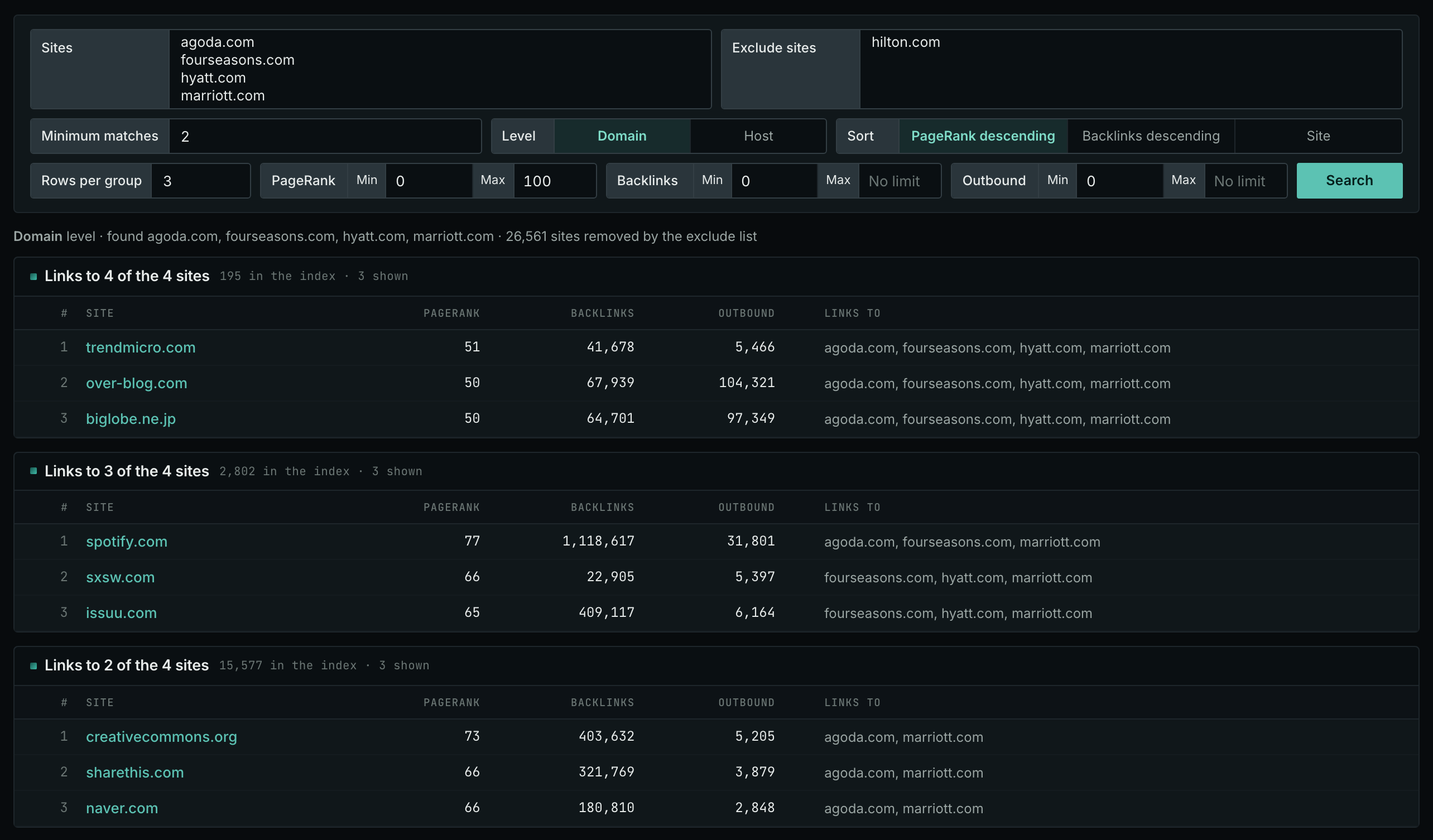
- Enter 2 to 10 competitor sites, and your own sites to exclude.
- Read the top group first: the sites that link to the most of your competitors.
- MCP:
backlinks_link_gap, with{"sites": ["grand-resorts.example", "cozyinns.example"], "exclude_sites": ["example-hotels.com"], "level": "domain", "sort": "pr"}. - API:
POST https://api.oppalerts.com/v1/backlinks/link_gap, with the same JSON body.
5. See which competitors AI models recommend
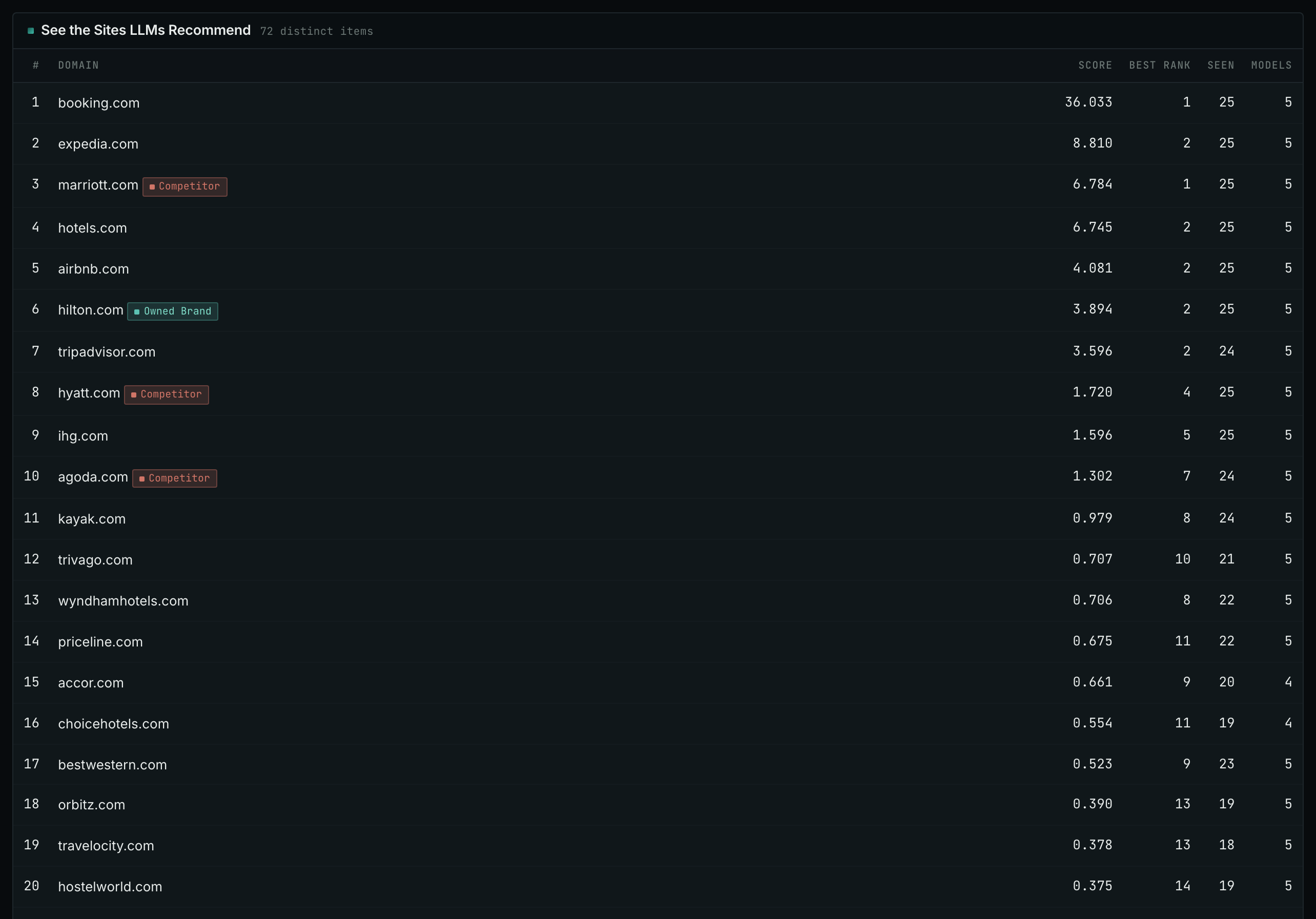
- Open Competitor LLM Recs.
- Read the sites that the AI models name when buyers ask who to use in your market.
- Research unfamiliar sites before adding them to your Competitors box; they may be competitors you have not yet identified.
- MCP:
llm_answers_top_sites, with{"campaign": 3, "page": 1}. - API:
POST https://api.oppalerts.com/v1/llm_answers/top_sites, with the same JSON body.
6. Get the new competitor mentions every day
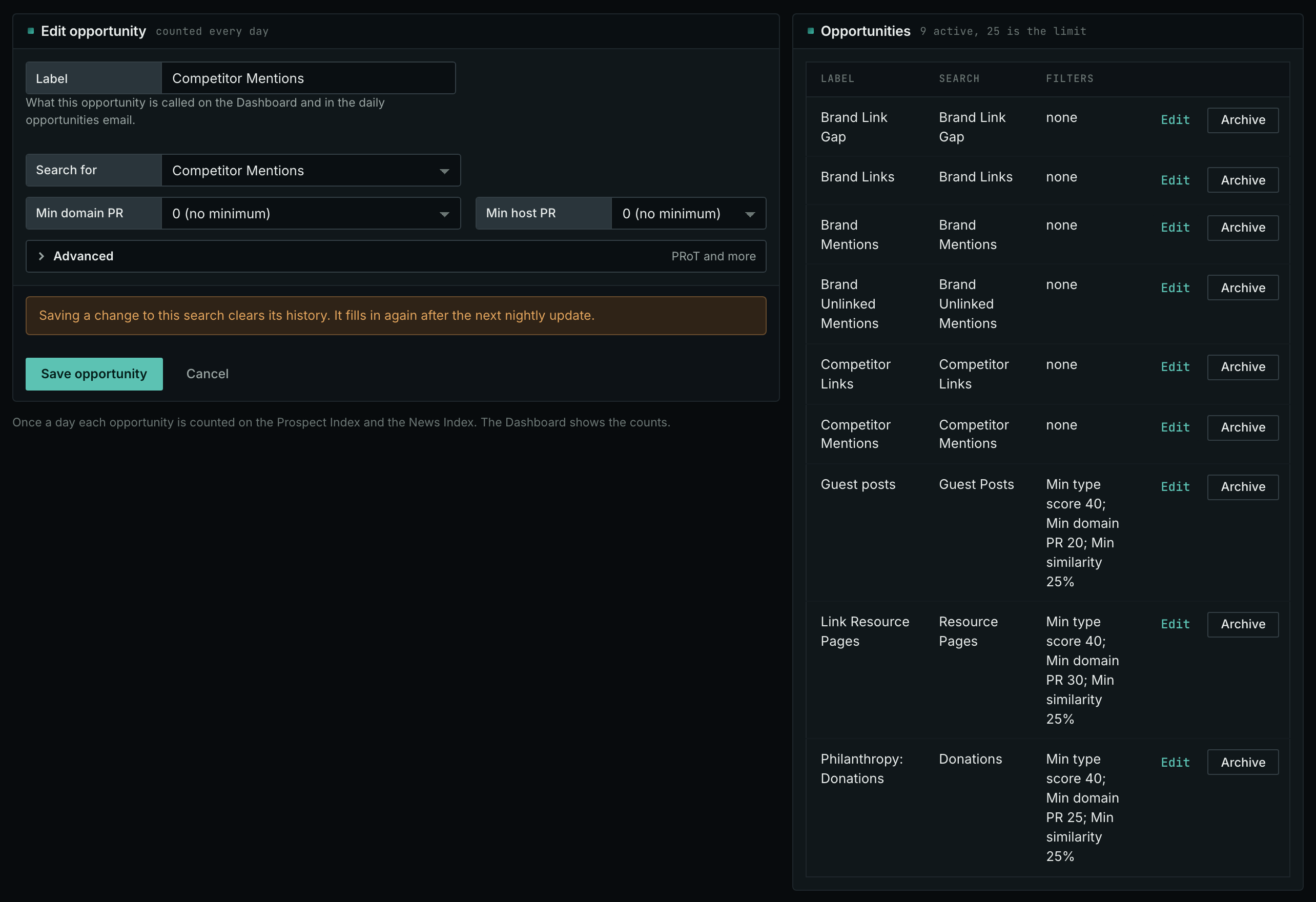
- In Edit Campaign, open the Opportunities tab.
- Add an opportunity. In Search for, choose Competitor Mentions. Add a second one for Competitor Links if you want both.
- Open the Daily Email tab, tick the box, choose the hour, and click Save.
- Each day, the Dashboard tab and the daily opportunities email show the new pages: the pages that came into the indexes in the last 24 hours.
- MCP:
campaigns_saved_opportunitiesgives the ID of each saved opportunity. Thennews_opportunitiesandprospects_opportunitiesgive the pages of 1 to 7 days, with{"campaign": 3, "opportunity": 1, "date_from": "2026-08-26", "date_to": "2026-09-01"}. For one day, send the same day indate_fromanddate_to. - API:
POST https://api.oppalerts.com/v1/news/opportunitiesandPOST https://api.oppalerts.com/v1/prospects/opportunities, with the same JSON body.
How to judge the results
- Read why the name is there. Funding coverage depends on a company event, and a customer story depends on that customer. An independent comparison tells you more about editorial choices than a republished press release.
- Read the criteria of a comparison. An enterprise comparison may legitimately exclude a small-business service. If your business meets its criteria, find the submission or correction instructions.
- Look for repeat publications. Several substantial articles about your market tell you more than a single short mention. Check whether the publication accepts contributions before planning an approach.
- A count is not a result. Mention counts do not measure sales, market share, or good coverage. Read the pages.