Documentation / How-To Guides / How to Find Competitor Backlink Gaps
How to Find Competitor Backlink Gaps
Research sites linking to your competitors to find possible placements for your business.
A competitor backlink gap identifies a site that links to your chosen competitors and not to your sites. Use the gaps as a starting list of possible placements, then check why each site includes a competitor and whether your business qualifies for the same placement. This guide covers four ways to research and monitor those gaps in OppAlerts.
- Which pages link to a competitor and not to you? Brand Link Gap.
- Which sites link to your competitors and not to you? Backlinks DB: Link Gap.
- Why do these sites link to your competitors? Competitor Links.
- What is new today? A saved opportunity and the daily opportunities email.
Before you start: enter your hosts and your competitors
- Open your campaign in Edit Campaign, and open the Settings tab.
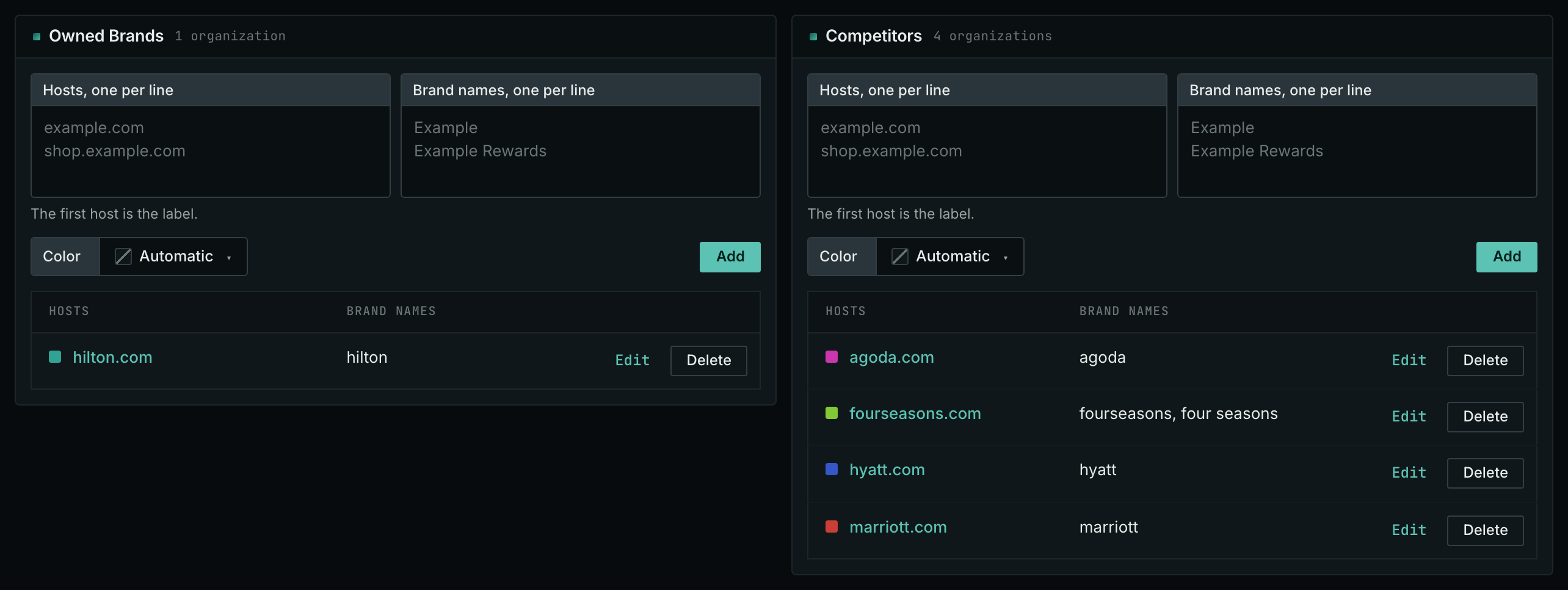
- In the Owned Brands box, enter every host that you own, also old domains, regional domains, and microsites.
- In the Competitors box, add each competitor: its hosts and its brand names.
- Save the tab.
Include every owned host: leaving out one that already receives a link creates a false gap. Choose competitors serving your target buyers. A larger company or a different service may receive coverage because of its location, partnerships, or size, which your business may not share.
- MCP:
campaigns_organizationslists the organizations of a campaign and their relationships, with{"campaign": 3}. - API:
POST https://api.oppalerts.com/v1/campaigns/organizations, with the same JSON body.
1. Find the pages that link to a competitor and not to you
- Open Brand Link Gap in the web app.
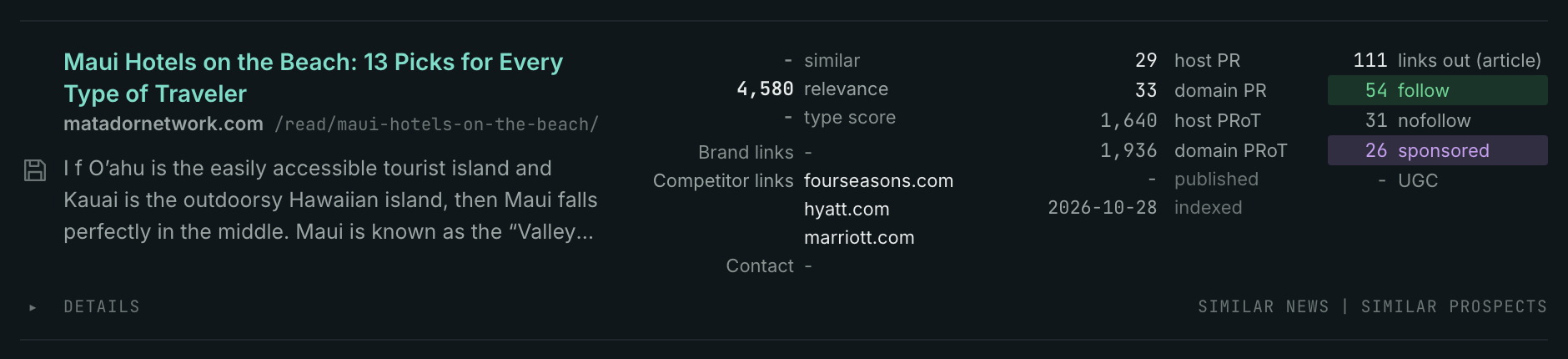
- Each row is a page that links to at least one competitor. A page is removed when its site links to one of your sites.
- Read Competitor links on each row. Start with the pages that link to more than one competitor.
- Use Link is in to choose the part of the page that holds the link. A link in the Article is an editorial decision. A link in the Navigation is part of the site template.
- Read the News Index tab every week. A writer who linked to a competitor last week writes about your market now.
- MCP:
prospects_brand_link_gapandnews_brand_link_gap, with{"campaign": 3, "indexed_days": 30, "similarity_target": "none", "pr_domain_min": 10, "sort": "relevance"}. Fornews_brand_link_gap, sendpublished_daysin place ofindexed_days: it counts from the published date. - API:
POST https://api.oppalerts.com/v1/prospects/brand_link_gapandPOST https://api.oppalerts.com/v1/news/brand_link_gap, with the JSON body of each tool.
2. Find the sites that link to your competitors and not to you
The Backlink Database holds the links between websites. It gives one row for each site, not for each page.
- Open Backlinks DB: Link Gap.
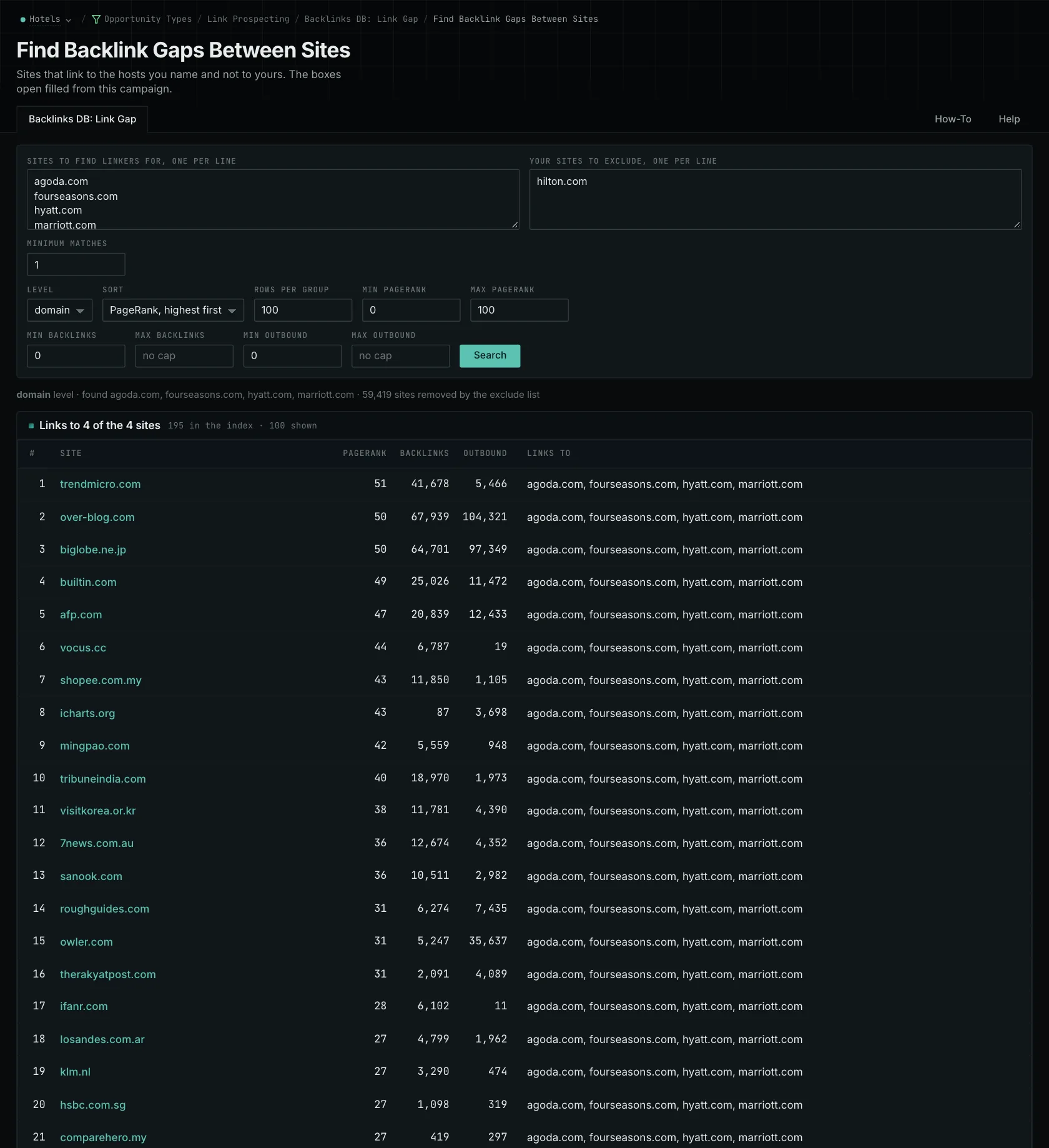
- The two boxes open filled from your campaign: the competitor hosts in the first box, your own hosts in the second box.
- Make sure that the second box holds every domain that you own.
- Read the top group first: the sites that link to the most of your competitors.
- Look up each good site on Site Info: Site for its contact details.
- MCP:
backlinks_link_gap, with{"sites": ["grand-resorts.example", "cozyinns.example"], "exclude_sites": ["example-hotels.com"], "level": "domain", "sort": "pr"}. - API:
POST https://api.oppalerts.com/v1/backlinks/link_gap, with the same JSON body.
3. Read the pattern across the competitor links
- Open Competitor Links.
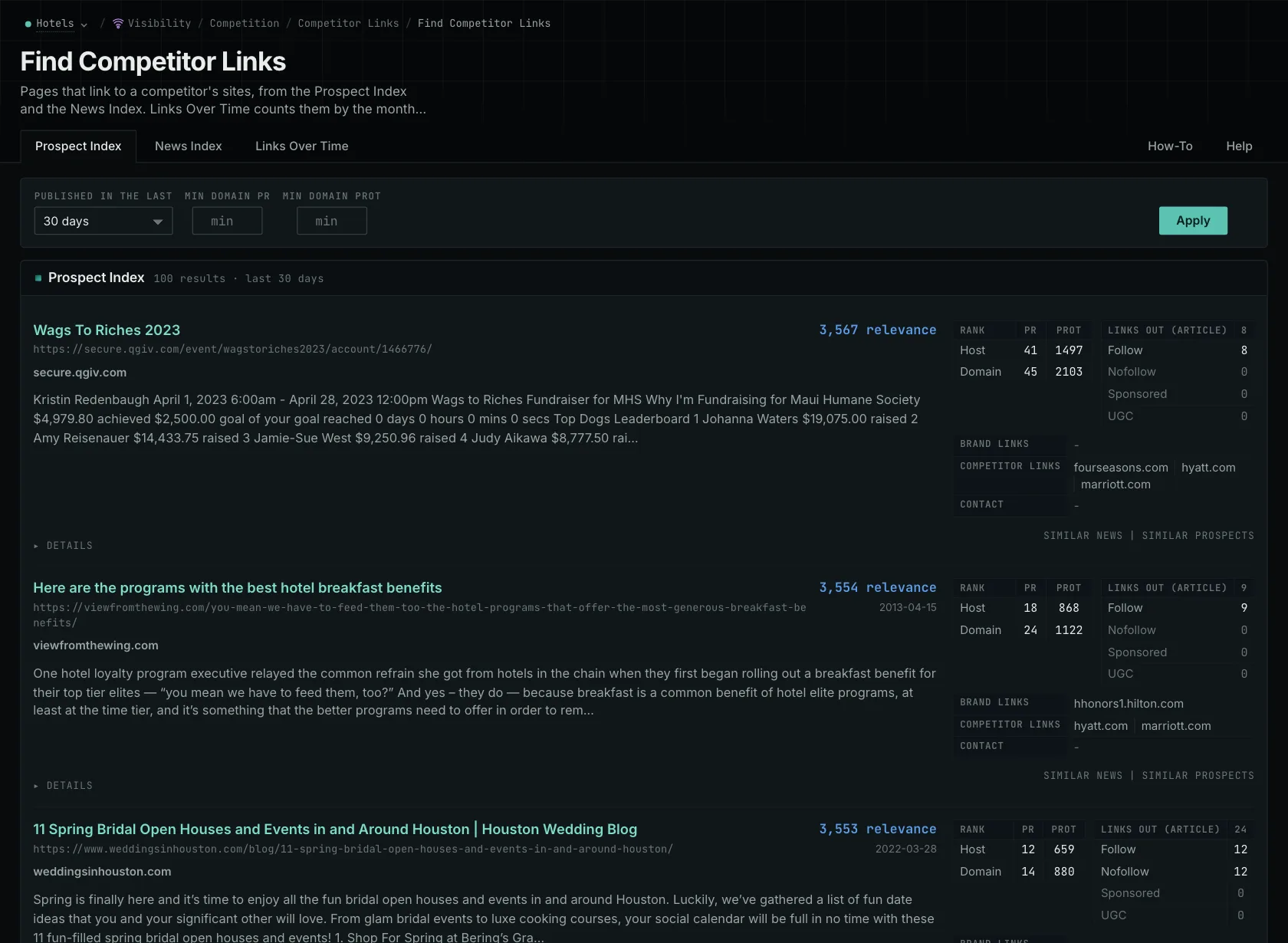
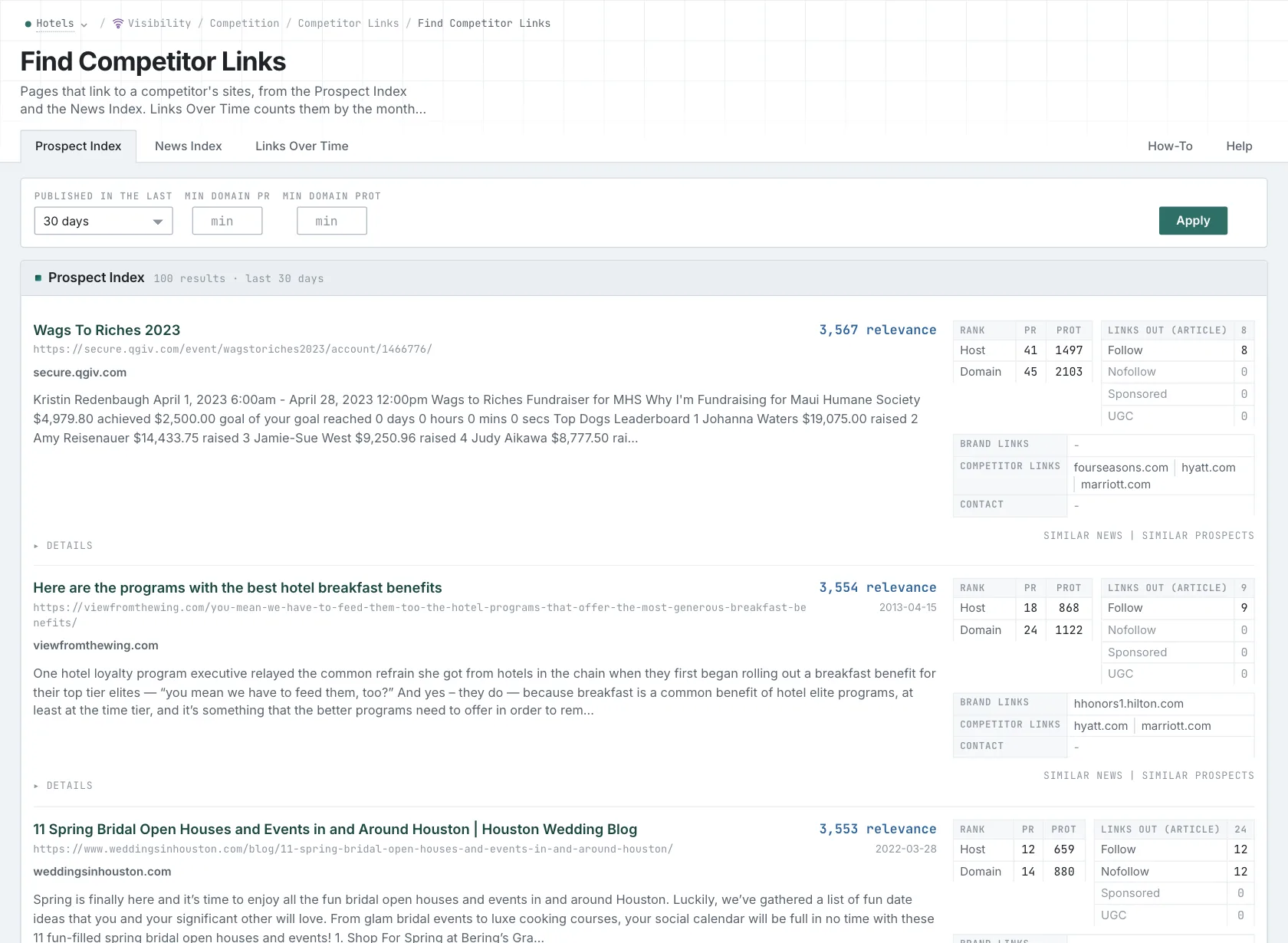
- Read the Prospect Index and News Index tabs. Each row is a page with at least one link to a competitor host.
- Look for a type of page that occurs again and again: association directories, partner directories, or articles that cite the same research.
- MCP:
prospects_brand_linksandnews_brand_links, with{"campaign": 3, "relationship": "org_competitor", "indexed_days": 30, "similarity_target": "none", "sort": "relevance"}. Fornews_brand_links, sendpublished_daysin place ofindexed_days: it counts from the published date. - API:
POST https://api.oppalerts.com/v1/prospects/brand_linksandPOST https://api.oppalerts.com/v1/news/brand_links, with the JSON body of each tool.
4. Get the new gaps every day
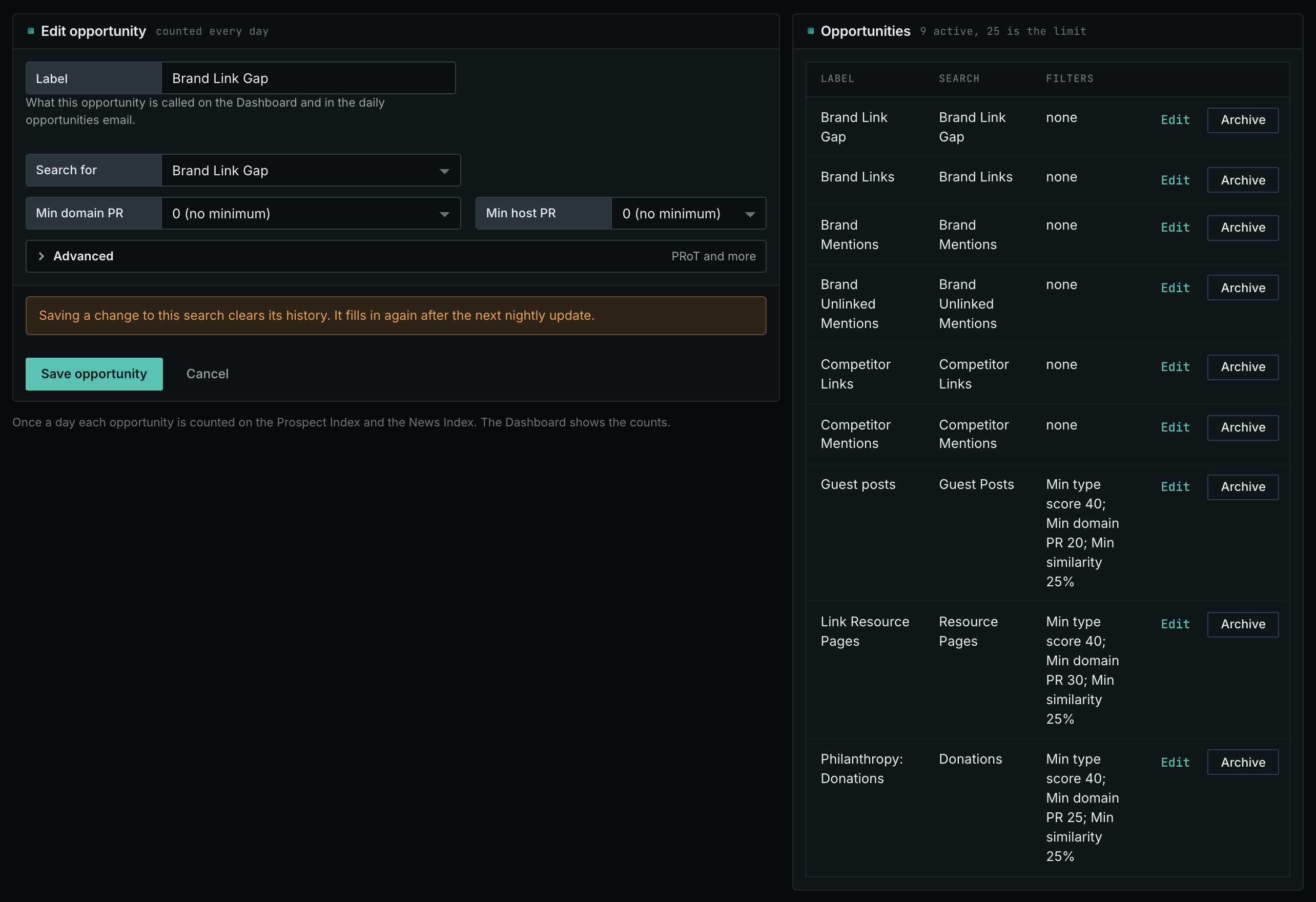
- In Edit Campaign, open the Opportunities tab.
- Add an opportunity. In Search for, choose Brand Link Gap. Click Add opportunity.
- Open the Daily Email tab, tick the box, choose the hour, and click Save.
- Each day, the Dashboard tab and the daily opportunities email show the new pages: the pages that came into the indexes in the last 24 hours.
- MCP:
campaigns_saved_opportunitiesgives the ID of each saved opportunity. Thennews_opportunitiesandprospects_opportunitiesgive the pages of 1 to 7 days, with{"campaign": 3, "opportunity": 1, "date_from": "2026-08-26", "date_to": "2026-09-01"}. For one day, send the same day indate_fromanddate_to. - API:
POST https://api.oppalerts.com/v1/news/opportunitiesandPOST https://api.oppalerts.com/v1/prospects/opportunities, with the same JSON body.
How to judge the results
- Read why the competitors are there. A page linking to three of your four competitors might be a software vendor's certified partner directory. In that case, check whether your business qualifies for the partner program before seeking a listing.
- Read the terms. A program may require an integration, agreement, or fee. Pass those requirements to the person managing partnerships. If you already qualify but lack a listing, find the application or correction process.
- Each type of page needs different work. For a trade article, read what the writer covered, and decide if you have information that belongs there. A resource list can accept suggestions that meet its criteria.
- Some links come from events that you cannot copy. You cannot reproduce a competitor's funding announcement by requesting a link. Consider whether the publication could instead cover research your business can supply.
- Check the dates. Pages collected together may have different publication dates. Similar publication dates may reflect a single announcement; read the subjects before attributing coverage to one campaign.
- Check the live page before you contact anyone. The recorded link reflects the page when OppAlerts collected it and may have changed. A reported gap also does not prove that another page on the site lacks a link to you.
- The gap shows only your chosen competitors. Relevant publications that do not link to your chosen competitors will be absent. Use opportunity types to find contribution pages, directories, and other prospects beyond this set.