Documentation / How-To Guides / How to Find Content Ideas
How to Find Content Ideas
Turn customer questions and current coverage into content ideas that your business can support with evidence.
Build a content brief around what the reader needs to understand. The four workflows below use OppAlerts to research questions, review existing coverage, compare formats, and collect the language used in your market. Together, they help you decide what a page should answer before you assign it to a writer.
- Which questions do people ask? Advanced Search, with the content type FAQs and Q&A.
- What do current pages explain about the subject? Advanced Search.
- Which formats does my market publish? Content Types.
- Which words does my market use? Keyword Research.
1. Read the questions that people ask
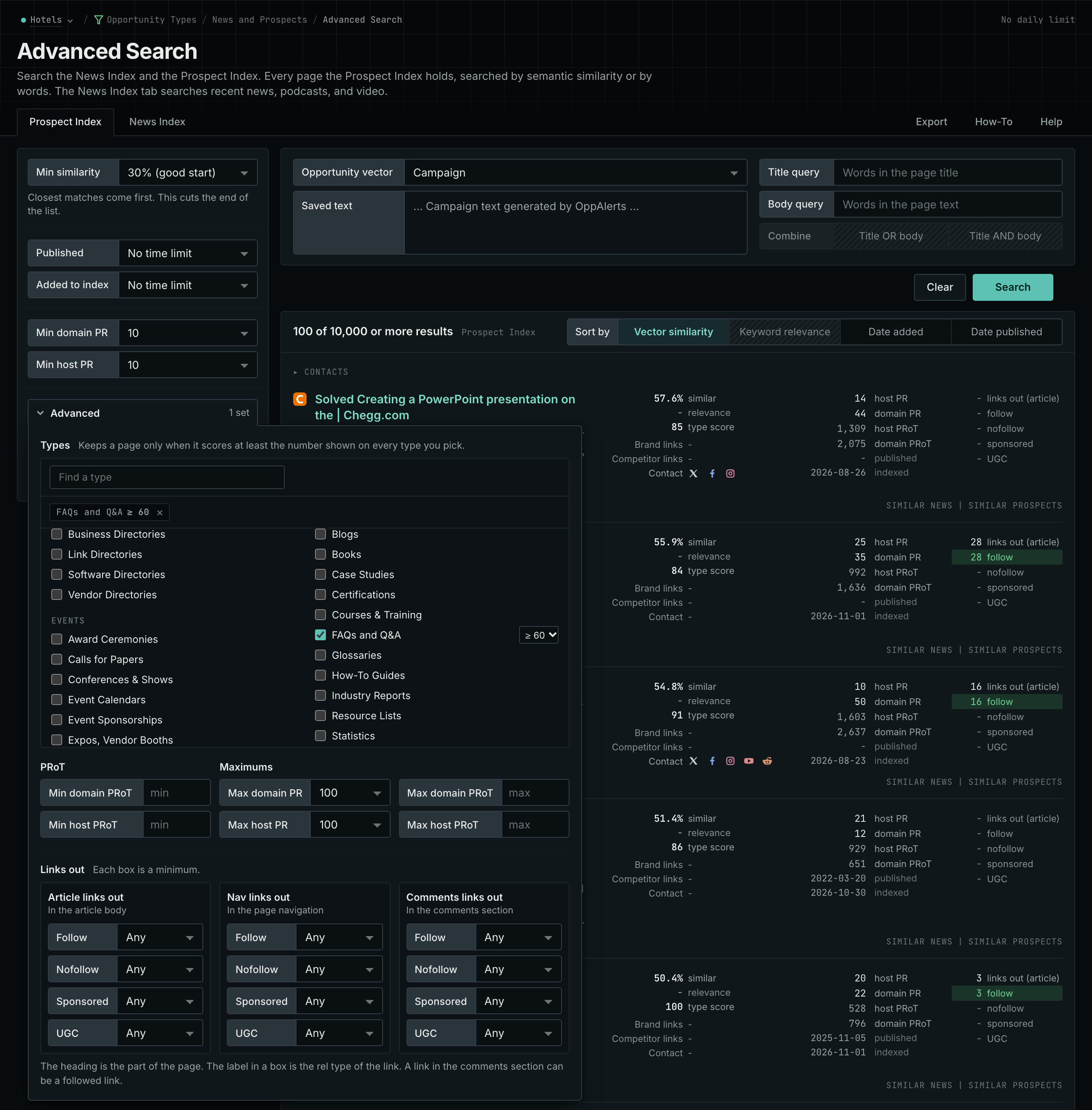
- Open Advanced Search in the web app, and open the Prospect Index tab. In Opportunity vector, choose Campaign.
- Click Advanced. In Types, tick FAQs and Q&A, and choose a minimum score, for example 60.
- To read the questions about one subject, type a word in
Title query, for example
contract. - Click Search. Read the titles and the text of the rows, and note the questions that the pages answer.
- Do the same on the News Index tab, with Published on Last month. A question on both tabs is asked all the time. A question only in the news is new.
- MCP:
prospects_searchandnews_search, with{"campaign": 3, "similarity_target": "campaign", "similarity_score_min": 25, "type_scores": [{"content_type": "faqs-and-q-and-a", "type_score_min": 60}], "sort": "best"}. - API:
POST https://api.oppalerts.com/v1/prospects/searchandPOST https://api.oppalerts.com/v1/news/search, with the same JSON body.
2. Read what current pages explain
For maintenance contract research, search for unexpected repair costs or unclear contract exclusions. Semantic search can find related pages even when they do not use the words "maintenance contract".
- Open Advanced Search.
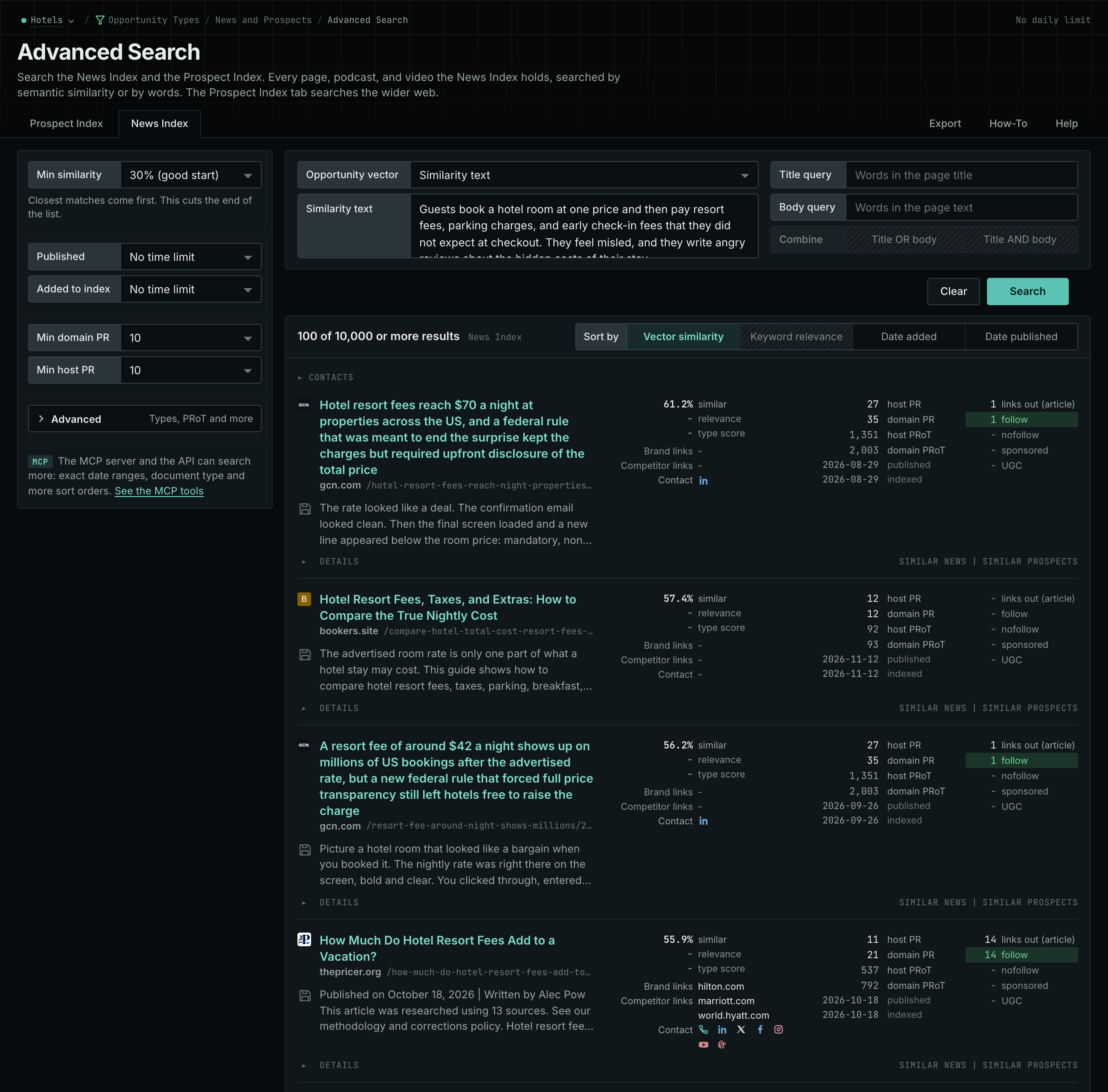
- In Opportunity vector, choose Similarity text. In its box, paste a paragraph that describes the problem of your customer. Do not paste a list of keywords.
- Click Search. Read the News Index tab for current coverage, and the Prospect Index tab for the pages of any date.
- Note what the pages explain, and what they leave out.
- MCP:
news_searchandprospects_search, with{"campaign": 3, "similarity_target": "similarity_text", "similarity_text": "Boutique hotels winning direct bookings from younger travelers in mid-size US cities.", "similarity_score_min": 25, "sort": "best"}. - API:
POST https://api.oppalerts.com/v1/news/searchandPOST https://api.oppalerts.com/v1/prospects/search, with the same JSON body.
3. See which formats your market publishes
Content types describe page formats. A guide, FAQ page, and report can cover the same subject, but each requires a different approach to writing.
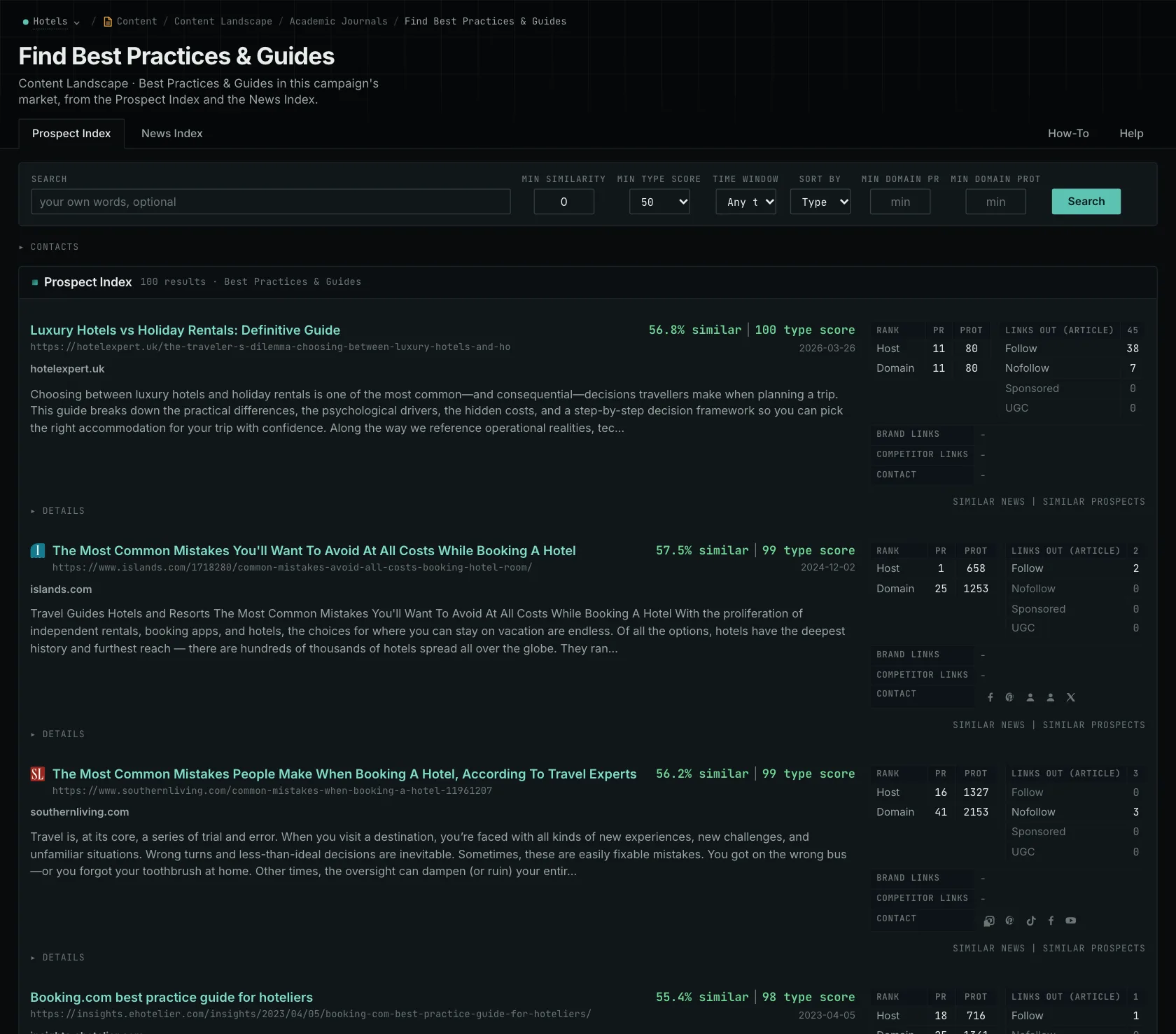
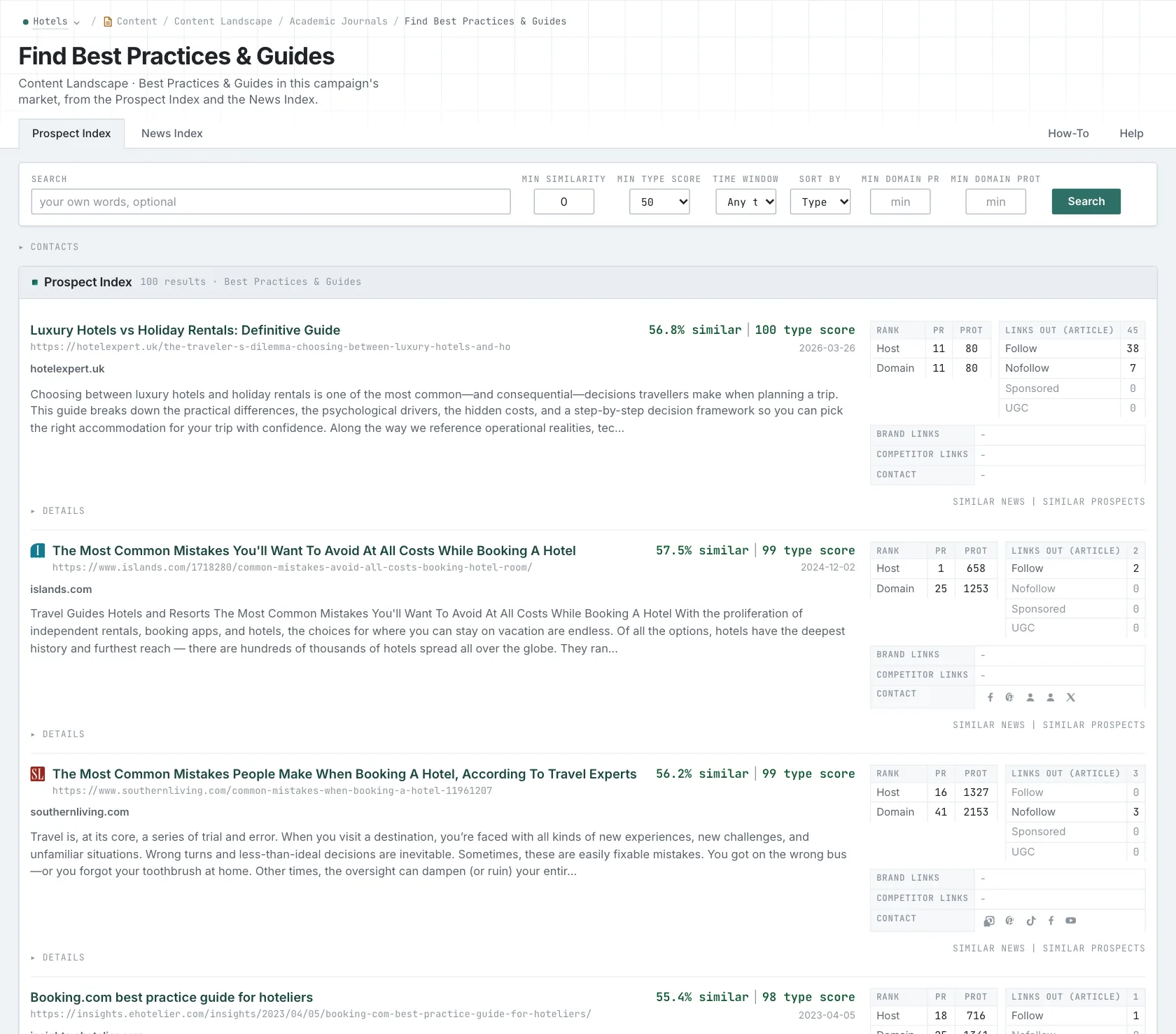
- Open Content Types. Choose a content type from the menu, for example How-To Guides, FAQs and Q&A, Industry Reports, or Resource Lists.
- On the Prospect Index tab, read three relevant pages. Then read five more pages of the same format. Compare what they cover, how they are organized, and what they do not answer.
- Check the News Index tab for what is published this month.
- Do the same for the two or three types that you choose between.
- MCP:
prospects_searchandnews_search, with{"campaign": 3, "similarity_target": "campaign", "pr_domain_min": 10, "type_scores": [{"content_type": "how-to-articles", "type_score_min": 50}], "sort": "type_score"}. - API:
POST https://api.oppalerts.com/v1/prospects/searchandPOST https://api.oppalerts.com/v1/news/search, with the same JSON body.
4. Get the words of your market
- Open Keyword Research, and read the top 20 of the LLM Search Keywords tab. If these words do not describe your market, the campaign description is wrong. Correct it before you use the other pages.
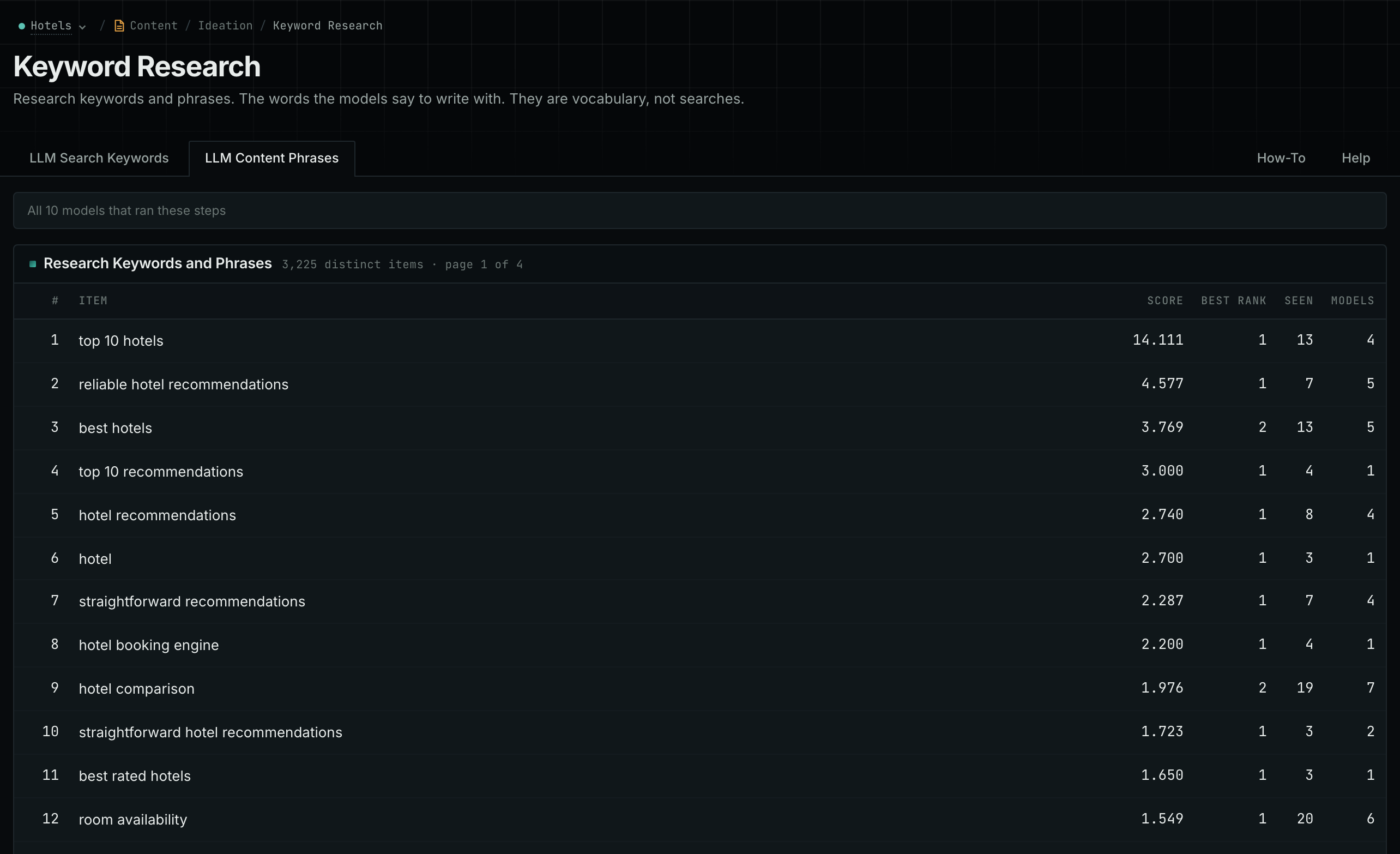
- Open the LLM Content Phrases tab when you write the brief. It gives the words that pages about your subject use.
- Read the Models column. It counts how many different AI models named the word.
- MCP:
llm_answers_search_keywordsandllm_answers_content_phrases, with{"campaign": 3, "page": 1}. - API:
POST https://api.oppalerts.com/v1/llm_answers/search_keywordsandPOST https://api.oppalerts.com/v1/llm_answers/content_phrases, with the same JSON body.
How to judge the results
- One subject can need two explanations. A customer researching maintenance contract costs needs prices and exclusions. A customer deciding whether a contract is worth the money needs a comparison with paying for individual repairs. Plan an explanation for each question, even though both concern the same subject.
- Know the source of each question. A question in a page title reflects a writer's choice; a question from your customers demonstrates their need for an answer. When both raise the same concern, you have a clear reason to address it.
- Find what your page can add. If existing pages list contract benefits without explaining the alternatives, examples of included, excluded, and separately billed work can help readers compare. Use those examples to specify the evidence the writer should collect.
- The examples cover only indexed pages. Content Types shows pages from the indexes. Read them to learn what the format needs. A guide needs steps that the reader can follow. A comparison needs criteria that explain the differences.
- Write the brief. Identify the decision maker, the alternatives they consider, and the contract terms or examples the writer can verify. Choose the page's subject or audience category now, and use that same choice when reviewing the draft.
- One page or two. Cost and value can share a page if you can explain both clearly. Give each its own page when each needs more space. Let the questions of the reader decide.