Documentation / Opportunity Types / How to Find Newspapers and Business Press
How to Find Newspapers and Business Press
Find the newspapers and business journals that cover your market, and learn how each one accepts news tips and letters.
What this type finds
This type finds newspapers and business press, from national papers to small local ones, and the pages on their sites that explain how to reach them.
- National newspapers. Large papers with a wide audience.
- Regional and local newspapers. Papers for one region, city, or community. Local news sites and local radio pages can also appear.
- Business newspapers and business journals. Papers that cover companies, markets, and executives of one region or industry.
- News tip and press inquiry pages. Pages that say how to send a tip or to contact the newsroom.
- Letters to the editor pages. Pages that say how readers can send a letter, and what the paper requires.
- Advertising and circulation pages. Pages with advertising rates, print circulation, and classified rates.
- Editorial calendars. Pages that show the paper's planned subjects.
- Newspaper directories and media lists. Pages that list the papers of a country or a region.
Why it matters
Newspapers and business journals give a company news coverage, give its executives visibility, and show what happens in a local market. A local paper can reach customers that a national outlet does not reach.
This type fits businesses with a physical location or a regional market, companies that announce news, and executives who want to be known. You can also use it to research a city for a new client: the papers show which local news matters.
Find it in the web app
- Open Opportunity Types in the web app menu.
- Choose Media.
- Choose Newspapers, Press.
- Read the Prospect Index tab first. It contains pages that OppAlerts fetched and offers the broader set of results. Min type score defaults to 40. Raise it to see only the pages that fit the type best.
- Read the News Index tab for news, podcasts, and video. It has fewer results and shows what is current. Few results for a type here are normal.
- Raise Min domain PR to drop the sites with little standing. Click Vector similarity in the Sort by buttons to see the pages most similar to your market first.
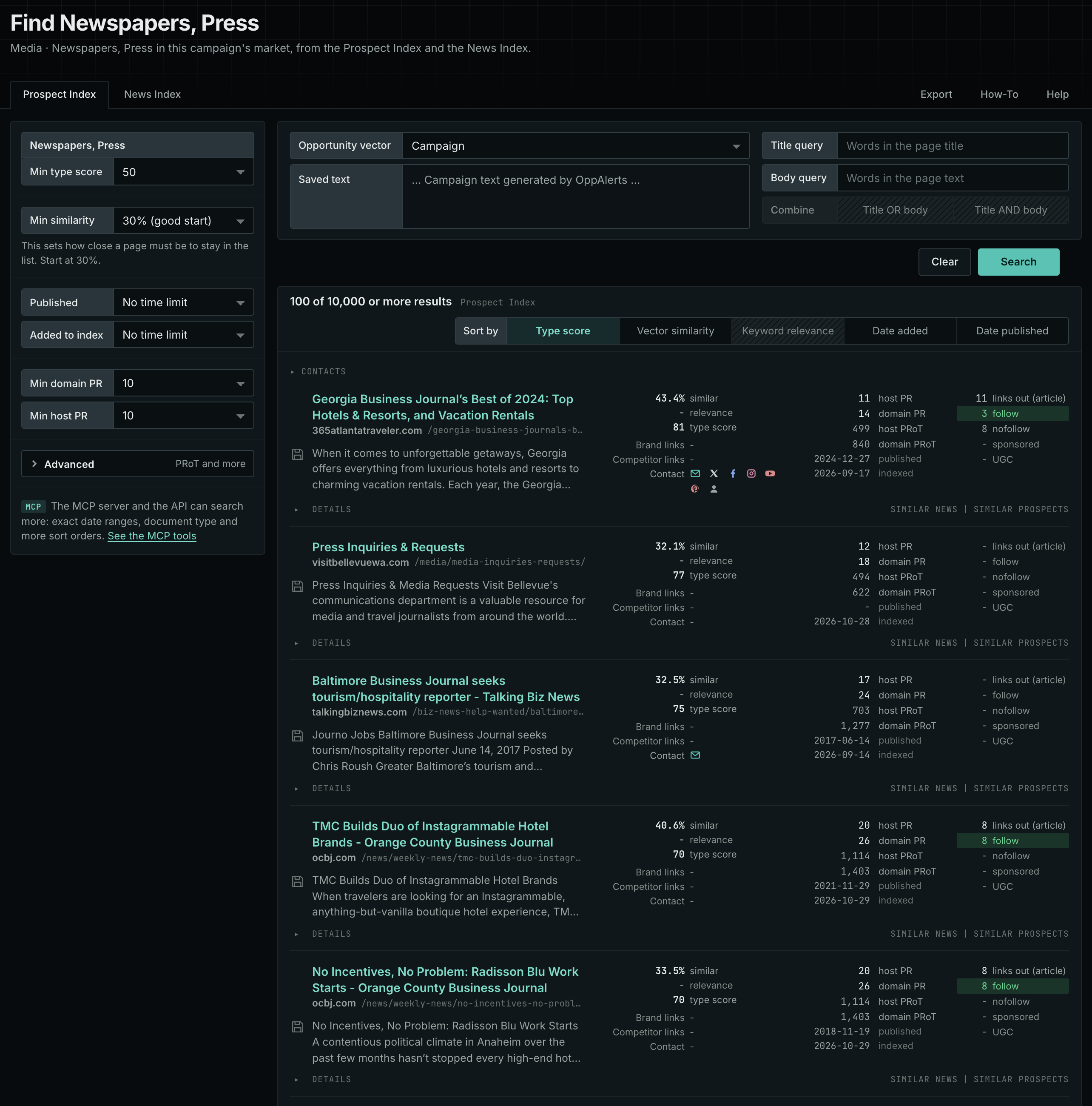
Each page's type score is based on the words in its address, title, and opening text. The score does not describe the page's subject. Your campaign supplies the subject. See Opportunity Types and Content Types.
Get new pages every day
- Open your campaign in Edit Campaign, and open the Opportunities tab.
- Add an opportunity. In Search for, choose Newspapers, Press, under Media.
- In Opportunity vector, choose Campaign.
- Give it a Label, and click Add opportunity.
Each day, the Dashboard and the daily opportunities email show the new pages of this type. Read Daily Monitoring and Alerts to set up the daily opportunities email.
In MCP and the API
Two tools search this type. One request body works for both:
{
  "campaign": 3,
  "similarity_target": "campaign",
  "type_scores": [{"opportunity_type": "media/newspapers-and-business-press", "type_score_min": 50}],
  "sort": "type_score"
}- MCP:
news_searchsearches the News Index.prospects_searchsearches the Prospect Index. - API:
POST https://api.oppalerts.com/v1/news/searchandPOST https://api.oppalerts.com/v1/prospects/search, with the same JSON body.
In type_scores, type_score_min sets the minimum type score, from 1 to 100. Sorting by type_score puts the highest type score first. To keep only the newest pages, add published_from or indexed_from with a date in YYYY-MM-DD format. The MCP pages list every parameter and a full example response.
To connect your AI agent or send API requests, read Use OppAlerts in Your AI Agent, Create an API Token, and Your First API Call.
How to judge the results
- Check the place. A paper helps only if its readers live where your customers live.
- Check the section. Find the section or the desk that covers your kind of news, and the name of its editor.
- Check the date. Look for recent coverage of companies like yours. Use the News Index tab for this.
- Read the rules. Papers have rules for letters and tips: length, name, address, and deadline.
- Check for a paywall. A reader may need to pay to see the article you want to appear in.
- Separate earned from paid. An advertising page sells space. A news tip page asks for news. Know which one you want.
- Check the circulation claims. They come from the paper. Treat them as claims.