Documentation / How-To Guides / How to Coordinate Content, PR, and SEO
How to Coordinate Content, PR, and SEO
Coordinate content, PR, and SEO work around shared buyers, competitors, and tasks.
Use a shared OppAlerts campaign to give content, PR, and SEO teams the same description of the business, its buyers, and its competitors. The teams often use the same sources for different purposes, so each finding needs an owner and enough context for that person to act.
An article mentioning your product may need several kinds of follow-up: PR reviews the coverage, a writer spots an outdated product description, and SEO notices a missing link. Review the page together before deciding whether to request a correction, a link, or both.
- Which pages name your brand and do not link to you? Brand Unlinked Mentions.
- Which pages link to a competitor and not to you? Brand Link Gap.
- Which passage of a page needs a closer look? Content Optimizer.
- How does the team see the new pages each day? A saved opportunity and the daily opportunities email.
Before you start: agree on the campaign
Agree on a competitor list before setting up the campaign. Sales, PR, and SEO may identify different market alternatives; discuss those differences and settle on a shared list.
- Open the campaign in Edit Campaign, and open the Settings tab.
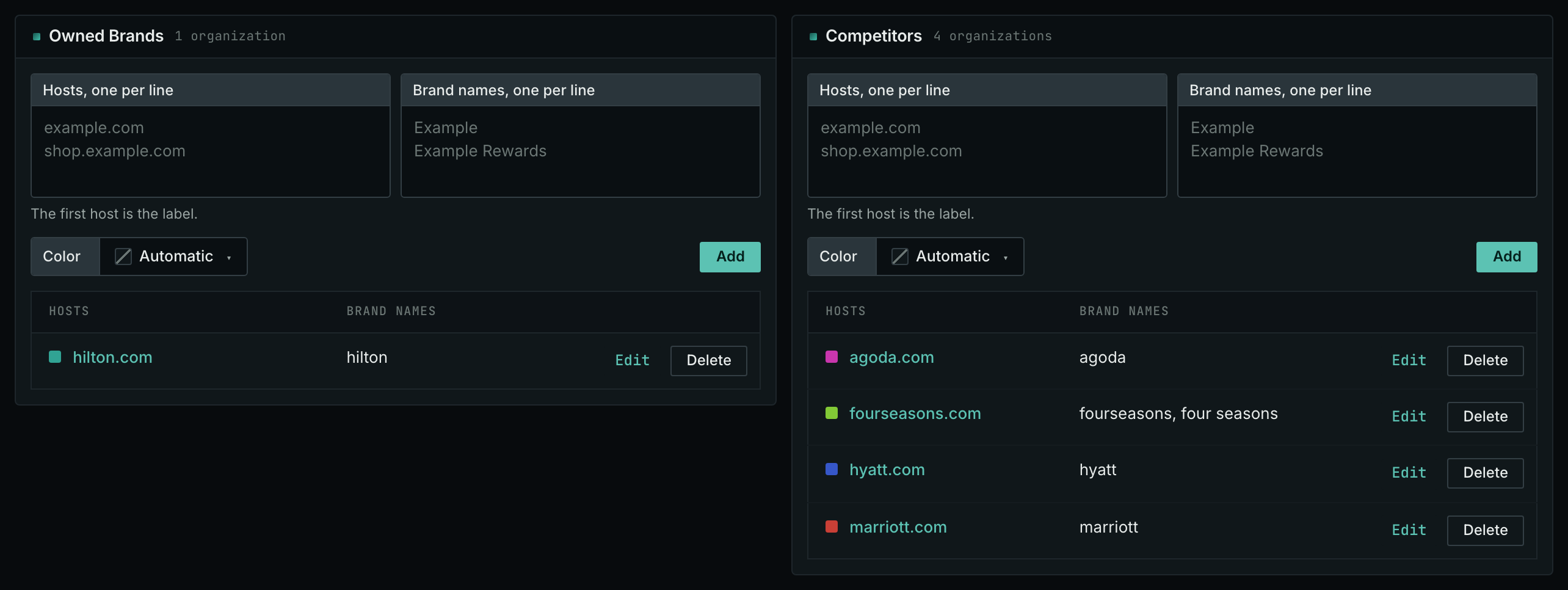
- In the Owned Brands box, add each host and each brand name of your business.
- In the Competitors box, add the competitors that the team agreed on, with their hosts and their brand names.
- Click Save.
You can change organizations at any time. Reports apply the current labels when you open them, so adding a competitor also labels it on previously collected pages. The collected data stays the same.
- MCP:
campaigns_organizationslists the organizations of a campaign and their relationships, with{"campaign": 3}. - API:
POST https://api.oppalerts.com/v1/campaigns/organizations, with the same JSON body.
1. Find the pages that name your brand and do not link to you
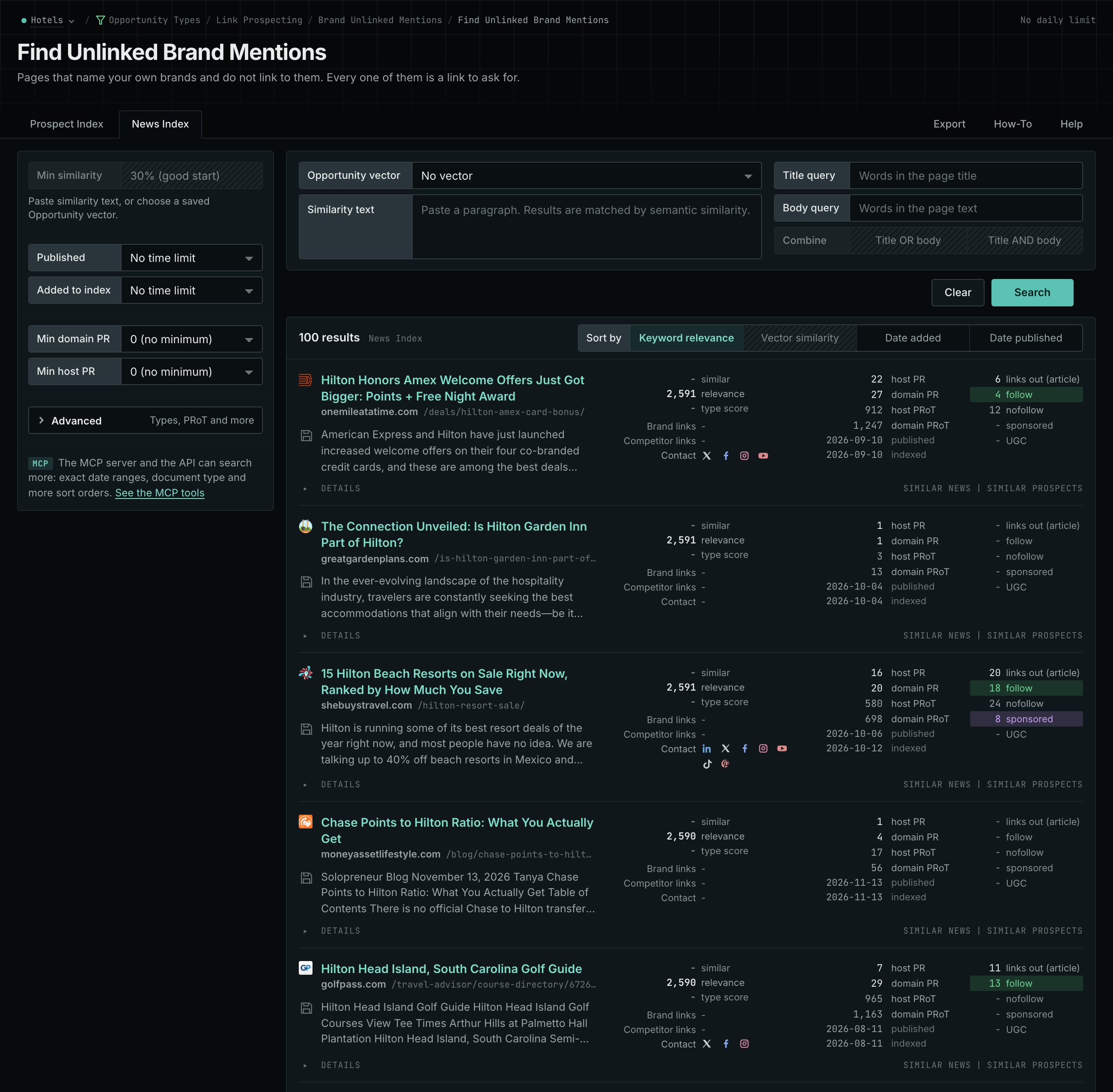
- Open Brand Unlinked Mentions.
- Read the News Index tab first. A writer adds a link to a recent article more easily than to an old article.
- Then read the Prospect Index tab. Use Added to index for a time window on this tab.
- Open each page, and read the sentence that names you. Send PR the address of the page, the old description, and the current product information from the writer.
- MCP:
prospects_unlinked_brand_mentionsandnews_unlinked_brand_mentions, with{"campaign": 3, "relationship": "org_owned_brand", "indexed_days": 30, "similarity_target": "none", "sort": "relevance"}. Fornews_unlinked_brand_mentions, sendpublished_daysin place ofindexed_days: it counts from the published date. - API:
POST https://api.oppalerts.com/v1/prospects/unlinked_brand_mentionsandPOST https://api.oppalerts.com/v1/news/unlinked_brand_mentions, with the JSON body of each tool.
2. Find the pages that link to a competitor and not to you
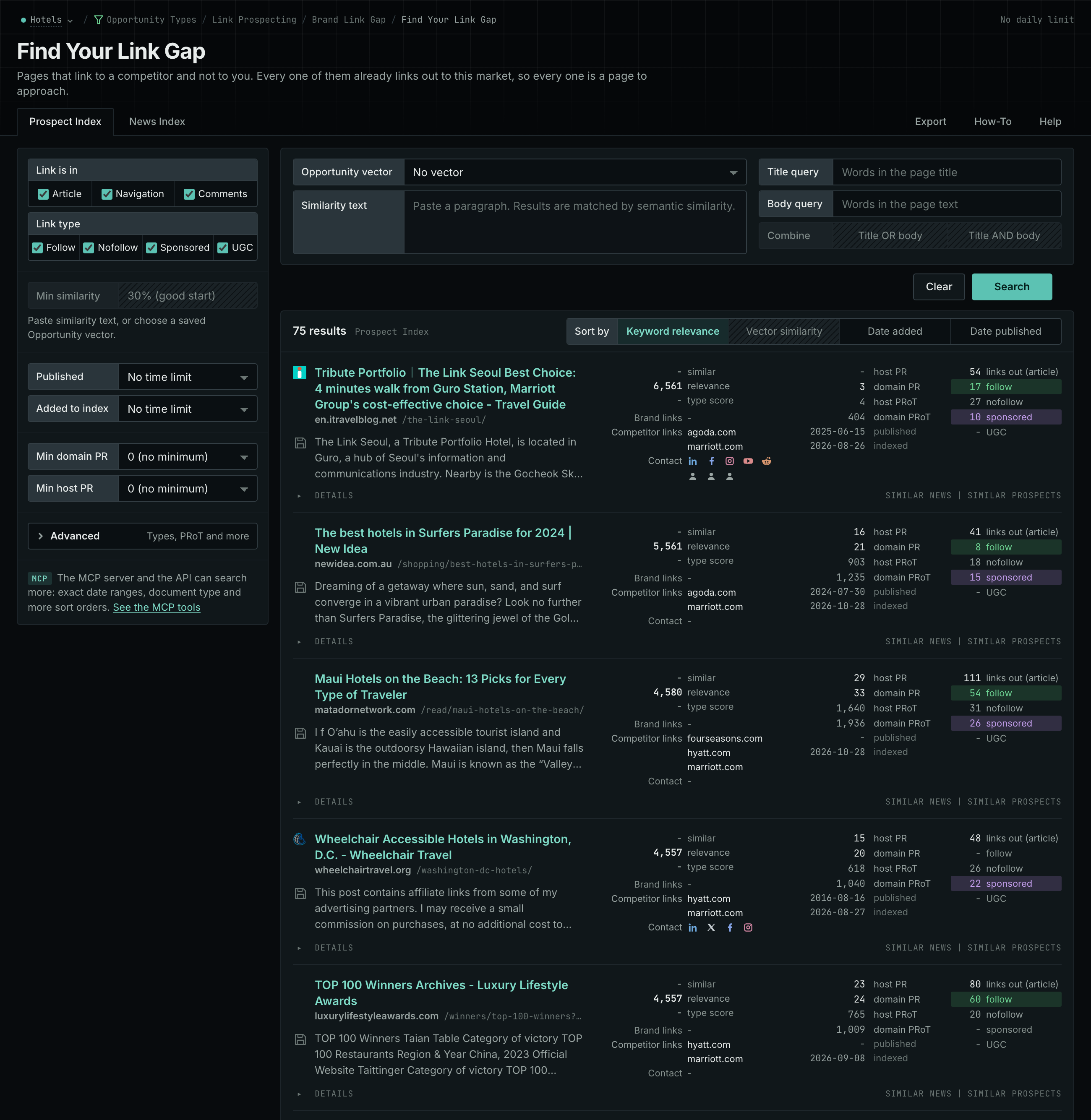
- Open Brand Link Gap.
- Each row is a page that links to at least one competitor and to none of your hosts.
- Open the page, and find the rule that decides which businesses it includes.
- Send PR the page and the rule. Send the writer the facts that the page asks for.
- MCP:
prospects_brand_link_gapandnews_brand_link_gap, with{"campaign": 3, "indexed_days": 30, "similarity_target": "none", "pr_domain_min": 10, "sort": "relevance"}. Fornews_brand_link_gap, sendpublished_daysin place ofindexed_days: it counts from the published date. - API:
POST https://api.oppalerts.com/v1/prospects/brand_link_gapandPOST https://api.oppalerts.com/v1/news/brand_link_gap, with the JSON body of each tool.
3. Show the writer the passage that needs a closer look
- Open Content Optimizer.
- Paste the passage into the Your writing box.
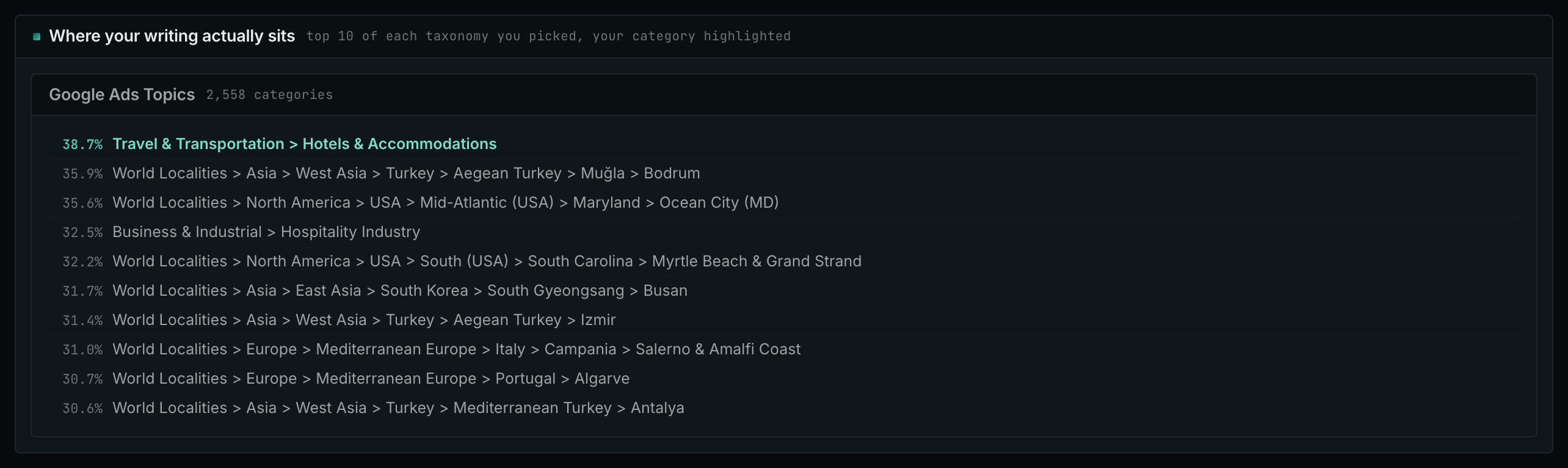
- In The categories you are writing for, choose the category that the page is for.
- Click Score this writing. If a different category is first in Where your writing actually sits, send the writer the passage and the result.
4. Send the new pages to the person who acts on them
- In Edit Campaign, open the Opportunities tab.
- Add an opportunity. In Search for, choose Brand Unlinked Mentions. Add a second one for Brand Link Gap if you want both.
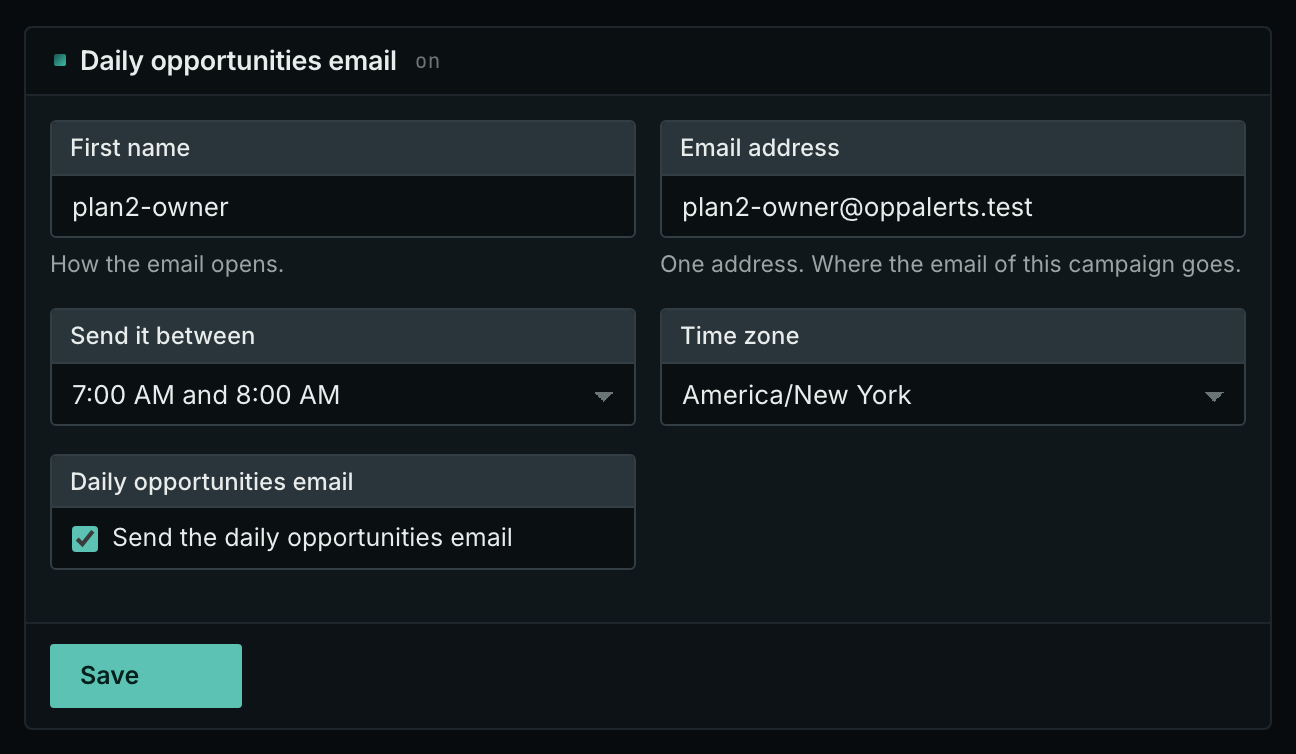
- Open the Daily Email tab. Each campaign has one name and one address. Use the address of the person who acts on the work.
- Tick the box, choose the hour, and click Save.
- Each day, the Dashboard tab and the daily opportunities email show the new pages: the pages that came into the indexes in the last 24 hours.
- MCP:
campaigns_saved_opportunitiesgives the ID of each saved opportunity. Thennews_opportunitiesandprospects_opportunitiesgive the pages of 1 to 7 days, with{"campaign": 3, "opportunity": 1, "date_from": "2026-08-26", "date_to": "2026-09-01"}. For one day, send the same day indate_fromanddate_to. - API:
POST https://api.oppalerts.com/v1/news/opportunitiesandPOST https://api.oppalerts.com/v1/prospects/opportunities, with the same JSON body.
How to judge the results
- Give each person the context to act. Include the page address, its relevance to the task, and the next action. For a product article, PR checks the coverage and the publisher's correction process, the writer supplies current product information, and SEO selects a link target that helps readers verify what the article discusses.
- Agree on the questions together. The wording of a question affects what an AI service returns. Include the buyer's conditions, and tell the team about wording changes before they compare new answers with earlier ones.
- Give each task one owner. Assign responsibility for checking the claim, writing the request, and verifying the published result. Combine the correction and link request into one clear explanation for the publisher.
- Report the work and the changes apart. Record the corrected article as completed work and report later visibility changes separately. Mentions may increase after content updates and PR placements, but timing alone does not establish which work caused the increase.