Documentation / Opportunity Types / How to Find Product Collaboration Opportunities
How to Find Product Collaboration Opportunities
Find brands that make co-branded products and limited editions, and the pages where they accept new partners.
What this type finds
Product Collaborations finds pages about two brands that make a product together. It groups several kinds of pages:
- Collaboration launch pages and news. A brand announces a limited edition, a capsule collection, or a co-branded product line, often with a launch date.
- Co-branding pages. A company explains how it co-brands products, packaging, or merchandise with other brands.
- Invitation pages. A brand says that it wants new partners, and gives a form or a contact route for a collaboration proposal.
- Merchandise program pages. A maker of custom or exclusive merchandise gives its terms, for example order minimums, wholesale prices, and lead times.
- Partnership program pages. A company describes a joint marketing or cross-promotion program for other brands.
The type score comes from the page's address, title, and opening text. A page can therefore match the type without containing one exact word.
Why it matters
A product collaboration puts your brand in front of another brand's audience. The partner can promote the product, and the press can write about the launch.
It fits a business that makes a product that another brand can add to, or that has an audience that another brand wants. It also fits a business that wants to see what its market does with co-branding.
The result can be a relationship, a mention, an audience, and a link from the page that announces the product.
Find it in the web app
- Open Opportunity Types in the menu of the web app.
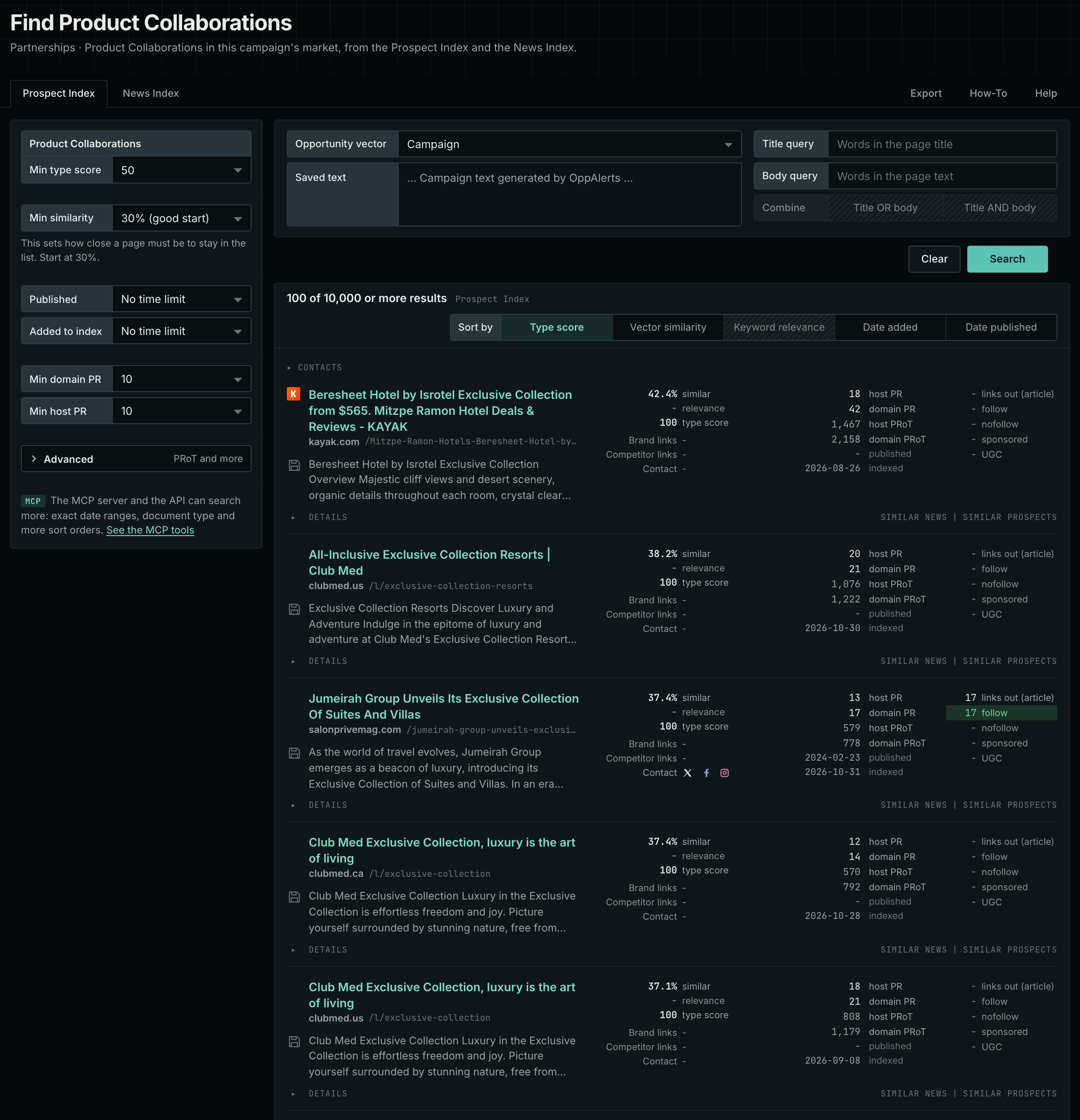
- Choose Partnerships, and then choose Product Collaborations.
- Read the Prospect Index tab first. It holds pages that the index collected over time. Min type score defaults to 40. Raise it to see the pages that fit the type best.
- Read the News Index tab for pages from the last few weeks. Set Published to a recent time period.
- Raise Min domain PR to drop the sites with little standing. Click Details on a row to see how to reach the site.
Get new pages every day
Save this type as an opportunity. In Edit Campaign, open the Opportunities tab, and add an opportunity. In Search for, choose Product Collaborations. In Opportunity vector, choose Campaign. The Dashboard tab and the daily opportunities email then show the new pages of this type each day. See Daily Monitoring and Alerts.
In MCP and the API
Two tools search this type. One request body works for both:
{
  "campaign": 3,
  "similarity_target": "campaign",
  "type_scores": [{"opportunity_type": "partnerships/merchandise-collabs", "type_score_min": 50}],
  "sort": "type_score"
}- MCP:
news_searchsearches the News Index.prospects_searchsearches the Prospect Index. - API:
POST https://api.oppalerts.com/v1/news/searchandPOST https://api.oppalerts.com/v1/prospects/search, with the same JSON body.
In type_scores, type_score_min sets the minimum type score, from 1 to 100. Sorting by type_score puts the highest type score first. To keep only the newest pages, add published_from or indexed_from with a date in YYYY-MM-DD format. The MCP pages list every parameter and a full example response.
To connect your AI agent or send API requests, read Use OppAlerts in Your AI Agent, Create an API Token, and Your First API Call.
How to judge the results
- Check the date. A launch page from a past year shows how a brand works. It is not an open invitation.
- Check that the brand takes proposals. Many brands choose their partners. Look for a form, an address, or a program page.
- Check the audience. A good partner reaches buyers that you do not reach now, and does not compete with you.
- Check the terms. Read the order minimums, the lead times, who makes the product, and who owns the design before you write.
- Check past collaborations. Read how the brand promoted earlier products, and how many partners it had.
- Open the live page. Read the page itself before you write. The index contains the text captured when the page was indexed.