Documentation / Opportunity Types / How to Find Media Partnerships
How to Find Media Partnerships
Find the media partner deals that bring coverage and promotion to events, groups, and companies.
What this type finds
The Media Partnerships type groups these kinds of pages:
- Official media partner pages. Events and organizations that name the outlets that cover and promote them.
- Media partner programs and application forms. Pages where an event or a group asks outlets to apply.
- Media sponsorships. Deals where an outlet supports an event with coverage in place of money.
- Content partnerships and syndication. Pages where a publisher shares or republishes content from partners.
- Content and image licensing. Pages that offer the use of articles, photos, or media for a fee or by agreement.
- Promotional partnerships. Cross-promotion between a media outlet and a company.
Why it matters
A media partnership trades something for coverage. An event gives an outlet access, and the outlet gives the event promotion. A company gives a publisher content, and the publisher gives the company an audience. This type finds both sides: the outlets that act as partners, and the events and groups that look for them. It fits an event organizer, a publisher, or a company with content that other outlets can use.
- A partner page names the outlet and often links to it, for both sides.
- Syndication puts your content in front of another publisher's audience.
- The list shows which outlets already work with groups in your market.
Find it in the web app
- Open Opportunity Types in the web app menu.
- Choose Partnerships.
- Choose Media Partnerships. The page searches immediately, with your campaign as the Opportunity vector.
- Read the Prospect Index tab first. It contains pages that OppAlerts collected itself, and most have no published date. Min type score defaults to 40. Raise it to see fewer pages that match the type more closely. Lower it to see more.
- Read the News Index tab for news, podcasts, and video that came out in the last few weeks. This tab is small for most types. An empty tab is normal.
- Click Vector similarity in Sort by to put the pages most similar to your market first.
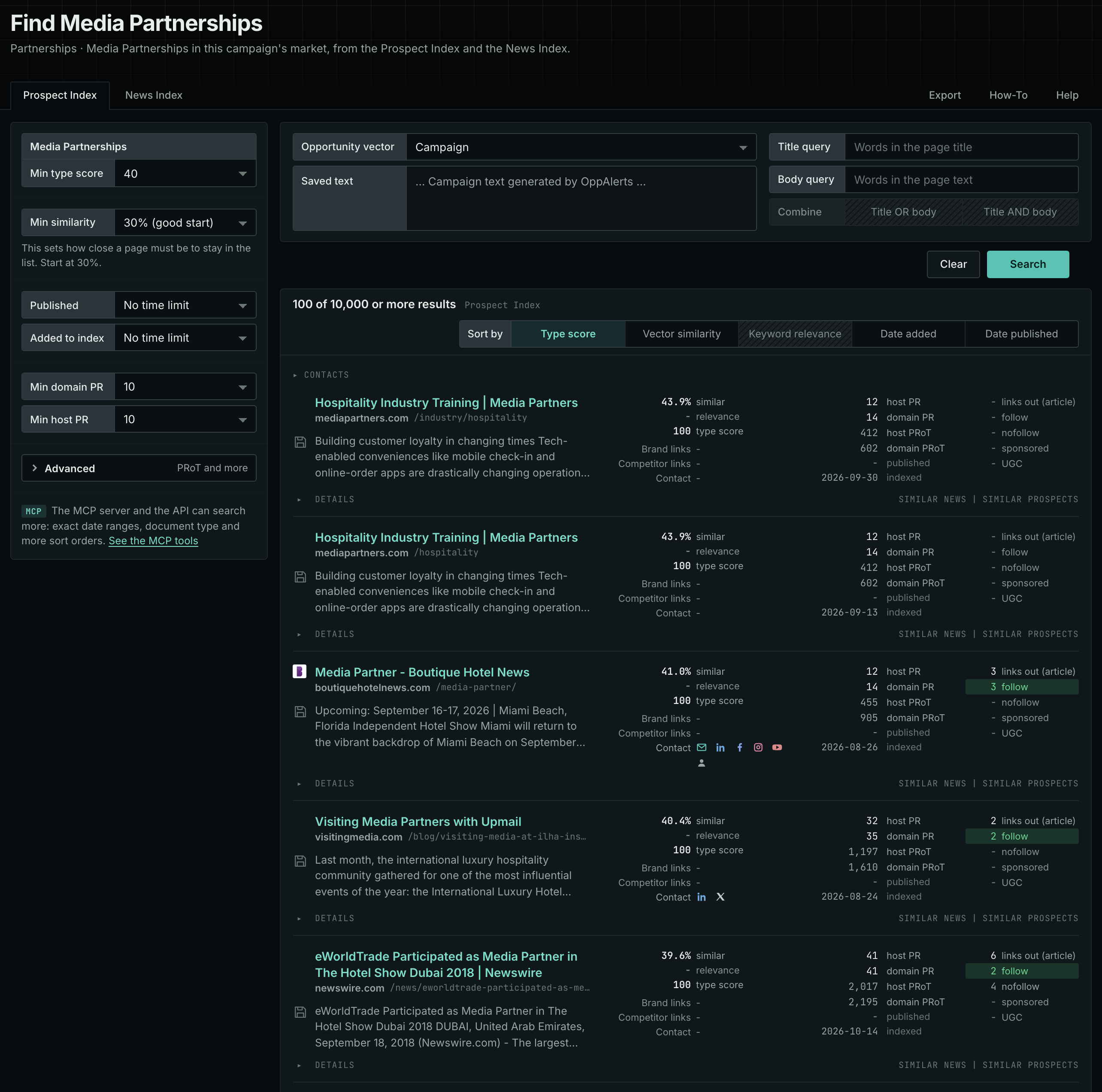
The type's page in the app docs, Media Partnerships, describes the type in the app.
Get new pages every day
- Open your campaign in Edit Campaign, and open the Opportunities tab.
- Add an opportunity. In Search for, choose Media Partnerships under Partnerships.
- In Opportunity vector, choose Campaign.
- Open the Daily Email tab, select the checkbox, choose the hour, and click Save.
Each day, the Dashboard tab and the daily opportunities email show the pages added to the indexes in the last 24 hours. Read Daily Monitoring and Alerts for the full steps.
In MCP and the API
Two tools search this type. One request body works for both:
{
  "campaign": 3,
  "similarity_target": "campaign",
  "type_scores": [{"opportunity_type": "partnerships/media-partnerships", "type_score_min": 50}],
  "sort": "type_score"
}- MCP:
news_searchsearches the News Index.prospects_searchsearches the Prospect Index. - API:
POST https://api.oppalerts.com/v1/news/searchandPOST https://api.oppalerts.com/v1/prospects/search, with the same JSON body.
In type_scores, type_score_min sets the minimum type score, from 1 to 100. Sorting by type_score puts the highest type score first. To keep only the newest pages, add published_from or indexed_from with a date in YYYY-MM-DD format. The MCP pages list every parameter and a full example response.
To connect your AI agent or send API requests, read Use OppAlerts in Your AI Agent, Create an API Token, and Your First API Call.
How to judge the results
A high type score indicates that a page matches this type. It does not tell you whether the page is a good fit for you. Check these points before you act:
- Check the audience. Look at the outlet's reputation and who reads it.
- Read what each side gives. Find the deliverables: posts, mentions, tickets, banners, or articles.
- Read the rules for republished content. Find out who owns it, how the source is named, and how the link is made.
- Check the date. Look for a current year or an upcoming event.
- Check the cost. Some deals have no fee, and some have a licensing fee or a sponsorship fee.
- Find the person in charge. A media relations page or a partnership form tells you where to write.