Documentation / How-To Guides / How to Find AI Citation Opportunities
How to Find AI Citation Opportunities
Find the pages that AI answers cite in your market, and the ones that could cite you.
Use OppAlerts to identify publishers, directories, and review sites that AI models name in your market, then research what those sites accept. These are places to seek coverage for your business. An AI answer can both name a site and cite a page, but OppAlerts does not show the pages cited during a web search. To examine those citations, ask the AI service your buyer questions directly and save its answers.
- Which sites do the AI models name in my market? Competitor LLM Recs.
- Which comparisons and lists can include my business? Opportunity Types.
- Which pages name a competitor? Competitor Mentions.
- How do I reach the publisher? Site Info: Site.
1. See which sites the AI models name
- Open Competitor LLM Recs in the web app.
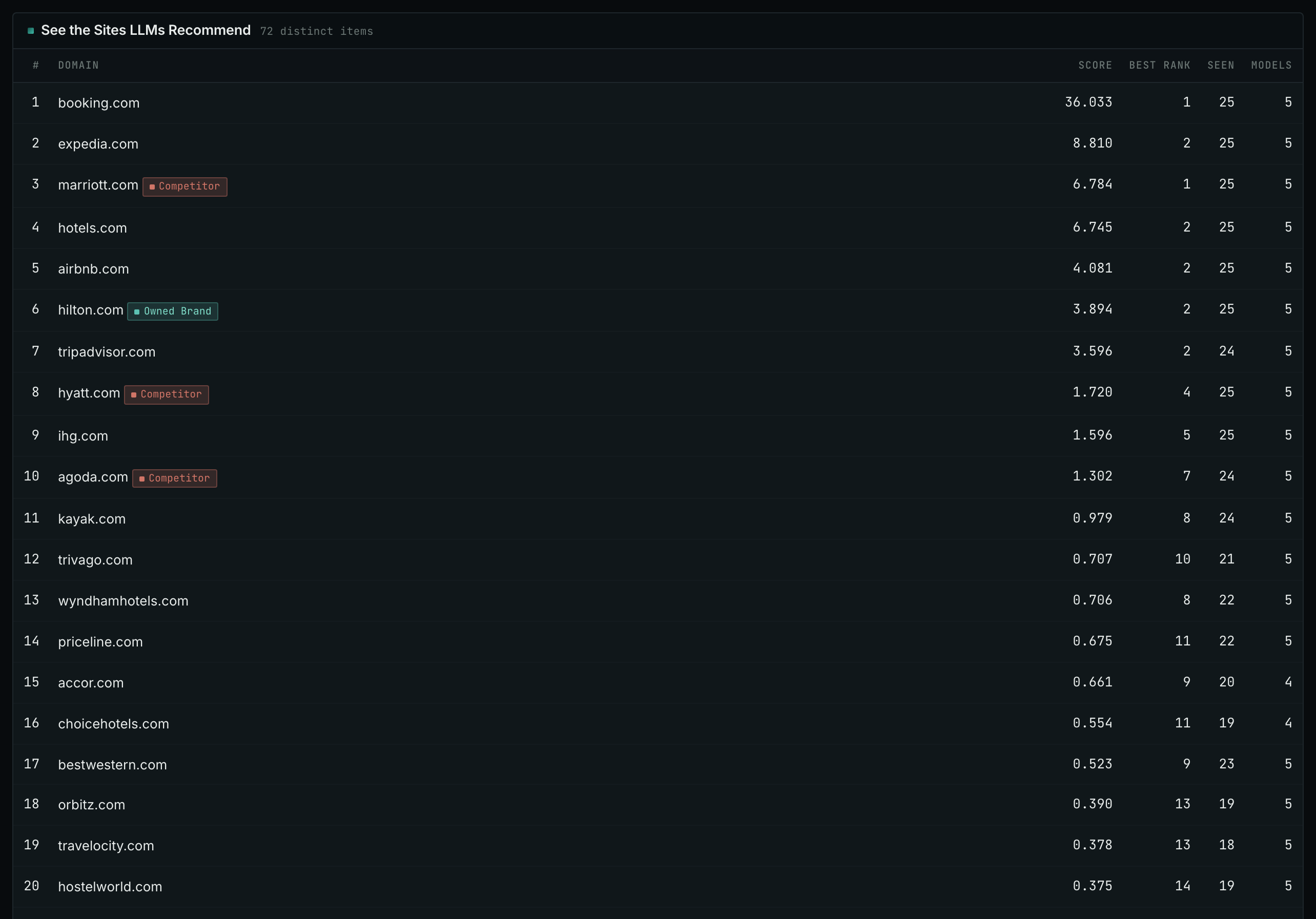
- Read the top 20 sites. That is what the AI models agree on for your market.
- Find the sites that are not competitors. These are usually publishers, directories, or review sites. The models learned your market from such sites, so these are the pages to be on.
- Read the Models column. It counts how many different models named the site.
- Add the publishers to the Publishers box on the Settings tab of Edit Campaign. Every report then labels them.
- MCP:
llm_answers_top_sites, with{"campaign": 3, "page": 1}. - API:
POST https://api.oppalerts.com/v1/llm_answers/top_sites, with the same JSON body.
2. Find the comparisons and lists that can include you
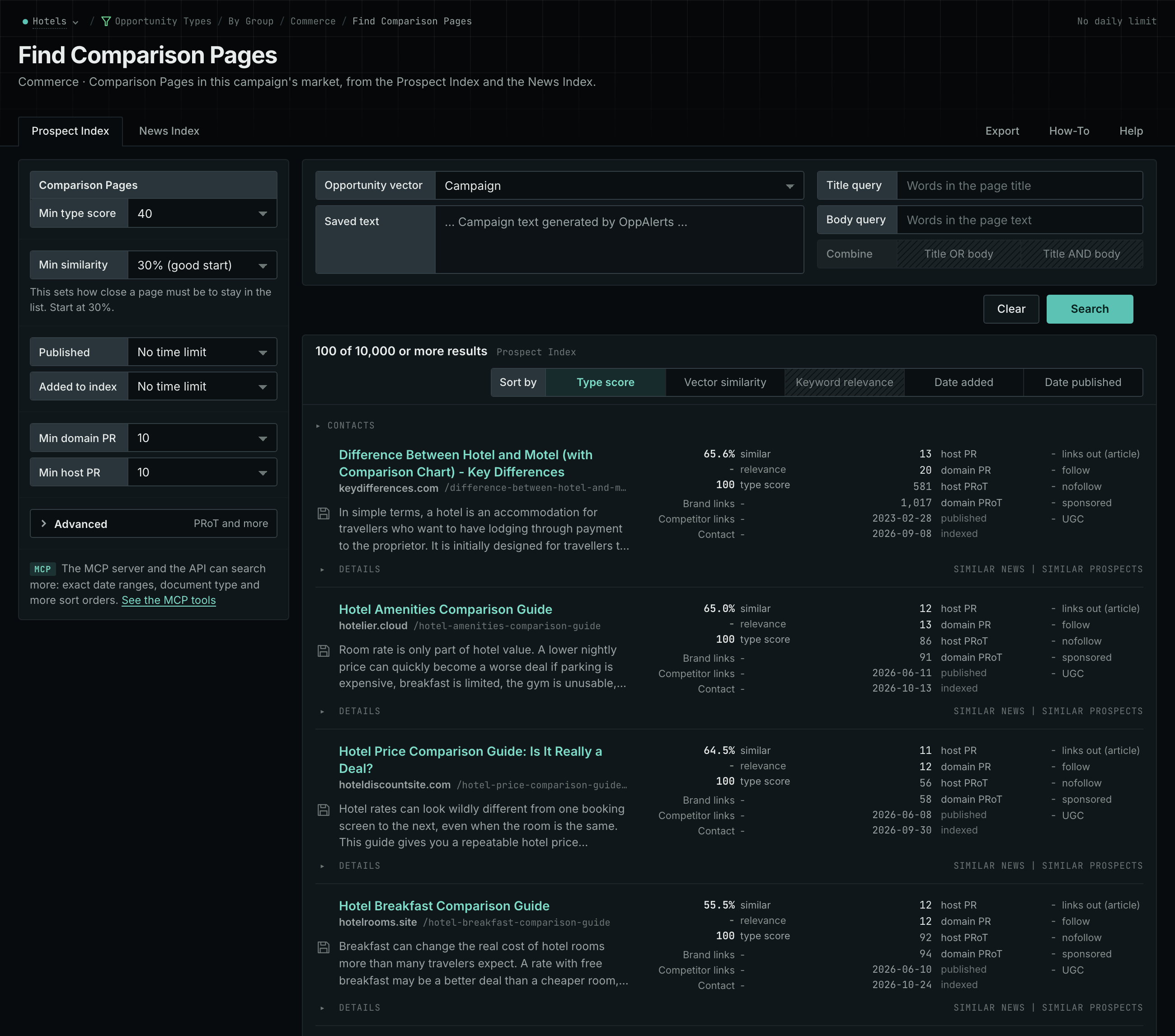
- Open Opportunity Types. Choose Commerce, then Comparison Pages.
- Do the same for Commerce, then Buyer Guides, and for Content, then Best-Of Lists, Listicles.
- Read the Prospect Index tab. Look for the sites that Competitor LLM Recs named.
- Open each page. Read its inclusion criteria and its submission instructions.
- MCP:
prospects_searchandnews_search, with{"campaign": 3, "similarity_target": "campaign", "pr_domain_min": 10, "type_scores": [{"opportunity_type": "commerce/comparisons-and-alternatives", "type_score_min": 50}], "sort": "type_score"}. - API:
POST https://api.oppalerts.com/v1/prospects/searchandPOST https://api.oppalerts.com/v1/news/search, with the same JSON body.
3. Read the pages that name a competitor
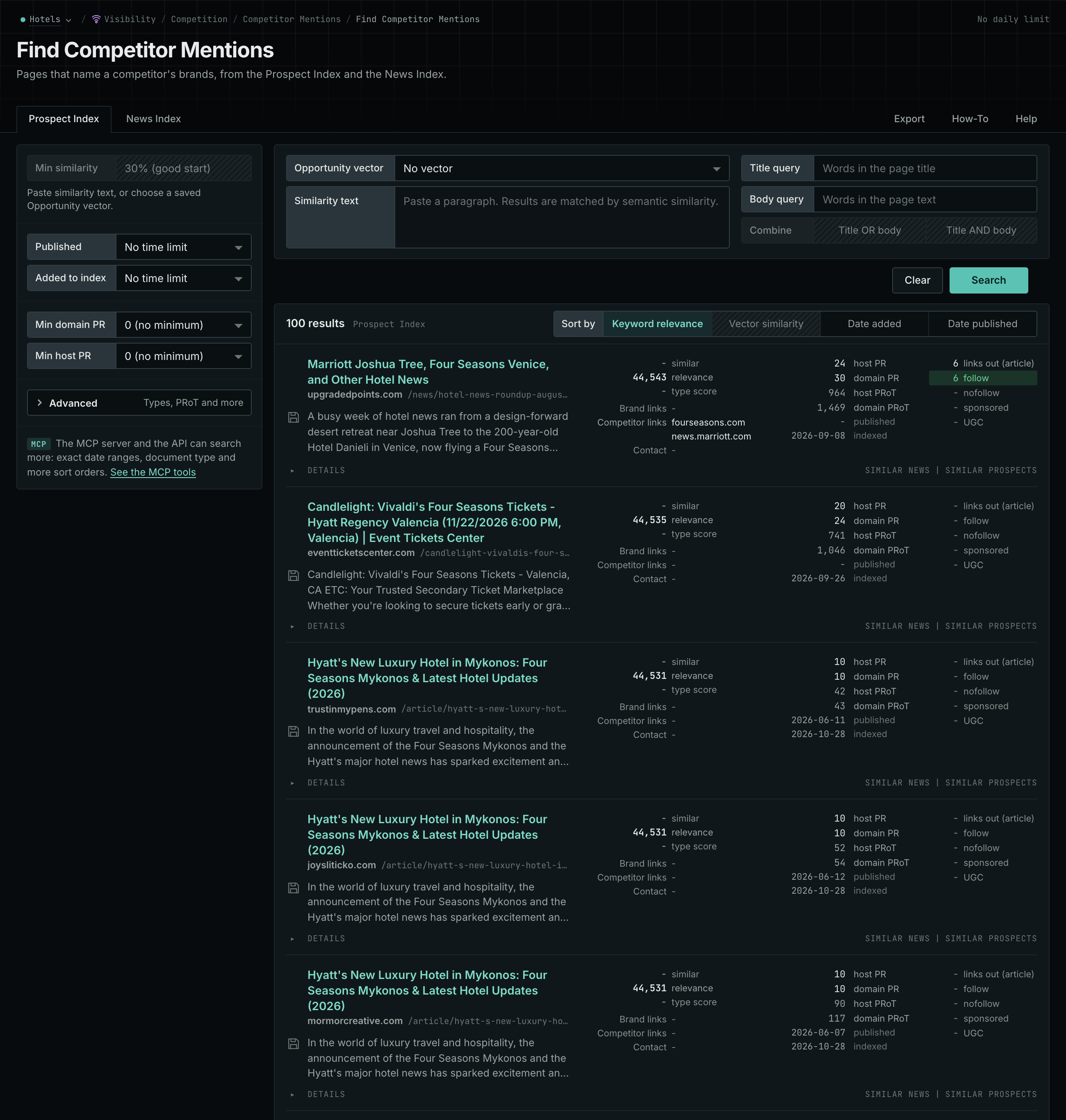
Use Competitor Mentions to find comparisons, roundups, and other pages naming your competitors. An AI answer may recommend a competitor while citing an independent comparison as its source.
- Open Competitor Mentions.
- Read the Prospect Index tab for pages such as directories, comparisons, and roundups.
- Read the News Index tab for news, podcasts, and videos.
- Open each page that matters, and read why it names the competitor.
- MCP:
prospects_brand_mentionsandnews_brand_mentions, with{"campaign": 3, "relationship": "org_competitor", "indexed_days": 30, "similarity_target": "none", "sort": "relevance"}. Fornews_brand_mentions, sendpublished_daysin place ofindexed_days: it counts from the published date. - API:
POST https://api.oppalerts.com/v1/prospects/brand_mentionsandPOST https://api.oppalerts.com/v1/news/brand_mentions, with the JSON body of each tool.
4. Find how to reach the publisher
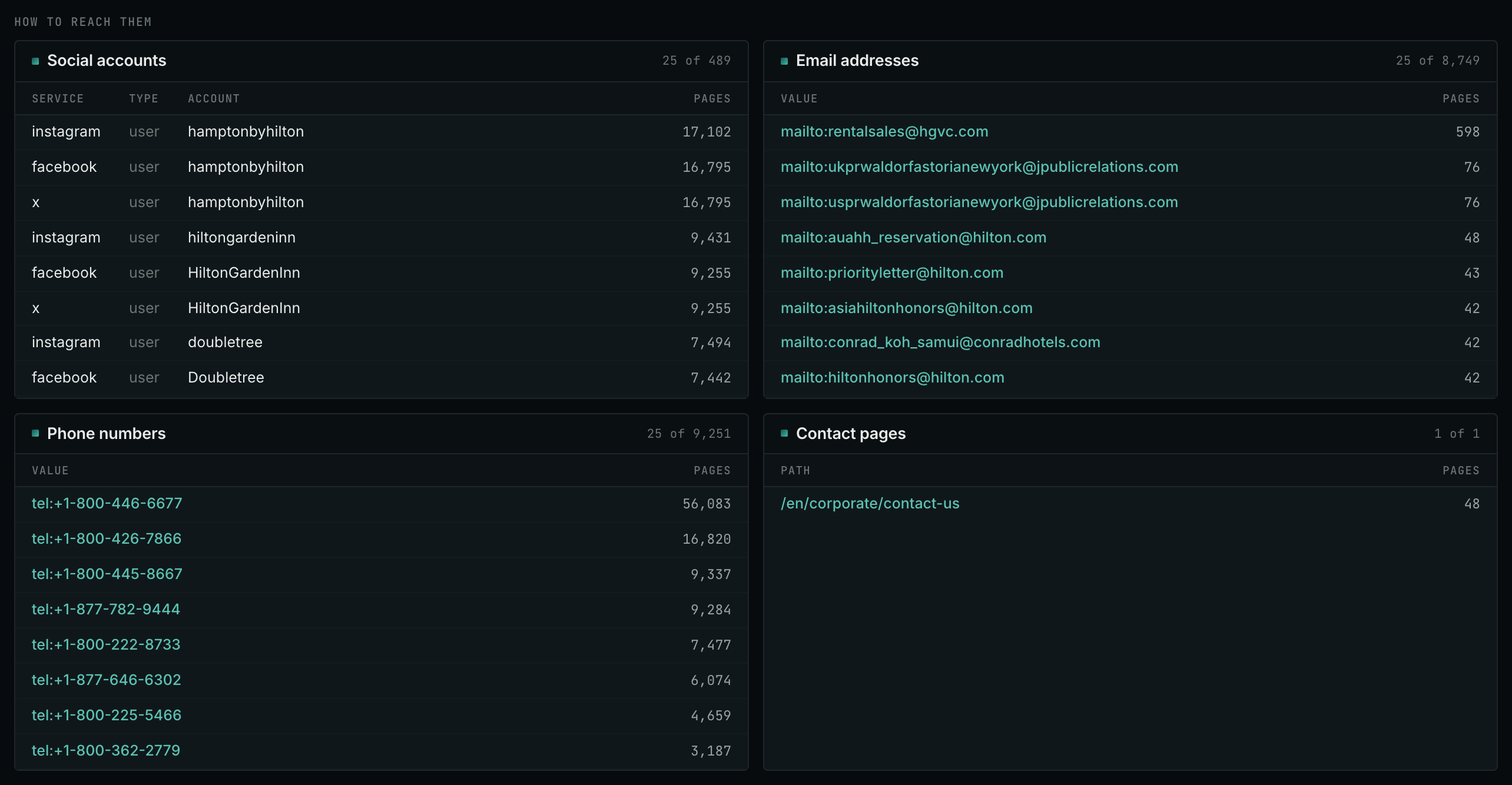
- Open Site Info: Site, and search for the host of the publisher.
- Read the How to reach them section: the email addresses, the phone numbers, the social accounts, and the Contact pages.
- Confirm the route on the live site. The record is not live.
- MCP:
siteinfo_site, with{"site": "example-hotels.com"}. - API:
POST https://api.oppalerts.com/v1/siteinfo/site, with the same JSON body.
How to judge the results
- Know what Competitor LLM Recs shows. The report shows model recommendations based on training, with web search disabled. It represents neither a search ranking nor a list of pages cited by AI tools today.
- Read what each citation supports. Repeat questions that matter to your buyers and look for sources appearing across several answers. Save the answers so you can check which claim each citation supports.
- Check the segment of a comparison. Open any independent comparison cited alongside a competitor recommendation. Check whether its product requirements match your business or serve a different segment before interpreting your absence.
- Correct an old description with evidence. Check outdated feature descriptions against current product information, then send the publisher the passage and supporting evidence. Correct your own site as well; doing so does not update the publisher's page.
- Read the inclusion criteria. If your business is missing, read the criteria and the submission instructions. An enterprise software comparison can have a good reason to leave out a small business service. Some articles accept no additions.
- Check the process of each source. A resource list can have a suggestion form. An old article can have no route for updates. Find out before you make the citation an outreach task.
- The brand and the source can be different. An answer may recommend your product and cite a review site. Read the answer to distinguish those roles; counting links to your domain will not capture the distinction.
- Check again later. After a publisher confirms a correction or addition, continue checking later answers. Answers change, and an update does not guarantee a future citation. Timing alone cannot explain why a page was cited.