Documentation / How-To Guides / How to Monitor Brand Mentions
How to Monitor Brand Mentions
Monitor published pages mentioning your brand and decide where to follow up.
Use brand monitoring to review what people can read about your business and identify coverage needing a response. An article may still describe a product you no longer sell, for example, giving you a reason to send a correction. This guide covers three ways to find and monitor brand mentions in OppAlerts.
- Which pages name your brand? Brand Mentions.
- Which of these pages do not link to you? Brand Unlinked Mentions.
- What is new today? A saved opportunity and the daily opportunities email.
Before you start: enter your brand names
- Open your campaign in Edit Campaign, and open the Settings tab.
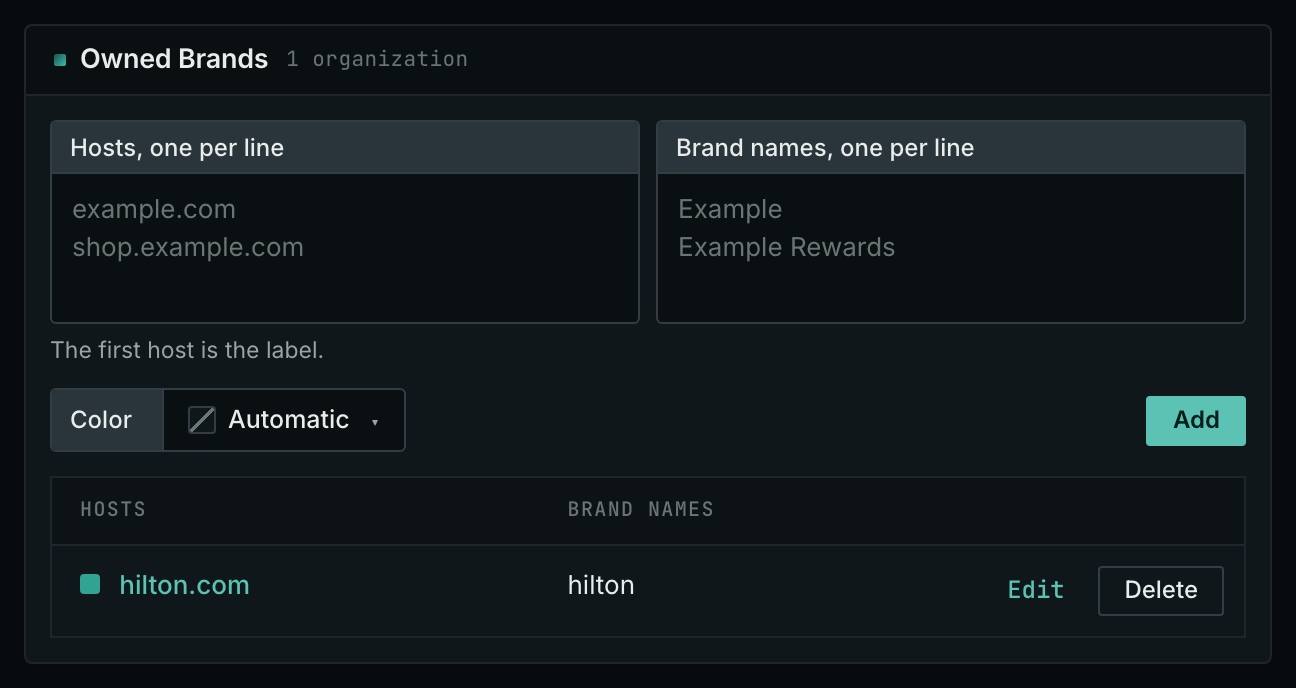
- In the Owned Brands box, enter each brand name that people use for your business, and each host that you own.
- Save the tab.
Brand Mentions searches for brand names and for each host as text, such as "example-hotels.com". Without brand names, it finds only pages spelling out a host. Missing names are the most frequent cause of an empty Brand Mentions page.
- MCP:
campaigns_organizationslists the organizations of a campaign and their relationships, with{"campaign": 3}. - API:
POST https://api.oppalerts.com/v1/campaigns/organizations, with the same JSON body.
1. Read the pages that name your brand
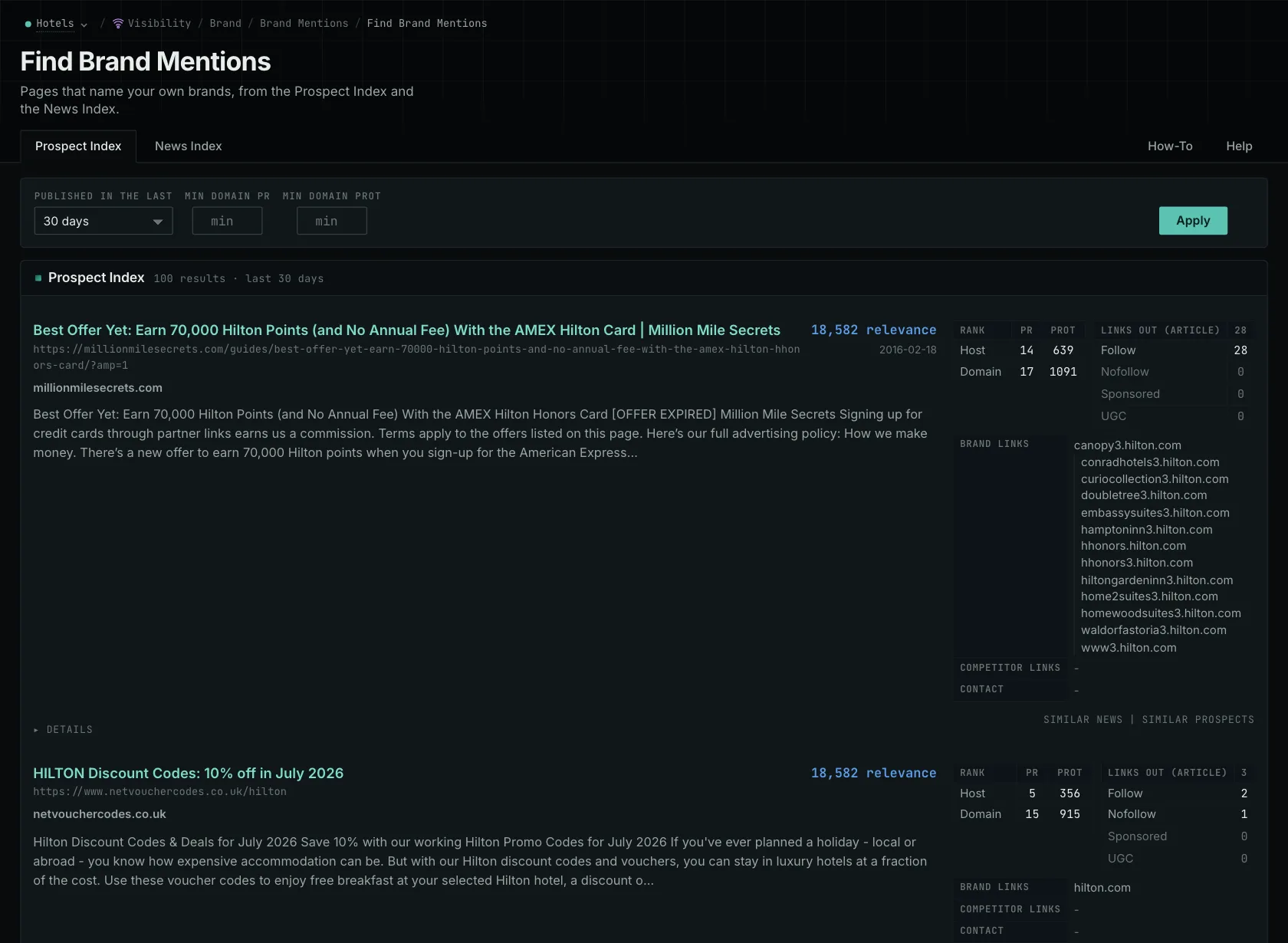
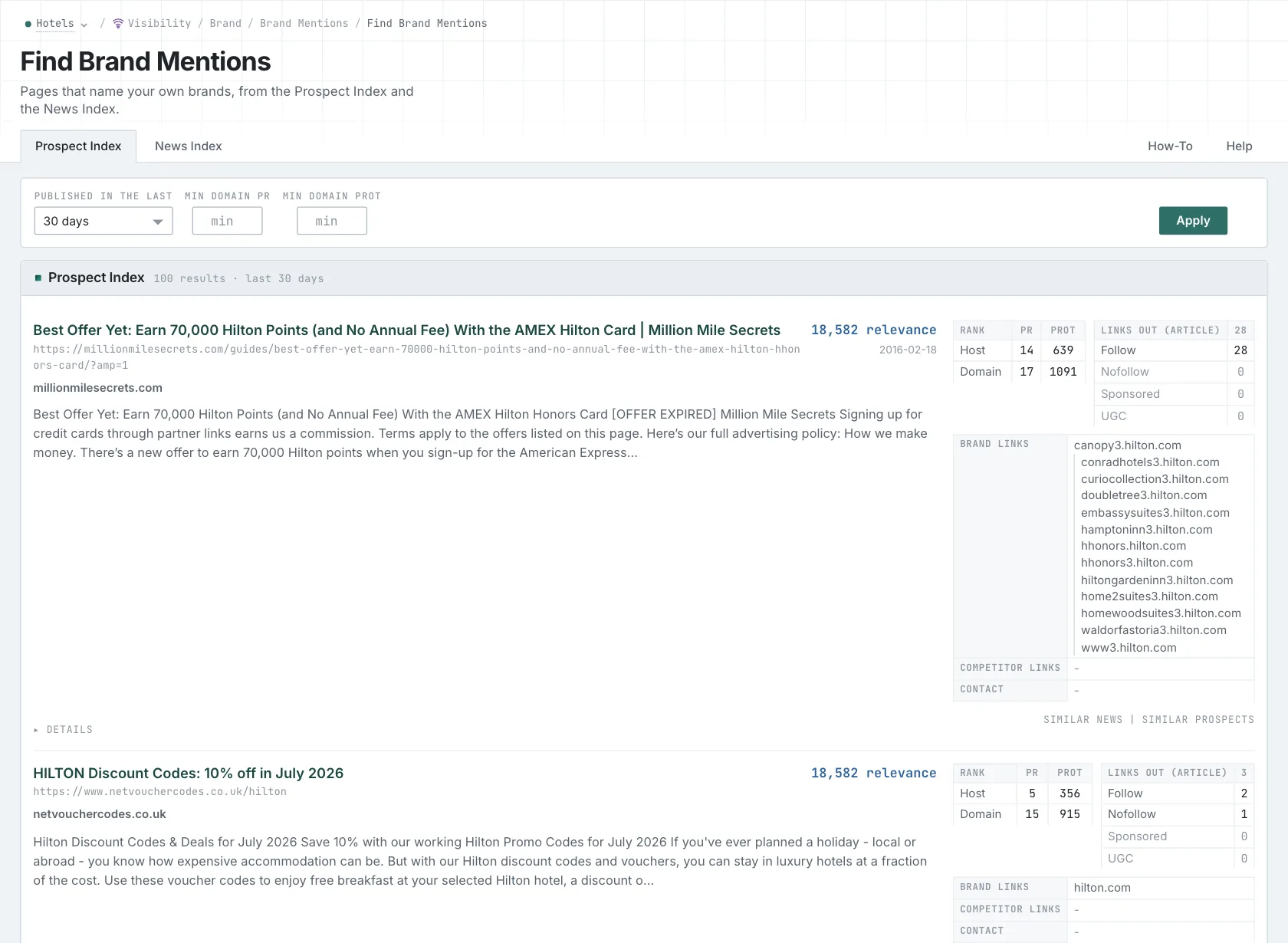
- Open Brand Mentions in the web app.
- Read the News Index tab for news, podcasts, and videos. Set Published to the last few weeks to see the current coverage. Use Last week for a weekly review, and Last month for a monthly report.
- Read the Prospect Index tab for all other pages. Most pages on this tab have no published date, so use Added to index for a time window.
- Set Min domain PR to see only the mentions on stronger sites.
- Open each page that matters, and read why it names you.
- MCP:
prospects_brand_mentionsandnews_brand_mentions, with{"campaign": 3, "relationship": "org_owned_brand", "indexed_days": 30, "similarity_target": "none", "sort": "relevance"}. Fornews_brand_mentions, sendpublished_daysin place ofindexed_days: it counts from the published date. - API:
POST https://api.oppalerts.com/v1/prospects/brand_mentionsandPOST https://api.oppalerts.com/v1/news/brand_mentions, with the JSON body of each tool.
2. Find the mentions that do not link to you
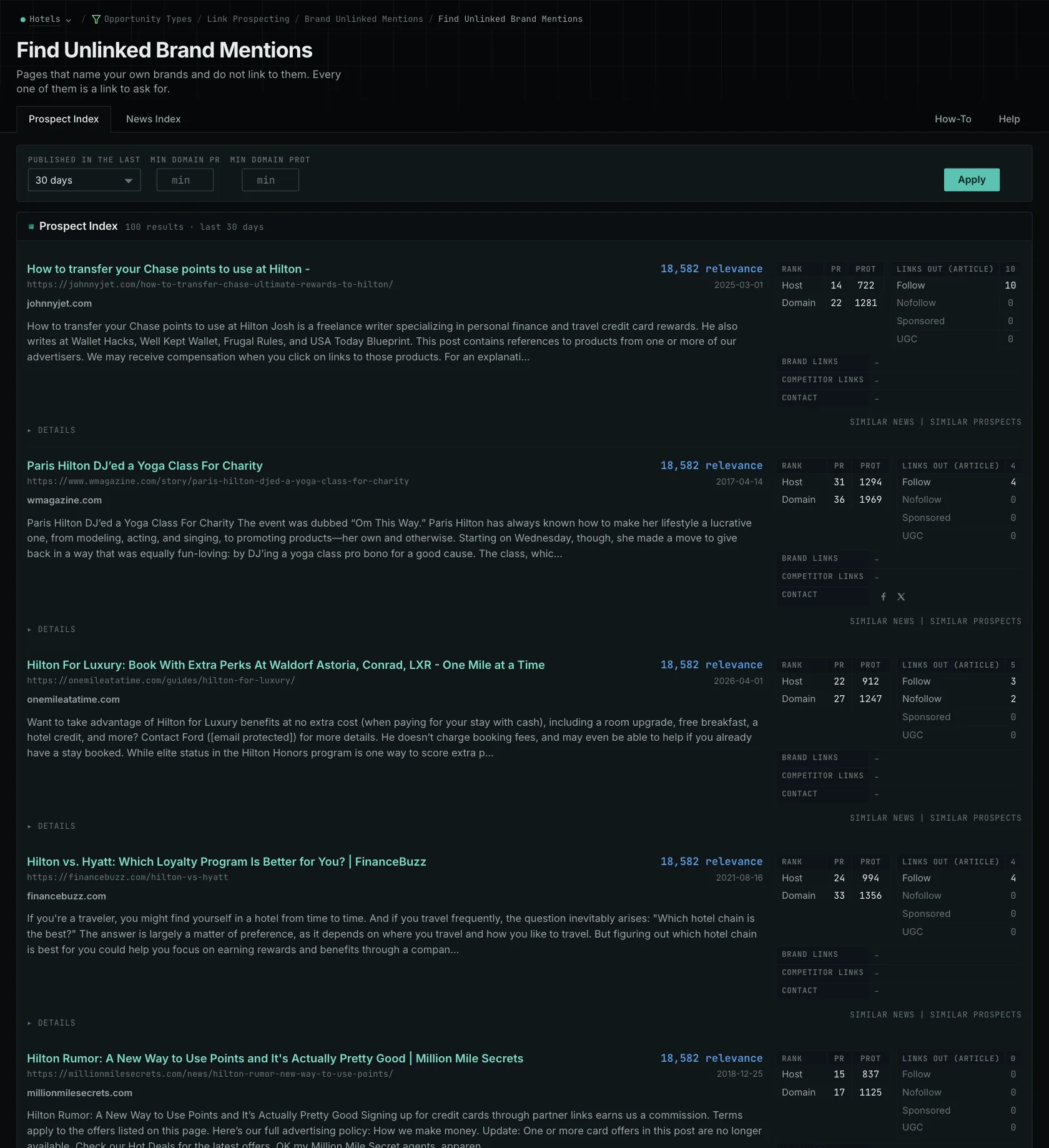
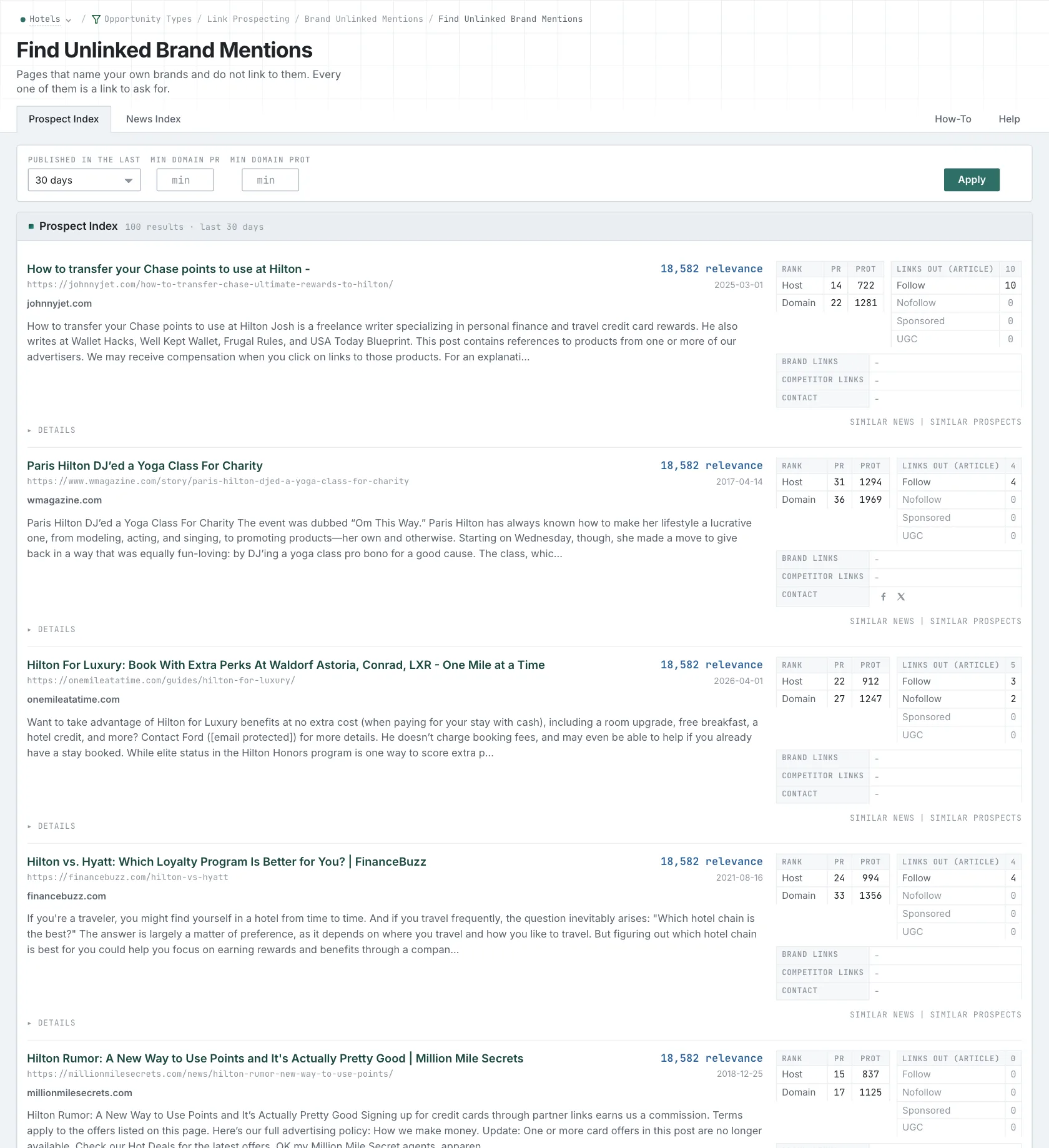
- Open Brand Unlinked Mentions.
- Each row is a page that names your brand and does not link to any of your hosts.
- Read the News Index tab first. A writer adds a link to a recent article more easily than to an old one.
How to Find Unlinked Brand Mentions tells you how to ask for these links.
- MCP:
news_unlinked_brand_mentionsandprospects_unlinked_brand_mentions, with{"campaign": 3, "relationship": "org_owned_brand", "published_days": 30, "similarity_target": "none", "sort": "relevance"}. Forprospects_unlinked_brand_mentions, sendindexed_daysin place ofpublished_days: it counts from the date that the page came into the index. - API:
POST https://api.oppalerts.com/v1/news/unlinked_brand_mentionsandPOST https://api.oppalerts.com/v1/prospects/unlinked_brand_mentions, with the JSON body of each tool.
3. Get the new brand mentions every day
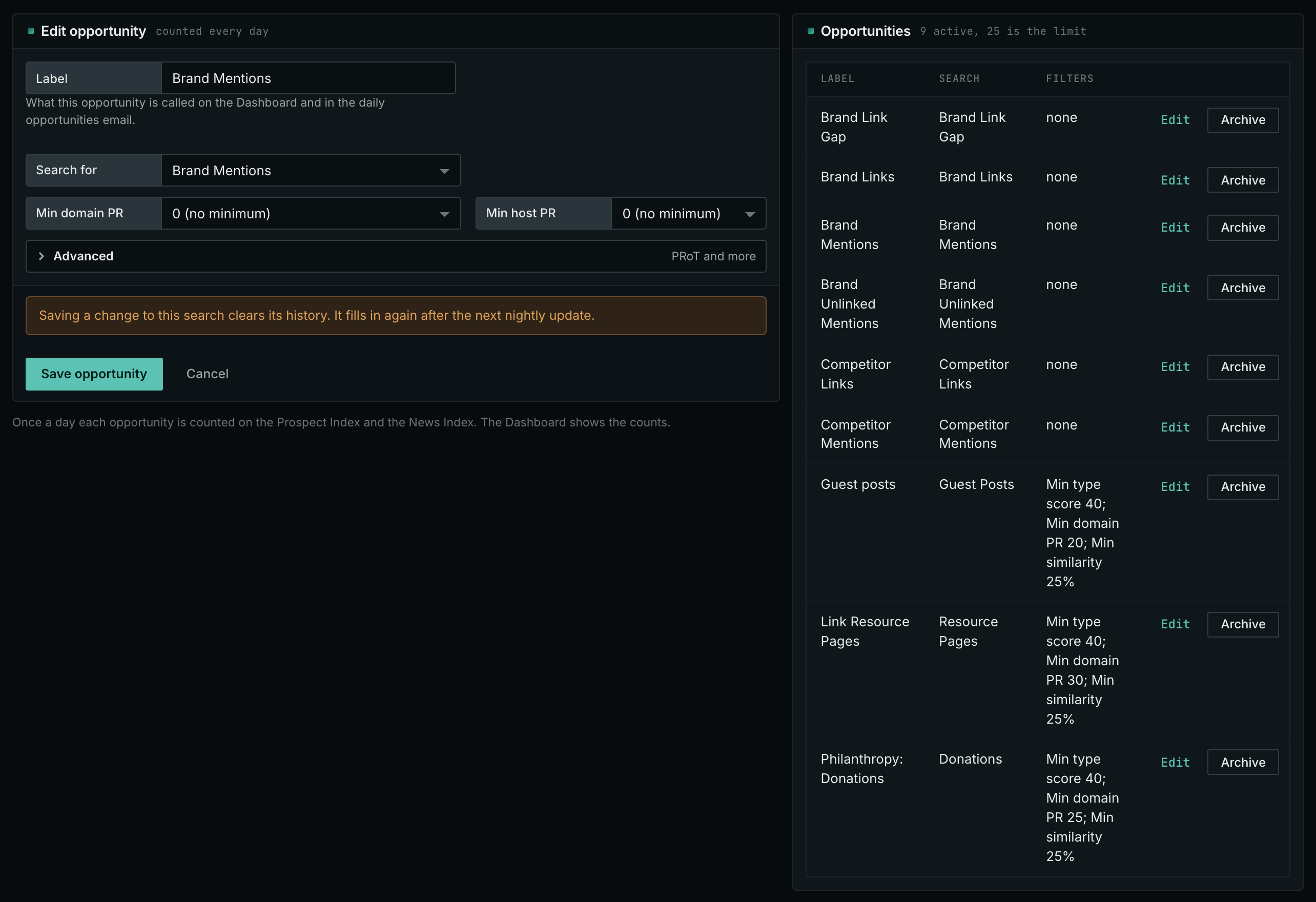
- In Edit Campaign, open the Opportunities tab.
- Add an opportunity. In Search for, choose Brand Mentions. Click Add opportunity.
- Open the Daily Email tab, tick the box, choose the hour, and click Save.
- Each day, the Dashboard tab and the daily opportunities email show the new pages: the pages that came into the indexes in the last 24 hours.
- MCP:
campaigns_saved_opportunitiesgives the ID of each saved opportunity. Thennews_opportunitiesandprospects_opportunitiesgive the pages of 1 to 7 days, with{"campaign": 3, "opportunity": 1, "date_from": "2026-08-26", "date_to": "2026-09-01"}. For one day, send the same day indate_fromanddate_to. - API:
POST https://api.oppalerts.com/v1/news/opportunitiesandPOST https://api.oppalerts.com/v1/prospects/opportunities, with the same JSON body.
How to judge the results
- Make sure that the page is about your business. Names that are common words can match unrelated companies or subjects. Monitor a more specific name if this happens frequently.
- Read why your name is there. Check a comparison's criteria and claims. A name in a long list may warrant no reply, while negative coverage needs a contextual review before you decide whether to respond.
- Give the publisher what it needs to check a correction. Verify the article against current product information. Send the publisher the incorrect passage, the correction, and a source supporting it.
- Check the links separately. Even an accurate description may link to a removed page or name a product without a link. Request a replacement or new link as appropriate, and correct any inaccurate description too.
- Check the date. An old article that you find today is not new coverage.
- Know what the indexes do not hold. The News Index holds news, podcasts, and videos. The Prospect Index holds other web pages. For social posts, review sites, sentiment scores, or readership numbers, use a different service.
- An empty report does not prove that nobody wrote about you. Results depend on the pages OppAlerts has collected. Distinguish the publication date from the date a page entered the index.