Documentation / Content Types / How to Find Blogs and Bloggers in Your Market
How to Find Blogs and Bloggers in Your Market
Find blogs in a market and the people and companies that publish on them every week.
What this type finds
This type finds blog pages, from a whole blog to a single post. It groups these kinds of pages together:
- Blog home pages and blog indexes. The front page of a blog, with its latest posts.
- Blog archives and category pages. The list of past posts, by date or by subject.
- Company blogs and business blogs. The blogs of a business, a competitor, or a supplier.
- Personal blogs. The blogs of one writer, such as a consultant or a practitioner.
- Industry blogs. Blogs that cover one sector.
- Blog directories and blog rolls. Lists of blogs on a subject.
- Single blog posts. Pages that show the usual marks of a post, such as an author name and a posting date.
This type identifies the format of a page. A blog post on any subject can match. Similarity to your campaign keeps the results relevant to your market.
Why it matters
This type is for research. A new market has a set of blogs that buyers, competitors, and experts read. This page shows you those blogs in a few minutes. You see who posts often, what they write about, and how long a typical post is.
It also finds experts and influencers. A blogger or a company that posts every week about your market knows the market well. Many of them have an audience. A blog that accepts guest authors can also be a place to publish. Note the authors, and read their older posts.
Find it in the web app
- Open Content in the web app menu.
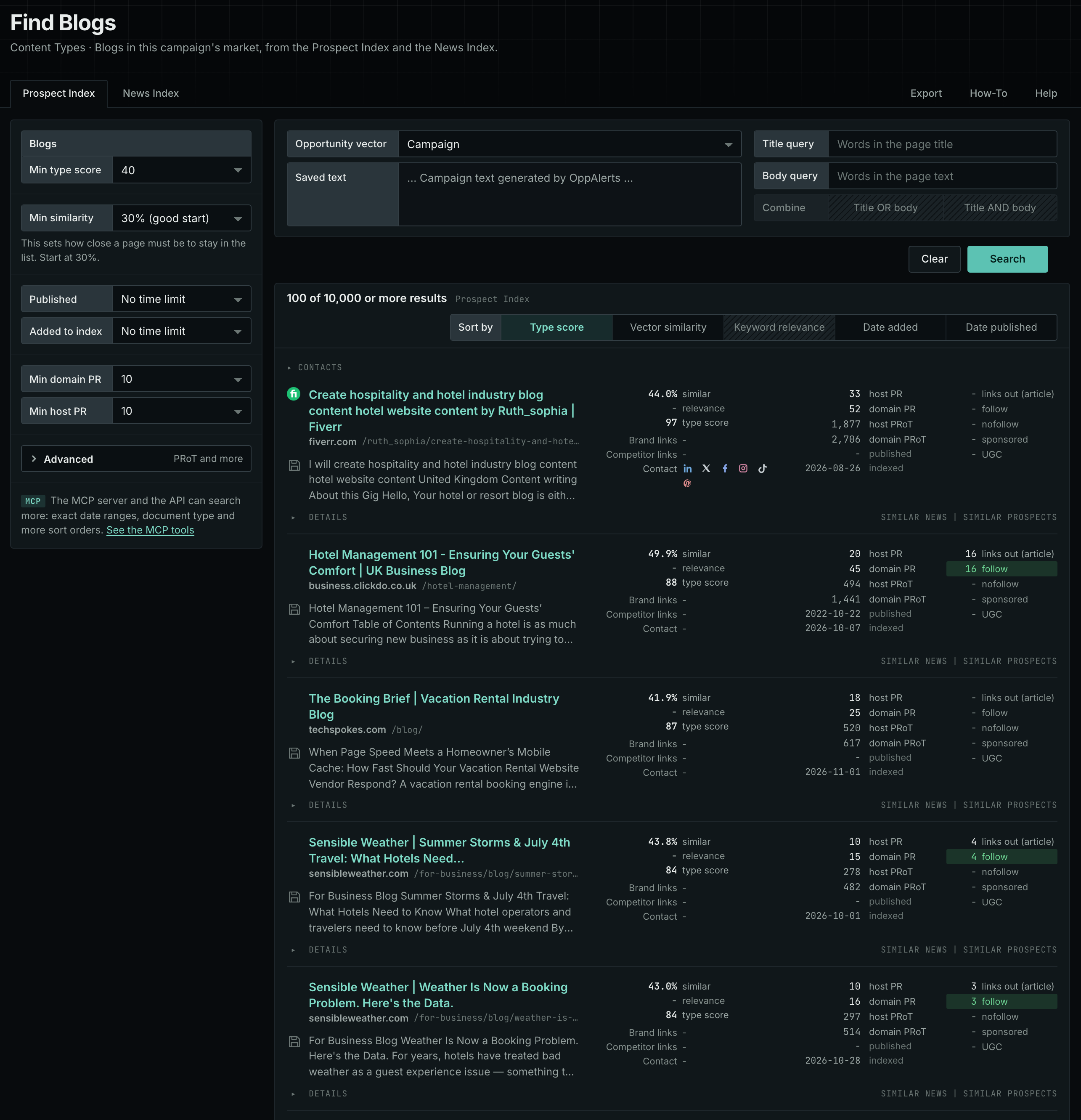
- Under Content Types, choose Blogs.
- Start with the Prospect Index tab. It shows pages of this type from the OppAlerts index, with the closest semantic matches to your campaign first. To filter by date, use Added to index. Most pages on this tab have no published date, so using Published filters them out.
- Open the News Index tab. It shows what news sources, podcasts, and videos publish now.
- Read the first ten results of each tab. Note the blogs that appear more than once, and the names of the authors.
Min type score starts at 40, and Min similarity starts at 30%. Raise Min domain PR if the list includes sites that nobody in your market knows.
See the new pages
The Search for menu on the Opportunities tab of Edit Campaign lists the brand searches and the opportunity types. To see new pages of this content type, open Content Types again and set Added to index to Last day. The tab then shows only pages added to the index in the last day.
For details about the daily opportunities email and the saved opportunities it uses, read Daily Monitoring and Alerts.
In MCP and the API
Two tools search this type. One request body works for both:
{
  "campaign": 3,
  "similarity_target": "campaign",
  "type_scores": [{"content_type": "blogs", "type_score_min": 50}],
  "sort": "type_score"
}- MCP:
news_searchsearches the News Index.prospects_searchsearches the Prospect Index. - API:
POST https://api.oppalerts.com/v1/news/searchandPOST https://api.oppalerts.com/v1/prospects/search, with the same JSON body.
In type_scores, type_score_min sets the minimum type score, from 1 to 100. Sorting by type_score puts the highest type score first. To keep only the newest pages, add published_from or indexed_from, with a date in YYYY-MM-DD format. The MCP pages list every parameter and include the full example response.
To connect your AI agent or to send API requests, read Use OppAlerts in Your AI Agent, Create an API Token, and Your First API Call.
How to judge the results
- Check that the blog is live. Open the blog and read the date of the newest post. A blog that stopped one year ago has no value as a partner.
- Check the post rate. Read the archive. A blog with a post each week is a different publisher from one with a post each quarter.
- Check the audience. Read the comments, the topics, and the about page. Decide if your customers read it.
- Check the author. A named person with a record in the market is an expert. An unnamed page is not.
- Check the rules. If you want to write for the blog, look for a page for contributors before you write to the editor.
- Check for a company interest. A company blog can promote its own products. A competitor's blog is a source of research, not a partner.