Backlinks DB: Link Gap finds sites that link to your selected competitors where the database hasn't found a link to your own sites. You can use it to find directories, publications, and other organizations that already include businesses like yours.
For example, imagine you install commercial heat pumps and find a directory linking to three competing installers. They might share a location, hold the same certification, or belong to the association that runs the directory. Once you understand why they're listed, you can decide whether to apply too.
Set up the comparison
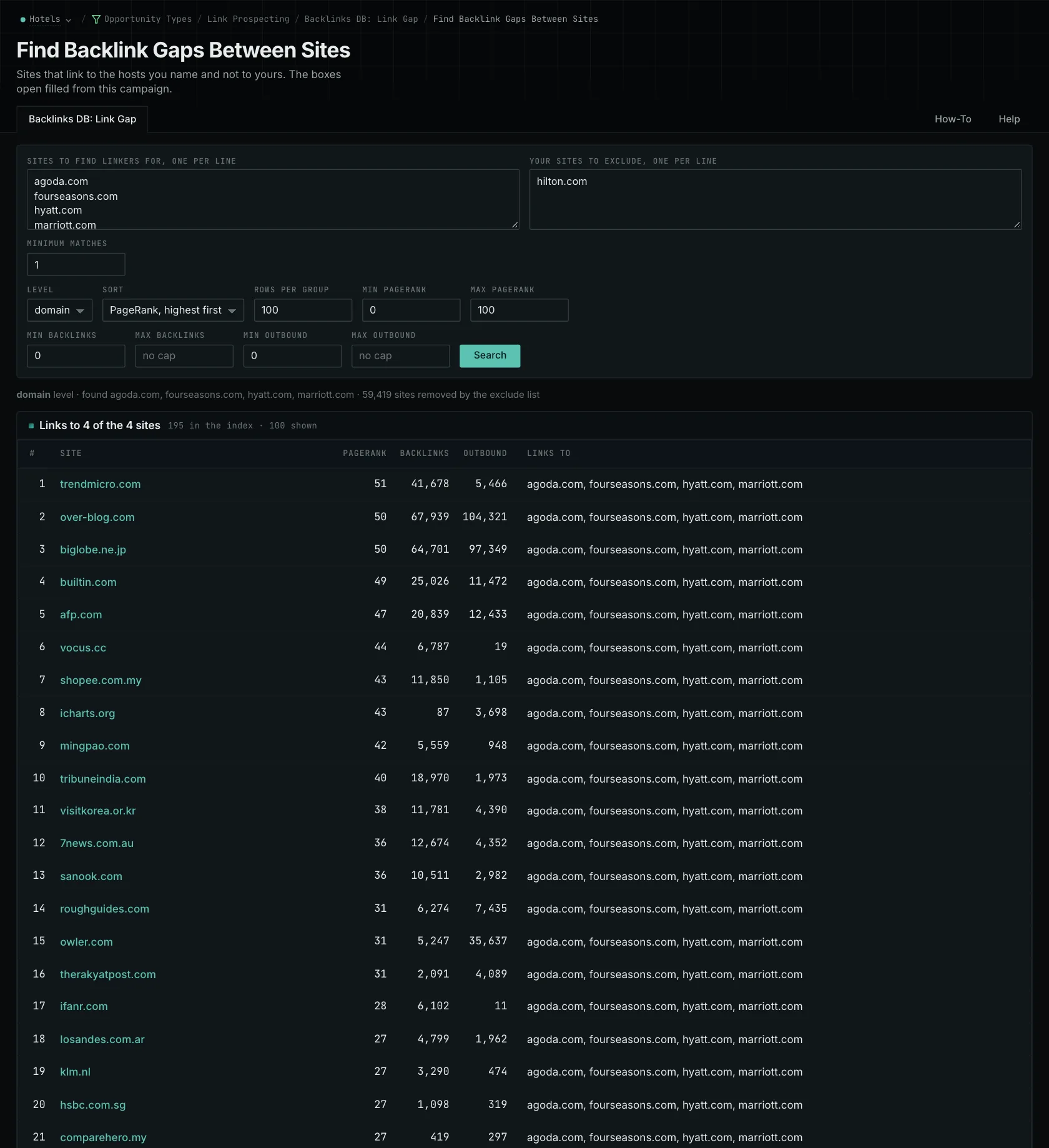
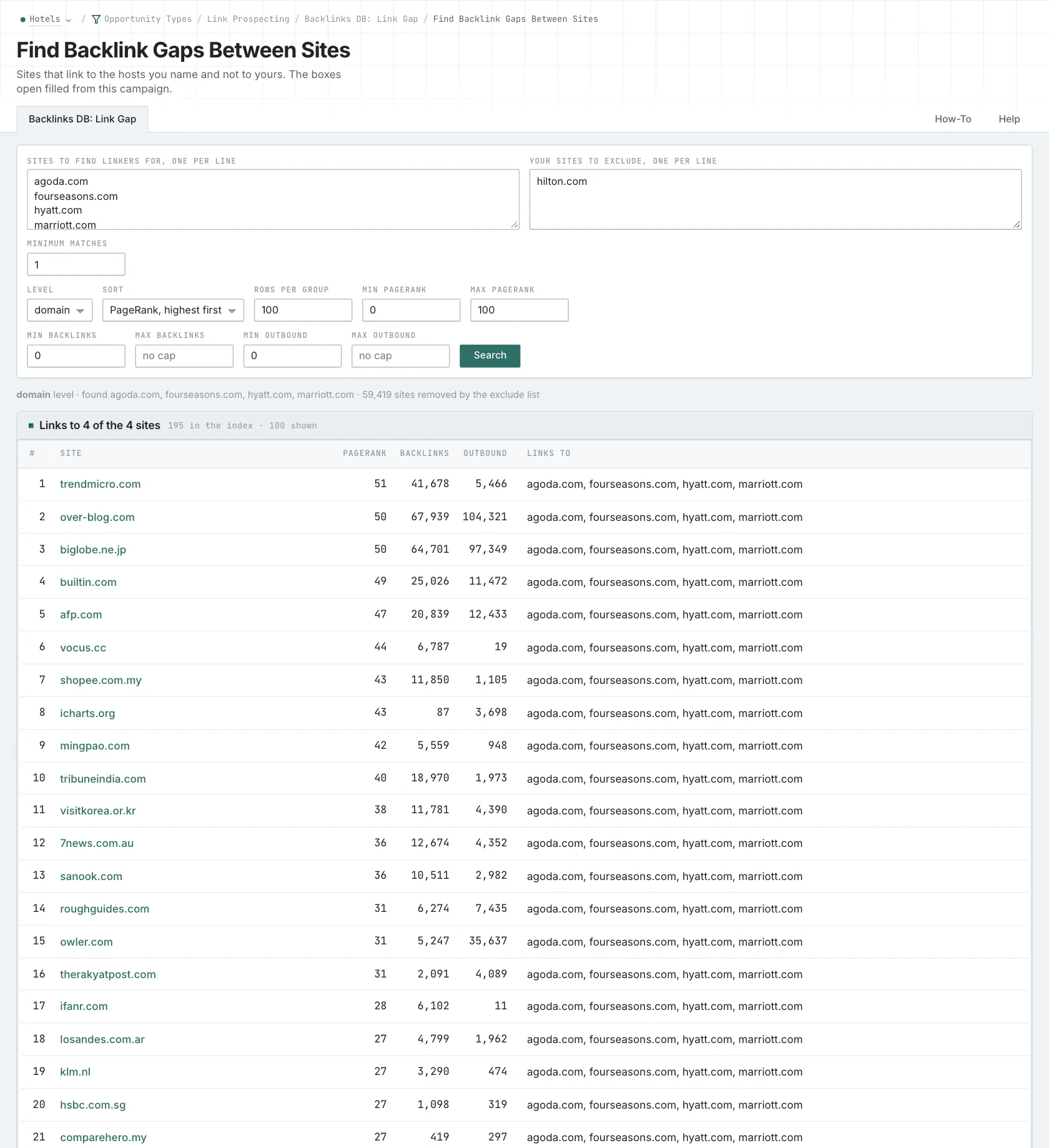
OppAlerts fills the competitor and owned-site boxes from the organizations on your campaign's Settings tab. You can edit both lists for this search. Include your relevant alternate domains and subdomains, so a directory that already links to your regional site isn't treated as a missing link.
Start with competitors that serve similar customers. For our installer, that would be other installers working in the same market. A large manufacturer may have distributor relationships and international partnerships that aren't relevant to a local business. Choosing the right competitors makes the results more useful from the beginning.
Minimum matches sets how many competitors a site must link to before it appears. If you want sources shared by at least three competitors, set the minimum to three. Adding more competitors without changing that setting won't raise the requirement. You can also sort by competitor matches to look at the shared sources first.
Choose domain level to combine a domain's hosts, or host level to compare specific hosts. Keep that choice consistent for the businesses you're comparing. Then use PageRank, backlink, and outbound-link limits to narrow the results further.
Turn a result into a next step
Open the directory and read its listing requirements. If it requires a certification you already hold, look at the application process and cost. If membership is required, decide whether joining makes sense for your business. Now you have something specific to act on.
The same approach works for awards pages and partner directories. Find out how a business gets included and whether that route is still available. Looking at sources that appear across several competitors can help you find recurring opportunities worth pursuing.
Check the current page before reaching out. The database uses monthly source releases with data from several collection periods, so links may have changed. A missing record can't tell you whether a link was removed or never collected. You'll also need the publisher's current information to learn about fees and decide whether the opportunity is worth your time.
Find individual pages too
This report returns referring sites from the backlink database. Use Brand Link Gap to find individual pages in the News and Prospect indexes. The tools search different collections at different levels, so their results will differ. Neither is a complete list of links on the web.
For each directory you want to pursue, confirm that your business qualifies and find the current way to apply. That's what turns the comparison into work your team can do.
See how OppAlerts fits your work.
Tell me what you are working on and what you need to find out. I can walk you through the relevant reports and explain what OppAlerts can help you do.
You can explore the demo first, or use this form to ask about a task or arrange a demonstration with me.