Sometimes every fact in a draft is correct, but the explanation still doesn't quite work. OppAlerts Content Optimizer lets you compare the text with topic and audience categories, giving you another way to check where the emphasis has gone.
Imagine you're writing a guide to choosing a service provider. You've explained the supplier's process carefully, but the customer still doesn't know what to decide. Both explanations concern the same service. You may need to change the emphasis without changing the facts.
Choose your target from the brief before looking at the results. You can select up to three categories, one per taxonomy. A subject category and an audience category let you look at different aspects of the same text: what it covers and who it's relevant to.
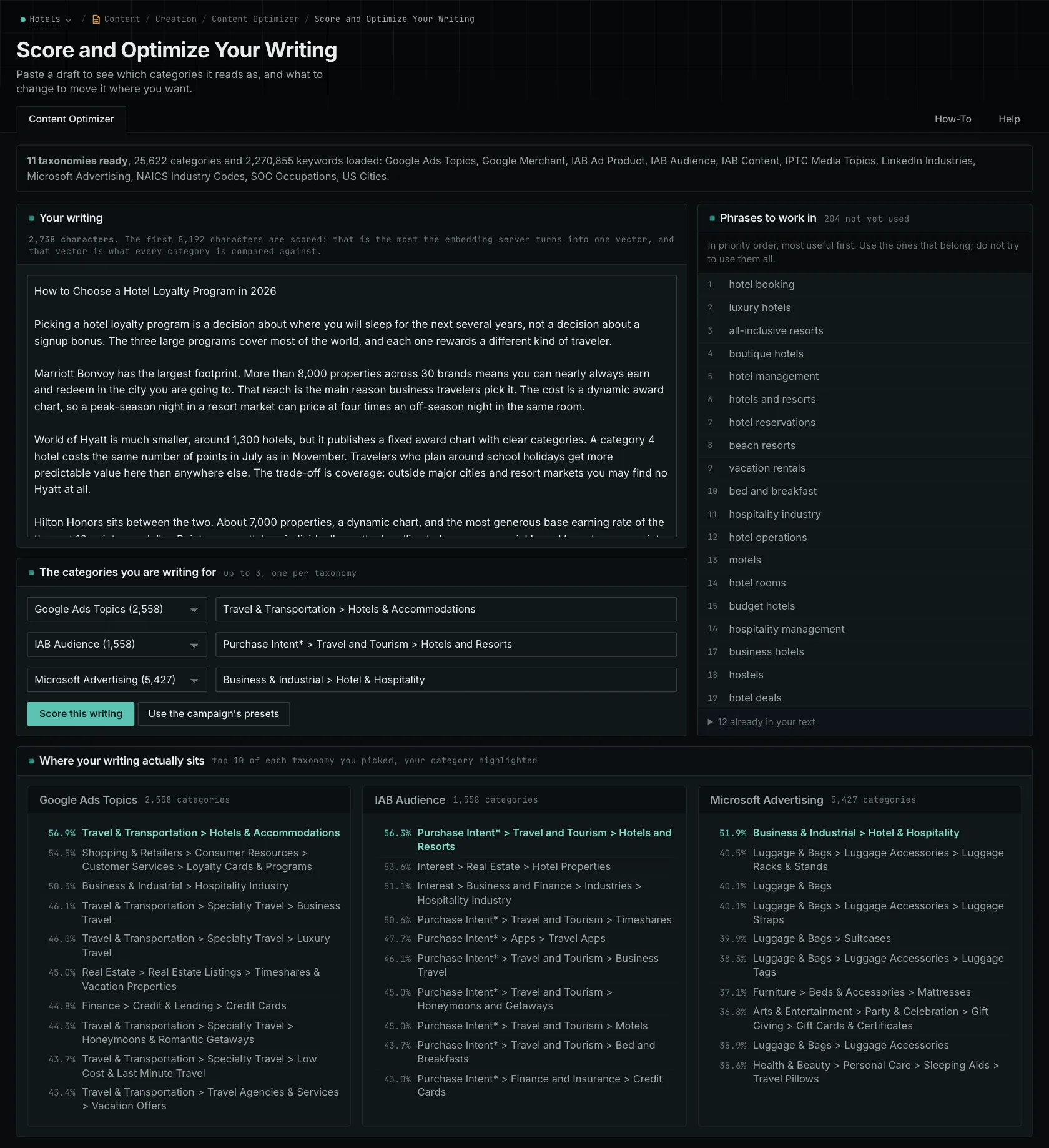
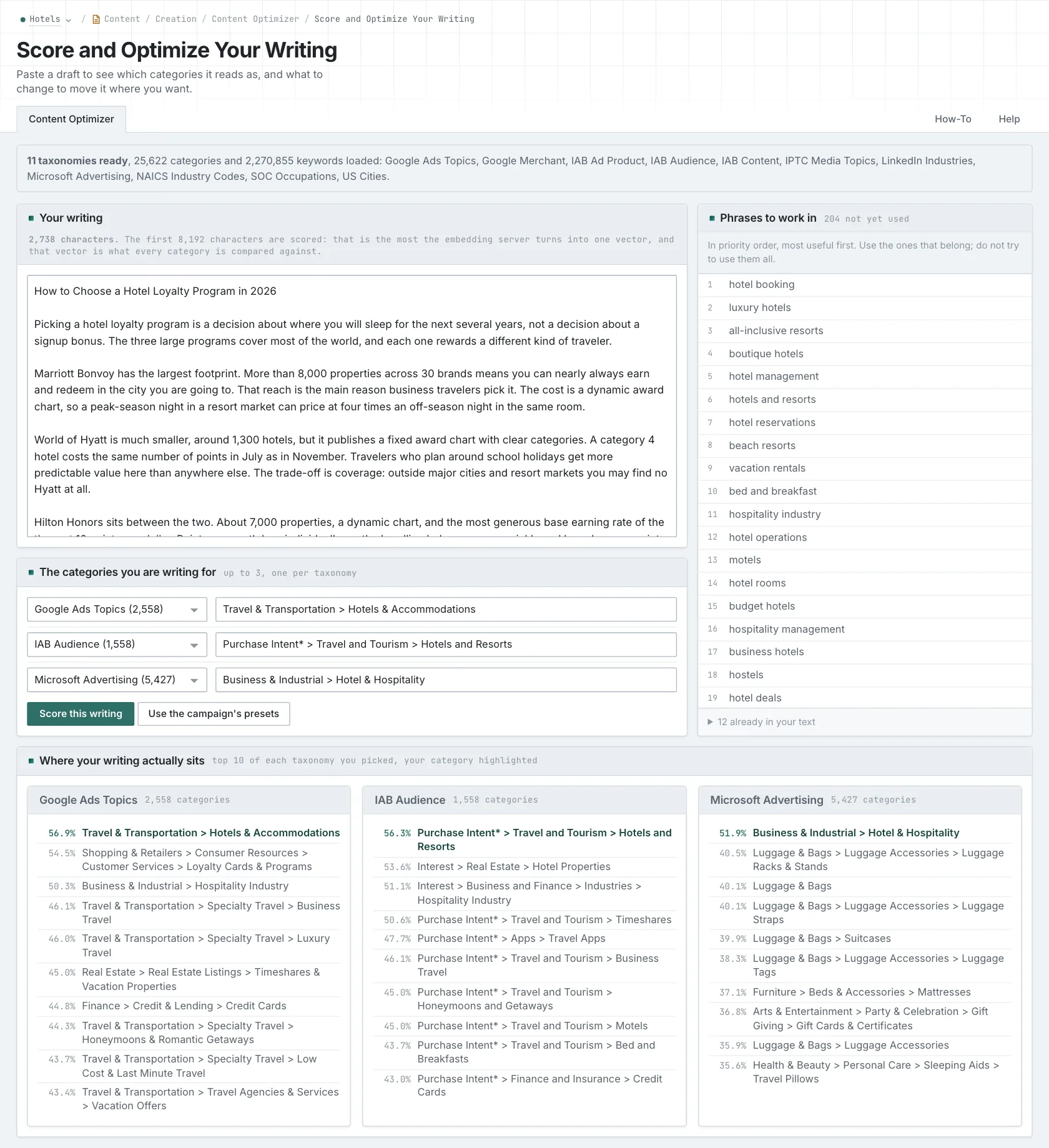
The report shows the ten closest categories for each selected taxonomy and where your target appears. If an unexpected category comes first, read the draft to look for a reason. The result doesn't explain the cause for you. And a category further down the list isn't necessarily meaningful just because it's among the closest remaining matches.
Use the comparison to decide what to read more closely
For the service guide, find where the buyer's decision first becomes clear. Does the introduction spend most of its time describing the business? Does the process section explain what the customer needs to prepare? Look for the point where the reader gets enough information to act.
Now the revision has a purpose. Connect a technical detail to what it means for the customer. Shorten background that doesn't help them choose. Give them the missing explanation; adding audience-related words alone won't do that.
The editor accepts up to 8,192 bytes. It marks excess text instead of silently trimming it, so submit long articles in sections. Bytes and characters aren't always the same, especially with some punctuation and scripts. Remember which section you submitted: a result for the introduction can't account for evidence later in the article.
The phrase list shows which category-related terms are present and which are absent. Use an absent phrase when it points to something relevant you can explain. If you're still deciding what to write, question research from AI, search, news, and prospect sources can help you find questions worth answering.
Read the revision as your intended customer. You'll still need to check facts and judge the writing. Similarity doesn't do either of those things or predict rankings and citations.
Related reading: Content Optimizer, what each taxonomy is good for, checking a draft.
See how OppAlerts fits your work.
Tell me what you are working on and what you need to find out. I can walk you through the relevant reports and explain what OppAlerts can help you do.
You can explore the demo first, or use this form to ask about a task or arrange a demonstration with me.