A draft can cover the right subject and still spend very little time answering the reader's question. Content Optimizer lets you compare what you've written with the intended topic, then use that comparison alongside the brief before you publish.
Imagine you're writing a guide to reducing food waste in a restaurant. Supply chains are relevant, but the restaurant manager needs help with purchasing and portion sizes. If most of the draft explains supply chains, that's what the text may most closely resemble.
Before you submit the draft, choose an available category that represents the subject you intended to cover. That gives you something to compare against the brief. Choosing the category after seeing the results only tells you what the draft already resembles.
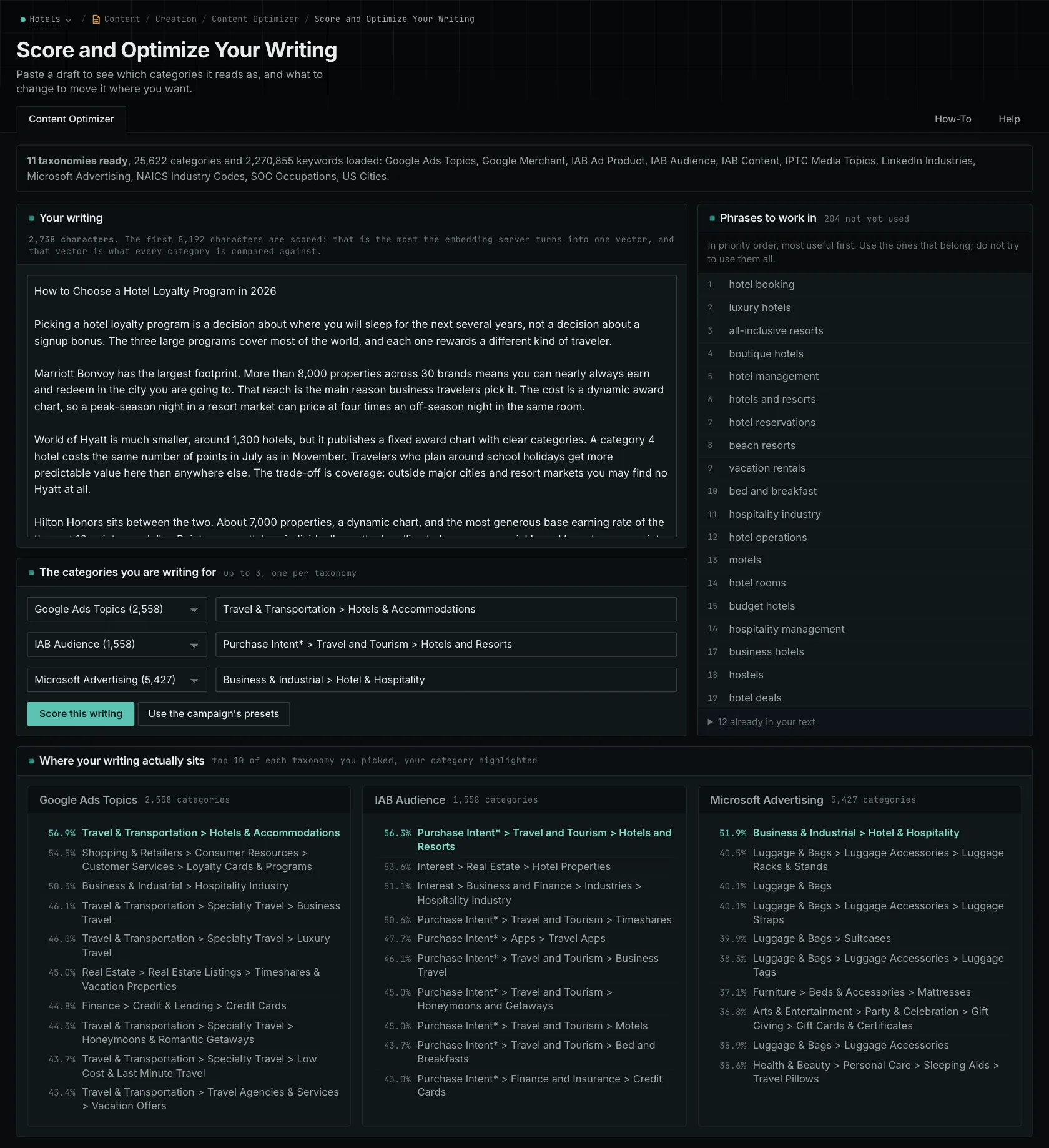
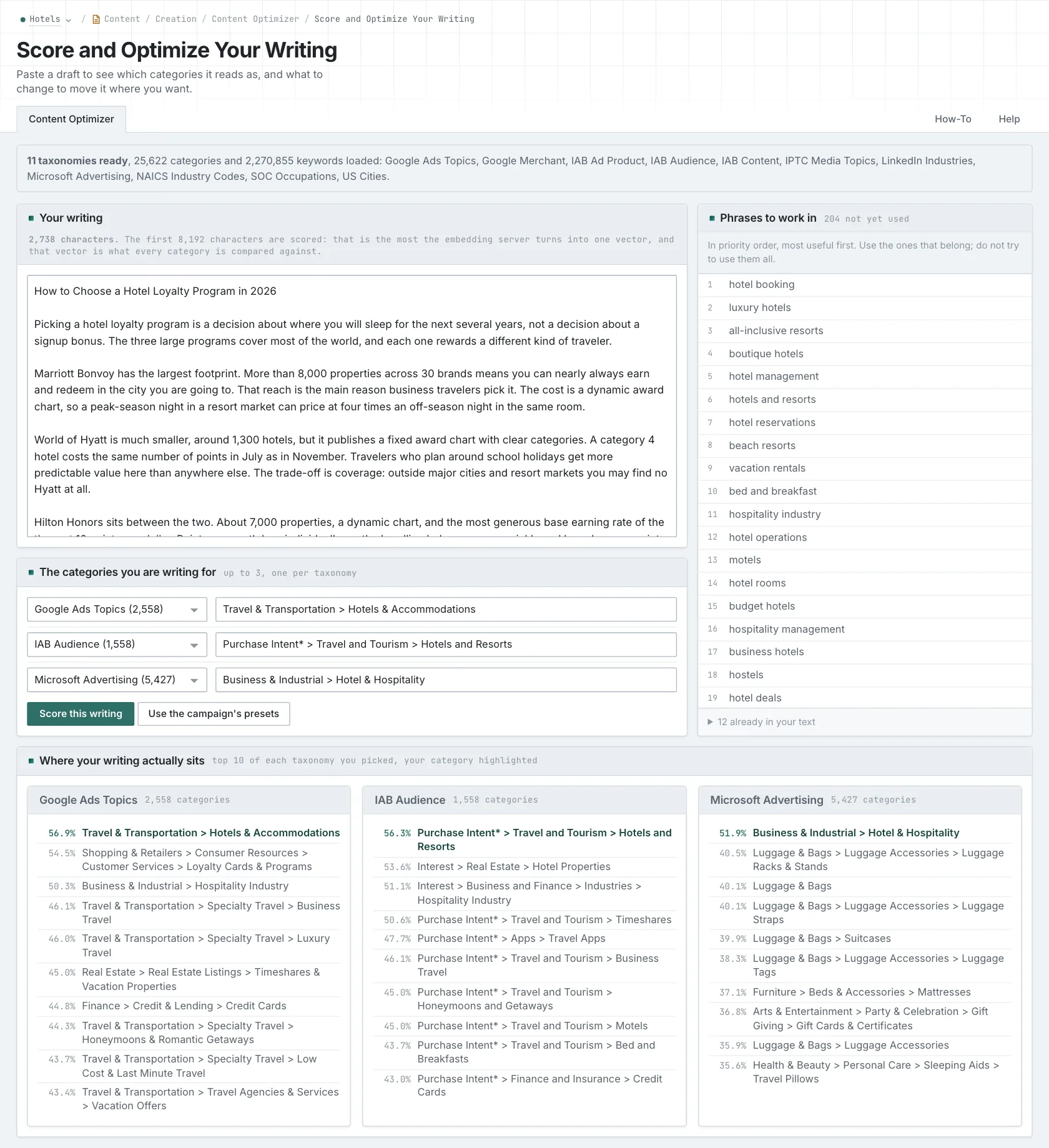
The results show the closest categories. If your intended category is near the top, the topic comparison supports your choice. You still need to read the draft and check the facts. If other categories come first, investigate why. That doesn't automatically make the article wrong, and a category in ninth place isn't necessarily relevant just because it appears on the list.
For that food-waste guide, compare the introduction with the practical sections. Maybe the introduction spends a long time on supply chains while the body explains purchasing decisions. You could shorten the background, connect it to the manager's task, or move it to another article if it answers a different question. You may not need to rewrite the whole draft.
The editor accepts up to 8,192 bytes and rejects anything longer. Check long articles in sections. This also helps you find where the focus changes. Keep track of what you submitted: checking the introduction tells you nothing about a conclusion the tool hasn't seen.
Use phrase suggestions as a reason to look more closely. A missing phrase might point to something useful you haven't explained. Add that explanation, with evidence for any claims, when it helps the reader. Inserting the phrase by itself doesn't do that work.
Check your revisions against the same category and the original brief. The comparison helps you edit; you'll still need to judge the quality yourself. It doesn't predict rankings or citations.
Related reading: Content Optimizer, how the comparison helps you edit, checking the audience dimension.
See how OppAlerts fits your work.
Tell me what you are working on and what you need to find out. I can walk you through the relevant reports and explain what OppAlerts can help you do.
You can explore the demo first, or use this form to ask about a task or arrange a demonstration with me.