If a report says your business appeared in “Google AI,” you need more detail. Was it in an AI Overview, or in AI Mode? Google can show generated answers in different search experiences, and an appearance in one tells you something different from an appearance in the other.
An AI Overview is a generated summary that can appear alongside conventional Google Search results. AI Mode is a separate AI search experience. When OppAlerts collects an AI Mode result, you get an answer and sources, without a conventional organic-ranking list.
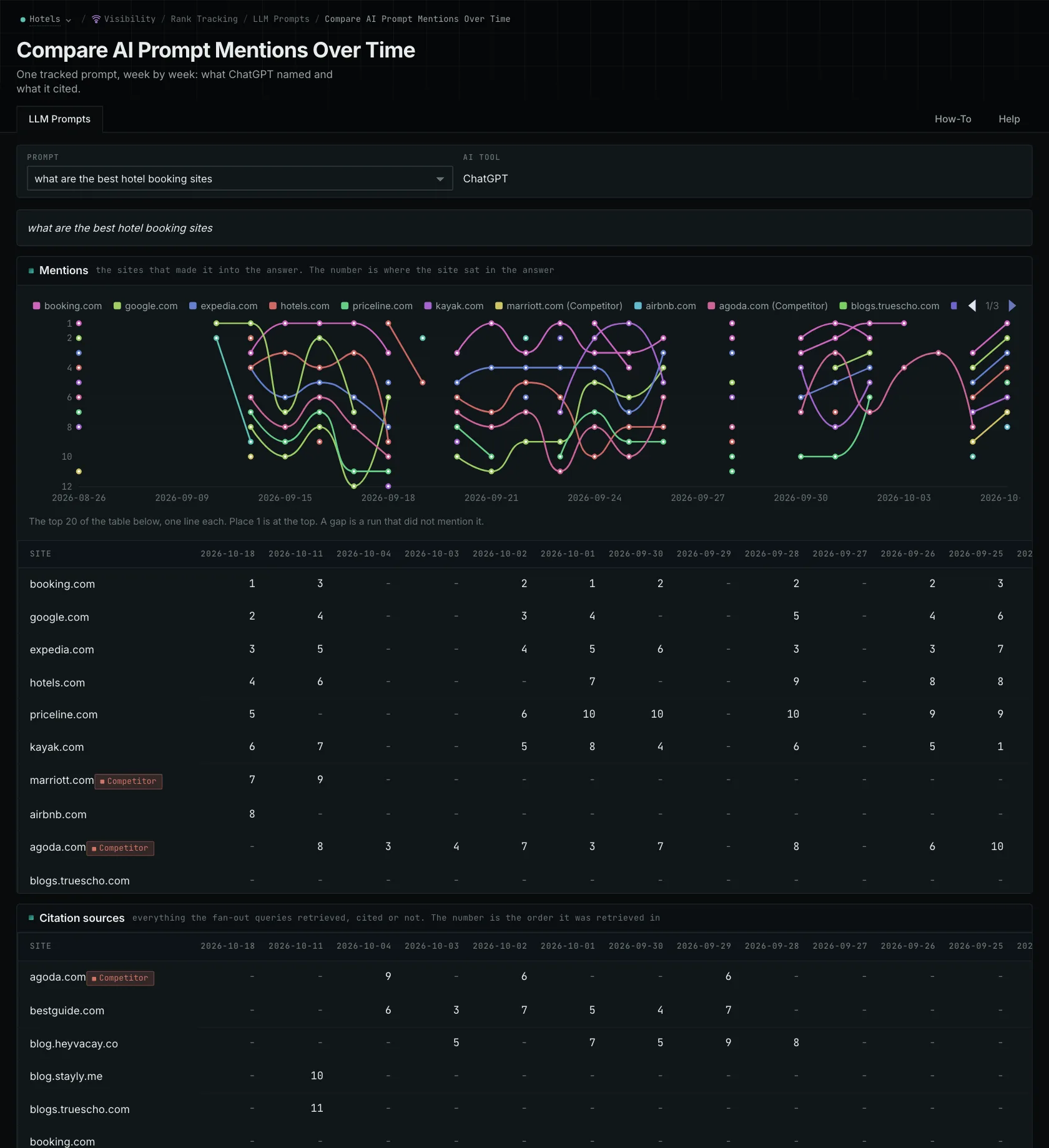
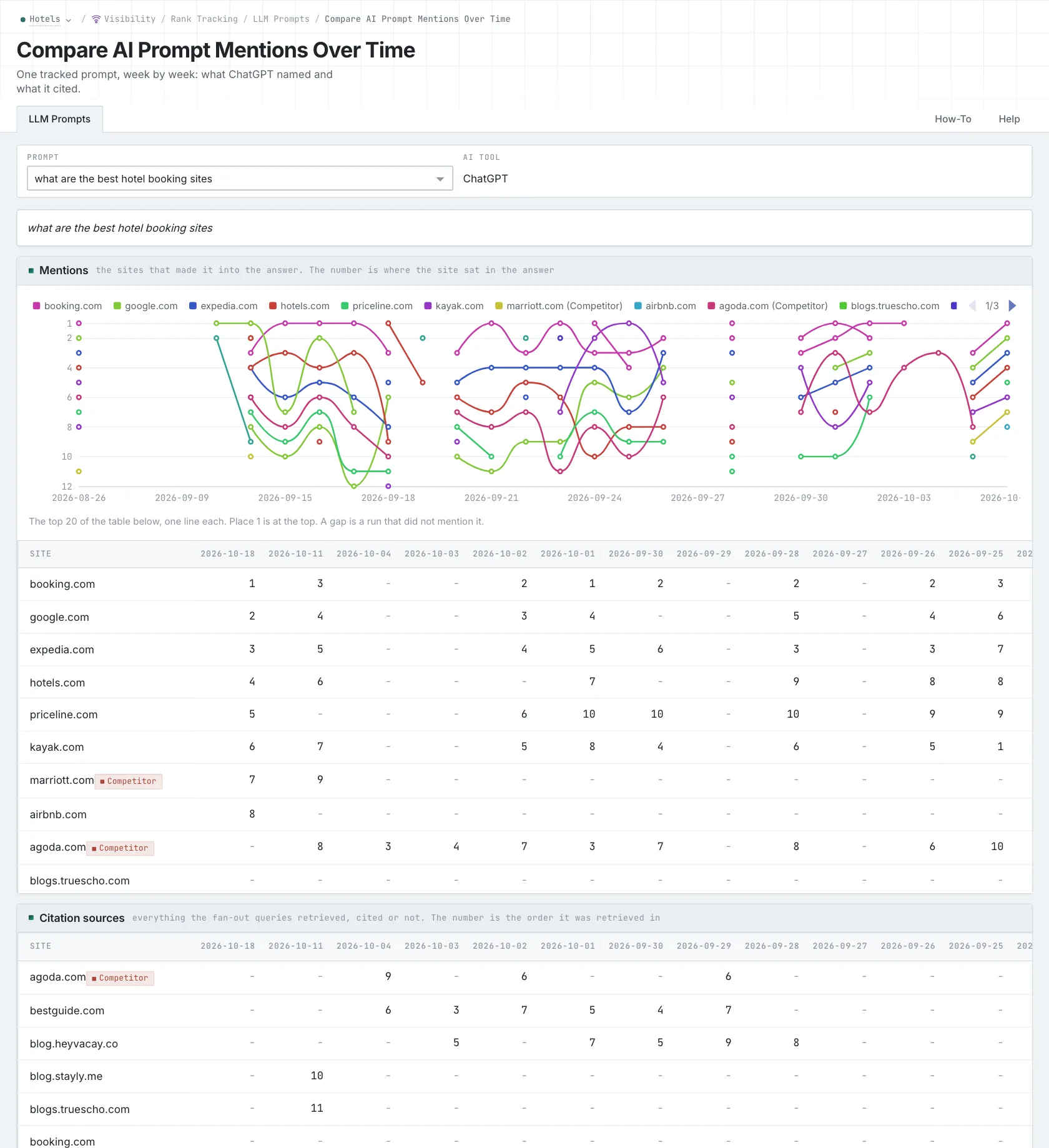
Google's documentation on AI features explains the experiences for site owners. These products change, so keep the experience and collection method identifiable in the history you use for reporting.
Track an Overview with its keyword results
Imagine searching for a supplier. Your page appears in the organic results, but the Overview cites an independent buying guide. You have two observations from the same keyword request: your page was listed, and the summary linked to another source.
OppAlerts collects the available Google organic results, ads, and AI Overview together. That uses one tracking call. There's no extra call for the Overview. You can then look at which pages were listed and which were cited for that same query.
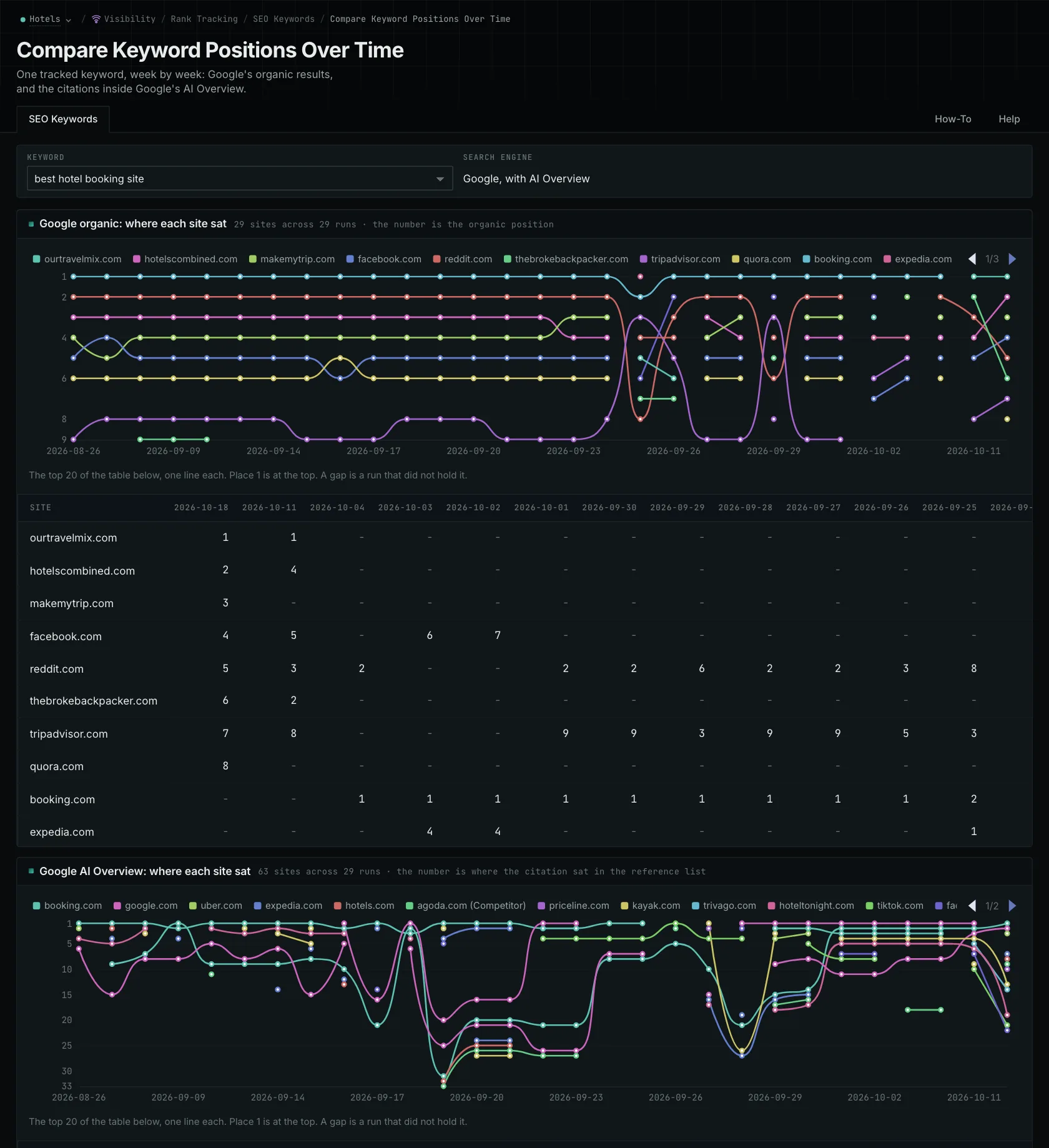
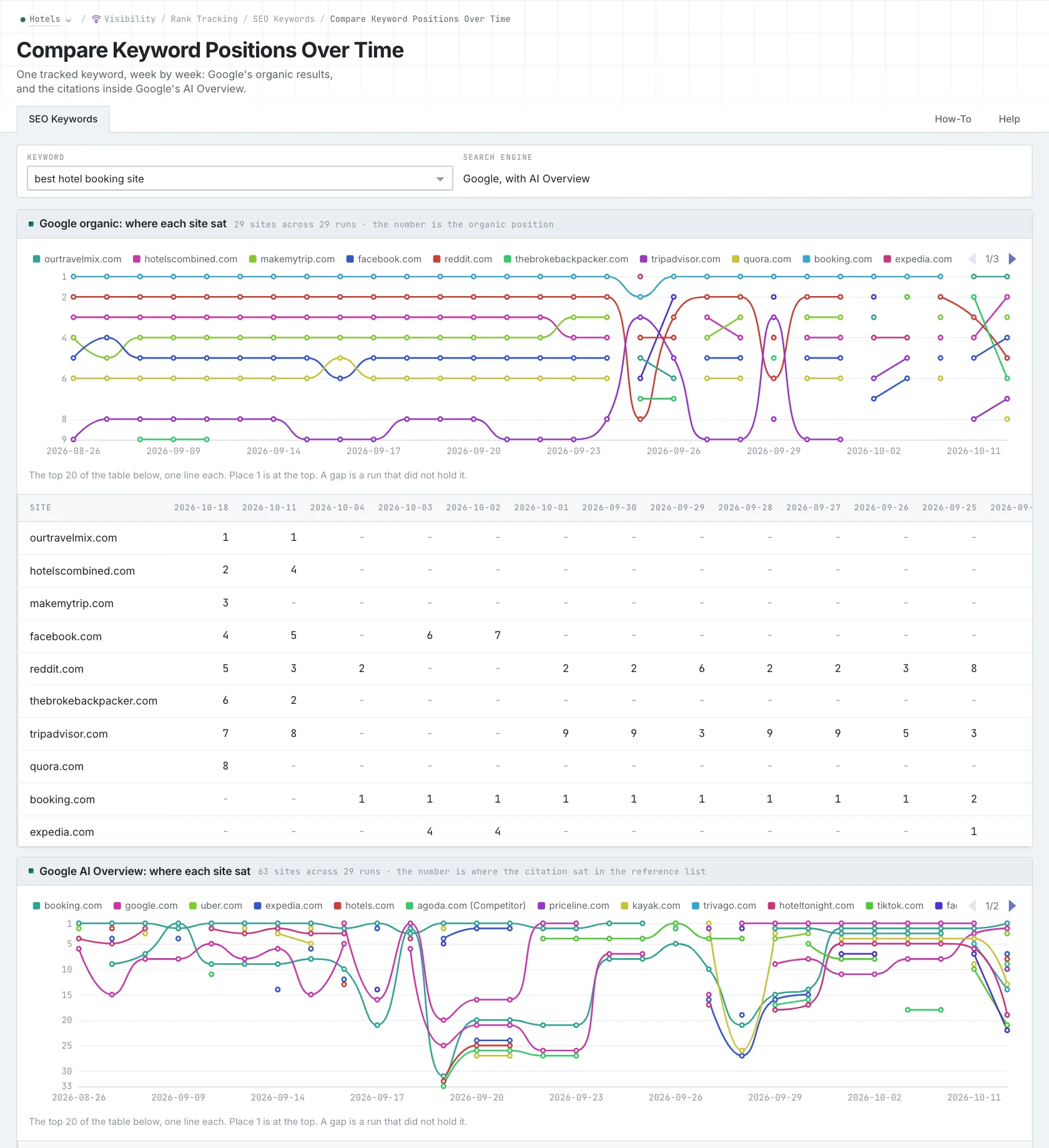
Your page could appear in both places, only in the organic results, only in the Overview citations, or in neither. An organic position doesn't guarantee a citation. If the summary uses another guide, read it and look at the claim it supports. That helps you understand what information the reader received. The AI Overview tracking guide walks through these combinations.
Track AI Mode with a prompt
For AI Mode, put the question you want answered into prompt tracking. You can compare the stored answers across runs, including the businesses they name and the sources they cite. If you also want organic positions for the subject, set up a separate keyword collection.
An organic list gives you positions to examine. An AI Mode answer might recommend a business, compare it with another, or criticize it. If a report combines those into one number, you need to know exactly what it counted before you can use it to assess a change.
Write the buyer's question into the prompt, along with any conditions that matter to the decision. Asking for a supplier serving a particular area gives the question more definition than naming the supplier category alone. The prompt-selection guide explains how to build a set you can keep checking over time.
Report the appearance you actually saw
An Overview citation or AI Mode recommendation doesn't establish that someone visited your site. The answer may give the reader enough information without a click. That's why visibility and traffic need separate measurements.
If an answer changes, check whether Google's experience or the collection conditions changed too. The history can show you a difference without explaining what caused it. Name the experience, the question, and what you observed so someone else can understand what the report establishes.
You can be more specific than saying a page “appeared in Google AI.” Say it was cited in an Overview collected with a particular keyword, or recommended in an AI Mode answer to a particular question. The AI Mode walkthrough shows how to follow that second kind of observation.
See how OppAlerts fits your work.
Tell me what you are working on and what you need to find out. I can walk you through the relevant reports and explain what OppAlerts can help you do.
You can explore the demo first, or use this form to ask about a task or arrange a demonstration with me.