Opportunity monitoring keeps looking for matches to the searches you've set up as pages enter the News and Prospect indexes. OppAlerts counts the discoveries for each configured campaign opportunity, and you can open those counts to see the pages.
Imagine you want to contribute practical advice to publications read by restaurant operators. Once you've found a useful search, save it so your next review starts with newly discovered matches for the same kind of opportunity.
Set up the search in your campaign's Opportunities tab. Opportunity Types lists the pages of the format you choose that are closest in meaning to your campaign. You can look for contributions, podcasts, directories, events, sponsorships, and other formats. Give the search a clear label, such as “Guest contributions: restaurant operations,” so your team knows what it's monitoring.
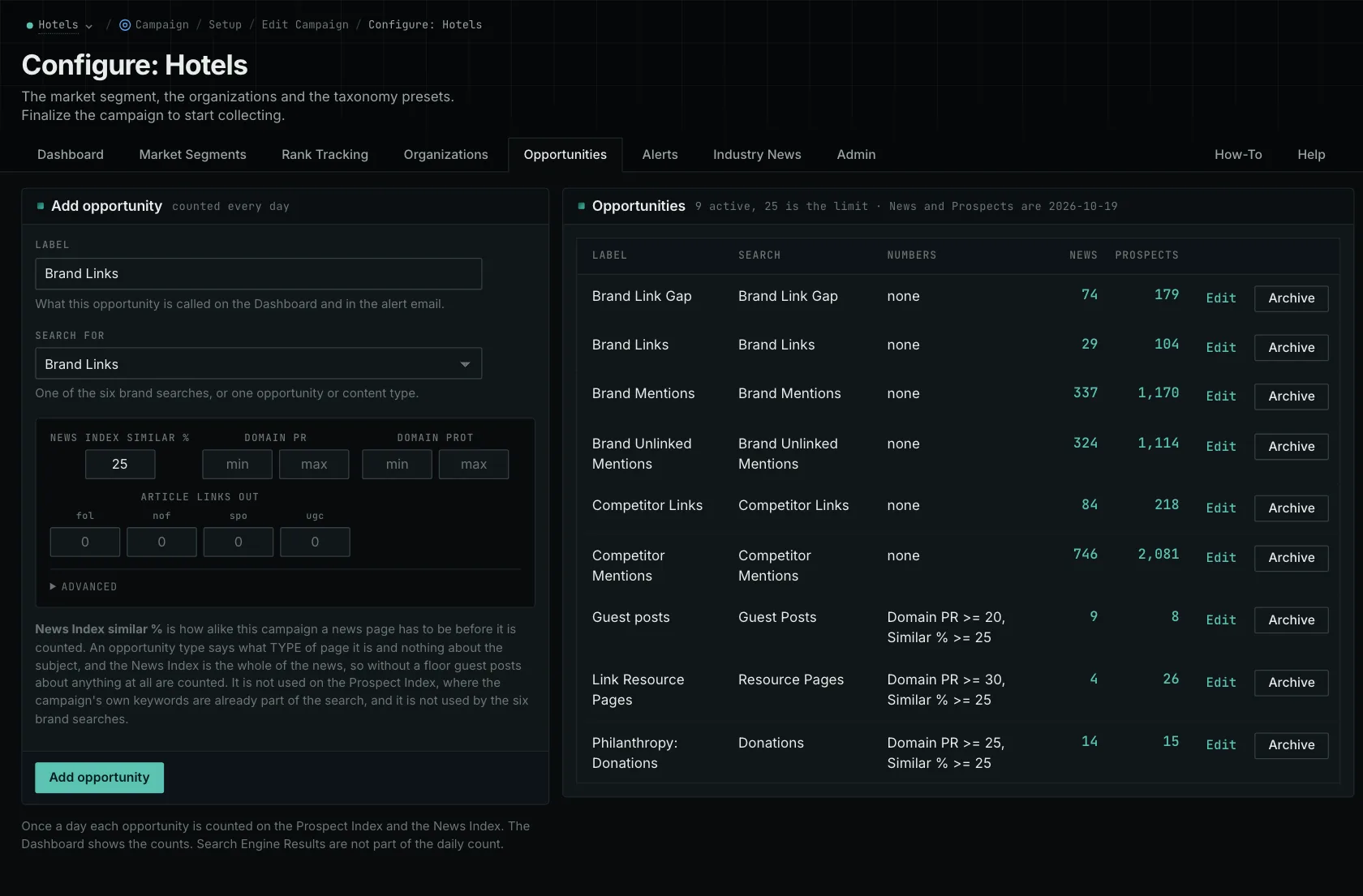
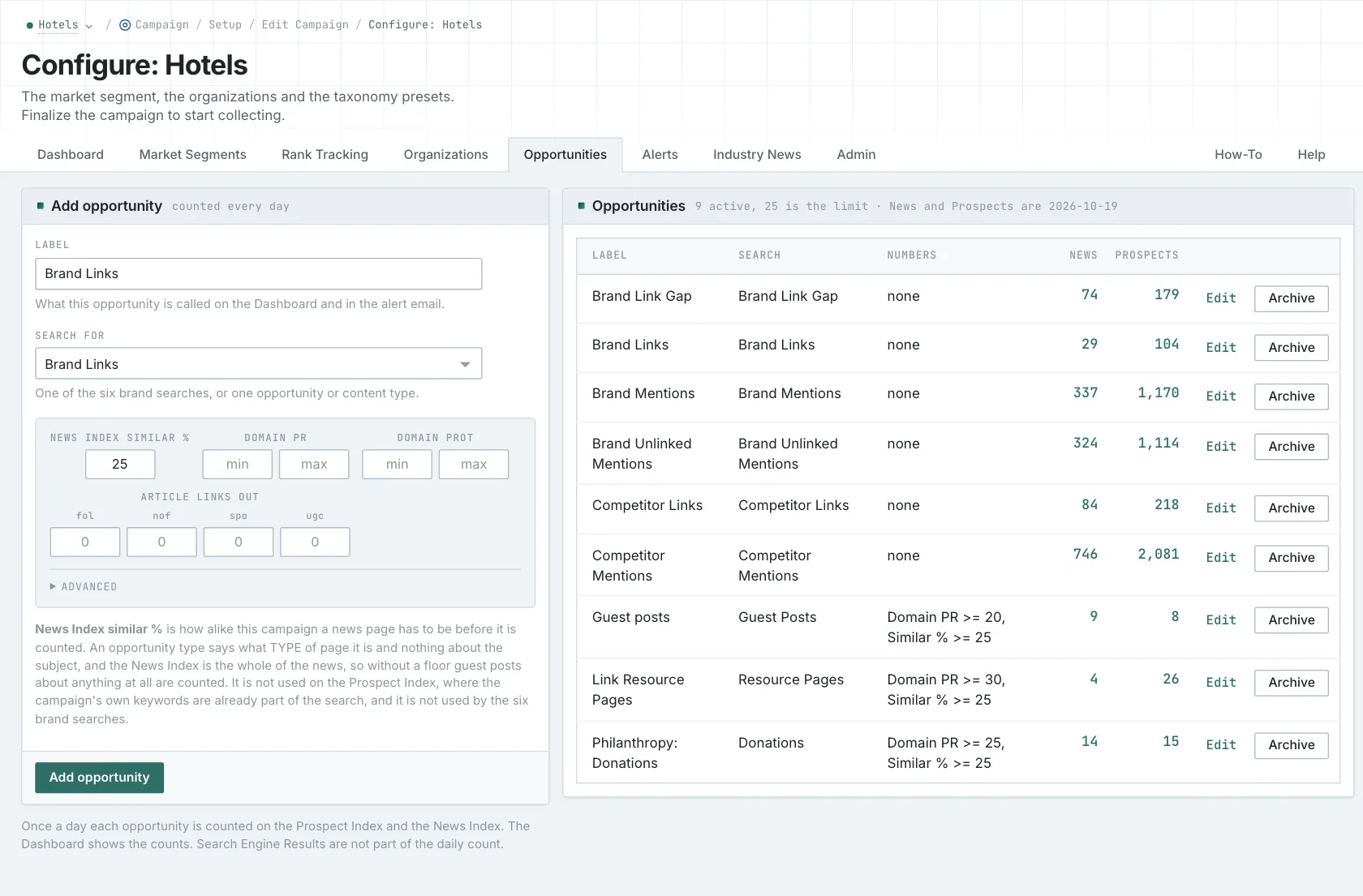
Review the new matches
The dashboard shows separate News and Prospect rows across recent days. Select a count to open the matching pages. Zero means the search was counted and found no matches. An uncounted day doesn't tell you whether matches were available.
The count covers pages indexed during the previous 24 hours. News matches also need a publication date within the previous seven days. A resource page from 2019 could therefore be a new discovery in the Prospect Index, while being too old for the News monitoring window.
Open each promising page and read its current instructions. A contribution program may still accept proposals, or the page may describe one that ended last year. The search helps you find candidates; the current page tells you whether you can act on them.
Prepare a contribution that fits
If a publication asks restaurant operators for a case study with before-and-after figures, look at the experience and data your business can share. Prepare the evidence and outline the editor requests. If you only have an opinion piece, keep looking for a publication that accepts that format.
Keep a record of what happens after discovery: which pages you reviewed, where you sent proposals, and which placements you secured. The dashboard counts the matches found. Your team's records show the work and results that followed.
Check deadlines, fees, eligibility, and requested material as you review new matches. Then choose the opportunities your business can make a useful contribution to.
The guide to prioritizing prospects helps you decide what to pursue first.
See how OppAlerts fits your work.
Tell me what you are working on and what you need to find out. I can walk you through the relevant reports and explain what OppAlerts can help you do.
You can explore the demo first, or use this form to ask about a task or arrange a demonstration with me.