Keyword Research helps you explore the language around your business and your buyers' needs. LLM Search Keywords shows terms the models suggest people might search for. LLM Content Phrases shows their suggestions for wording in your content. Each list has its own view.
Imagine you sell appointment software for independent clinics. You want to research how people describe missed appointments, what a useful article should explain, and which buyer questions to research. These lists give you wording to investigate for each of those tasks.
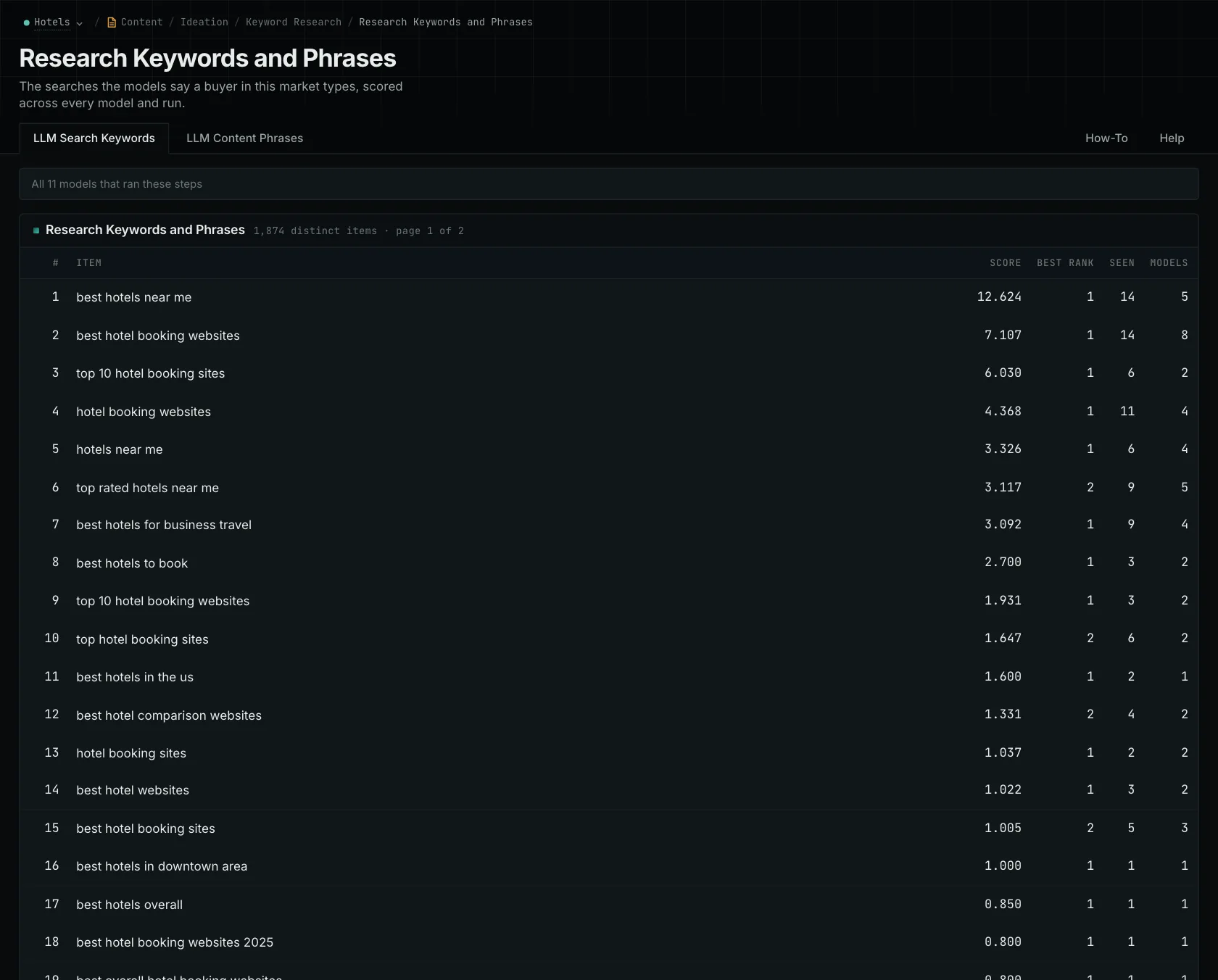
Explore searches and content phrases
LLM Search Keywords contains terms proposed for your campaign.
If the suggestions focus on hospital administration while you serve small clinics, review your campaign description. The wording should make it clear who you're trying to reach. That gives you a better basis for choosing which terms belong in your content and research.
LLM Content Phrases contains language associated with the subject that you can consider when writing. These phrases aren't automatically searched. For example, wording about how reminders are delivered might help explain your product even if you wouldn't use it as a standalone query.
Understand the counts and scores
The model lists show how often a phrase appeared and a score that also accounts for its position. A phrase that appeared fewer times can score higher if it came earlier in the responses. The two columns give you different ways to look at the collected suggestions.
Neither view provides search volume. Use the counts and scores to see which phrases were prominent in the research, then decide which ones fit your buyers.
For the clinic example, a question about how reminders are sent could help with a product page. A question about reducing missed appointments could lead to a broader guide. Content FAQs helps you explore those questions.
Choose the terms that help you explain what buyers need to know. Keep the original wording and its source with the brief, so the writer can see why you included it.
See how OppAlerts fits your work.
Tell me what you are working on and what you need to find out. I can walk you through the relevant reports and explain what OppAlerts can help you do.
You can explore the demo first, or use this form to ask about a task or arrange a demonstration with me.