Backlinks DB shows you links found between websites. You can look up one site, compare several, or find sites that link to your competitors where the database hasn't found a link to you. That gives you a starting list of publishers and organizations to research.
Imagine three of your competitors are listed in the same trade directory. You now have a specific place to look. Open it, see why those businesses are included, and find out whether your business qualifies too.
Choose what you want to compare
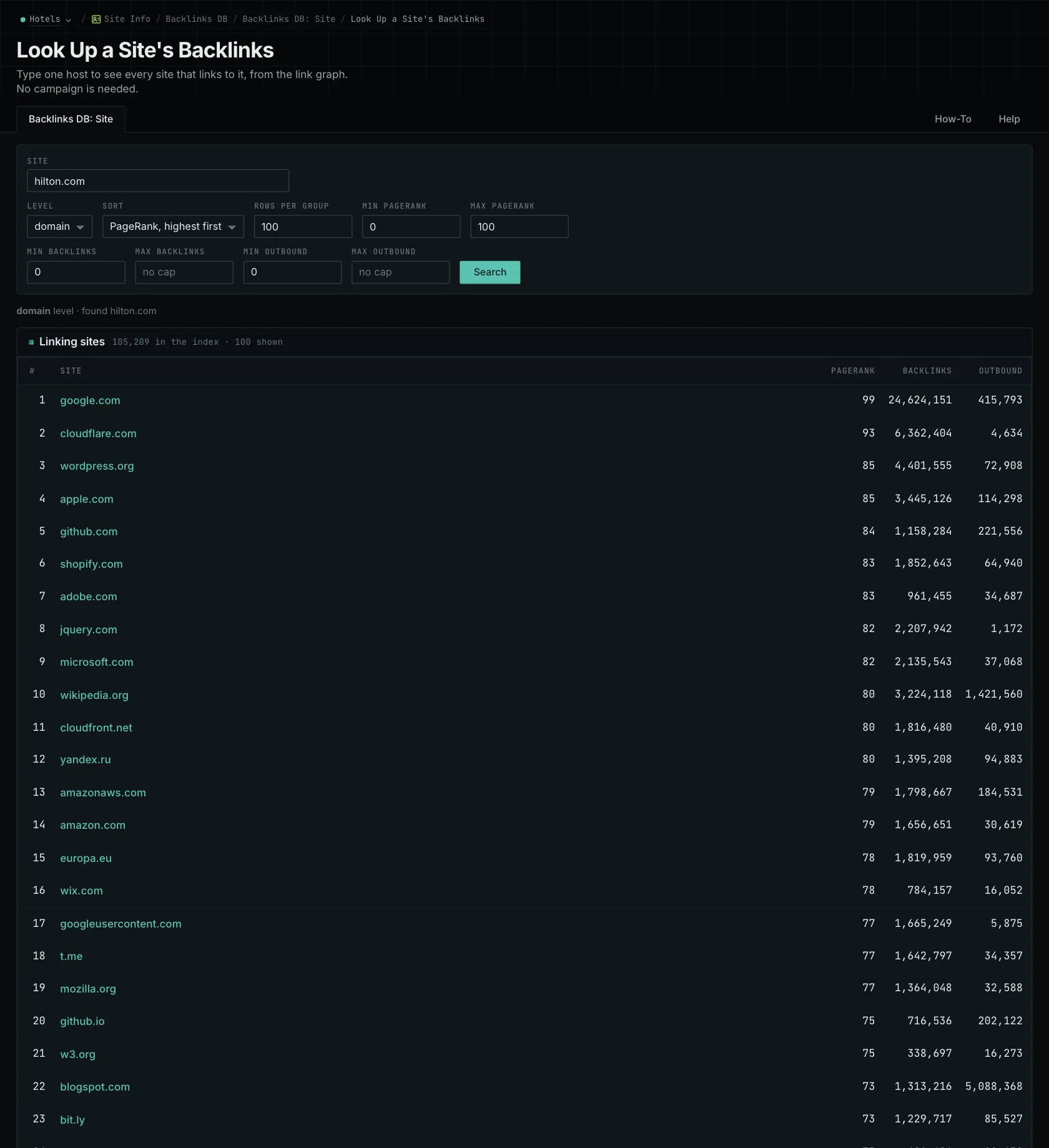
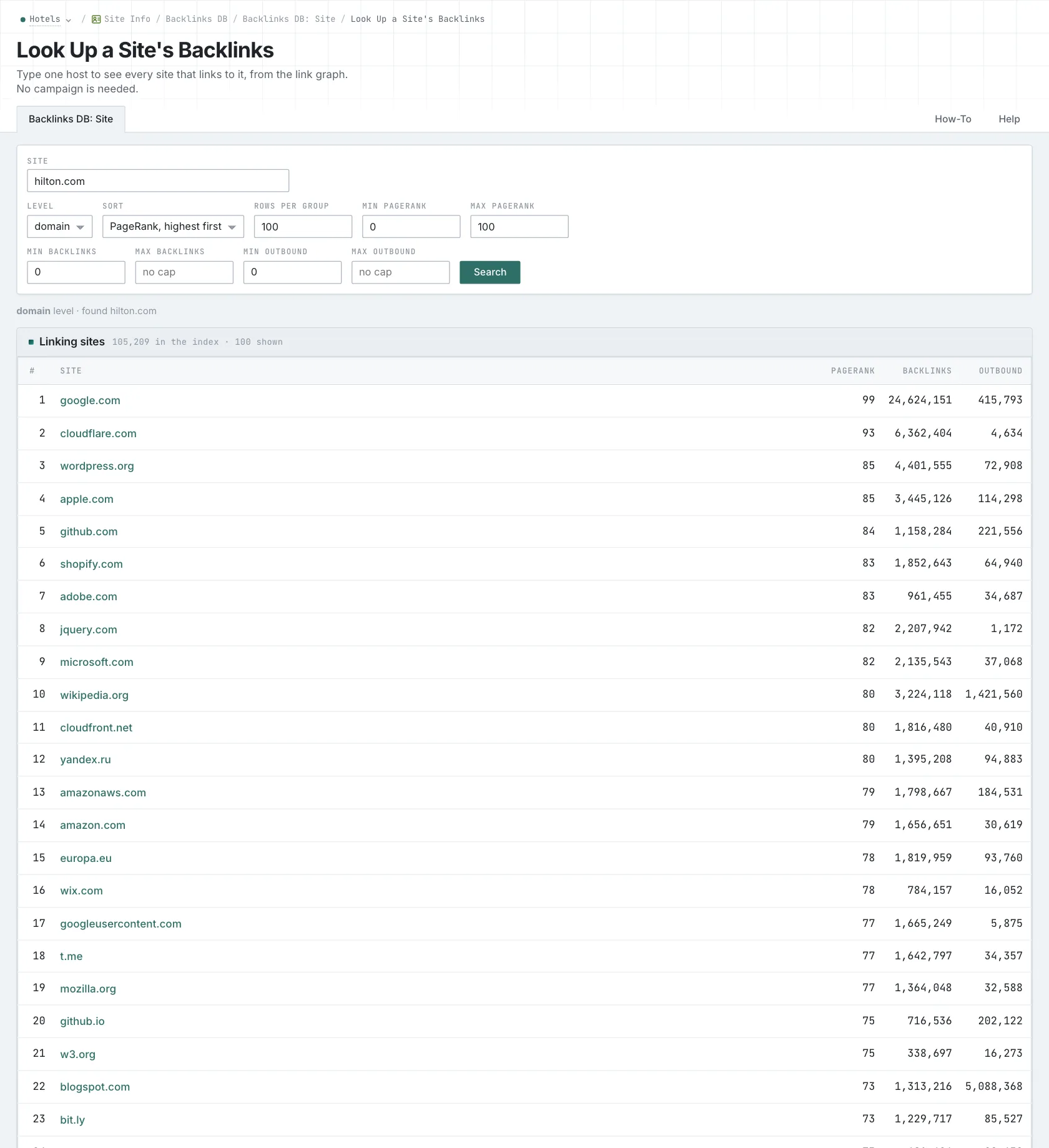
Backlinks DB: Site shows links for a single target. Multi-Site groups referring sites by how many of your targets they link to, so you can find sources shared by several competitors. Link Gap also excludes sites with recorded links to your own targets. The Backlink Gap page explains that comparison.
You can compare hosts or whole registrable domains. If a contractor has its main site on one host and a training site on a subdomain, a domain comparison combines those relationships. A host comparison looks at the specified host. Use the same level across your targets so the comparison answers the question you intended.
Choose competitors that serve similar customers. A national manufacturer and a local installer may work in the same industry, but qualify for different directories and partnerships. The guide to backlink gap analysis explains how that choice affects your results.
For example, example.com, www.example.com, and blog.example.com are three distinct hosts. A registrable-domain comparison groups their records together. A host comparison keeps them separate.
Find out why the link is there
Go back to the trade directory and read its requirements. Maybe it lists businesses with a certification you already have. That gives you a clear next step. Or maybe it's a list of sponsors from a past event, and the opportunity is to sponsor the next one. The page helps you understand the relationship you'd need to build.
You can filter the linking sites by PageRank, by how many backlinks they have, and by how many sites they link out to. Use these to narrow your research, then read the page to see whether a similar placement makes sense for you.
Use the outbound filter to drop sites that link out to hundreds of other sites.
Understand when the data was collected
The database is updated from monthly source releases, which include material gathered across several collection periods. A link that first appears in your report today might have existed for years. The report shows that it was found, not when the publisher added it.
A missing link can have several explanations too. It might have been added after collection, or the collection might have missed it. If a link is absent from the data, that alone can't tell you whether it was removed or never collected.
Open the current page before you contact the publisher. They may already have added your business or changed the page since it was collected. That quick check helps you send a useful message.
This is a collection of recorded links, with the sections and attributes found alongside them. It doesn't contain every link on the web, and those attributes don't tell you exactly how a search engine values a link. Use the records to find relationships worth looking into.
If you want individual pages from the News and Prospect indexes, use Brand Link Gap. It searches different collections and returns pages, so its results can differ from Backlinks DB.
See how OppAlerts fits your work.
Tell me what you are working on and what you need to find out. I can walk you through the relevant reports and explain what OppAlerts can help you do.
You can explore the demo first, or use this form to ask about a task or arrange a demonstration with me.