Finding your brand name is the beginning. You also need to know where it appeared, what was said, and what you can do about it. Mention covers web, social, and review sources. OppAlerts researches indexed published pages alongside links, prospects, contacts, and content.
Imagine a customer review and a trade article both name your business today. The review may need a service response. The article may mention something readers would benefit from following a link to. They're both mentions, but you need different information and different next steps for each.
OppAlerts publishes this comparison. The vendor details come from research done in September 2026. Check the current coverage and plans before you buy.
Start with the sources you need to monitor
Mention defines an alert as a keyword or set of keywords used to search the web and social media. A mention is a result returned by that search. It supports Boolean search and monitors social platforms and review sites. Mention says it covers a billion sources. That's the vendor's figure, and source counts aren't defined consistently enough to compare that total directly with another product's.
OppAlerts Brand Mentions uses the News Index of indexed news, blog, and podcast content, and the Prospect Index of stored pages. It doesn't monitor social conversations or reviews. If that customer review needs to appear in your report, you'll need a tool that collects it.
Mention's FAQ says Publish and Respond have been progressively deprecated and points to Agorapulse for publishing and responding. If your team uses those features, check what remains available. Collecting a review and managing the response are two requirements, even if you previously handled both in one product.
OppAlerts provides read-only API and MCP access. It doesn't score sentiment or report demographics. Connecting to the records won't add those analyses.
Read the mention in the trade article
OppAlerts Brand Unlinked Mentions can find a stored page that names your business without an observed link to your site. First, open the live article. If the publisher added a link after the page was collected, there's no missing link to request.
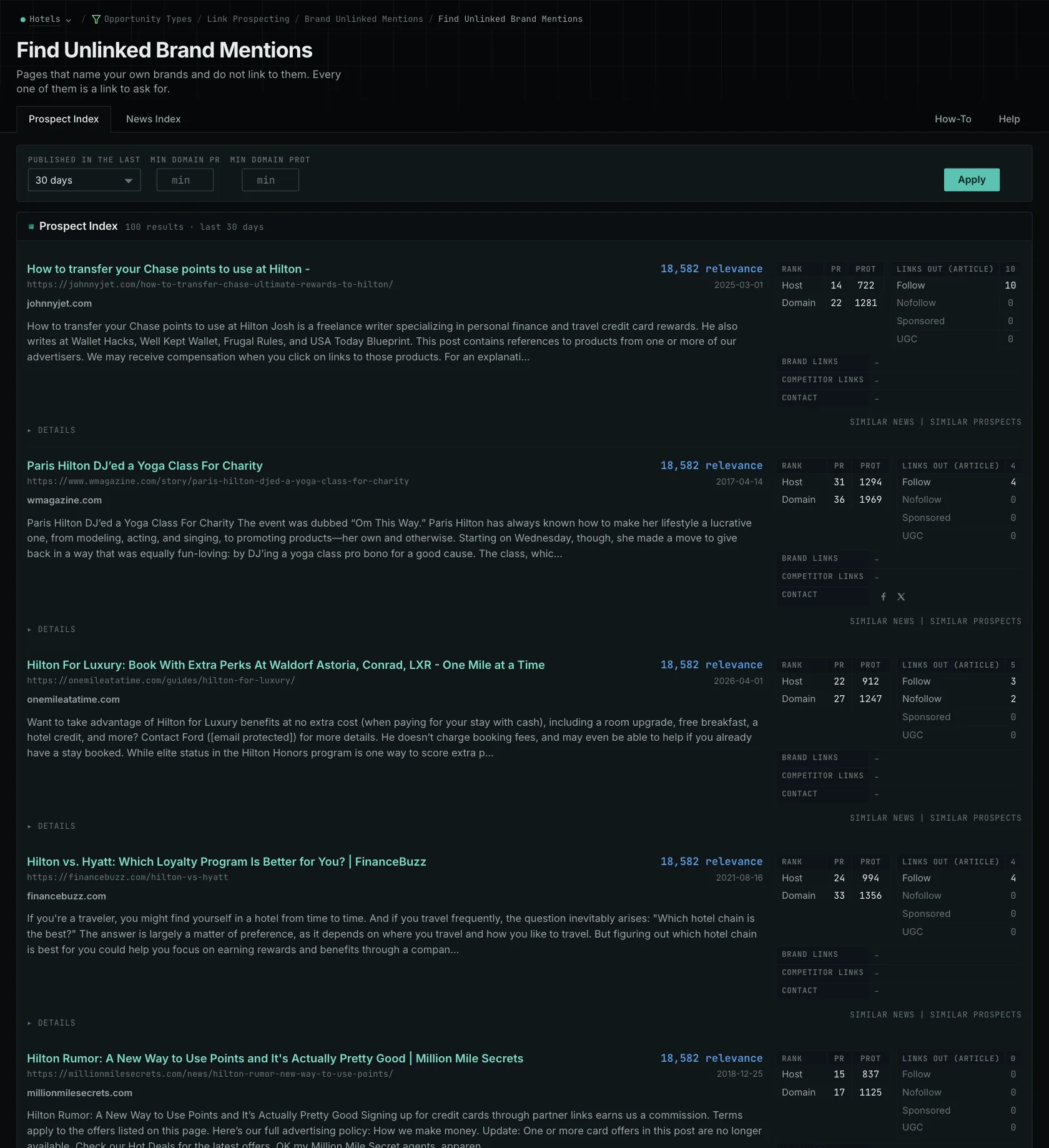
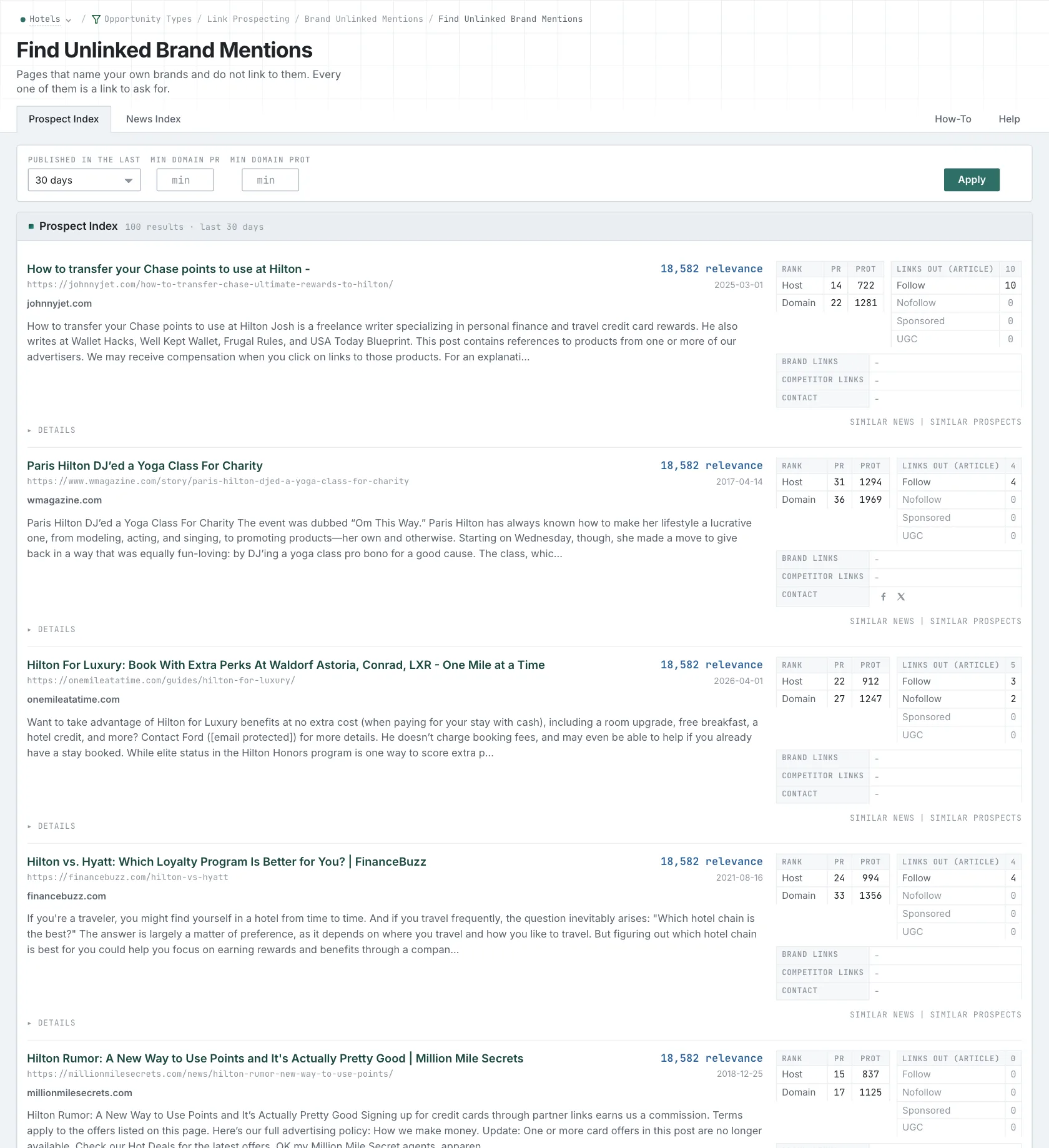
If the link is still missing, read the passage and decide whether adding one would help the reader. An article discussing your original study gives you a different reason to write than a passing mention of your company. Site Info can help you find available public contact routes. Follow the publisher's current instructions when making the request.
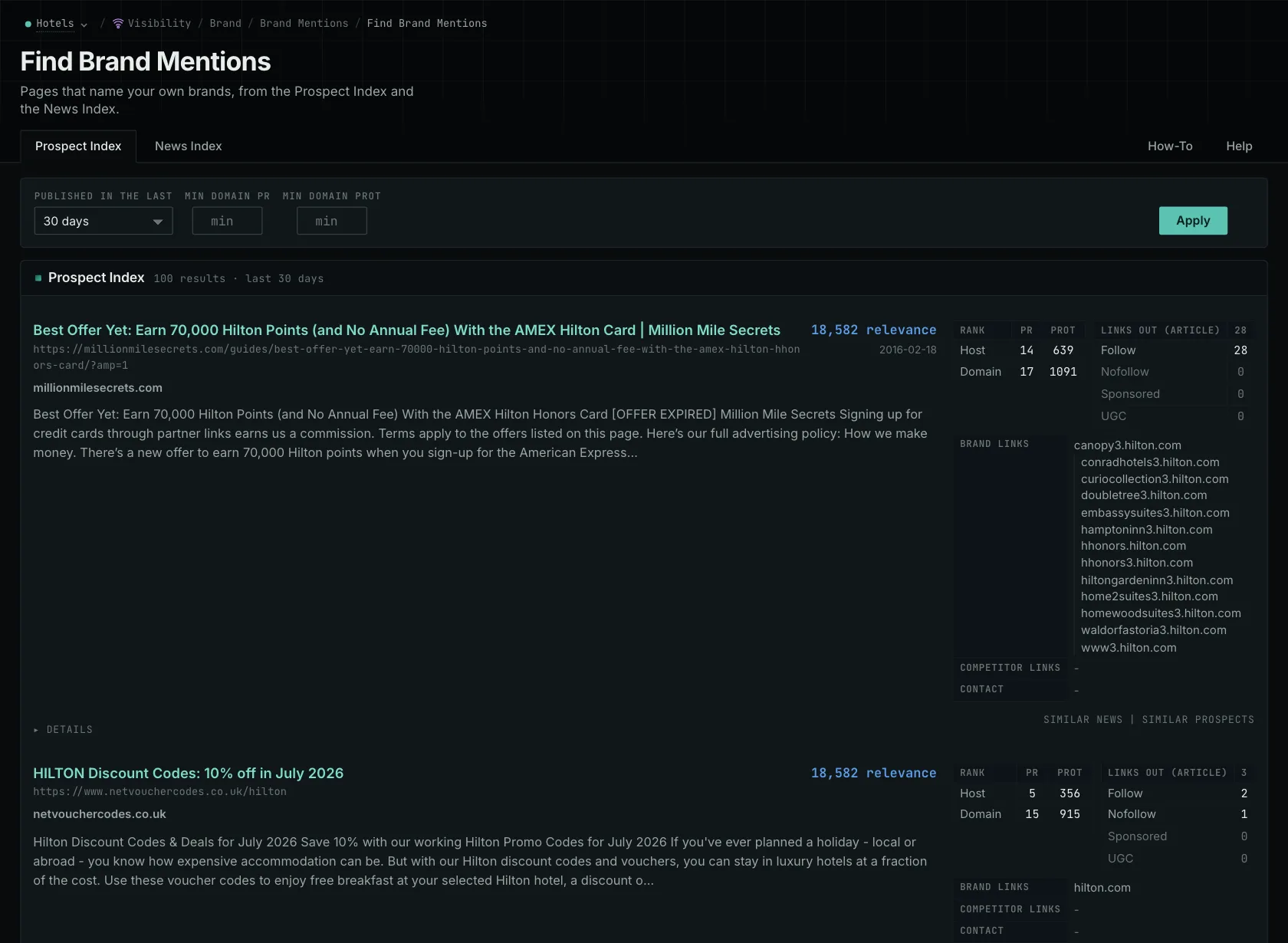
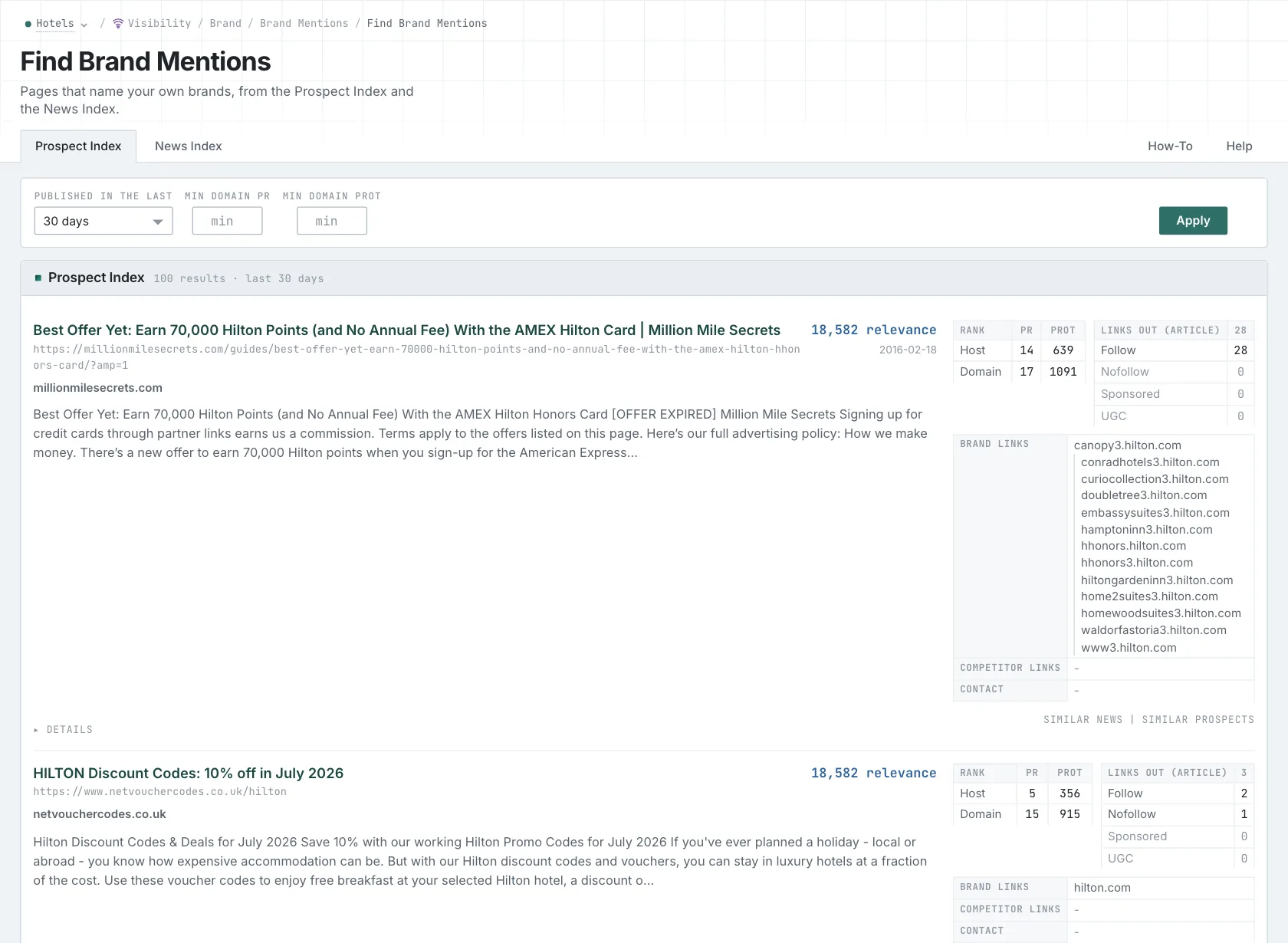
A competitor link gap can give you more referring sites to investigate. Prospect Index searches can find contribution pages, resource lists, roundups, podcasts, directories, awards, and speaking submissions. Searching by meaning helps you find pages that use different words. Read each page to establish whether it fits. Monthly domain and host PageRank history adds context from the link graph, but it doesn't tell you whether the publisher welcomes a proposal.
Work out what uses the allowance
Mention counts alerts and the mentions they return. A busy brand can use more allowance than a quieter brand with the same number of keywords. OppAlerts limits daily searches rather than monthly mentions, so a busy news week does not use a monthly mention allowance.
OppAlerts also provides opportunity searches, content comparisons, and monthly link history. Compare those tools alongside the sources your monitoring report needs.
Which one fits your work?
Look at Mention if you need social and review sources, and check where you'll manage responses. Look at OppAlerts to investigate published pages and their links. Test the customer review and the trade article separately. That will help you decide whether you need one product or both.
Other alternatives
The brand monitoring tools guide compares Brand24, Mention, Brandwatch, Talkwalker, and Meltwater by the sources they cover, their analysis, and how they support responses.
You can also read about how source coverage changes a monitoring tool and Brand Unlinked Mentions.
See all comparisons and alternatives.
See how OppAlerts fits your work.
Tell me what you are working on and what you need to find out. I can walk you through the relevant reports and explain what OppAlerts can help you do.
You can explore the demo first, or use this form to ask about a task or arrange a demonstration with me.