An SEO report might tell you where a page appeared, whether it has technical problems, or what people did after seeing it. Those are related, but they're different measurements. Understanding the terms helps you explain what a report actually shows without turning a ranking into a claim about traffic or website health.
Start with the search you checked
A query is what someone enters into search. A keyword is what you choose to track or target. Someone could ask a detailed buying question while you track a short category phrase. Both relate to the same subject, but your tracking only covers the searches you selected.
A SERP is a search engine results page: everything returned for the query. That can include organic listings, ads, related searches, questions, local results, and an AI Overview. An organic position tells you where a page appeared in the unpaid results when you checked. Being third in that list doesn't mean you're the third thing on the screen.
Rank tracking checks a defined set of keywords on a schedule. Location, device, language, time, and other conditions can change the results. If two tools disagree, check whether they observed the same search under the same conditions. And if you change the keyword set, you've changed what you're comparing, even if the report has the same title.
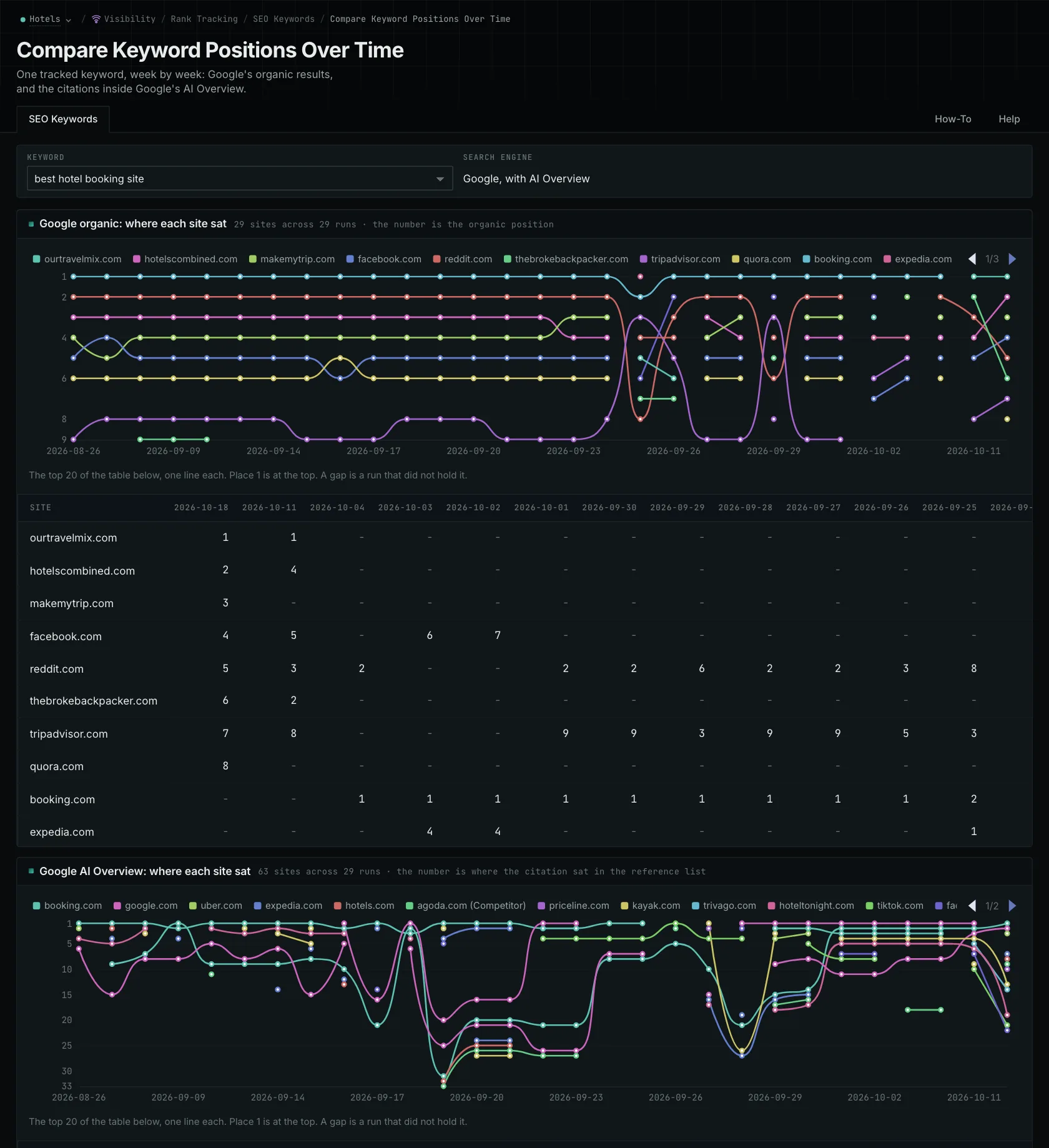
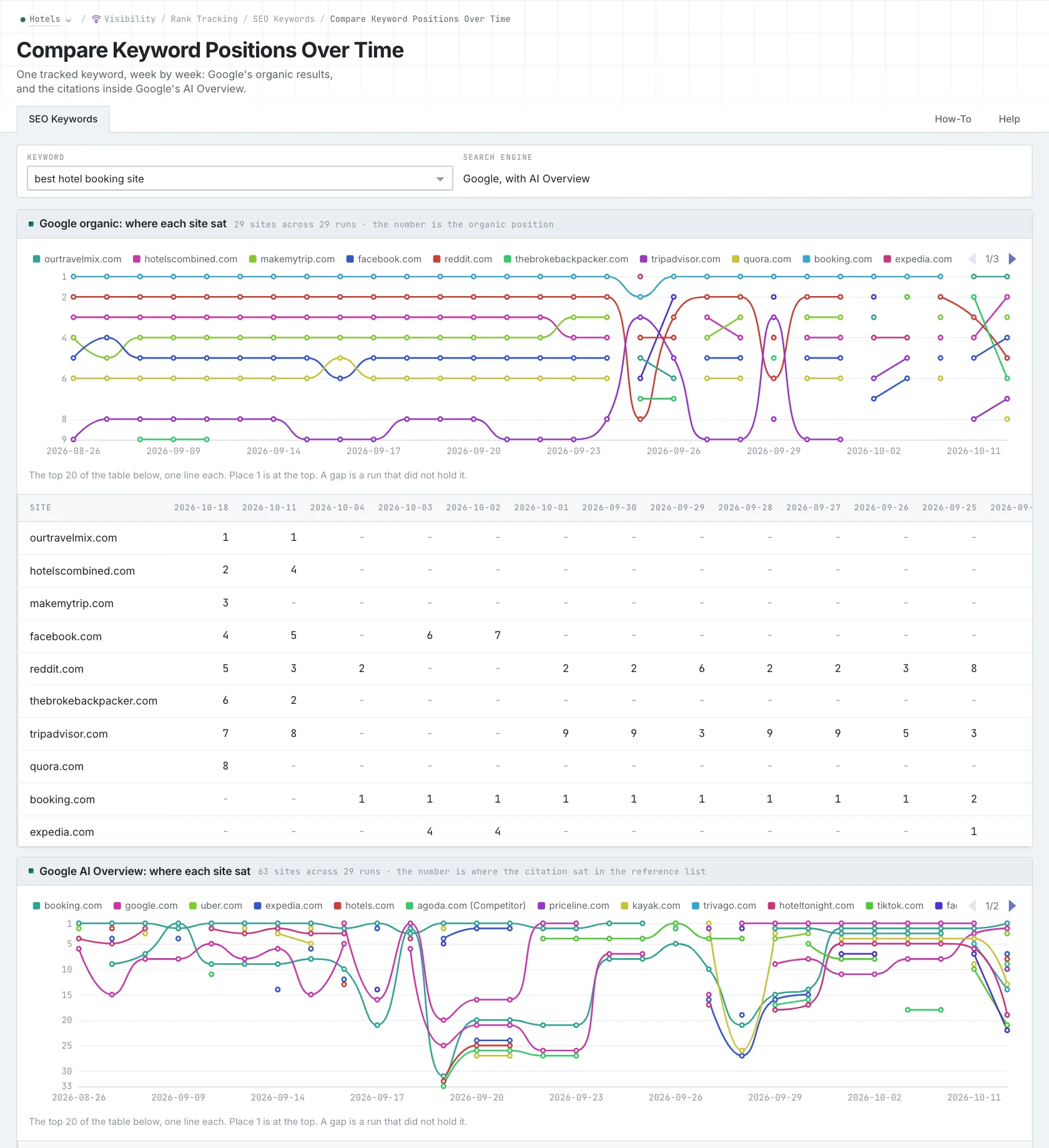
An AI Overview is a generated summary within Google results, with links to sources. OppAlerts can collect it in the same Google keyword response as organic results and ads. A page appearing in the organic list and being cited in the Overview are separate observations. AI Mode is Google's separate conversational search experience. OppAlerts collects those answers through prompt tracking.
Separate appearances from what people did
An impression records that a result was shown for a query. A click records someone selecting a search result link. To get the click-through rate, divide clicks by impressions for the same set and period. That evidence comes from the search engine's reporting, such as Search Console for a property.
When a tracker fetches a result, it doesn't tell you how many people saw or clicked it. OppAlerts doesn't report impressions, clicks, or click-through rate, so its positions don't establish traffic. Even with click data, check what went into the calculation. A rate for brand searches and a rate for all queries describe different sets. The visibility and traffic guide explains that difference.
Share of voice measures a brand's presence across a defined set of queries or prompts compared with named competitors. A calculation might count appearances, weight positions, or use citations. You could get different numbers from the same collected data depending on the method. You need the definition to understand the result.
Understand the page behind the result
Indexation means a search engine has stored a page and may return it. Crawling, indexing, and ranking are separate steps. An engine could fetch a page without indexing it, or index it without showing it for the queries you care about.
A canonical URL is the address a search engine treats as the main version of duplicate or near-duplicate pages. You can declare a canonical on the page, but that's a signal. The engine can use other signals to choose a different address. When you're investigating duplication, check both the declared URL and the one the engine selected.
A referring domain is a site with at least one link to yours. It counts once, however many links it has. A backlink total counts the individual links. Looking at both helps you see whether your links come from many sites or mostly from one.
A site audit checks technical issues such as broken links, redirects, duplicate content, indexation problems, speed, and structured-data errors. OppAlerts doesn't perform site audits, so you'll need an auditing tool for those checks. The guide to AEO, GEO, and SEO explains how that technical work connects to the wider work on search and generated answers.
See how OppAlerts fits your work.
Tell me what you are working on and what you need to find out. I can walk you through the relevant reports and explain what OppAlerts can help you do.
You can explore the demo first, or use this form to ask about a task or arrange a demonstration with me.