Link research shows you relationships between websites and helps you find places your business might participate. The report tells you which links were observed. To understand why those links are there and whether there's an opportunity for you, you need to read the pages. These terms explain each part of that work.
Understand where the link comes from
A backlink is a link from one website to another. The page with the link is the referring page, and its website is the referring domain. Imagine fifty links from one site. Now imagine one link each from fifty sites. Same number of backlinks, very different numbers of referring domains.
An observed link is a link that was found in collected data. That word, “observed,” matters. A collection can't establish every link that exists. A page might be missing, its rendered content might not have been captured, or someone might have added a link since collection. Check the current page before you tell a publisher a link is missing.
A link gap compares your site with competitors you select. It returns sites with observed links to those competitors and no observed link to you. If several competitors are in a directory, you have a reason to investigate it. Then read the inclusion rules. You might need a membership, an award, or a partnership to qualify. Competitor selection and matching rules also change what comes back in the report.
An unlinked mention names the business without an observed link to its site. For example, if someone discusses your study, a link to the original report could help their readers. Once you've checked that the link is still missing, you have a specific reason to ask for it. The mentions guide explains how to assess those records before treating them as opportunities.
Decide whether you have an opportunity
A prospect is a page or site that might offer a placement: a contribution page, resource list, expert roundup, podcast, directory, award, or speaking submission. An opportunity type describes the format, separately from the subject of the page. Searching by type can find candidates beyond the sites in your competitors' observed backlinks.
To turn a candidate into a usable opportunity, check its relevance, what it accepts, and whether you can meet the requirements. The referring page context tells you why the link is there. You find it by reading the passage and the surrounding page. That's how you discover a directory's membership requirement, for example. The link count won't tell you that.
A contact route is a way the website publishes to reach it: a contact page, form, editorial address, phone number, or social profile. It doesn't prove an email address can receive mail or tell you who handles a particular request. Read the current instructions to find where your submission belongs. The prospect evaluation guide walks through those checks.
Check which part of the site you're measuring
The registrable domain is an address like example.com. A host is the hostname you're examining, such as example.com or blog.example.com. The www variant, such as www.example.com, can have a separate link-graph record. Subdomains are distinct hosts too. So if you're researching a publication inside a larger site, pay attention to which level you're looking at.
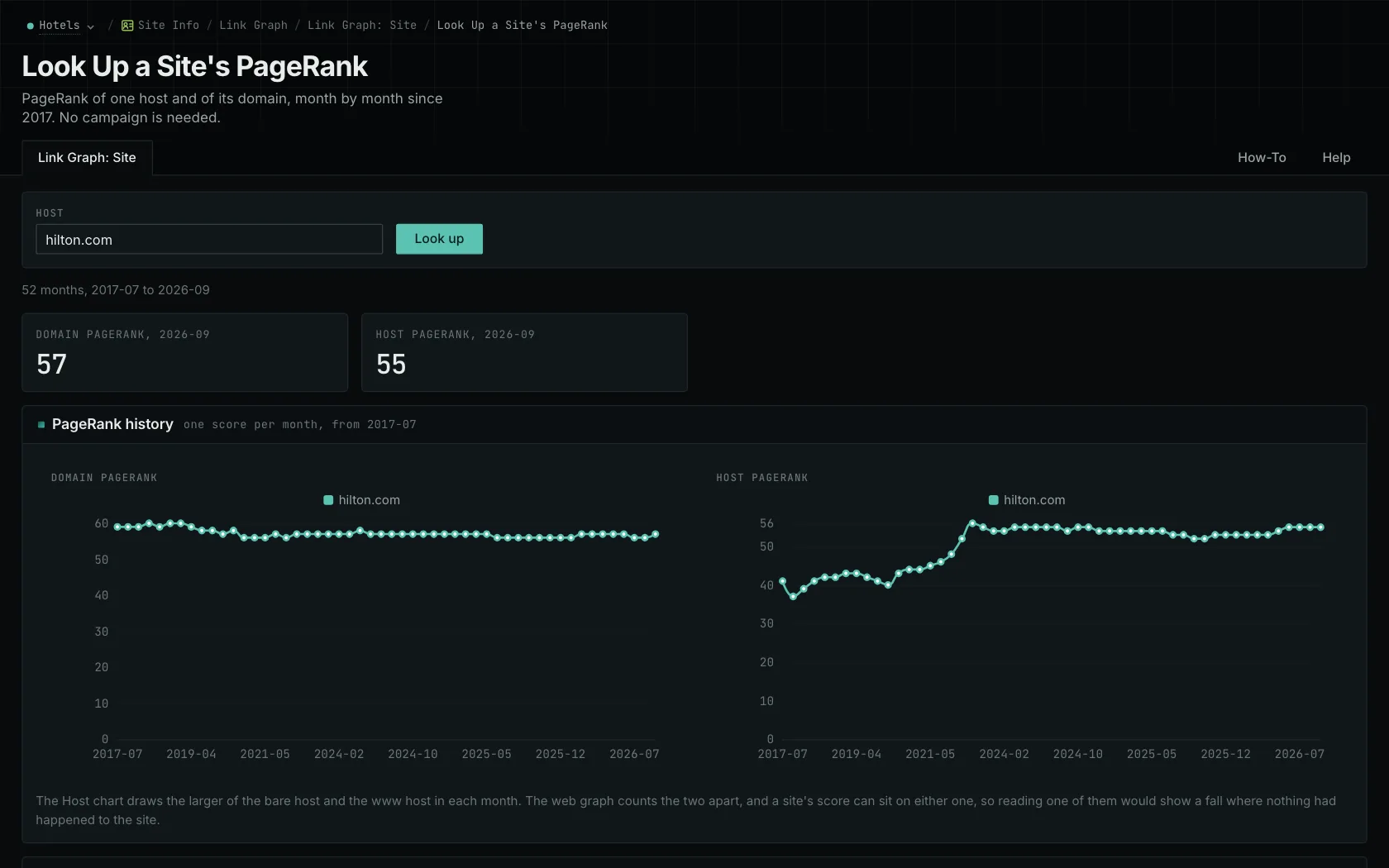
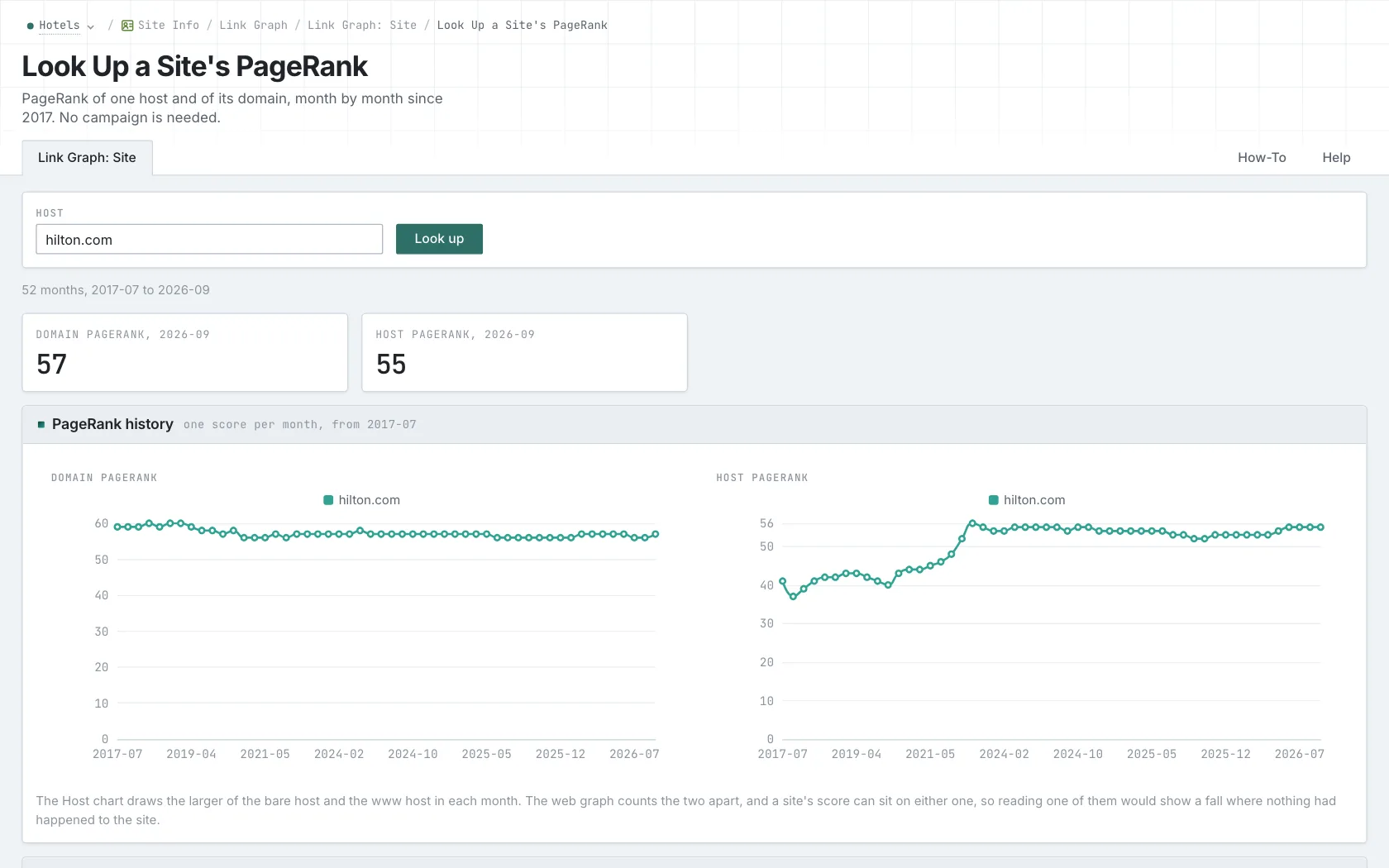
OppAlerts Link Graph shows Domain and Host series. For each month, Host uses the larger available value from the bare host or www host. Those underlying records stay separate, even though the chart shows the two series.
PageRank measures a page or host's position in a link graph based on the pattern of links. The value depends on the dataset and how it's calculated. The OppAlerts figure isn't Google's internal PageRank. Within the same dataset, you can use it to compare sites or look at a site's recorded history.
PRoT means PageRank over Time. It adds together the monthly PageRank values stored for a site. A higher total could mean more months of history, higher monthly values, or both. You can use a minimum domain or host PRoT filter in opportunity and brand-page reports. Link Graph charts PageRank itself, so you can see the monthly pattern behind the total.
Finally, the indexed date is when a page entered the collection. The published date is when the site published it. A page found today could be years old. Check which date you're reading, just as you'd check which part of the site or which link relationship a report describes.
See how OppAlerts fits your work.
Tell me what you are working on and what you need to find out. I can walk you through the relevant reports and explain what OppAlerts can help you do.
You can explore the demo first, or use this form to ask about a task or arrange a demonstration with me.