The News Index lets you search collected news pages, podcast items, and videos for subjects you care about. You can search for specific words or describe what you're looking for and find content that's similar in meaning.
Imagine you're researching restaurants that struggle to fill shifts at short notice. One article might call that workforce management. Another might describe how a cancelled shift leads to slower service without using that phrase at all. A similarity search helps you look for the subject across those different descriptions.
Enter a description such as “restaurants struggling to fill shifts at short notice and the effect on service quality” in Similarity text. Leave Title query and Body query empty for this search. You're telling OppAlerts what the content should be about, with enough context to distinguish it from other staffing topics.
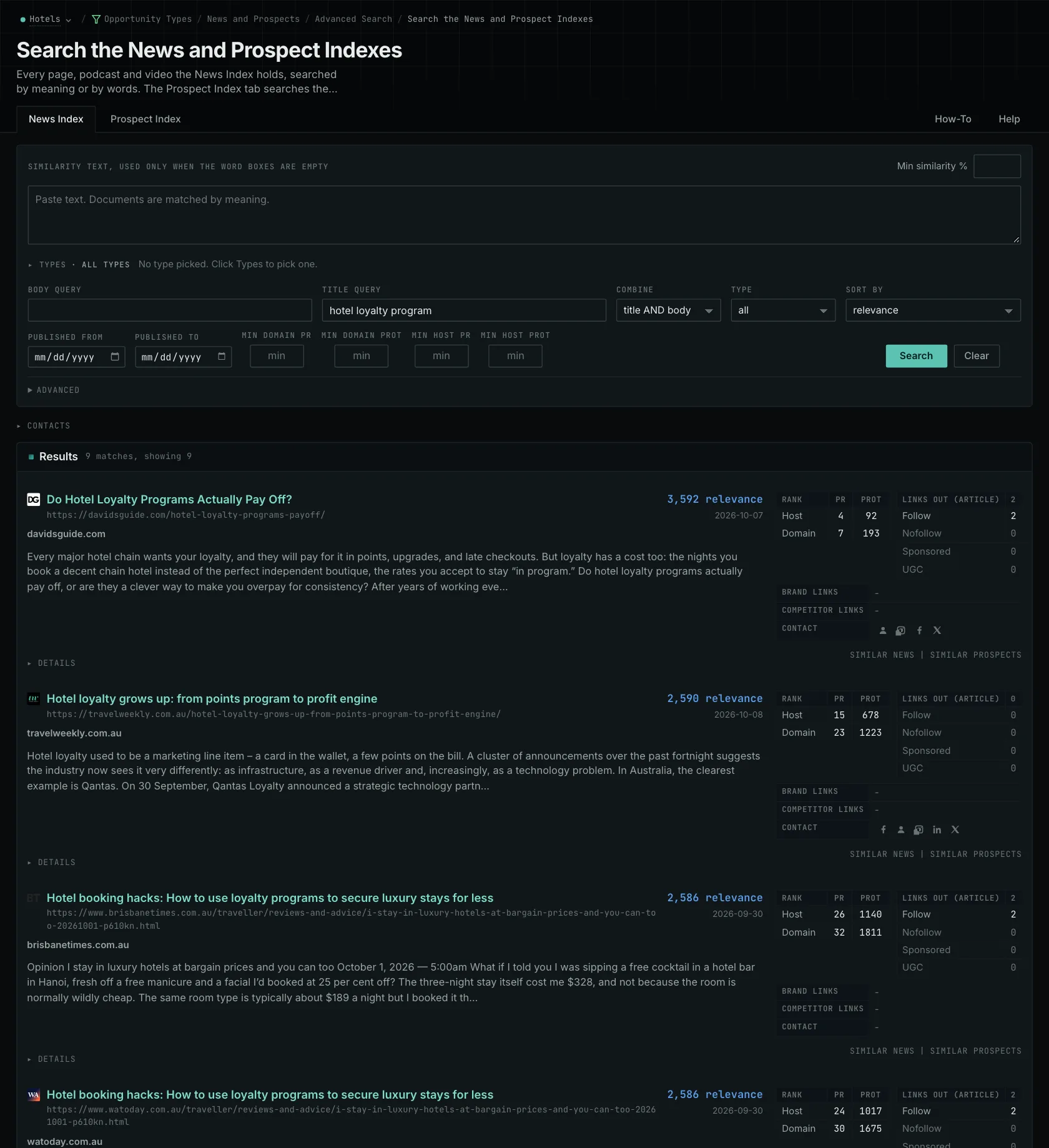
Refine the search around what you need
Read the first results to see how closely they fit. If most concern permanent recruitment, make the need for last-minute cover clearer in your description. If they're already on topic, you may have enough to start reading. The semantic news search guide explains how the description shapes the results.
For a specific name or phrase, use Title query or Body query. These support required terms and quoted phrases, and you can combine the title and body conditions with AND or OR. For example, use a word query when you need articles naming a particular restaurant chain.
Use the publication-date controls to choose the period you're researching. The publication date is when the source says the item appeared; the indexed date is when it entered the collection. A recently indexed page can cover an older event. Results also depend on the available collection, so an empty search doesn't establish that nobody covered the subject.
Find the original reporting
Several results may repeat the same staffing survey or press release. "Similar news" on a result lists the other pages that carry the same article. It can show where a story was distributed, while letting you distinguish that distribution from separate reporting on the same subject.
Open the original articles or recordings to read the evidence, quotes, and context. Extracted text and item descriptions may leave out details you need. You can use domain and host PageRank filters to narrow the publications, then use the original material to support what you write.
How pages enter your results
For monitoring, a page counts as new when it entered the index during the 24 hours before the run. News results also need a publication date within the previous seven days. Prospect monitoring has no equivalent publication-age limit, because an older opportunity page may still be useful.
A similarity search returns up to 100 rows. Changing your description can bring in different candidates, so a refined search may produce a new shortlist. Each search is a selection from the collection.
The News and Prospect indexes don't provide social listening or researched reporter profiles and beats. A page can be missing from the collection even when it exists, and the News Index isn't a promised permanent archive. Keep the source URLs, publication dates, and observation dates for material you want to use later.
Bring those sources and dates into the content brief. The writer can then follow the original evidence, recognize repeated coverage, and see which questions still need research.
Read the industry-news research guide for a walkthrough.
See how OppAlerts fits your work.
Tell me what you are working on and what you need to find out. I can walk you through the relevant reports and explain what OppAlerts can help you do.
You can explore the demo first, or use this form to ask about a task or arrange a demonstration with me.