Your business and the people writing about your market may use different words for the same thing. You think in product categories. A journalist may describe the problem a customer is having. Semantic news search lets you describe that problem and find related coverage without requiring the same phrase in every article.
For example, a workforce-software business might want to read about restaurants struggling to fill shifts. A story could discuss missed shifts and service delays without ever using “workforce management.” An exact phrase condition would miss it, even though you can see why the story matters.
Describe the situation you want to understand
An embedding model turns your query and the stored document text into numerical vectors. The search compares those vectors to find candidates with related meaning. That can connect different wording. You then read the results to decide whether they fit what you're investigating.
Compare “workforce management restaurants” with “restaurants struggling to fill shifts at short notice and the effect on service quality.” The second gives you a problem and a consequence. That's a more specific subject to compare. Extra words help when they clarify what you're looking for; unrelated details can make it less focused.
This goes beyond product terminology. An article might name a regulation without naming the industry it affects. Podcast guests might describe a problem in their own words. Reading those accounts can give you language that never appears on your product pages and ideas for further searches.
Use exact wording when that's what you need to find
If you need an explicit mention of your brand or a competitor, use the name and the appropriate word-matching conditions. Do the same for a named standard, regulation, or product. Related subject matter won't establish whether a particular term appears.
For wider market coverage or publications discussing a customer problem, try describing the subject. You can keep both searches: one to follow named businesses and another to research the discussion around them. Each gives you different material to work with.
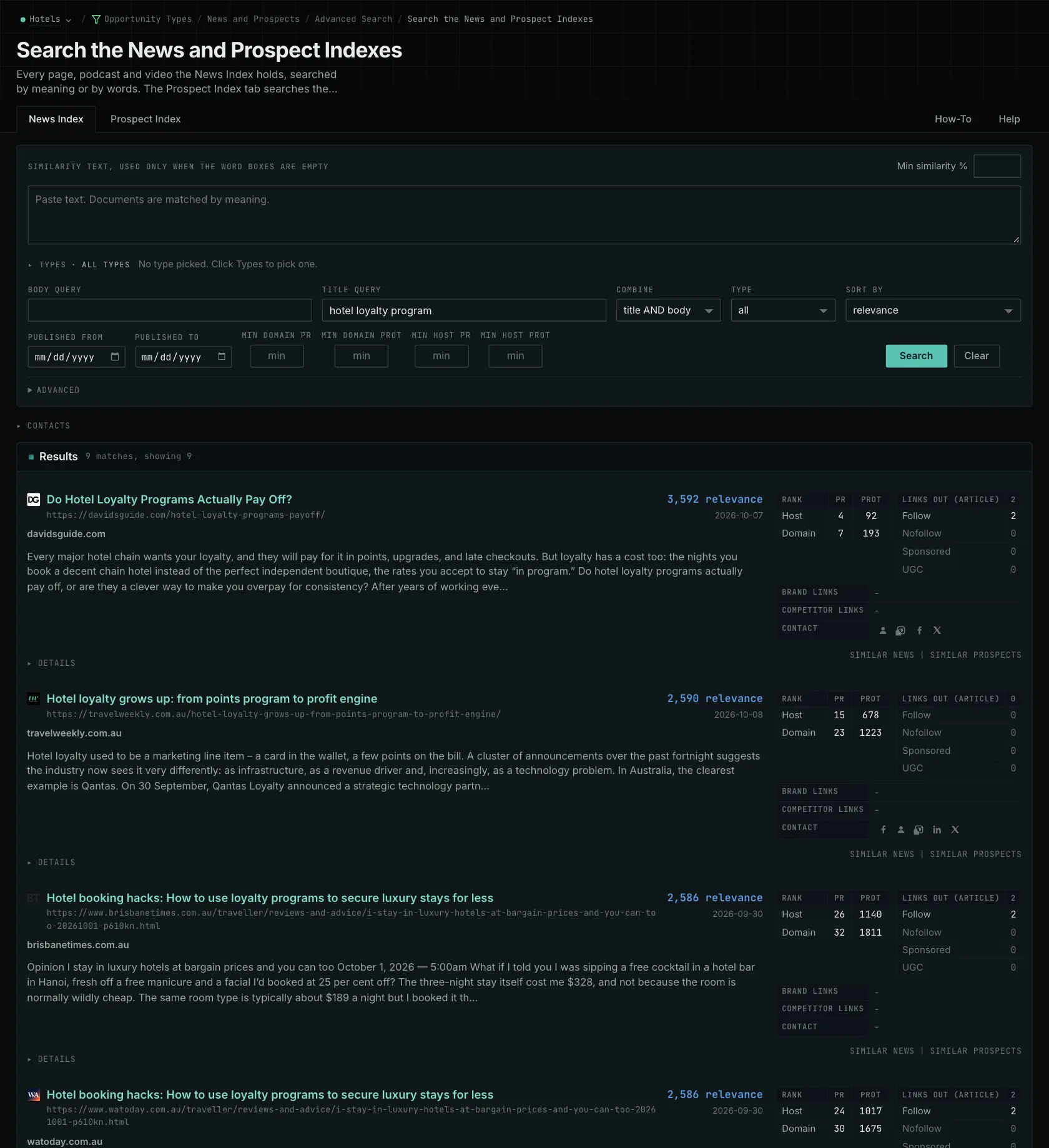
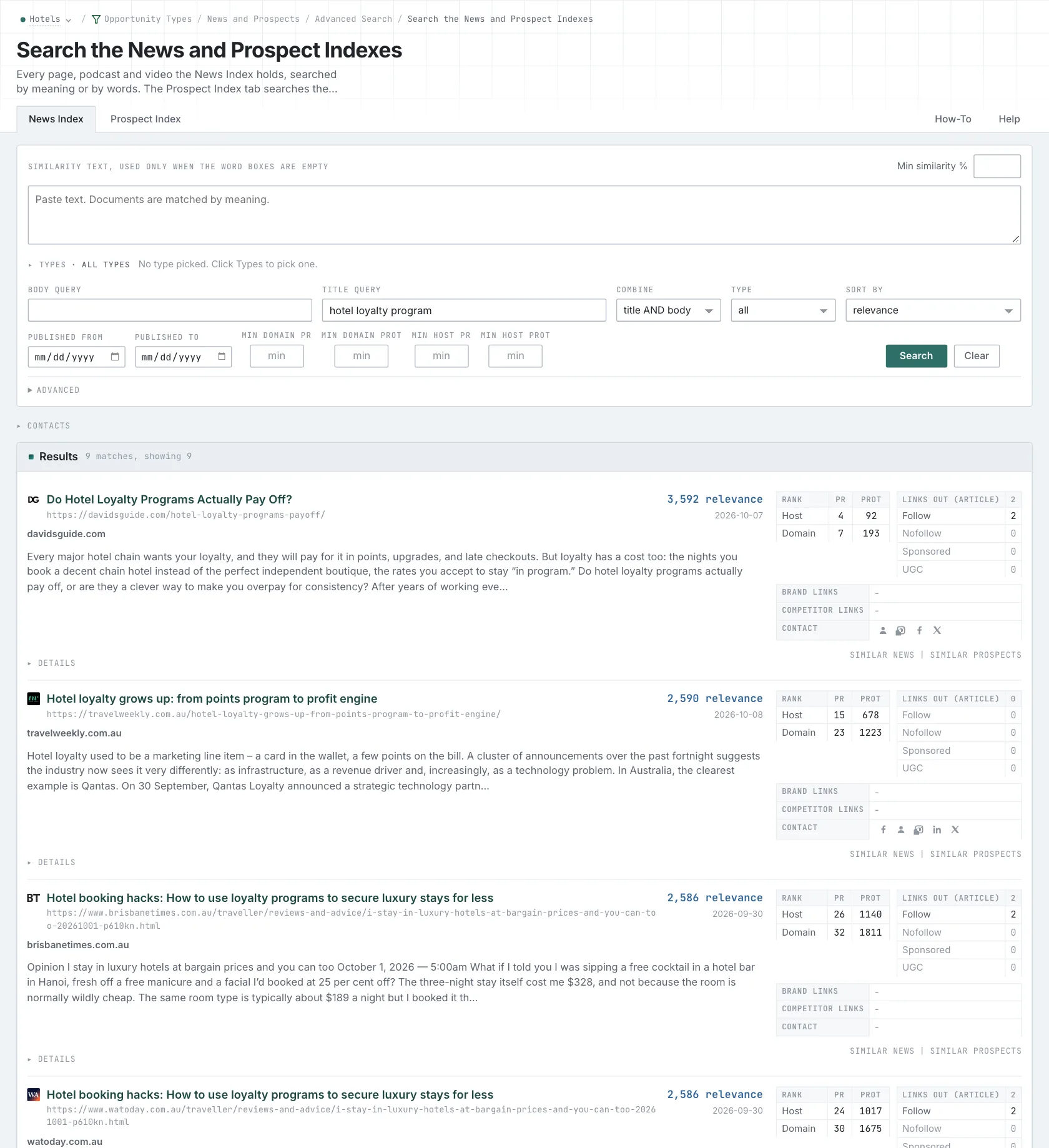
Understand what the returned list covers
Similarity search retrieves a limited set of candidates, then returns a shorter list after filtering and grouping. An article could be outside the index, excluded by a filter, or outside the candidates retrieved for your wording. If it isn't in the results, that doesn't establish that nobody has covered the subject.
If you get staffing articles about other industries, add the restaurant setting and try again. Look at how the subjects change. Revising the description can change which candidates are considered, so you're doing more than narrowing the previous list.
Use publication-date controls to set the period you want to research, within the material currently available in the index. For a weekly review, you might start with the period since your last check. Open the source pages you plan to use and keep their URLs and dates.
Use the coverage to decide what to investigate next
A staffing article could lead you to a useful trade publication or a customer question your guide needs to answer. Read the evidence before treating one account as a conclusion about the whole market. A story can give you another question to investigate without representing every restaurant.
For the shift-shortage search, save the articles that fit the situation and note how the writers describe it. Their wording can help you search further. Keep the original customer problem in mind when deciding which results belong.
The News Index guide shows the search, and the industry-news walkthrough follows a review in practice. For how the methods work, read about vector similarity and keyword matching.
See how OppAlerts fits your work.
Tell me what you are working on and what you need to find out. I can walk you through the relevant reports and explain what OppAlerts can help you do.
You can explore the demo first, or use this form to ask about a task or arrange a demonstration with me.