When you're choosing an AI search tool for an agency, start with the clients and people who will use it. You need room for the campaigns, enough tracking for each client, and a way to get the findings into your reports. The advertised prompt count only answers part of that.
Imagine one client is launching a product and wants daily tracking. Another needs the same questions checked once a week. Work through both in each tool. That lets you see whether the account can share capacity between them or gives each client a separate allowance.
OppAlerts publishes this guide and is one of the tools compared. The product and pricing details come from September 2026 research. Check the current plan and terms when requesting a quote.
Make room for your clients and team
A project, workspace, Brand Space, and campaign can each organize different things. Use the allowances below as a starting point, then check how each product handles your brands and access requirements.
| Product | Researched client arrangement |
|---|---|
| Scrunch Core | One brand workspace |
| Ahrefs | 5, 20, or 50 unverified website projects by plan; unlimited verified-ownership projects |
| Semrush | 5, 5, 15, or 40 monitored websites by plan |
| SE Ranking | 10 or 30 projects in the researched plans |
| Surfer AI Search Analytics | Five Brand Spaces |
| OppAlerts | 30, 10, or 3 active campaigns by plan |
Scrunch Core includes one workspace, so check how that would work for several clients. Peec also offers options for agencies tracking multiple brands. Ask each vendor to show your current client list in the product, then price what happens when you add more.
Include everyone who needs access. For example, in the dated Ahrefs pricing, Standard costs $249 a month and includes one user. A six-person team adds five users at $60 each, taking the total to $549. Other Ahrefs tiers charge $40 or $80 per additional user.
The researched SE Ranking plans include one or three manager accounts. Scrunch Core includes five licenses; Profound includes one user on Starter or three on Growth. Frase charges $29 a month per extra user. Peec AI, Rankscale, AccuRanker, Talkwalker, and Hunter do not charge per user in the researched offers. OppAlerts includes team members up to your plan limit. Price the account for the whole team.
Try the schedules your clients need
Check whether the launch client can use capacity the quieter client doesn't need. A shared account allowance may let you do that. Separate client allowances may require a different plan. Ask how it works before calculating the total.
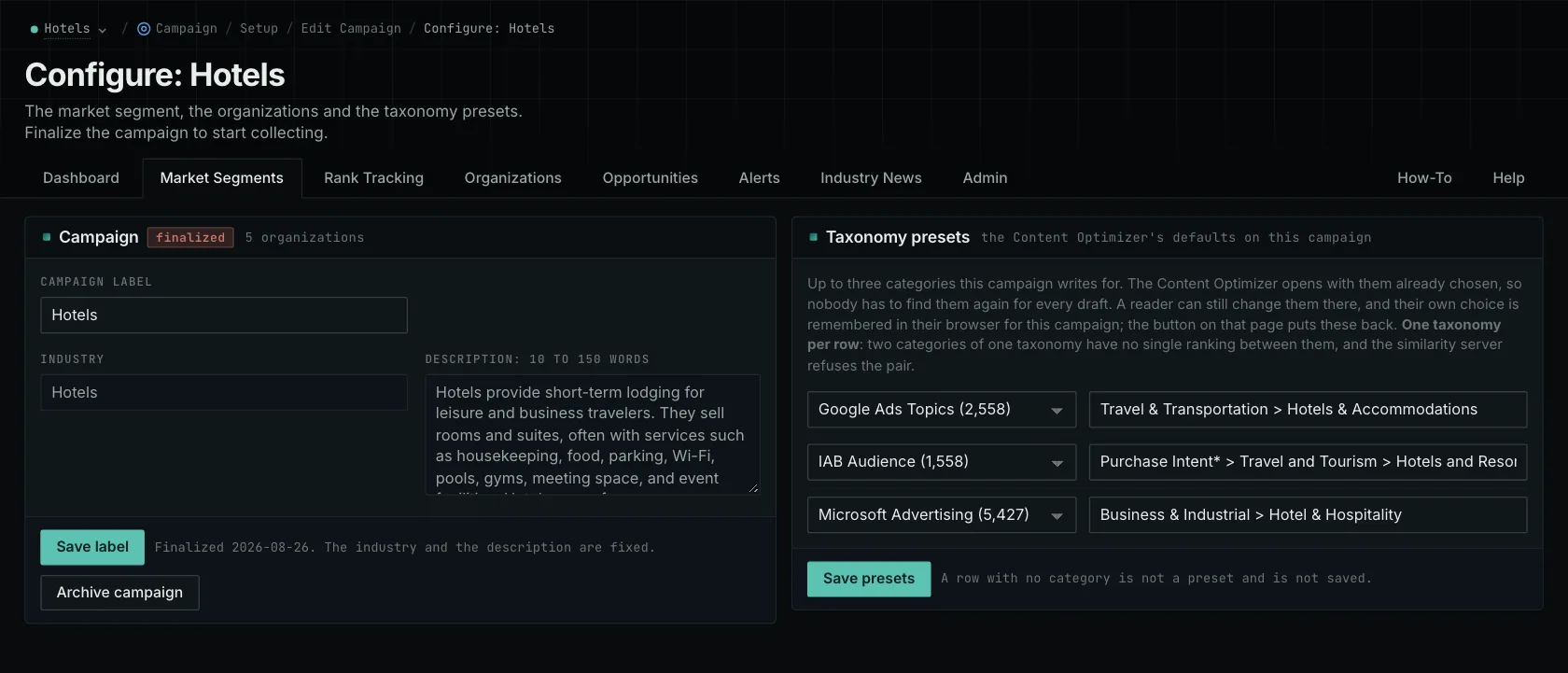
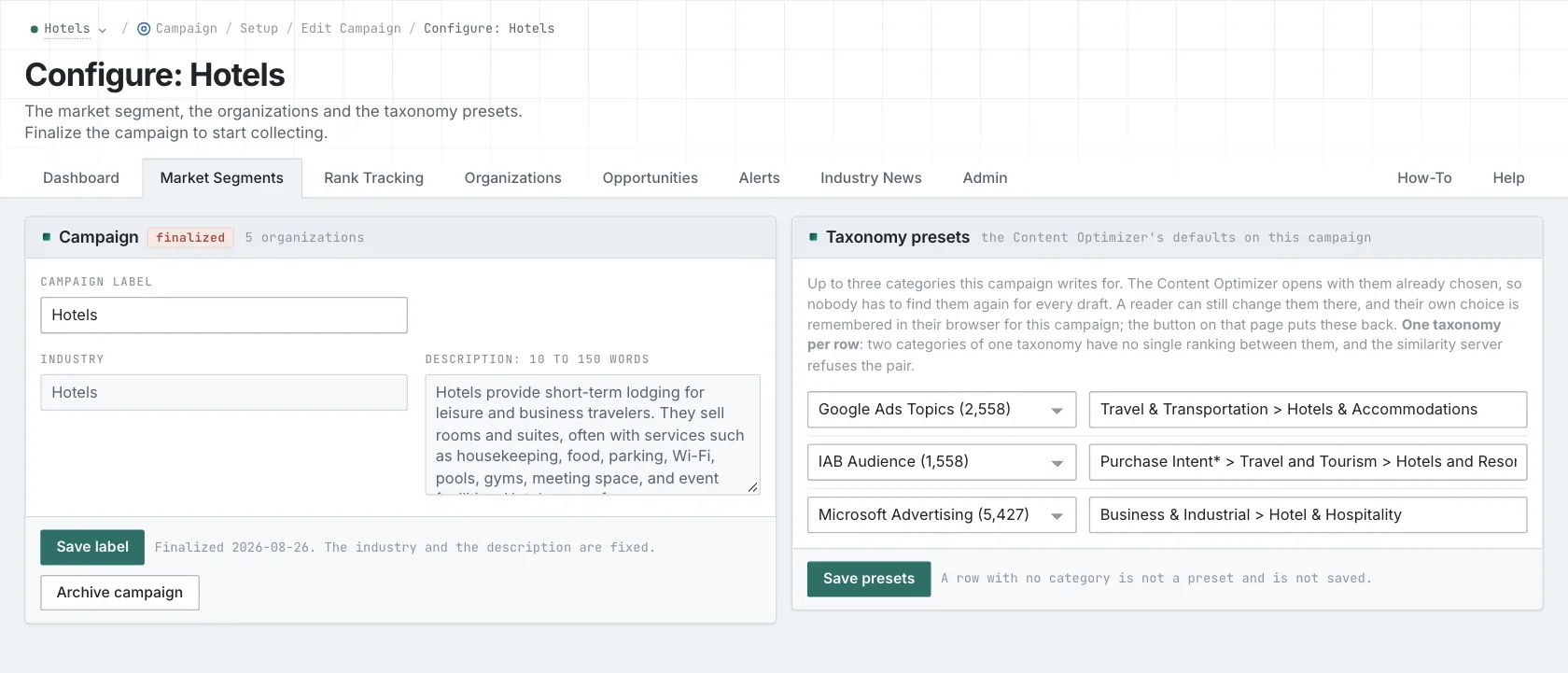
OppAlerts offers 30, 10, or 3 active campaigns by plan. Use a campaign for each client. OppAlerts researches the market and continually checks for new opportunities. Choose a plan by the campaigns, daily searches, and team access you need.
Each campaign describes the client's business, brands, and competitors. That gives the research shared context. You'll still choose the search terms, website addresses, and content categories for the individual tools.
Check who can see each client's work
Organizing clients into campaigns doesn't necessarily restrict access to them. OppAlerts has no separate client logins and can't limit staff to selected campaigns. If you need either, ask to see that access setup in the products you're considering.
A user count won't tell you which client records each person can see. Scrunch lists SAML and OIDC SSO at Enterprise. Profound lists Enterprise SSO and SAML with SOC2 compliance. Include those in your security review where relevant, and have the vendor demonstrate the staff roles you need across two clients.
Try preparing an actual client report
Bring a report you already send and check how you'll get the data into it. Peec offers CSV export, a Looker Studio connector, and an API. Brand24 offers PDF, CSV, and PPTX exports plus shareable dashboards. Ahrefs' Report Builder add-on includes 50 reports and 500 widgets.
Rankscale requires Pro or above to export fanout data to CSV or Sheets. Profound Starter has no exports; higher plans offer CSV and JSON. OppAlerts' Excel and CSV exports are coming soon. Its API and MCP server already provide read-only access to searches, data, and reports.
If you build your own reports, examine the API options in Ahrefs, Semrush, Peec, Otterly.AI, and OppAlerts. Check the operations and plan required. If your team needs a ready-made spreadsheet export, test that separately from API access.
Choose around the work your agency does
For a larger client list, compare SE Ranking, Ahrefs, Semrush, and OppAlerts. For a larger team, look at the offers without user charges from Peec, Rankscale, and AccuRanker. For OppAlerts, compare the team members included in each plan. If broader engine coverage matters, investigate Profound, Scrunch, and Brand24.
OppAlerts provides publication research, brand and competitor monitoring, and content research, but doesn't audit sites or write content. If ready-made exports and dashboards are central to your reporting, compare Peec, Brand24, and Ahrefs Report Builder.
Have each finalist demonstrate your two clients, their schedules, staff access, and report preparation. Then look at what would require an upgrade as you grow. Read more about OppAlerts for agencies, agency capacity, and managing multiple clients.
Browse all comparisons and alternatives.
See how OppAlerts fits your work.
Tell me what you are working on and what you need to find out. I can walk you through the relevant reports and explain what OppAlerts can help you do.
You can explore the demo first, or use this form to ask about a task or arrange a demonstration with me.