LLM Top Sites shows the websites named during your campaign setup research, ranked by score. Decide which businesses, publishers, and organizations you want to research further.
Imagine you're researching software for independent restaurants and a site you don't recognize keeps appearing. It might sell a competing product, publish software reviews, or belong to an industry association. Open the site to find out what it does and why it might matter to your business.
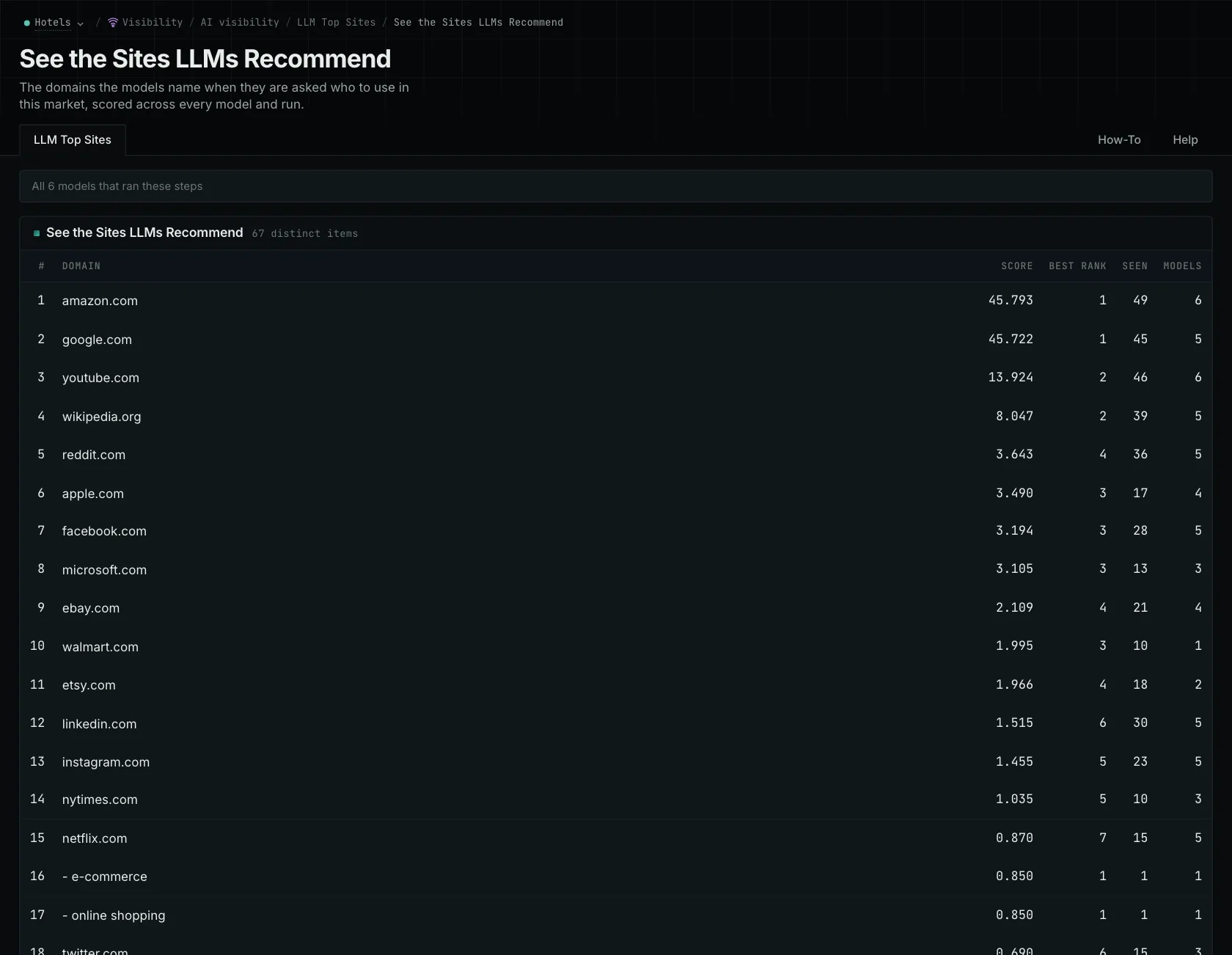
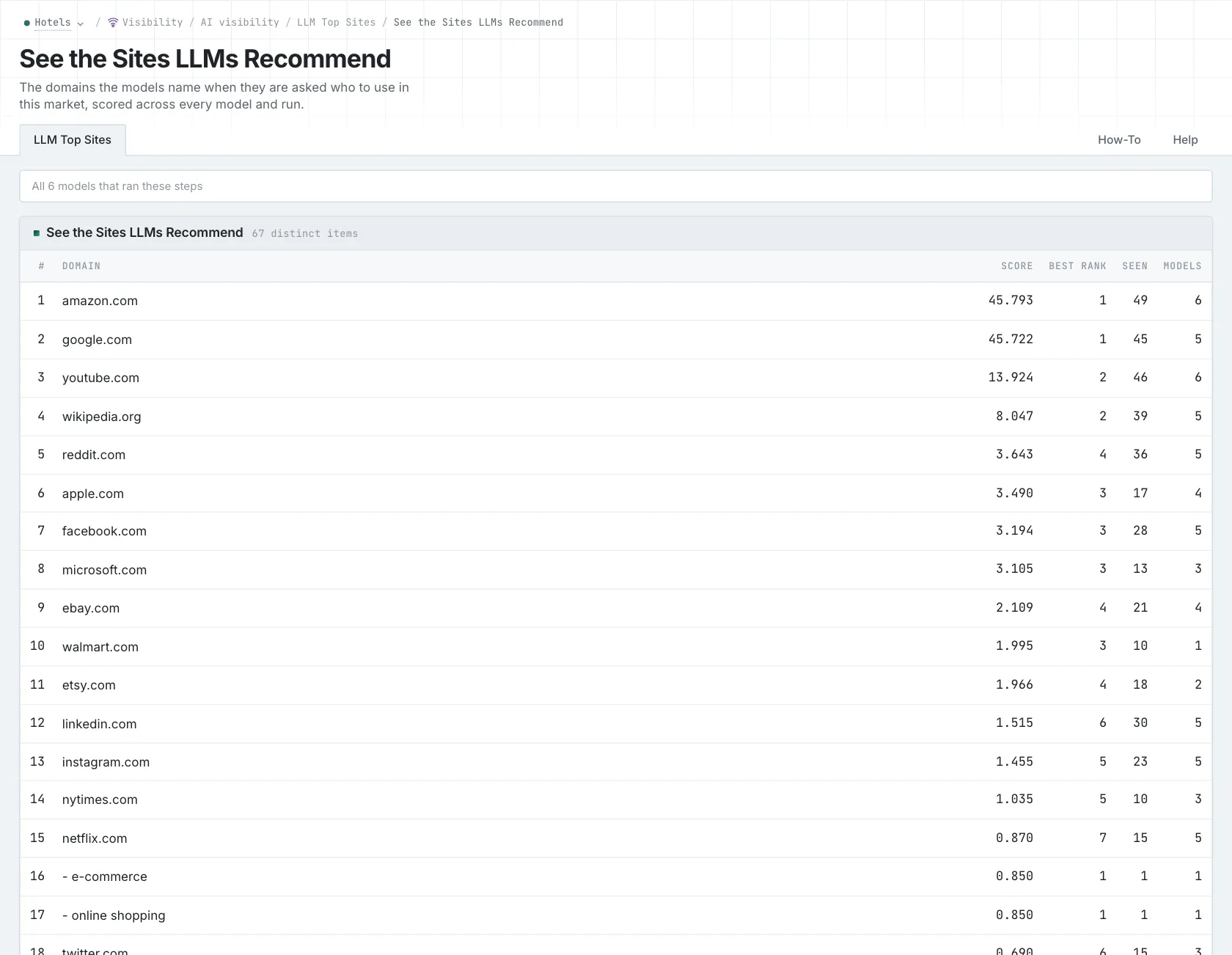
See how often and where a site appeared
Seen counts how many times the site appeared in the collected responses. Score also includes the model's configured weight and the site's position in the answer. So a site named often near the end can have a higher Seen count but a lower Score than one named fewer times near the beginning.
Use those columns to explore the responses, then read what they say about the site. A product recommended for a restaurant chain may have different strengths from one recommended for an independent restaurant. The counts and scores describe this research, rather than the site's reputation across the whole market.
Choose another campaign and see which sites change. If a site appears in several campaigns, read how it's described in each.
Add relevant organizations to your campaign
The report groups sites by normalized host. You can label known organizations as owned brands, competitors, publishers, or partners. Check the site before choosing its role. A publication reviewing your market belongs under Publisher, so later reports can use it in that context.
Once you've identified an organization you want to follow, add it to the campaign. The other reports can then use the same labels. The guide to researching AI-recommended competitors walks through how to investigate an unfamiliar business.
This is the research collected during campaign setup. Opening the report again shows the same collected research; it doesn't ask the models for new answers.
For each useful site, note what it provides, which buyer needs it was recommended for, and how you want to include it in your research. That gives your team a shared starting point for competitor and publisher research.
See how OppAlerts fits your work.
Tell me what you are working on and what you need to find out. I can walk you through the relevant reports and explain what OppAlerts can help you do.
You can explore the demo first, or use this form to ask about a task or arrange a demonstration with me.